Freedom251 › School Scheduling Software
Griddle
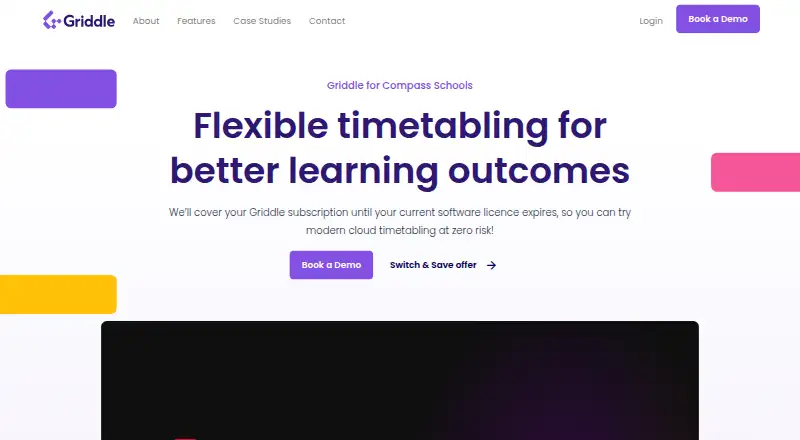
What Griddle is
Griddle is cloud software for school timetabling and daily organisation. Its timetable tools check school data, report issues, and support both automated timetable building and manual changes. The engine can produce timetable solutions within two hours, while line generation uses AI to create class combinations that account for school constraints and teacher and room requirements. Schools can use online course selection forms that apply curriculum rules and allow individual student exceptions. Flexible student groups, automatic enrolments, and class list changes are supported, with list updates flowing through to student timetables.
For schools operating across campuses, one setup can coordinate shared staff, spaces, students, and cross-campus classes. Griddle supports different period structures, including overlapping periods and teacher break rules across structures. Its daily organisation tools handle changes such as teacher absences and events. Events created in Compass appear automatically in Griddle, and exam schedules can be published to Compass; Griddle Exams can also arrange extra sittings for special considerations. Multiple users can work in the same data at once, with roles and permissions controlling access to specific areas. The service is web-based and can be accessed from any device. Griddle is presented for schools, teachers, and students, and its subscription pricing is available on request.
Who it suits
Griddle suits schools that need to coordinate timetables, curriculum, course selection, and day-to-day changes in one system. Its shared data, campus scheduling, and Compass syncing also fit schools managing multiple users or cross-campus classes.
What it does well
- Builds timetable solutions within two hours.
- Supports both automated timetable building and manual changes.
- Course forms apply curriculum rules and allow student exceptions.
- Coordinates shared resources and classes across campuses.
- Compass events sync automatically, and exam schedules can be published there.
- Role-based permissions let teams limit access to specific areas.
What to know first
- Pricing is available on request.
- The listed platform is web only.
Getting started
- Visit the Griddle website.
- Contact the team using the support email or phone number.
- Ask the team about subscription pricing and setup.
- Use Griddle through the web platform.
Verdict
Schools seeking a shared system for timetable creation, course selection, and daily organisation should consider Griddle. Its multi-campus scheduling and Compass syncing are useful for schools using those workflows; schools should ask the provider for subscription pricing before choosing it.
Questions
How much does Griddle cost?
Griddle is a paid subscription, with pricing available on request.
Which platforms does Griddle support?
Griddle is available on the web and can be accessed from any device.
Does Griddle work with Compass?
Events created in Compass automatically appear in Griddle. Exam schedules can also be published to Compass.
Can multiple staff work in the same Griddle data?
Yes. Multiple users can work on the same data simultaneously, with roles and permissions to control access to specific areas.
Can Griddle manage school timetables across campuses?
Yes. One Griddle setup can timetable shared staff, spaces, students, and cross-campus classes.
Facts from Griddle's own pages
- Access
- Griddle says multiple users can work on the same data simultaneously, with roles and permissions and access from any device. · griddle.education, 8 Oct 2026
- Access controls
- Multiple users can work in the same data at once, with roles and permissions for limiting access to specific areas. · griddle.education, 8 Oct 2026
- Audience
- Griddle describes its tools as serving schools, teachers and students. · griddle.education, 8 Oct 2026
- Class lists
- Griddle supports flexible student groups, automatic enrolments, and class list changes that update student timetables. · griddle.education, 8 Oct 2026
- Compass integration
- Events created in Compass automatically appear in Griddle, and exam schedules can be published to Compass. · griddle.education, 8 Oct 2026
- Course selection
- Online course selection forms use curriculum rules and can accommodate individual student exceptions. · griddle.education, 8 Oct 2026
- Daily organisation
- Daily Organisation manages changes such as teacher absences and events, and events created in Compass automatically appear in Griddle. · griddle.education, 8 Oct 2026
- Exams
- Griddle Exams can create extra sittings for special considerations and publish schedules to Compass for student and teacher schedules. · griddle.education, 8 Oct 2026
- Headquarters
- The listed office is in Hawthorn, Melbourne, Victoria, Australia. · griddle.education, 8 Oct 2026
- Integration
- Griddle describes automatic syncing with Compass and says exam schedules can be published there. · griddle.education, 8 Oct 2026
- Intended users
- Griddle is presented for schools seeking to manage timetabling, curriculum, course selection, and daily organisation. · griddle.education, 8 Oct 2026
- Line generation
- Its line generation feature uses AI to build class combinations while accounting for school constraints and teacher and room requirements. · griddle.education, 8 Oct 2026
- Multi-campus
- Schools can timetable shared staff, spaces, students, and cross-campus classes in one Griddle setup. · griddle.education, 8 Oct 2026
- Period structures
- Griddle supports multiple period structures, including overlapping periods and teacher break rules across structures. · griddle.education, 8 Oct 2026
- Pricing
- The homepage refers to a Griddle subscription but does not state its price. · griddle.education, 8 Oct 2026
- Product
- Griddle provides cloud software for school timetabling and daily organisation. · griddle.education, 8 Oct 2026
- Purpose
- Griddle provides cloud timetabling for schools. · griddle.education, 8 Oct 2026
- Support
- The site provides a support email address and phone number for contacting the team. · griddle.education, 8 Oct 2026
- Timetable generation
- Its engine builds timetable solutions within two hours, with options for automated building and manual changes. · griddle.education, 8 Oct 2026
- Timetabling
- The timetable feature checks data, reports issues and allows automated and manual timetable building. · griddle.education, 8 Oct 2026
Where Griddle stands on Freedom251
- School Scheduling Software#23 of 29