Freedom251 › AWS Marketplace Software

Terraform
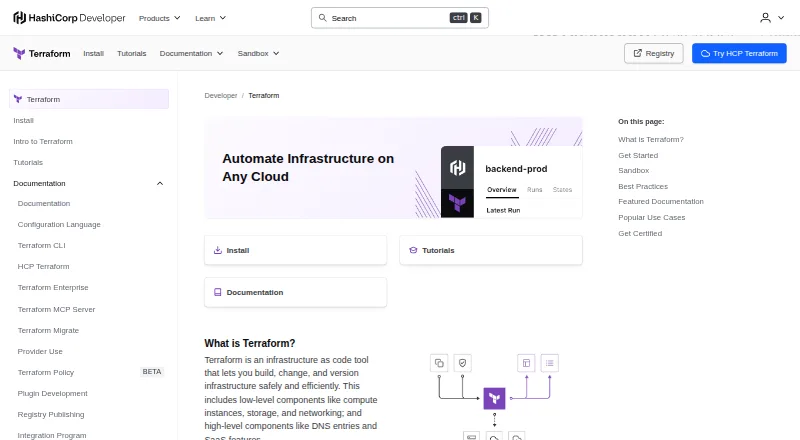
What Terraform is
Terraform is an infrastructure-as-code tool for defining, provisioning, and managing cloud and on-premises resources through configuration files. Its workflow is to write a configuration, review an execution plan, and apply approved changes. Providers connect Terraform to services through APIs; the Registry includes providers for AWS, Azure, Google Cloud, Kubernetes, GitHub, and Splunk. Modules package reusable infrastructure configurations that users can find or publish in the Registry. HCP Terraform adds remote runs, integrations with GitHub, GitLab, and Bitbucket that can trigger plans after repository changes, and an API. It stores state remotely with encryption at rest and provides workspaces, single sign-on, and role-based access controls. HCP Terraform and Terraform Enterprise support Sentinel policies for infrastructure standards and security rules. Community Edition is a free downloadable command-line tool, while HCP Terraform Free includes up to 500 managed resources. Downloads are available for Windows, macOS, and Linux, with a Visual Studio Code extension and language server for compatible editors. Enterprise pricing is custom and available through sales.
Who it suits
Terraform suits practitioners defining infrastructure across cloud and on-premises environments. HashiCorp describes Community Edition as a downloadable tool for practitioners and HCP Terraform's free features as suitable for small teams.
What it does well
- Workflow separates configuration, plan review, and approved changes.
- Registry offers providers and reusable modules.
- HCP Terraform stores state remotely with encryption at rest.
- Downloads are available for Windows, macOS, and Linux.
What to know first
- HCP Terraform Free is limited to 500 managed resources.
- Trusted providers and modules can access workspace variables and state.
- Enterprise pricing is custom and requires contacting sales.
Limits
HCP Terraform Free includes up to 500 managed resources, one concurrent remote run, and one concurrent agent run. Essentials, Standard, and Premium list per-resource pricing and different concurrency limits; Terraform Enterprise has custom pricing and customizable resource limits.
Plans
| Plan | Billed and limits | Price |
|---|---|---|
| Free | Up to 500 managed resources · 1 concurrent remote run · 1 concurrent agent run · SSO · VCS integration · private module registry | Free |
| Standard | Contact HashiCorp Sales · Unlimited managed resources · 10 concurrent remote runs · 10 concurrent agent runs · policy enforcement · cost estimation | On request |
| Premium | Contact HashiCorp Sales · Unlimited managed resources · 200 concurrent remote runs · 300 concurrent agent runs · audit logging · custom RBAC · priority support | On request |
| Terraform Community Edition | Free downloadable command-line tool · Provision infrastructure on any cloud provider | Free |
| HCP Terraform Free | No charge · Up to 500 managed resources · 1 remote run and 1 agent run concurrently | Free |
| HCP Terraform Essentials | Starting at $0.10 per month per resource; rated hourly at $0.00013 per hour · Pay-as-you-go · Per managed resource | $0.10 a month |
| HCP Terraform Standard | Starting at $0.47 per month per resource; rated hourly at $0.00064 per hour · Contact sales for pricing details · Includes HCP Waypoint | $0.47 a month |
| HCP Terraform Premium | Starting at $0.99 per month per resource; rate hourly at $0.00135 per hour · Contact sales for pricing details · Includes HCP Waypoint | $0.99 a month |
The first 8 of 10 plans, as developer.hashicorp.com lists them, read 14 Oct 2026. The maker's own page has the final word. Every plan
Getting started
- Visit the Terraform website.
- Download Terraform for Windows, macOS, or Linux, or use Terraform Community Edition as a command-line tool.
- Write infrastructure configuration in HCL.
- Review the execution plan before applying approved changes.
- For remote collaboration, use HCP Terraform and connect a GitHub, GitLab, or Bitbucket repository.
Overview
Terraform is a strong fit for practitioners and teams that need a repeatable way to manage infrastructure across cloud and on-premises environments. Its clearest advantage is a workflow that puts a reviewable plan between configuration and change; the trade-off is that hosted collaboration, higher run capacity, and governance come with per-resource pricing or custom terms.
Terraform uses HCL configuration and providers that connect to services through APIs, including AWS, Azure, Google Cloud, Oracle Cloud Infrastructure, Kubernetes, GitHub, and Splunk. Modules make infrastructure configurations reusable, while import and drift-detection support help teams work with existing infrastructure and spot divergence. The core downloadable command-line tool is distinct from HCP Terraform’s hosted collaboration service and Terraform Enterprise’s self-managed distribution.
Terraform belongs in Infrastructure as Code Tools, Cloud Management Software, Infrastructure Policy as Code Tools, Platform Engineering Software, Cloud Orchestration Software, and IT Configuration Management Software.
Key features
Plans before changes
Terraform’s write, review, and apply sequence makes proposed infrastructure changes inspectable before execution. That is useful for practitioners who want an approval point in their workflow, though the plan itself should not be mistaken for a security boundary.
Providers and reusable modules
Providers connect Terraform to services through APIs, and the Registry covers major cloud platforms as well as tools such as Kubernetes, GitHub, and Splunk. Public modules can be reused or published, giving teams a way to share infrastructure configurations instead of rebuilding them independently.
Hosted collaboration and governance
HCP Terraform can run Terraform remotely, connect to GitHub, GitLab, and Bitbucket, and trigger plans when repositories change; an API supports additional integrations. It stores state remotely with encryption at rest and offers workspaces, single sign-on, and role-based access controls. Sentinel policies in HCP Terraform and Terraform Enterprise can enforce infrastructure standards, but HashiCorp describes policy-as-code as guardrails rather than a security boundary. Providers and modules also deserve careful trust decisions because they can access workspace variables and state.
Enterprise deployment
Terraform Enterprise is a self-hosted HCP Terraform distribution with customizable resource limits. Its installation options include air-gapped and active-active architectures, making it the option for organizations that need deployment control beyond the hosted service.
Pricing
The command-line tool is free, while hosted HCP Terraform charges by managed resource on paid tiers. Resource quotas and concurrent-run allowances are the main practical dividing lines; the paid per-resource figures below are starting rates, not flat monthly subscriptions.
| Plan | Price | What it includes |
|---|---|---|
| Terraform Community Edition | free | Free downloadable command-line tool; provision infrastructure on any cloud provider. |
| HCP Terraform Free | free | Up to 500 managed resources; 1 remote run and 1 agent run concurrently. |
| HCP Terraform Essentials | $0.10 a month per resource starting rate; hourly rate $0.00013 | Pay-as-you-go per managed resource; unlimited managed resources, 3 concurrent remote runs, and 1 concurrent agent run. |
| HCP Terraform Standard | $0.47 a month per resource starting rate; hourly rate $0.00064 | Unlimited managed resources, 10 concurrent remote runs, 10 concurrent agent runs, and HCP Waypoint; contact sales for pricing details. |
| HCP Terraform Premium | $0.99 a month per resource starting rate; hourly rate $0.00135 | Unlimited managed resources, 200 concurrent remote runs, 300 concurrent agent runs, and HCP Waypoint; contact sales for pricing details. |
| Terraform Enterprise | Custom pricing; contact sales | Self-managed, customizable resource limits, and premium support included. |
Community Edition suits practitioners who want the downloadable tool without HCP’s remote-run quotas. HCP Free is a reasonable starting point for small teams, but its 500-resource ceiling and single concurrent runs can constrain shared operations. Essentials removes the resource cap and raises remote concurrency to three, while keeping agent concurrency at one. Standard and Premium are aimed at larger or busier teams that need more simultaneous runs; their per-resource rates rise with capacity, and sales contact is required for pricing details. Enterprise is the fit when self-management and customizable limits matter more than a published rate.
HCP Terraform also has a free plan and a free trial. No trial length or renewal term is stated.
Platforms
Terraform supports API, Linux, macOS, self-hosted, web, and Windows. The official installation options cover Windows, macOS, and Linux, while HashiCorp also provides a Visual Studio Code extension and a language server for editors supporting the Language Server Protocol. HCP Terraform’s web and remote execution options complement the downloadable tool; self-hosted execution is available.
Who it's for
Terraform suits infrastructure practitioners who want configurations that can be reviewed before application, and teams that need reusable modules and providers across services. HCP Terraform’s free features are positioned for small teams; paid collaboration and governance features are more relevant as organizations need more concurrent work, access controls, or policy enforcement. Teams that require controlled, self-managed deployment can consider Terraform Enterprise.
It is a weaker fit for buyers seeking broad hosted concurrency without per-resource charges, or for organizations that treat policy rules alone as a security boundary. Its own guidance makes clear that trusted providers and modules remain important.
Pros and cons
- Pros: The plan-before-apply workflow gives teams a clear review point before infrastructure changes.
- Pros: Providers and reusable Registry modules support work across major cloud platforms and services without limiting Terraform to one provider ecosystem.
- Pros: HCP Terraform combines remote runs, repository-triggered plans, encrypted remote state, workspaces, SSO, and role-based access controls.
- Cons: HCP Free caps managed resources at 500 and allows only one remote and one agent run at a time, which can bottleneck concurrent work.
- Cons: Paid HCP tiers price per managed resource, and Standard and Premium require sales contact for pricing details, making cost planning less straightforward.
- Cons: Policy-as-code is a guardrail, not a security boundary; providers and modules can access workspace variables and state, so trust remains essential.
Alternatives
- AWS CloudFormation is worth considering for a reader who wants its free CloudFormation service; the underlying AWS resources are billed at their own rates.
- Cloudify may suit readers comfortable with a Docker or VM setup for its free Community option.
- HashiCorp Nomad is another HashiCorp option to compare.
- Pulumi may appeal to a solo user who wants its free plan with one user and unlimited projects, stacks, environments, updates, and history.
- Terramate is a fit to compare when a free community plan capped at two users and 1,000 resources meets the need.
- OpenTofu is a free, open-source infrastructure-as-code alternative for readers comparing downloadable tools.
- Azure Bicep is another free option to consider.
- env0 may suit teams whose needs fit its free tier of 250 runs per month, 30 active environments, and one concurrent run.
Verdict
Choose Terraform if you want infrastructure changes expressed in reusable configuration and reviewed before application, with a path from a free command-line tool to hosted collaboration or self-managed enterprise deployment. Look elsewhere if HCP’s per-resource charges and free-tier concurrency caps do not suit your workload, or if you need policy controls to serve as a hard security boundary.
Verdict
Terraform provides a configuration-based workflow, reusable modules, and providers for connecting to services. HCP Terraform adds collaboration and governance options, with plan limits and pricing varying by offering.
Questions
Is Terraform free?
Terraform Community Edition is listed as free. HCP Terraform Free is also listed as free.
What does HCP Terraform Free include?
It allows up to 500 managed resources, with one remote run and one agent run concurrently.
What do paid HCP Terraform plans cost?
Essentials starts at $0.10 a month per managed resource, Standard at $0.47 a month per resource, and Premium at $0.99 a month per resource. Standard and Premium also state that buyers should contact sales for pricing details.
Which platforms can run Terraform?
The listed platforms are API, Linux, macOS, self-hosted, web, and Windows. Official downloads and installation instructions are provided for Windows, macOS, and Linux.
Can Terraform be self-hosted?
Yes. Terraform supports self-hosted execution, and Terraform Enterprise is a self-hosted HCP Terraform distribution.
What security controls does HCP Terraform provide?
It stores state remotely with encryption at rest and provides workspaces, single sign-on, and role-based access controls. HashiCorp says policy-as-code provides guardrails rather than a security boundary.
Facts from Terraform's own pages
- Collaboration
- HCP Terraform can run Terraform remotely, connect to GitHub, GitLab, and Bitbucket, trigger plans from repository changes, and integrate through an API. · developer.hashicorp.com, 29 Sept 2026
- Company founded
- HashiCorp was founded in 2012 by Mitchell Hashimoto and Armon Dadgar. · hashicorp.com, 14 Oct 2026
- Company headquarters
- LinkedIn lists HashiCorp headquarters in San Francisco, California. · linkedin.com, 14 Oct 2026
- Company history
- HashiCorp was founded by Mitchell Hashimoto and Armon Dadgar in 2012. · hashicorp.com, 29 Sept 2026
- Company legal name
- Crunchbase lists the legal name as HashiCorp, Inc. · crunchbase.com, 14 Oct 2026
- Company size
- LinkedIn lists HashiCorp as having 1,001–5,000 employees. · linkedin.com, 14 Oct 2026
- Compliance
- HashiCorp states that Terraform is covered by SOC 2 Type 2, ISO 27001, ISO 27017, and ISO 27018 certifications. · hashicorp.com, 14 Oct 2026
- Cost estimation
- Cost estimation is included in Standard and Premium plans only. · developer.hashicorp.com, 14 Oct 2026
- Declarative workflow
- Terraform uses configuration language, plans, applies, providers, modules, and state to manage infrastructure changes. · developer.hashicorp.com, 14 Oct 2026
- Documentation depth
- Official documentation covers configuration language, CLI, HCP Terraform, Enterprise, modules, providers, plugin development, registry publishing, integrations, tutorials, and a sandbox. · developer.hashicorp.com, 14 Oct 2026
- Editor integration
- HashiCorp provides a Visual Studio Code extension and a language server for editors that support the Language Server Protocol. · developer.hashicorp.com, 29 Sept 2026
- Enterprise deployment
- Terraform Enterprise is a self-hosted HCP Terraform distribution with customizable resource limits and installation options that include air-gapped and active-active architectures. · developer.hashicorp.com, 29 Sept 2026
- Founded
- 2012 · developer.hashicorp.com, 23 Sept 2026
- HCP collaboration
- HCP Terraform adds version control integration, shared state, governance, workspaces, and team workflows. · developer.hashicorp.com, 14 Oct 2026
- Headquarters
- San Francisco, California, United States · developer.hashicorp.com, 23 Sept 2026
- Installation systems
- Official binaries and package instructions are provided for macOS, Windows, Linux, FreeBSD, OpenBSD, and Solaris, with x86, ARM, ARM64, and S390X builds where applicable. · docs.hashicorp.com, 14 Oct 2026
- Integrations
- HashiCorp lists integrations for AI and MCP servers, audit, CI/CD, VCS, security scanning, policy, cost management, SSO, observability, and multi-cloud platforms. · developer.hashicorp.com, 14 Oct 2026
- Licence
- HashiCorp changed future Terraform releases to the Business Source License 1.1, which restricts hosting or embedding the software to compete with Terraform. · hashicorp.com, 14 Oct 2026
- Limit: complexity
- Independent reviewers cite a steep learning curve, cryptic errors, uneven documentation, configuration complexity, and difficult multi-environment setups. · softwareadvice.com, 14 Oct 2026
- Limit: provider maturity
- Software Advice reviewers report that some providers are not mature enough for all use cases. · softwareadvice.com, 14 Oct 2026
- Limit: state management
- Reviewers repeatedly report that state files, synchronization, drift, collaboration, and remote imports require careful management. · capterra.com, 14 Oct 2026
- Notable release
- The HCP Terraform changelog records Terraform Actions, a Day 2 operations framework, as released on March 9, 2026. · developer.hashicorp.com, 14 Oct 2026
- Ownership news
- HashiCorp's privacy policy states that IBM acquired HashiCorp on February 27, 2025. · hashicorp.com, 14 Oct 2026
- Plugin SDK
- HashiCorp recommends the Terraform Plugin Framework SDK for developing new providers using protocol version 6 or version 5. · developer.hashicorp.com, 14 Oct 2026
Where Terraform stands on Freedom251
- AWS Marketplace Software#7 of 31
- Platform Engineering Software#13 of 31
- Infrastructure as Code Tools#15 of 31
- Cloud Management Software#17 of 35
- Data Center Automation#11 of 22
- Infrastructure Policy as Code Tools#13 of 25
- Rollback Management#14 of 25
- Command Line Tools#16 of 27
- Infrastructure Automation#15 of 24
- IT Configuration Management Software#19 of 27
- Cloud Orchestration Software#19 of 27