Freedom251 › Platform Engineering Software

Pulumi
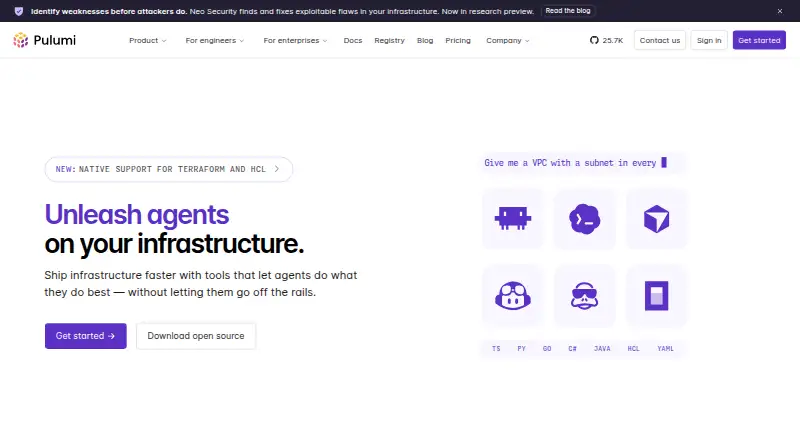
What Pulumi is
Pulumi helps engineers define and manage infrastructure with Infrastructure as Code written in general-purpose languages. Supported languages include TypeScript, JavaScript, Python, Go, .NET, Java, YAML, and HCL. Its listed providers include AWS, Azure, Google Cloud, Kubernetes, Cloudflare, Datadog, and GitHub. Pulumi ESC centralizes secrets and configuration from major vaults and cloud providers, and supports short-lived credentials through OIDC. Pulumi Neo can plan and execute infrastructure tasks, debug deployments, generate code, and provide cloud insights. Pulumi Deployments integrates with CI/CD services including AWS Code Services, Azure DevOps, Bitbucket, CircleCI, GitHub, GitLab, Google Cloud Build, and Jenkins. The CLI runs on Windows, macOS, and Linux and can use self-managed state backends such as S3, Azure Blob, GCS, or local storage. Listed capabilities include policy as code, drift detection, resource import, and self-hosted execution. The free plan costs nothing and allows one user with up to 500 workflow minutes. Essentials is $40 a month; Pro is $400 a month; Enterprise is $2,000 a month. The platform states it is SOC 2 Type II certified.
Who it suits
Pulumi suits engineers who want to define infrastructure in familiar programming languages and connect deployments to cloud providers and CI/CD services. Its free plan is limited to one user and 500 workflow minutes.
What it does well
- Supports eight languages, including Python, Go, and HCL.
- Integrates with major cloud providers and CI/CD services.
- Pulumi ESC centralizes secrets and supports short-lived OIDC credentials.
- Lists policy as code, drift detection, and resource import.
What to know first
- Free plan is limited to one user.
- Free plan allows up to 500 workflow minutes.
- Essentials costs $40 a month.
- Enterprise costs $2,000 a month.
Limits
The Free plan supports one user and up to 500 workflow minutes. Essentials includes up to 500 managed resources, Pro up to 2,000, and Enterprise up to 4,750.
Plans
| Plan | Billed and limits | Price |
|---|---|---|
| Free | 1 user · Unlimited projects, stacks, and environments · Unlimited updates and history · Up to 500 workflow minutes | Free |
| Enterprise | $2,000 /month · 2,000 Credits · Up to 4,750 managed resources · Self-hosting available | $2,000 a month |
| Essentials | $40 /month · 40 Credits · Up to 500 managed resources · Unlimited users | $40 a month |
| Pro | $400 /month · 400 Credits · Up to 2,000 managed resources · Unlimited users | $400 a month |
As pulumi.com lists them, read 30 Sept 2026. The maker's own page has the final word.
Getting started
- Visit pulumi.com.
- Choose the free plan or a paid plan; a free trial is available.
- Install the CLI for Windows, macOS, or Linux.
- Use the CLI with managed state or configure a self-managed backend such as S3, Azure Blob, GCS, or local storage.
- Write infrastructure code in a supported language and select a supported provider.
Pulumi is an infrastructure-as-code platform for engineering teams that want to define cloud infrastructure with programming languages and connect it to deployment workflows. It is strongest for teams that value language choice, provider breadth, and centralized secrets; its resource and workflow-minute caps make plan selection important as usage grows.
Overview
With TypeScript, JavaScript, Python, Go, .NET, Java, YAML, and HCL available for infrastructure definitions, Pulumi can fit teams that prefer general-purpose languages without excluding configuration-oriented approaches. Its provider coverage includes AWS, Azure, Google Cloud, Kubernetes, Cloudflare, Datadog, and GitHub. Policy as code, drift detection, resource import, and self-hosted execution round out the infrastructure-management scope.
Teams can use Pulumi-managed state or configure the CLI to store state in S3, Azure Blob, GCS, or local storage. Pulumi ESC centralizes secrets and configuration from major vaults and cloud providers, with short-lived credentials supported through OIDC. Pulumi states that its platform is SOC 2 Type II certified.
Key features
Deployment integrations
Pulumi Deployments connects with services including AWS Code Services, Azure DevOps, Bitbucket, CircleCI, GitHub, GitLab, Google Cloud Build, and Jenkins. That breadth can help teams bring infrastructure changes into existing CI/CD practices rather than treating deployment as a separate workflow.
Secrets and AI assistance
ESC’s centralized configuration and secrets management, together with OIDC short-lived credentials, suits teams trying to reduce reliance on long-lived credentials across environments. Pulumi Neo can plan and execute infrastructure tasks, debug deployments, generate code, and provide cloud insights; those capabilities may appeal to teams seeking assistance within infrastructure workflows.
Governance and support
Enterprise includes conformance packs for CIS, CIS Kubernetes, CMMC, HITRUST, ISO 27001, NIST, and PCI DSS, making it the relevant tier for organizations that need those governance frameworks. Every edition includes access to the support agent and ticket submission. Standard support is included with Enterprise contracts of at least one year.
Pricing
Pulumi has a free plan and paid plans beginning at $40 a month. Free supports one user, unlimited projects, stacks, and environments, unlimited updates and history, and up to 500 workflow minutes. It is a useful entry point for an individual or a small evaluation, but the single-user allowance and workflow cap constrain shared or automation-heavy use.
- Free: free. One user, unlimited projects, stacks, and environments, unlimited updates and history, and up to 500 workflow minutes.
- Essentials: $40 a month, billed $40 /month. Includes 40 Credits, up to 500 managed resources, and unlimited users. This is the lowest paid option for teams that need multiple users, though its resource ceiling may be restrictive as infrastructure expands.
- Pro: $400 a month, billed $400 /month. Includes 400 Credits, up to 2,000 managed resources, and unlimited users. It suits larger deployments that exceed Essentials’ resource allowance.
- Enterprise: $2,000 a month, billed $2,000 /month. Includes 2,000 Credits, up to 4,750 managed resources, and self-hosting availability. Its governance packs and self-hosting option are the clearest reasons to choose it, but the price is a substantial step up from Pro.
A free trial is available. Paid plans retain unlimited users, while managed-resource allowances rise by tier; choose by resource scale as well as price. Enterprise contracts of at least one year include Standard support.
Platforms
Pulumi is listed for API, Linux, macOS, self-hosted, web, and Windows. Its CLI installation documentation covers Windows, macOS, and Linux, and self-managed state backends provide an option for teams that prefer to control where state is stored.
Who it's for
Pulumi is a strong fit for engineering teams managing infrastructure across cloud providers who want to write definitions in familiar languages, integrate deployments with established CI/CD services, and centralize credentials and configuration. Free can suit an individual getting started; Essentials is the practical step for teams needing multiple users, while Pro and Enterprise address higher resource ceilings and, for Enterprise, governance and self-hosting needs.
It is less compelling for a team whose needs fit a simple, narrowly scoped setup: the paid tiers climb sharply, and Free is limited to one user and 500 workflow minutes. Teams should also compare the relevant managed-resource cap with their expected footprint before choosing a paid tier.
Pros and cons
- Pros: Broad language support lets teams use mainstream programming languages as well as YAML and HCL.
- Pros: Provider coverage and CI/CD integrations span major clouds, Kubernetes, and widely used deployment services.
- Pros: ESC centralizes secrets and configuration, with OIDC support for short-lived credentials.
- Cons: Free allows only one user and up to 500 workflow minutes, limiting shared or heavier automated use.
- Cons: Managed-resource ceilings require a tier increase as deployments grow, and Pro and Enterprise are significant price jumps over Essentials.
Alternatives
Terraform is worth comparing for teams seeking another freemium infrastructure tool: its Free plan includes 500 managed resources, one concurrent remote run, and one concurrent agent run.
Cloudforet is a free, self-hosted open-source platform for teams prioritizing that deployment model.
Cloudify offers a free Community plan with no time limit, but requires Docker or VM setup and access to a cloud provider to run workloads.
Apache CloudStack is a free, open-source IaaS cloud software option.
Canonical OpenStack is a free option described as 100% open source and based on upstream OpenStack code.
Cloud 66 has a free tier limited to one server, one static site, and five deployments per 24 hours; it may suit a small deployment footprint.
Cycloid offers a free SaaS plan for up to five users and one workspace, with blueprints, forms, orchestration, RBAC, SSO, and MFA.
Platform9 Private Cloud Director has a no-time-limit Community Edition for a single workload region.
Browse Infrastructure as Code Tools, Cloud Management Software, IT Configuration Management Software, Platform Engineering Software, Cloud Orchestration Software, and GitOps Tools for related categories.
Verdict
Pulumi is best for engineering teams that want infrastructure defined in familiar languages and managed alongside broad provider, deployment, and secrets integrations. That combination is its main reason to choose it; the single-user Free plan and steeply rising paid tiers are the reasons to look elsewhere if collaboration, resource scale, or cost do not align with its allowances.
Verdict
Pulumi brings infrastructure definitions, deployment integrations, and secrets management into one platform. Its free plan has user and workflow-minute limits; listed paid plans start at $40 a month.
Questions
Is Pulumi free?
Yes. The Free plan is $0.00 per free and includes one user, unlimited projects, stacks, and environments, unlimited updates and history, and up to 500 workflow minutes.
What do the paid plans cost?
Essentials is $40 per month, Pro is $400 per month, and Enterprise is $2,000 per month.
Which platforms does Pulumi support?
The listed platforms are API, Linux, macOS, self-hosted, web, and Windows. CLI installation is documented for Windows, macOS, and Linux.
Which languages and providers can I use?
Pulumi supports TypeScript, JavaScript, Python, Go, .NET, Java, YAML, and HCL. Providers include AWS, Azure, Google Cloud, Kubernetes, Cloudflare, Datadog, and GitHub.
Does Pulumi offer a free trial?
Yes, a free trial is available.
What support and security details are listed?
Every edition includes access to the support agent and ticket submission. Standard support is included with Enterprise contracts of at least one year, and Pulumi states that its platform is SOC 2 Type II certified.
Facts from Pulumi's own pages
- AI features
- Pulumi Neo can plan and execute infrastructure tasks, debug deployments, generate code, and provide cloud insights. · pulumi.com, 30 Sept 2026
- CI/CD
- Pulumi Deployments integrates with AWS Code Services, Azure DevOps, Bitbucket, CircleCI, GitHub, GitLab, Google Cloud Build, and Jenkins, among others. · pulumi.com, 30 Sept 2026
- CLI platforms
- Pulumi documents CLI installation for Windows, macOS, and Linux. · pulumi.com, 30 Sept 2026
- Cloud providers
- Pulumi lists AWS, Azure, Google Cloud, Kubernetes, Cloudflare, Datadog, and GitHub among its supported providers. · pulumi.com, 30 Sept 2026
- Enterprise governance
- The Enterprise plan includes conformance packs for CIS, CIS Kubernetes, CMMC, HITRUST, ISO 27001, NIST, and PCI DSS. · pulumi.com, 30 Sept 2026
- Founded
- 2017 · pulumi.com, 23 Sept 2026
- Headquarters
- Seattle, Washington, United States · pulumi.com, 23 Sept 2026
- Languages
- Pulumi supports TypeScript, JavaScript, Python, Go, .NET, Java, YAML, and HCL for infrastructure code. · pulumi.com, 30 Sept 2026
- Notable limits
- Free includes one user and up to 500 workflow minutes, while Essentials, Pro, and Enterprise include up to 500, 2,000, and 4,750 managed resources respectively. · pulumi.com, 30 Sept 2026
- Purpose
- Pulumi helps engineers ship infrastructure faster with Infrastructure as Code in general-purpose languages. · pulumi.com, 30 Sept 2026
- Secrets
- Pulumi ESC centralizes secrets and configuration from major vaults and cloud providers, and supports short-lived credentials through OIDC. · pulumi.com, 30 Sept 2026
- Security
- Pulumi states that its platform is SOC 2 Type II certified. · pulumi.com, 30 Sept 2026
- Self-managed state
- The CLI can use self-managed state backends including S3, Azure Blob, GCS, or local storage. · pulumi.com, 30 Sept 2026
- Support
- Every edition includes access to the support agent and ticket submission; Standard support is included with Enterprise contracts of at least one year. · pulumi.com, 30 Sept 2026
Where Pulumi stands on Freedom251
- Platform Engineering Software#8 of 31
- Infrastructure as Code Tools#11 of 31
- Cloud Management Software#14 of 35
- Cloud Orchestration Software#11 of 27
- Infrastructure Automation#10 of 24
- GitOps Tools#15 of 35
- Cli Tools#16 of 32
- IaC Security Scanners#8 of 16
- IT Configuration Management Software#15 of 27
- Orchestration / Provisioning Software#15 of 27