Freedom251 › Platform Engineering Software

Crossplane
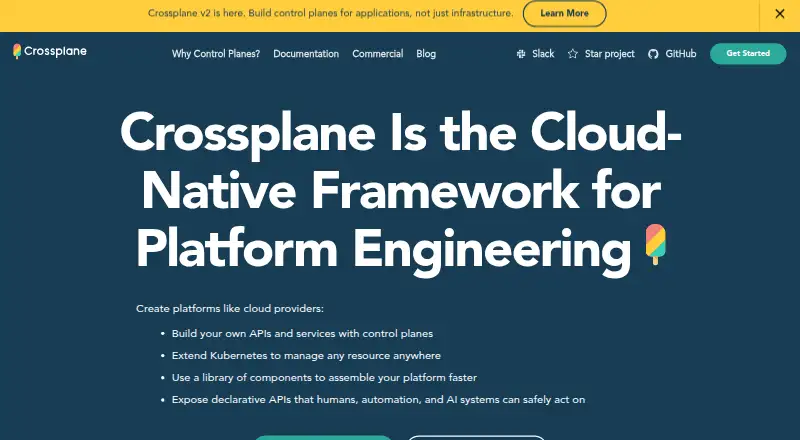
What Crossplane is
Crossplane is an open-source framework for building control planes that manage cloud-native software. Teams can define custom APIs through Composition pipelines of functions, rather than writing and maintaining controllers. Its managed resources are Kubernetes custom resources that can represent external services such as AWS RDS instances. Community extensions include providers for AWS, Azure, Google Cloud, Kubernetes, GitHub, GitLab, and Argo CD. The package manager installs managed resources and composition functions, and can distribute control-plane configurations across multiple control planes. Crossplane runs in an existing Kubernetes cluster, installed with a Helm chart; installation requires an actively supported Kubernetes version and Helm v3.2.0 or later. The project is free under the Apache 2.0 license. Operations support one-time, scheduled, and resource-change-triggered pipelines, but are marked alpha in Crossplane v2. Its default crossplane-admin ClusterRole has full access to all secrets and namespaces and can bind RBAC roles to other entities.
Who it suits
Crossplane suits platform engineering teams that want to build control planes for managing cloud-native software. It requires an existing Kubernetes cluster and Helm for installation.
What it does well
- Free and open source under Apache 2.0
- Supports AWS, Azure, and Google Cloud
- Can import existing resources and detect drift
- Offers policy as code
- CLI commands mostly work without a Crossplane pod
What to know first
- Requires an existing Kubernetes cluster
- Operations are marked alpha in Crossplane v2
- Default admin role has broad secrets and namespace access
Limits
The free open-source project runs in an existing Kubernetes cluster, and installation requires an actively supported Kubernetes version and Helm v3.2.0 or later. Operations is marked alpha in Crossplane v2.
Plans
| Plan | Billed and limits | Price |
|---|---|---|
| Crossplane open-source project | Apache 2.0 license · runs in an existing Kubernetes cluster | Free |
As crossplane.io lists them, read 9 Oct 2026. The maker's own page has the final word.
Getting started
- Prepare an existing Kubernetes cluster running an actively supported Kubernetes version.
- Install Helm v3.2.0 or later.
- Install Crossplane in the cluster using its Helm chart.
- Use the Crossplane CLI as a standalone binary; some commands require a Docker-compatible container runtime.
Verdict
Crossplane provides APIs, managed resources, and packaging for teams building infrastructure control planes. Check the cluster requirements and default RBAC permissions before deployment.
Questions
How much does Crossplane cost?
The open-source project is listed as free plan and is licensed under Apache 2.0.
Where does Crossplane run?
Crossplane installs into an existing Kubernetes cluster using a Helm chart.
Which cloud providers are supported?
The listed supported clouds are AWS, Azure, and Google Cloud. The community extension list also includes providers for Kubernetes, GitHub, GitLab, Argo CD, and other services.
What does Composition do?
Composition lets users build custom APIs for cloud-native software using pipelines of functions instead of writing and maintaining controllers.
Does Crossplane support scheduled operations?
Operations supports one-time, scheduled, and resource-change-triggered function pipelines. It is marked alpha in Crossplane v2.
What should teams know about its default RBAC role?
The default crossplane-admin ClusterRole has full access to all secrets and namespaces and can bind RBAC roles to other entities.
Facts from Crossplane's own pages
- CLI
- The Crossplane CLI is a standalone binary; most CLI commands work without access to a Crossplane pod, though some require a Docker-compatible container runtime. · docs.crossplane.io, 9 Oct 2026
- Custom APIs
- Composition lets users build custom APIs for cloud native software using pipelines of functions instead of writing and maintaining controllers. · docs.crossplane.io, 9 Oct 2026
- Deployment
- Crossplane installs into an existing Kubernetes cluster using a Helm chart; the installation guide requires an actively supported Kubernetes version and Helm v3.2.0 or later. · docs.crossplane.io, 9 Oct 2026
- Integrations
- The community extension list includes providers for AWS, Azure, Google Cloud, Kubernetes, GitHub, GitLab, Argo CD, and other services. · docs.crossplane.io, 9 Oct 2026
- License and governance
- Crossplane is an open-source CNCF project released under the Apache 2.0 license, and its website says it will remain vendor neutral. · crossplane.io, 9 Oct 2026
- Managed resources
- Managed resources are Kubernetes custom resources that let Crossplane manage external services such as AWS RDS instances. · docs.crossplane.io, 9 Oct 2026
- Operations
- Operations support one-time, scheduled, and resource-change-triggered function pipelines, and the documentation marks Operations as an alpha feature in Crossplane v2. · docs.crossplane.io, 9 Oct 2026
- Packages
- The package manager installs managed resources and composition functions and can distribute control-plane configurations across multiple control planes. · docs.crossplane.io, 9 Oct 2026
- Purpose
- Crossplane is a control plane framework for platform engineering that lets teams build control planes to manage cloud native software. · docs.crossplane.io, 9 Oct 2026
- RBAC permissions
- The default crossplane-admin ClusterRole has full access to all secrets and namespaces, including ones unrelated to Crossplane, and can bind RBAC roles to other entities. · docs.crossplane.io, 9 Oct 2026
- Security
- Crossplane is built on Kubernetes and uses Kubernetes RBAC; its website describes RBAC as a security feature used to control access. · crossplane.io, 9 Oct 2026
- Support
- The commercial page lists Upbound as offering security, support, official providers, and a platform for managing infrastructure with Crossplane. · crossplane.io, 9 Oct 2026
Where Crossplane stands on Freedom251
- Platform Engineering Software#9 of 31
- Cloud Management Software#12 of 35
- GitOps Tools#14 of 35
- Multi-Cloud Management Software#10 of 25
- Infrastructure as Code Tools#13 of 31
- Cloud Orchestration Software#12 of 27
- Orchestration / Provisioning Software#14 of 27
- Infrastructure Automation#13 of 24
- IT Configuration Management Software#16 of 27