Freedom251 › Infrastructure as Code Tools

Terramate
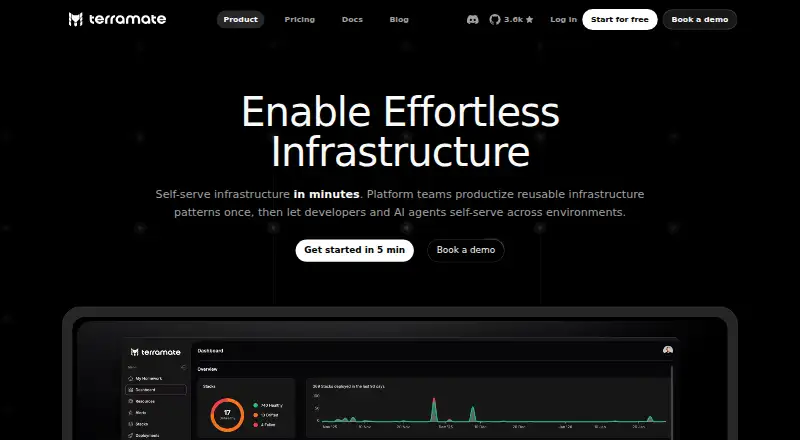
What Terramate is
Terramate is an Infrastructure as Code orchestration and observability platform for platform teams. It helps teams package reusable infrastructure patterns so developers and AI agents can self-serve across environments. Its capabilities include stacks, custom workflows, GitOps, drift detection and reconciliation, and pull request plan previews. Terramate Cloud supports Terraform, OpenTofu, and Terragrunt, and integrates with CI/CD systems such as GitHub Actions, GitLab CI/CD, Bitbucket Pipelines, and Azure DevOps. It supports AWS, Google Cloud, and Azure; state management is self-hosted, and policy as code, importing existing resources, and self-hosted execution are supported. The CLI removes sensitive values from plan data on the client before syncing it. Terramate says it does not need access to customer cloud accounts, state files, or source code, and lists AES-256 encryption at rest and HTTPS with TLS 1.2. Community is free forever for up to 2 users and 1,000 resources. Teams costs $449/mo; Enterprise pricing is custom. A 14-day trial is listed.
Who it suits
Terramate suits platform teams that want to make reusable infrastructure patterns available to developers and AI agents. It may also fit teams using Terraform, OpenTofu, or Terragrunt across AWS, Google Cloud, or Azure.
What it does well
- Supports Terraform, OpenTofu, and Terragrunt.
- Includes drift detection and reconciliation.
- Offers rendered pull request plan previews.
- Community plan is free forever.
- CLI removes sensitive plan values before syncing.
What to know first
- Community is limited to 2 users and 1,000 resources.
- Teams costs $449/mo.
- Community data retention is 30 days.
Limits
Community is free forever and supports up to 2 users and 1,000 resources, with 30-day data retention and community support. Teams costs $449 a month and supports unlimited users and up to 5,000 resources, with 90-day retention and a 24-hour support response time.
Plans
| Plan | Billed and limits | Price |
|---|---|---|
| Community | forever free · up to 2 users · up to 1000 resources · 30-day data retention · community support | Free |
| Teams | $449 / month · 14-day free trial · unlimited users · up to 5000 resources · 90-day data retention · 24-hour support response · asset management · policies · CIS benchmarks · DORA metrics · incident management · Slack and email support | $449 a month |
| Enterprise | Custom · PoC trial program · unlimited users · custom resources · custom data retention · 4-hour support response · SAML SSO · RBAC · audit trail · private source control · cloud or cloud-prem deployment · dedicated support and account manager | On request |
As terramate.io lists them, read 15 Oct 2026. The maker's own page has the final word.
Getting started
- Visit the Terramate website and choose a plan or start the 14-day trial.
- Install the CLI for macOS, Ubuntu or Debian, Fedora or CentOS, or Windows.
- Connect Terramate with a supported CI/CD system or VCS platform.
- Use Terramate Cloud with Terraform, OpenTofu, or Terragrunt.
- Select a supported plan based on user and resource needs.
Terramate is an Infrastructure as Code orchestration and observability platform for platform teams that want reusable infrastructure patterns to serve developers and AI agents across environments. It is a strong fit when Terraform, OpenTofu, or Terragrunt workflows need coordinated pull requests, GitOps, and drift handling rather than a standalone provisioning tool. The free tier is useful for a very small setup, while larger teams must weigh the $449 monthly entry price against its broader controls.
Overview
Terramate organizes infrastructure through stacks, orchestration, custom workflows, and GitOps. Platform teams can turn repeatable patterns into a self-service path across AWS, Google Cloud, and Azure, using HCL configuration, policy as code, and self-hosted state management. Importing existing resources makes it more suitable for established estates than a tool intended only for new deployments.
Rendered pull-request plan previews put proposed infrastructure changes into code-review workflows. Drift detection identifies divergence from the intended configuration, while drift reconciliation addresses it; that combination is more useful than detection alone for teams responsible for keeping environments aligned.
Key features
Orchestration and delivery workflows
Terramate Cloud supports Terraform, OpenTofu, and Terragrunt. Native pull-request integration covers GitHub, GitLab, Bitbucket, and other VCS platforms, while CI/CD connections include GitHub Actions, GitLab CI/CD, Bitbucket Pipelines, and Azure DevOps. This breadth benefits organizations with mixed repositories or an existing CI estate, but adds less value if a team only needs a single IaC command-line workflow.
Security and data handling
Terramate says its service does not require access to customers' cloud accounts, state files, or source code. The CLI removes sensitive values from plan data before synchronization to Terramate Cloud. Data is encrypted at rest with AES-256 and communications use HTTPS with TLS 1.2; independent parties penetration-test the infrastructure, web applications, and APIs annually. These controls address common concerns about sending infrastructure plans to a hosted service, although customers still need to assess them against their own policies.
Pricing
| Plan | Price | What you get |
|---|---|---|
| Community | free, free forever | Up to 2 users, 1,000 resources, 30-day data retention, community support |
| Teams | $449 a month | Unlimited users, up to 5,000 resources, 90-day data retention, 24-hour support response |
| Enterprise | Custom pricing | Unlimited users, custom resources and retention, 4-hour support response |
Community is appropriate for evaluation or a tiny platform group, but two users and 1,000 resources can become an operational ceiling quickly. Teams removes the seat limit and expands capacity, making it the practical production tier for growing organizations, though $449 per month is a substantial commitment compared with free IaC tools. Enterprise is for organizations needing negotiated capacity, retention, and faster support; its price requires a sales discussion. A 14-day trial provides a short window to validate the paid workflow before committing.
Platforms
Terramate offers API, web, Linux, macOS, and Windows access. CLI installation instructions cover macOS, Ubuntu and Debian, Fedora and CentOS, and Windows, so mixed engineering environments can use the same command-line tooling.
Who it's for
Choose Terramate when a platform team needs reusable infrastructure patterns, pull-request governance, CI/CD integration, and ongoing drift workflows across multiple environments or IaC tools. It is less compelling for an individual operator seeking only provisioning, or for a team unwilling to pay for hosted orchestration once the Community limits are exceeded.
Pros and cons
Pros
- Broad IaC coverage: Terraform, OpenTofu, and Terragrunt support lets teams coordinate existing tool choices.
- Complete change loop: Plan previews, GitOps, drift detection, and reconciliation connect review with operations.
- Practical integrations: Major CI/CD and VCS platforms fit established delivery pipelines.
- Conservative data posture: Client-side redaction and no required access to cloud accounts, state files, or source code reduce exposure.
Cons
- Small free tier: Two users and 1,000 resources limit Community to pilots and very small teams.
- High paid entry point: Teams starts at $449 per month, a serious cost for organizations that only need basic IaC.
- Retention varies by plan: Community keeps 30 days of data versus 90 days on Teams; longer or custom retention requires Enterprise.
Alternatives
Terraform is the better choice when you want a widely used IaC tool with a free plan supporting 500 managed resources, one concurrent remote run, and one concurrent agent run, rather than Terramate's orchestration layer.
AWS CloudFormation suits AWS-only deployments where the service itself is free and costs come from the AWS resources it provisions.
Cloudify fits teams prepared to run a community edition through Docker or a VM and connect it to a cloud provider.
Kusion is an open-source platform orchestrator with a Helm installation path.
Pulumi is worth choosing when its free plan's one-user model and unlimited projects, stacks, and environments match your needs.
AWS CDK is the no-charge option for defining AWS infrastructure in code, with deployed AWS resources billed separately.
OpenTofu is the open-source alternative when you need an IaC engine without Terramate's hosted coordination features.
Terragrunt is the more focused option for teams wanting its free tier of up to 25 infrastructure units and unlimited runs.
See the Infrastructure as Code Tools directory for additional options.
Verdict
Terramate is a good choice for platform teams standardizing self-service infrastructure across Terraform-compatible tools, especially when pull-request previews and drift reconciliation are central requirements. Choose it for the unified orchestration and governance workflow; look elsewhere if your needs stop at basic IaC or if the Community caps and $449-per-month Teams price do not fit your scale.
Verdict
Terramate combines infrastructure orchestration with pull request workflows, GitOps, and drift management. Its free Community plan has user, resource, and retention limits; Teams starts at $449/mo.
Questions
Is Terramate free?
Yes. Community is free forever for up to 2 users and 1,000 resources.
How much does the Teams plan cost?
Teams costs $449 a month.
Does Terramate offer a trial?
Yes. A 14-day trial is listed.
Which IaC tools and clouds does Terramate support?
Terramate Cloud lists Terraform, OpenTofu, and Terragrunt. Supported clouds are AWS, Google Cloud, and Azure.
Which CI/CD integrations are listed?
Terramate lists GitHub Actions, GitLab CI/CD, Bitbucket Pipelines, and Azure DevOps.
What are the support response times?
Teams lists a 24-hour response time, while Enterprise lists a 4-hour response time. Community includes community support.
Facts from Terramate's own pages
- API
- Organization administrators can create API keys for the CLI or Terramate Cloud API, and keys are shown only once after creation. · terramate.io, 15 Oct 2026
- API authentication
- Cloud authentication supports API keys, GitHub OIDC, GitLab OIDC and local user credentials; GitHub OIDC tokens are short-lived. · terramate.io, 15 Oct 2026
- Capabilities
- The feature list includes stacks, orchestration, custom workflows, rendered pull request plan previews, GitOps, drift detection, and drift reconciliation. · terramate.io, 3 Oct 2026
- Change detection
- Commands and scripts can be restricted to stacks changed since the previous execution by using the changed option. · terramate.io, 15 Oct 2026
- CI/CD integration
- Terramate Cloud integrates with existing GitHub Actions, GitLab CI/CD, Bitbucket Pipelines and other CI/CD systems instead of replacing them. · terramate.io, 15 Oct 2026
- CLI platforms
- Terramate CLI installation instructions list macOS, Ubuntu and Debian, Fedora and CentOS, and Windows. · terramate.io, 3 Oct 2026
- Company founded
- LinkedIn lists Terramate as founded in 2023. · linkedin.com, 15 Oct 2026
- Company headquarters
- LinkedIn lists Berlin as Terramate's headquarters and gives Köpenicker Str. 124, Berlin 10179, Germany as the primary location. · linkedin.com, 15 Oct 2026
- Company legal name
- Crunchbase identifies the legal entity as Terramate GmbH. · crunchbase.com, 15 Oct 2026
- Company size
- LinkedIn lists Terramate in the 11–50 employee range and displays 15 employees. · linkedin.com, 15 Oct 2026
- Data handling
- The CLI removes sensitive values from plan data on the client before syncing it to Terramate Cloud. · terramate.io, 3 Oct 2026
- Developer tooling
- The documentation links to a VS Code extension, JetBrains plugin, Vim plugin and language server. · terramate.io, 15 Oct 2026
- Documentation depth
- The docs cover stacks, orchestration, workflows, change detection, code generation, CI/CD providers, cloud synchronization, policies, integrations, configuration blocks, functions and CLI commands. · terramate.io, 15 Oct 2026
- Drift management
- The platform provides scheduled drift detection, drift reconciliation and deployment drift health checks. · terramate.io, 15 Oct 2026
- Funding
- Crunchbase classifies Terramate as private, pre-seed and lists Fly Ventures as its investor. · crunchbase.com, 15 Oct 2026
- GitHub permissions
- The GitHub app requests metadata read access plus read/write access to actions, commit statuses, environments and pull requests, but not source-code access. · terramate.io, 15 Oct 2026
- IaC tools
- Terramate Cloud lists Terraform, OpenTofu, and Terragrunt as supported IaC tools. · terramate.io, 3 Oct 2026
- Installation
- The CLI can be installed with Homebrew or Go, and releases are published through the project's GitHub repository. · terramate.io, 15 Oct 2026
- Integrations
- Documentation lists integrations with GitHub, Slack, GitLab, OPA, Infracost, Checkov, Trivy and Terrascan. · terramate.io, 15 Oct 2026
- Licence
- The Terramate CLI repository is released under the Mozilla Public License 2.0. · github.com, 15 Oct 2026
- Limit: pricing
- A Reddit user said Terramate Cloud pricing was too expensive for their company and built a small self-hosted replacement focused on drift and resources. · reddit.com, 15 Oct 2026
- Notable news
- A Terramate LinkedIn post said the first release candidate of CLI v0.17.0 added a terramate ui terminal interface for bundles, components and stacks. · linkedin.com, 15 Oct 2026
- Notifications
- Notifications can be delivered through Slack, Microsoft Teams, email or webhooks. · terramate.io, 15 Oct 2026
- Observability
- Cloud includes dashboards, stack insights, stack analytics, DORA metrics, incident management and notifications. · terramate.io, 15 Oct 2026
Where Terramate stands on Freedom251
- Infrastructure as Code Tools#2 of 31