Freedom251 › Honeypot Software
T-Pot
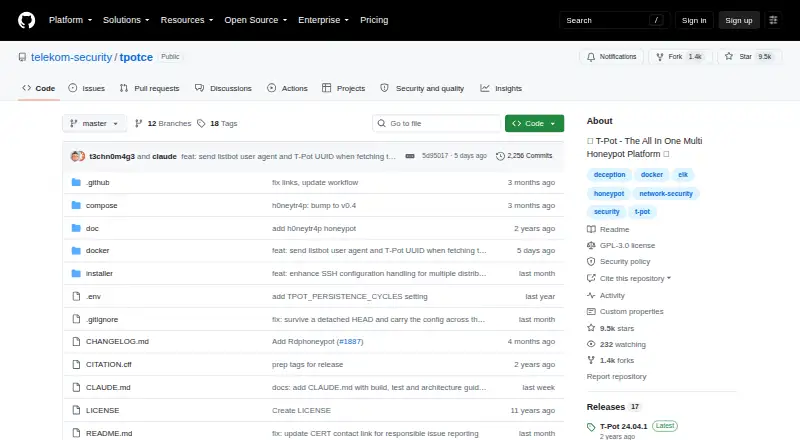
What T-Pot is
T-Pot is a free, self-hosted honeypot platform that supports multiple architectures and more than 20 honeypots. It can run as a standalone installation or as a distributed deployment with hive and sensor roles. Elasticsearch stores events, Logstash ingests and forwards them, and Kibana presents dashboards. Included network monitoring tools include Fatt, P0f, and Suricata, alongside an animated attack map, CyberChef, Elasticvue, and Spiderfoot. The project documents Linux distributions for installation; macOS and Windows use Docker Desktop with a limited feature set. Recommended hardware is 16 GB RAM and a 256 GB SSD for a hive, or 8 GB RAM and a 128 GB SSD for a sensor. Data is submitted to Sicherheitstacho by default, but the project says this can be turned off in configuration. Log persistence defaults to 30 cycles and Elasticsearch indices to 30 days; both settings can be adjusted. The project warns that compromise cannot be ruled out and advises against putting sensitive data in honeypots.
Who it suits
T-Pot may suit security practitioners who want to deploy and observe multiple honeypots on their own infrastructure. Users should be comfortable managing the documented hardware and deployment requirements.
What it does well
- Includes more than 20 honeypots.
- Supports standalone and distributed deployments.
- Includes Fatt, P0f, and Suricata.
- Log and index retention settings are adjustable.
What to know first
- macOS and Windows have a limited feature set.
- Recommended hive hardware includes 16 GB RAM.
- Provided as-is without a support commitment.
- Data submission is enabled by default.
Limits
T-Pot is free, with hardware and network requirements applying. Recommended hardware is 16 GB RAM and a 256 GB SSD for a hive, or 8 GB RAM and a 128 GB SSD for a sensor; macOS and Windows have a limited feature set. Default log persistence is 30 cycles and Elasticsearch indices are kept for 30 days, with both settings adjustable.
Plans
| Plan | Billed and limits | Price |
|---|---|---|
| T-Pot | open source · self-hosted · hardware and network requirements apply | Free |
As github.com lists them, read 4 Oct 2026. The maker's own page has the final word.
Getting started
- Open the T-Pot project website on GitHub.
- Choose a supported Linux distribution, or use Docker Desktop on macOS or Windows with its limited feature set.
- Prepare the recommended hardware: 16 GB RAM and a 256 GB SSD for a hive, or 8 GB RAM and a 128 GB SSD for a sensor.
- Choose a standalone installation or a distributed hive or sensor deployment.
- Adjust the data submission configuration if you want to disable submissions to Sicherheitstacho.
T-Pot combines more than 20 honeypots with an event-analysis stack and network monitoring tools. It suits security teams and technically capable users who can run and maintain a self-hosted Linux deployment. Its breadth is the draw; the hardware demands, limited desktop support, and explicit compromise warning make careful isolation essential.
Overview
T-Pot brings multiple honeypots, event analysis, and monitoring into one platform, with standalone and distributed deployment options. A hive-and-sensor setup can suit users who want to separate collection from central analysis, while a standalone installation is the simpler fit for a single deployment. Either way, this is infrastructure to operate, not a hosted service: hardware and network requirements apply, and support comes without a commitment.
The project recommends 16 GB of RAM and a 256 GB SSD for a hive, or 8 GB of RAM and a 128 GB SSD for a sensor. Those are meaningful entry requirements, especially for a small lab or a user without spare hardware. By default, T-Pot submits data to Sicherheitstacho; users who do not want that sharing can disable it by removing the ewsposter section from the configuration.
The security warning is central to the decision: compromise cannot be ruled out, and honeypots should not contain sensitive data. T-Pot belongs on a deployment designed to contain that risk, not on a system holding valuable information.
Key features
More than 20 honeypots and support for multiple architectures give T-Pot a broad decoy footprint in one project. That range is useful for users who want to observe different kinds of activity without assembling a collection of separate honeypot projects. It also means the deployment deserves deliberate planning rather than casual installation.
Elasticsearch stores events, Logstash ingests and routes them, and Kibana presents dashboards. This connected analysis stack gives operators a route from collected events to visual review. Network security monitoring tools Fatt, P0f, and Suricata add traffic-focused observation, while an animated attack map, CyberChef, Elasticvue, and Spiderfoot round out the included tooling.
Log persistence defaults to 30 cycles, and the default Elasticsearch index policy retains indices for 30 days; both settings can be adjusted. Users should account for these defaults when planning storage and retention. The Beelzebub and Galah LLM honeypots require Ollama; ChatGPT support is described as untested with T-Pot, so it is not a sound basis for a deployment plan.
Pricing
T-Pot is free: its plan costs nothing. The open-source, self-hosted plan suits users able to supply and manage their own hardware and network environment. There is no free trial because the offering is already free, and no cheaper tier trades away features. The practical cost is providing the recommended hardware and taking responsibility for deployment, security, and upkeep.
Platforms
T-Pot lists Linux, macOS, Windows, and self-hosted deployment. The project documents supported Linux distributions; macOS and Windows use Docker Desktop with a limited feature set. For the fullest documented experience, Linux is the sensible choice. Desktop users should expect a narrower feature set rather than assuming parity with Linux.
Who it's for
T-Pot is best suited to security practitioners, researchers, or technically capable teams who want a broad, self-hosted honeypot deployment with integrated event analysis and monitoring. Its distributed hive-and-sensor options suit deployments that need separate roles. It is a poor fit for users seeking managed support, minimal hardware demands, or a safe place to keep sensitive data.
There is no support commitment. Users can report issues or ask general questions through GitHub Issues and Discussions; vulnerability reports should identify the affected component, include reproduction details, and check whether the issue is already known upstream.
Pros and cons
- Pro: More than 20 honeypots, an analysis stack, and monitoring tools are brought together, reducing the need to assemble those pieces independently.
- Pro: Standalone and distributed hive-and-sensor deployments give operators more than one way to organize collection and analysis.
- Pro: Free, open-source self-hosting avoids a software subscription.
- Con: Recommended hive and sensor hardware requirements are substantial for a small or resource-constrained setup.
- Con: macOS and Windows rely on Docker Desktop and have a limited feature set compared with the documented Linux route.
- Con: The project warns that compromise is possible and advises against storing sensitive data; users must take that risk seriously.
- Con: Default data submission and the absence of a support commitment may not suit users who need tighter control or vendor-backed help.
Alternatives
Choose Canarytokens if you want free tokens deployed through its hosted service, or Android, iOS, web, and Windows platform options alongside self-hosting. OpenCanary is a free, self-hosted Linux, macOS, and multi-platform honeypot option when a simpler open-source alternative is preferable to T-Pot's broader bundle. Beelzebub is a free, self-hosted core framework for Linux and API use if that focused framework is a better fit.
Cowrie is a free, BSD-licensed SSH and Telnet honeypot for Linux self-hosting when those protocols are the priority. Endlessh is a free standalone C SSH tarpit for Linux, with a default maximum of 4096 clients, for users who want that narrower role. Honeyd is a free GPL-licensed distributed option for Linux or Windows. Honeytrap is free Apache-licensed self-managed software for Linux. Dionaea is a free GPLv2+ open-source honeypot for Linux. Browse more options in Honeypot Software.
Verdict
Choose T-Pot if you can provide the hardware, isolate the deployment, and want a wide range of honeypots alongside event analysis and network monitoring in a free self-hosted platform. Its strongest reason to choose it is that breadth in one deployment; its strongest reason to look elsewhere is the operational and security responsibility it places on the user, compounded by limited non-Linux support and no support commitment.
Verdict
T-Pot brings honeypots, event analysis, and monitoring tools into a self-hosted deployment. Its project warns that compromise is possible, so it should not hold sensitive data.
Questions
How much does T-Pot cost?
The listed T-Pot plan is free. It is open source and self-hosted, and hardware and network requirements apply.
Is T-Pot self-hosted?
Yes. It supports standalone and distributed deployments, including hive and sensor installation types.
Which operating systems does it support?
The project documents supported Linux distributions. macOS and Windows use Docker Desktop with a limited feature set.
Does T-Pot include network monitoring and analysis tools?
Yes. Its analysis stack uses Elasticsearch, Logstash, and Kibana. Included network monitoring tools are Fatt, P0f, and Suricata.
Does T-Pot send data outside the deployment?
By default, data is submitted to Sicherheitstacho. The project says this can be disabled by removing the ewsposter section from the configuration.
What support is available?
T-Pot is provided as-is without a support commitment. Users can report issues and ask general questions through GitHub Issues and Discussions.
Facts from T-Pot's own pages
- Analysis stack
- It uses Elasticsearch to store events, Logstash to ingest and send them, and Kibana to display dashboards. · github.com, 4 Oct 2026
- Data sharing
- By default, data is submitted to Sicherheitstacho, and the project says this can be disabled by removing the ewsposter section from the configuration. · github.com, 4 Oct 2026
- Deployment
- T-Pot supports standalone and distributed deployments, including hive and sensor installation types. · github.com, 4 Oct 2026
- Hardware requirements
- The project recommends 16 GB RAM and a 256 GB SSD for a hive, or 8 GB RAM and a 128 GB SSD for a sensor. · github.com, 4 Oct 2026
- LLM honeypots
- The Beelzebub and Galah honeypots require Ollama, while ChatGPT support is described as untested with T-Pot. · github.com, 4 Oct 2026
- Network monitoring
- Included network security monitoring tools include Fatt, P0f, and Suricata. · github.com, 4 Oct 2026
- Operating systems
- The project documents supported Linux distributions and says macOS and Windows use Docker Desktop with a limited feature set. · github.com, 4 Oct 2026
- Purpose
- T-Pot is an all-in-one, optionally distributed honeypot platform supporting multiple architectures and more than 20 honeypots. · github.com, 4 Oct 2026
- Retention
- Log persistence defaults to 30 cycles and the default Elasticsearch index policy keeps indices for 30 days; both can be adjusted. · github.com, 4 Oct 2026
- Security considerations
- The project warns that compromise cannot be ruled out and says honeypots should not contain sensitive data. · github.com, 4 Oct 2026
- Support
- T-Pot is provided as-is without a support commitment; users can report issues and ask general questions through GitHub Issues and Discussions. · github.com, 4 Oct 2026
- Visualization and tools
- Included tools include an animated attack map, CyberChef, Elasticvue, and Spiderfoot. · github.com, 4 Oct 2026
- Vulnerability reporting
- The security policy asks reporters to identify the affected component, provide reproduction details, and check whether the issue is known upstream. · github.com, 4 Oct 2026
Where T-Pot stands on Freedom251
- Honeypot Software#11 of 21