Freedom251 › Teleprompter Software

Speakflow
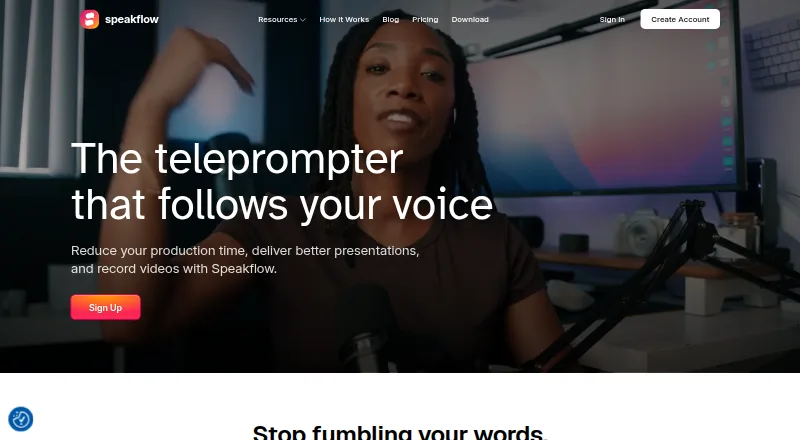
What Speakflow is
Speakflow is a voice-activated teleprompter for scripts, presentations, and video recording. Flow scrolls as the user speaks, Auto advances at a set pace, and manual scrolling is also available. Users can record webcam video in a browser and download it, or keep a script visible over a recording or a video-call window such as Zoom or Google Meet. Remote mode lets one device control or synchronize a script on another. Teams can share scripts, collaborate in workspaces, and manage access to shared work. The API supports creating and updating workspace scripts, and the product describes workflows involving AI tools and internal systems. Its desktop app offers an always-on-top prompt that can stay outside an audience’s screen share; this app is included with Plus and Studio. Speakflow works in browsers and native apps on Android, iOS, macOS, and Windows, and supports laptop, tablet, phone, and physical teleprompter setups. Free includes limited Flow and seven-day script history. The pricing note lists paid plans from $15/mo billed annually; Plus costs $19 a month and Studio costs $129 a month.
Who it suits
Speakflow suits speakers and presenters who want scripts to move with their speech or need a prompt while recording or on calls. Its workspaces and access controls may also fit teams sharing scripts.
What it does well
- Offers voice, timed, and manual script scrolling.
- Records webcam video in a browser for download.
- Overlay can keep scripts visible during calls or recordings.
- Remote mode supports control or sync from another device.
- Teams can share scripts and collaborate in workspaces.
What to know first
- Free plan has limited Flow.
- Free plan keeps script history for seven days.
- Desktop app is included only with Plus and Studio.
- The company does not currently hold SOC 2 or ISO 27001 certification.
Limits
Free includes limited Flow and seven-day script history. Plus is $19 a month and includes one hour of video recording and storage; Studio is $129 a month and includes up to 10 client workspaces, up to 25 members and 10 hours of video storage.
Plans
| Plan | Billed and limits | Price |
|---|---|---|
| Free | Limited Flow · 7 day script history | Free |
| Studio | billed monthly · Up to 10 client workspaces · up to 25 members · store 10 hours of video · Premium Support | $129 a month |
| Plus | billed monthly · Record & store 1 hour of video · unlimited Flow · includes Overlay, voice commands, multi-device sync, AI writing tools, unlimited script history, collaboration, API / Agentic Access | $19 a month |
As speakflow.com lists them, read 29 Sept 2026. The maker's own page has the final word.
Getting started
- Open https://www.speakflow.com/.
- Use Speakflow in a browser or a native app on a supported platform.
- Choose Flow, Auto or manual scrolling for a script.
- Choose a plan based on the included features and limits.
- Use the desktop app with Plus or Studio if you need its always-on-top prompt.
Overview
Speakflow is a voice-activated teleprompter for people who present, record video or work with scripts in a team. Its mix of voice tracking, recording and an always-on-top desktop prompt suits creators and distributed teams; its free plan is limited enough that regular users will likely need to budget for Plus.
Key features
Three scroll modes give speakers different ways to stay on script: Flow follows their voice, Auto advances at a set pace, and manual mode leaves scrolling to them. Flow is the most distinctive fit for unscripted delivery, while Auto and manual offer alternatives when voice tracking is not the desired approach.
Speakflow records webcam video in a browser and allows downloads. Its overlay keeps a script visible over a recording or a video-call window, including Zoom and Google Meet. The desktop app adds an always-on-top prompt that can stay out of an audience’s screen share, a useful distinction for presenters sharing their screen; the desktop app is included with Plus and Studio.
Remote mode can control or sync a script on another device. Speakflow also supports laptop, tablet and phone setups, as well as physical lens-mount and beam-splitter teleprompters, so it can fit both lightweight and dedicated prompting arrangements.
Shared scripts, workspaces and access management make the product relevant to teams rather than only solo speakers. The API can create and update workspace scripts, and Speakflow describes workflows involving ChatGPT, Claude, virtual assistants and internal tools. These capabilities broaden its role beyond reading prompts, though they matter less to someone seeking only a basic teleprompter.
Speakflow says it does not sell script content or share it with third-party services unless a user initiates or authorizes the connection. It states that browser communications use HTTPS, database data is encrypted at rest, and database connections require encryption. It does not hold a SOC 2 report or ISO 27001 certification, a material consideration for organizations that require either credential.
Pricing
Free costs nothing and includes limited Flow and seven-day script history. That makes it a way to try the core prompting approach, but the restricted voice scrolling and short history limit its appeal for ongoing work. Speakflow does not offer a free trial unless a representative explicitly says otherwise in writing.
Plus costs $19 a month, billed monthly. It adds one hour of video storage, unlimited Flow, Overlay, voice commands, multi-device sync, AI writing tools, unlimited script history, collaboration and API / Agentic Access. It is the practical tier for frequent individual creators or smaller teams needing the full prompting and workflow set, but the one-hour recording allowance may constrain video-heavy use.
Studio costs $129 a month, billed monthly. It supports up to 10 client workspaces and 25 members, stores 10 hours of video and includes Premium Support. Those higher limits and support are aimed at teams managing client work; they are difficult to justify for a solo user. The separate pricing note gives a paid starting price of $15/mo (annual), distinct from the monthly Plus and Studio prices above.
Platforms
Speakflow supports web, Windows, macOS, iOS and Android. Browser and native app options, plus remote control and sync, suit people moving between devices; the desktop app with its always-on-top prompt is reserved for Plus and Studio.
Who it's for
Speakflow is a strong fit for creators who want voice-following prompts alongside browser recording, or presenters who need script overlays during video calls. Teams that share scripts or automate workspace updates can also make use of its collaboration and API capabilities. It is less compelling for occasional readers who can work within limited Flow and seven-day history, or for organizations that require SOC 2 or ISO 27001 certification.
Pros and cons
- Pros: Flow, Auto and manual scrolling serve different delivery styles; overlay, remote control and multi-device support cover varied presentation setups.
- Pros: Browser recording with downloads, shared workspaces and API access bring recording and team workflows into the same product.
- Cons: The free plan restricts Flow and keeps only seven days of script history, so it is not a generous long-term option for frequent users.
- Cons: Plus stores one hour of video, while the 10-hour allowance and team limits require the much costlier Studio plan.
- Cons: Speakflow does not hold SOC 2 or ISO 27001 certification, which may rule it out for some organizational requirements.
Alternatives
Teleprompter Software is a useful place to compare options across the category. Choose FluidPrompter if a free starter plan limited to one user, one prompter and 600-word scripts with keyboard or mouse controls better matches a simple setup. Teleprompter.com is worth comparing if a free plan with recording, cloud script storage and remote control—or a free trial—is important. For a free option with unlimited script length, no account and downloadable video and audio recording, consider Teleprompterly. VoicePrompter offers a free web app with no account that works offline as a PWA. OtO has a free demo version for personal use. Prompt+ is an iOS and macOS option with a one-off 19.99 USD Premium Teleprompter purchase to remove the free plan’s 750-character script limit. Teleprompter Pro is another iOS and macOS alternative. PromptSmart is another alternative to compare.
Verdict
Choose Speakflow if you need voice-responsive prompting plus recording, overlays or team script workflows in one product. Its main trade-offs are a sharply limited free plan, capped video storage on Plus and a Studio price aimed at teams; readers who need only a simple free prompt or require formal security certification should look elsewhere.
Verdict
Speakflow combines teleprompter controls with recording, overlays, and script collaboration across browser and native apps. Check the free-plan limits and compare the pricing note with the listed monthly plan prices.
Questions
Is Speakflow free?
Yes. Its Free plan costs nothing and includes limited Flow and seven-day script history.
How much do the paid plans cost?
The pricing note lists paid plans from $15/mo billed annually. Plus costs $19 a month, and Studio costs $129 a month.
Does Speakflow offer a free trial?
No. Its terms say trials are not offered unless a representative explicitly states otherwise in writing.
Which platforms does Speakflow support?
Speakflow supports Android, iOS, macOS, web and Windows.
Can teams share scripts?
Yes. Teams can share and collaborate on scripts in workspaces and manage access to shared work.
Does Speakflow have SOC 2 or ISO 27001 certification?
Speakflow says it does not currently hold a SOC 2 report or ISO 27001 certification.
Facts from Speakflow's own pages
- API and AI tools
- The API supports creating and updating workspace scripts, and the product page describes workflows using ChatGPT, Claude, virtual assistants, and internal tools. · speakflow.com, 29 Sept 2026
- Collaboration
- Teams can share and collaborate on scripts, organize them in workspaces, and manage access to shared work. · speakflow.com, 29 Sept 2026
- Compliance
- Speakflow states that it does not currently hold a SOC 2 report or ISO 27001 certification. · speakflow.com, 29 Sept 2026
- Desktop app
- The desktop app provides an always-on-top prompt that can stay out of the audience’s screen share, and is included with Plus and Studio. · speakflow.com, 29 Sept 2026
- Founded
- 2019 · speakflow.com, 28 Sept 2026
- Hardware compatibility
- Speakflow works in a browser or native apps and supports laptop, tablet, and phone setups, including physical lens-mount and beam-splitter teleprompters. · speakflow.com, 29 Sept 2026
- Overlay
- The overlay keeps a script visible over a recording or video-call window, including Zoom and Google Meet. · speakflow.com, 29 Sept 2026
- Privacy
- Speakflow says it does not sell script content or share it with third-party services unless the user initiates or authorizes the connection. · speakflow.com, 29 Sept 2026
- Product
- Speakflow is a voice-activated teleprompter that scrolls as the user speaks and supports video recording and presentations. · speakflow.com, 29 Sept 2026
- Recording
- Speakflow can record webcam video in the browser and lets users download the recording. · speakflow.com, 29 Sept 2026
- Remote control
- Remote mode lets a user control or sync the script on another device. · speakflow.com, 29 Sept 2026
- Scroll modes
- Users can scroll scripts by voice with Flow, at a set pace with Auto, or manually. · speakflow.com, 29 Sept 2026
- Security
- Speakflow states that browser communication uses HTTPS, database data is encrypted at rest, and database connections require encryption. · speakflow.com, 29 Sept 2026
- Support
- Users can contact Speakflow support by emailing [email protected], and the Studio plan includes Premium Support. · speakflow.com, 29 Sept 2026
- Trial terms
- The terms say Speakflow does not offer trials unless a representative explicitly states otherwise in writing. · speakflow.com, 29 Sept 2026
Where Speakflow stands on Freedom251
- Teleprompter Software#8 of 32