Freedom251 › Teleprompter Software

FluidPrompter
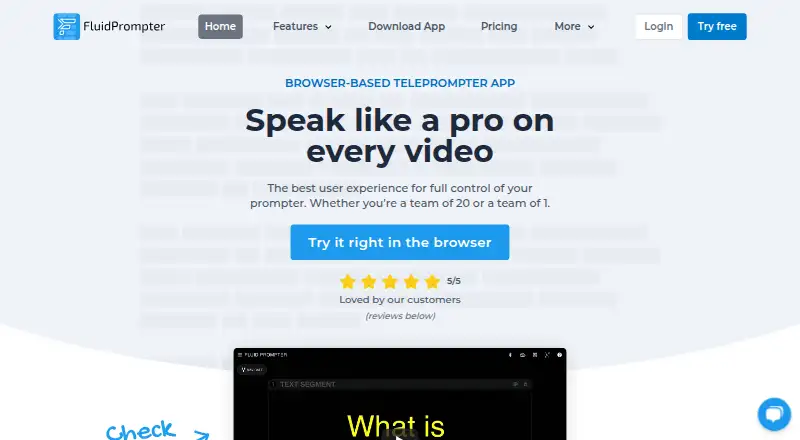
What FluidPrompter is
FluidPrompter is a browser-based teleprompter app for video makers and presentation speakers. It supports continuously variable scrolling speed, script segments, pauses, text editing, and .txt upload and download. Users can adjust font size, text width, margins, cue position, and screen flipping or mirroring. Paid plans synchronize multiple displays, including devices used by remote crew members. The maker lists Bluetooth controls from AirTurn, Neewer, and YC Onion; paid-plan analog foot pedals use AirTurn hardware. Studio Team adds SDI output for BlackMagic DeckLink or UltraStudio devices and control of compatible robotic prompter stands. Starter is free for one user and one prompter, with scripts limited to 600 words and keyboard or mouse controls. Solo Creator costs $9 a month and includes two synchronized prompters and unlimited script length. Studio Team costs $29 a month; Enterprise pricing is custom. Browser and desktop use are listed, including Windows, macOS, and Linux, while iOS/iPadOS and Android apps are described as coming soon.
Who it suits
FluidPrompter suits solo video creators, media teams, webinar and course presenters, livestream hosts, and public speakers. Teams needing synchronized displays or production hardware controls may consider its paid plans.
What it does well
- Scroll speed can be adjusted continuously.
- Scripts can be segmented, paused, and edited.
- Paid plans synchronize multiple displays.
- Studio Team includes SDI output and advanced hardware controls.
What to know first
- Starter limits users to one prompter device.
- Starter scripts are limited to 600 words.
- iOS/iPadOS and Android apps are described as coming soon.
- No free trial is listed.
Limits
Starter is free and limited to one user, one prompter device, keyboard and mouse controls, and scripts of 600 words or less. Solo Creator costs $9 a month and includes unlimited script length; Studio Team costs $29 a month and adds team and production options.
Plans
| Plan | Billed and limits | Price |
|---|---|---|
| Starter Plan | 1 user · 1 prompter · 600-word script limit · keyboard/mouse controls | Free |
| Studio Team | per user · 2+ hardware remotes · 3+ synchronized prompters · SDI output · advanced hardware controls · priority email support | $29 a month |
| Solo Creator | single user · 1 hardware remote · 2 synchronized prompters · unlimited script length | $9 a month |
| Enterprise Plan | priority support · custom invoice · custom terms · reseller payment option | On request |
As fluidprompter.com lists them, read 15 Oct 2026. The maker's own page has the final word.
Getting started
- Open FluidPrompter in a browser or use a listed desktop option for Windows, macOS, or Linux.
- Choose the free Starter plan or a paid plan that matches your user and prompter needs.
- Create or edit a script, or upload a .txt file.
- Set the scroll speed and adjust display settings.
- Use keyboard and mouse controls on Starter, or a supported remote with a plan that includes one.
FluidPrompter is a browser-based teleprompter for speakers and video makers who want control over script pacing and screen layout. Its paid tiers add synchronized displays and production hardware support, but the free plan’s 600-word cap makes it best for short scripts.
Overview
FluidPrompter combines script preparation with live prompting controls. Speakers can divide scripts into segments, add pauses, and vary scroll speed continuously, while display settings let them tune text size, width, margins, cue position, and screen orientation. Those choices make it adaptable to different prompting setups; the free tier’s one-device limit rules out multi-screen work without an upgrade.
There is a meaningful distinction between the browser-based product and the download page’s platform list. The app supports browser use, while downloads are listed for Windows 10/11, macOS, Debian/Ubuntu, and RedHat Linux. The download page says iOS/iPadOS and Android apps are coming soon, despite those platforms appearing in the broader platform listing.
Key features
Script and display controls
Editing, segmenting, pauses, and .txt upload and download make it possible to prepare a script around the speaker’s delivery rather than treat it as a single block. Continuously variable scrolling is useful when speakers need to adjust pace mid-prompt. Font size, width, margins, cue position, flipping, and mirroring offer control over legibility and screen placement.
Remote and production setups
Solo Creator adds one hardware remote and two synchronized prompters; Studio Team raises that to two or more users, two or more remotes, and three or more synchronized prompters. FluidPrompter lists compatibility with AirTurn, Neewer, and YC Onion handheld Bluetooth controls. Studio Team also includes analog foot-pedal control through AirTurn hardware, SDI output for BlackMagic DeckLink or UltraStudio devices, and control of compatible robotic presidential prompter stands. These are practical advantages for productions with remote crew or dedicated prompting hardware, but unnecessary cost for a one-screen reader.
Pricing
Starter Plan costs nothing and covers one user, one prompter device, scripts of 600 words or less, and keyboard and mouse controls. It is a useful way to handle short prompts, but the word cap and lack of included hardware remote leave longer scripts and hands-free setups to paid plans.
Solo Creator costs $9 a month for one user, one hardware remote, two synchronized prompters, and unlimited script length. It is the clearest fit for an individual who needs a remote or a second display, though it does not include the team and production features of the higher tier.
Studio Team costs $29 a month and includes two or more users, two or more hardware remotes, three or more synchronized prompters, SDI output, advanced hardware controls, and priority email support. It suits small production teams that will use those capabilities; a solo speaker is likely paying for capacity they do not need. Enterprise Plan uses custom pricing, with priority support, a custom invoice, custom terms, and a reseller payment option. FluidPrompter offers no free trial.
Platforms
FluidPrompter is browser-based, with downloads listed for Windows 10/11, macOS, Debian/Ubuntu, and RedHat Linux. The download page describes iOS/iPadOS and Android apps as coming soon. The privacy policy says submitted personal information will not be released, sold, or rented to third parties, and payment card details are entered with payment providers rather than directly into or stored by FluidPrompter. It also cautions that transmitted information cannot be guaranteed secure and puts responsibility for password and account secrecy on users.
Who it's for
Solo YouTubers, webinar presenters, course creators, livestream hosts, and public speakers can use FluidPrompter for scripted delivery, with Solo Creator making sense when unlimited script length or a hardware remote matters. In-house media teams and productions using multiple displays, SDI, or compatible robotic stands have a stronger reason to consider Studio Team. Short-script users who need only one display can stay on Starter; those needing longer scripts or multi-device control cannot.
Pros and cons
- Pros: Continuously variable scrolling, script segmentation, pauses, and adjustable display layout give speakers control over both pacing and presentation.
- Pros: Paid plans scale from an individual remote-and-two-screen setup to team synchronization and SDI production options.
- Cons: Starter limits scripts to 600 words and prompting to one device, restricting longer or multi-screen work.
- Cons: The download page says mobile apps are coming soon, so users seeking a current native iOS or Android download should look elsewhere.
Alternatives
Teleprompter Software is a category guide for readers comparing options across teleprompter products.
Speakflow is another freemium option, with a free plan described as Limited Flow and a 7 day script history; its Plus plan costs $19 a month and includes recording and storage of 1 hour of video. Consider it if that video-recording allowance is a better match than FluidPrompter’s emphasis on synchronized displays and hardware.
Teleprompter.com has a free Starter plan with watermarked recordings, cloud script storage, custom fonts and colors, and remote control, plus a free trial. It may suit readers who value those recording and storage features.
Teleprompterly is free and supports unlimited script length, no account, and video and audio recording with downloads. It is worth considering when avoiding a script cap or account matters more than FluidPrompter’s paid multi-screen and production controls.
VoicePrompter offers a no-account web app that works offline as a PWA, alongside a freemium plan and a free trial. Pick it if offline web-app use is a priority.
OtO is another freemium teleprompter option.
Prompt+ offers a free iOS and macOS plan capped at 750 characters, with a 19.99 USD once Premium Teleprompter purchase removing that limit. It suits readers specifically seeking those Apple platforms and a one-off upgrade.
PromptSmart is a paid alternative with a free trial.
QPrompt is a free option for Windows, macOS, Linux, and Android.
Verdict
Choose FluidPrompter if adjustable script pacing and layout are the priority, with a clear route from solo prompting to synchronized team screens and production hardware. The main reason to look elsewhere is the Starter ceiling: longer scripts, multiple devices, and remote operation require paid plans, while mobile downloads are still described as coming soon.
Verdict
FluidPrompter offers script and display controls for speakers and video production, with paid options for synchronized screens and listed hardware. Starter has a one-device and 600-word limit; paid plans start at $9 a month.
Questions
Is FluidPrompter free?
Yes. Starter is free and supports one user, one prompter device, keyboard and mouse controls, and scripts up to 600 words.
How much do paid plans cost?
Solo Creator costs $9 a month and Studio Team costs $29 a month. Enterprise is custom-priced.
Which platforms can I use?
Browser use and options for Windows 10/11, macOS, Debian/Ubuntu, and RedHat Linux are listed. iOS/iPadOS and Android apps are described as coming soon.
Can it control more than one display?
Paid plans can synchronize two or more displays. Solo Creator includes two synchronized prompters; Studio Team includes three or more.
Which remotes does it support?
The maker lists AirTurn, Neewer, and YC Onion handheld Bluetooth controls. Paid-plan analog foot-pedal controls use AirTurn hardware.
Who makes FluidPrompter?
FluidPrompter is based in Langley, British Columbia, Canada.
Facts from FluidPrompter's own pages
- API and SDKs
- The public documentation pages describe app use and hardware connections but do not present a public API or SDK. · docs.fluidprompter.com, 15 Oct 2026
- Browser requirements
- Current browsers support prompting; Chrome, Brave, and Edge additionally support Bluetooth and USB controllers, while Safari and Firefox do not. · docs.fluidprompter.com, 15 Oct 2026
- Company headquarters
- The listed Langley, British Columbia, Canada address is marked as a mailing address only. · fluidprompter.com, 15 Oct 2026
- Company legal name
- The site identifies the maker as FluidLabs Software Ltd. · fluidprompter.com, 15 Oct 2026
- Controller support
- The feature page lists keyboard, mouse, wireless remotes, gamepads, stream decks, and pedals as control options. · fluidprompter.com, 15 Oct 2026
- Desktop downloads
- The download page lists Windows 10/11, macOS, Debian/Ubuntu Linux, and Red Hat Enterprise Linux packages. · fluidprompter.com, 15 Oct 2026
- Desktop-only features
- SDI output and transparent overlay window mode require the FluidPrompter Desktop App. · docs.fluidprompter.com, 15 Oct 2026
- Display controls
- Users can customize font size, text width, margins, cue position, and screen flipping or mirroring. · fluidprompter.com, 3 Oct 2026
- Documentation scope
- The public documentation sitemap covers getting started, accounts, system requirements, and hardware guides. · docs.fluidprompter.com, 15 Oct 2026
- File handling
- Scripts can be uploaded and downloaded as .txt files. · fluidprompter.com, 15 Oct 2026
- Focus guide
- The cue position can be placed at the center, top, or bottom of the display. · fluidprompter.com, 15 Oct 2026
- Founder background
- Founder Ben says he started the product after launching the BensTechLab hardware-review channel in 2020 and working as a software architect and developer. · fluidprompter.com, 15 Oct 2026
- Free plan limits
- The Starter plan is limited to one user, one prompter device, and scripts of 600 words or less. · fluidprompter.com, 3 Oct 2026
- Hardware brands
- Supported handheld Bluetooth controllers include AirTurn, Neewer, and YC Onion, with AirTurn analog-pedal support on paid plans. · fluidprompter.com, 15 Oct 2026
- Hardware compatibility
- The maker lists support for AirTurn, Neewer, and YC Onion handheld Bluetooth controls, and paid-plan analog foot-pedal controls via AirTurn hardware. · fluidprompter.com, 3 Oct 2026
- Headquarters
- Langley, British Columbia, Canada · fluidprompter.com, 28 Sept 2026
- Independent description
- NuSpark/GainForge describes FluidPrompter as a browser teleprompter for video creators and presenters with multi-device synchronization, customizable displays, and controller compatibility. · nusparkmediagroup.com, 15 Oct 2026
- Independent index ranking
- MobilesTalk ranks FluidPrompter second among 31 teleprompter products with an index score of 72/100. · mobilestalk.net, 15 Oct 2026
- Independent limit: enterprise pricing
- MobilesTalk notes that Enterprise pricing is available only by request. · mobilestalk.net, 15 Oct 2026
- Independent limit: mobile apps
- MobilesTalk notes that iOS/iPadOS and Android native apps are listed as coming soon. · mobilestalk.net, 15 Oct 2026
- Independent limit: starter tier
- MobilesTalk identifies the Starter tier's one-user, one-device, and 600-word restrictions. · mobilestalk.net, 15 Oct 2026
- Independent praise: controls
- MobilesTalk praises adjustable text layout, cue position, and screen mirroring. · mobilestalk.net, 15 Oct 2026
- Independent praise: scripting
- MobilesTalk highlights segmented and editable scripts plus .txt import and export. · mobilestalk.net, 15 Oct 2026
- Independent praise: synchronization
- MobilesTalk says paid plans can synchronize displays for remote crew members. · mobilestalk.net, 15 Oct 2026
Where FluidPrompter stands on Freedom251
- Teleprompter Software#3 of 32