Freedom251 › Teleprompter Software
OtO
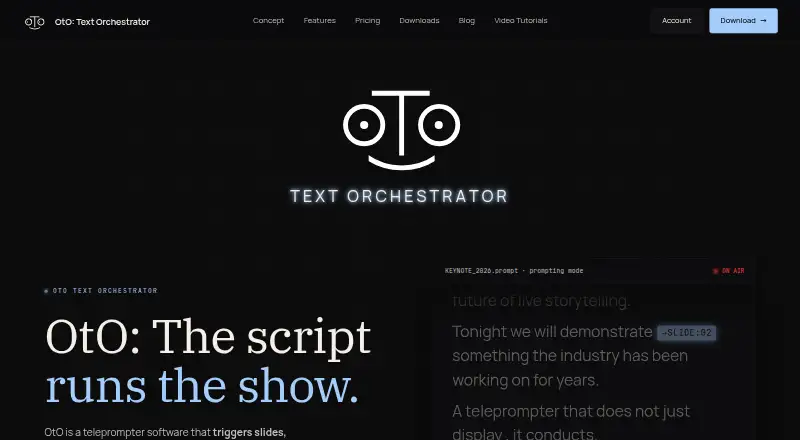
What OtO is
OtO is teleprompter software that can trigger stage and presentation actions as a script moves forward. Operators add markers to script text to send MIDI notes or OSC messages, advance slides, and launch macro stacks. Listed connections include PowerPoint, QLab through OSC, lighting consoles, media servers, playback systems using MIDI or HTTP, video routers, and streaming software. OtO says scripts, cues, and integrations run locally and that it works fully offline. Its desktop application can conduct OtOSlides for presentation decks and OtOView for tablets and smartphones. A caller-support window shows upcoming cues, countdowns, cue types, and time until execution. Operators can jump between script sections, pause or resume cues, override triggers, and reorder markers during a show. The software supports remote control, MIDI controllers, and profiles for Loupedeck CT and Contour Shuttle Pro and Xpress. The free demo allows unlimited personal use with all features, but adds a watermark to the Prompter panel and external window, plus an occasional nag screen. Paid options include rentals and an annual license.
Who it suits
OtO suits live event and keynote operators, AV agencies, stage managers, newsrooms, and production studios coordinating scripts with show cues. It may be useful where offline operation and local cue handling are priorities.
What it does well
- Scripts can trigger MIDI, OSC, slides, and macro stacks.
- Operates fully offline, according to OtO.
- Caller window shows upcoming cues and countdowns.
- Operators can override triggers and reorder markers.
- Supports remote control and MIDI controllers.
What to know first
- Free demo adds a watermark to two displays.
- Free demo includes an occasional nag screen.
- No voice tracking.
Limits
The free Demo version has a watermark on the Prompter panel and external window, plus occasional nag screens. The lowest paid option is a 0.85 USD one-time payment for a five-day license.
Plans
| Plan | Billed and limits | Price |
|---|---|---|
| Demo version | Unlimited personal use · all features · save/load projects · watermark on prompter and external window · occasional nag screen | Free |
| 5 days rental | One-time payment. No commitment, no renewal. · Every OtO feature · 5-day license | $0.85, paid once |
| 1 month rental | One-time payment. No commitment, no renewal. · Every OtO feature · 1-month license | $2.49, paid once |
| 1 year | Pay annually. Renew automatically. Cancel anytime. · Every OtO feature · 1-year license | $9.90 a year |
As oto.software lists them, read 15 Oct 2026. The maker's own page has the final word.
Getting started
- Visit the OtO website.
- Choose the free Demo version or a rental or annual license.
- Install OtO on Windows, macOS, or Android.
- Add action markers to script text and connect supported show tools.
- Use OtOSlides for decks or OtOView on a tablet or smartphone.
Verdict
OtO links a teleprompter script to presentation and show-control actions, with tools for monitoring and adjusting cues during a show. The free demo includes all features but has a watermark and nag screen; rentals start at $0.85, paid once, and the annual license is $9.90 a year.
Questions
Is OtO free?
Yes. The Demo version is free and allows unlimited personal use with all features.
What does the free version limit?
It places a watermark on the Prompter panel and external window and displays an occasional nag screen.
Which platforms does OtO support?
The listed platforms are Windows, macOS, and Android.
What integrations are listed?
They include PowerPoint, QLab via OSC, lighting consoles, media servers, playback systems via MIDI or HTTP, video routers, and streaming software.
How much do licenses cost?
The 5-day rental is 0.85 USD one time, the 1-month rental is 2.49 USD one time, and the 1-year license is $9.90 a year with automatic renewal.
Who makes OtO?
The site footer identifies the maker as OtO Labs.
Facts from OtO's own pages
- Action markers
- Markers embedded in script text can issue MIDI notes, OSC messages, slide advances and macro stacks. · oto.software, 15 Oct 2026
- Adaptability
- Operators can jump to script sections, pause or resume cues, override triggers, and reorder markers during a show. · oto.software, 4 Oct 2026
- AI extensibility
- AI settings accept any OpenAI-compatible endpoint, API key and model parameters, including internal organizational endpoints. · oto.software, 15 Oct 2026
- Caller support
- A caller-support window displays upcoming cues, countdown timers, cue types, and time to execution. · oto.software, 4 Oct 2026
- Caller window
- A caller-support window shows upcoming cues, countdowns, cue types and execution timing. · oto.software, 15 Oct 2026
- Changelog: version 1.5.0
- The February 2026 major release added extensions, MOS support, updated AI features, UI changes and Action Marker macros. · oto.software, 15 Oct 2026
- Changelog: version 1.5.2
- Version 1.5.2 fixed a severe network-performance problem. · oto.software, 15 Oct 2026
- Changelog: version 1.5.3
- Version 1.5.3 fixed reopening of the show-caller window after it was closed in prompting mode. · oto.software, 15 Oct 2026
- Companion apps
- The OtO desktop app conducts OtOSlides for presentation decks and OtOView for tablets and smartphones. · oto.software, 4 Oct 2026
- Companion downloads
- OtOSlides downloads are provided for Windows, Intel Mac and Apple-silicon Mac, while OtOView is distributed for Android. · oto.software, 15 Oct 2026
- Documentation and support
- The maker links online documentation, video tutorials, contact support and a Discord community, and says templates and support help crews migrate quickly. · oto.software, 15 Oct 2026
- GetApp pricing status
- GetApp shows no pricing information for OtO Text Orchestrator. · getapp.com, 15 Oct 2026
- Google Play availability
- The OtOView Android listing has 100+ downloads and does not display a star rating or review count. · play.google.com, 15 Oct 2026
- Google Play data safety
- Google Play's developer declaration says OtOView shares no data with third parties and collects no data. · play.google.com, 15 Oct 2026
- Google Play developer
- The Android listing identifies the developer as REDVAL MAXIME HUGO CYRILLE of Taverny, France, with [email protected] support. · play.google.com, 15 Oct 2026
- Google Play function
- OtOView connects one or more Android tablets or phones to an OtO lead computer for wireless text scrolling and camera-prompter use. · play.google.com, 15 Oct 2026
- Google Play update
- The OtOView listing reports an update on 18 February 2026 with improved compatibility for OtO versions above 1.5 and minor interface changes. · play.google.com, 15 Oct 2026
- Hardware control
- OtO provides profiles for Loupedeck CT and Contour Shuttle Pro/Xpress and can map any MIDI controller to scrolling and cue controls. · oto.software, 15 Oct 2026
- Hardware controls
- The site describes profiles for Loupedeck CT and Contour Shuttle Pro and Xpress, and support for MIDI controllers. · oto.software, 4 Oct 2026
- Independent announcement
- A LinkedIn post by Maxime Redval describes OtO as a hybrid tool combining teleprompting with stage cues and media control. · linkedin.com, 15 Oct 2026
- Integrations
- The site lists PowerPoint, QLab via OSC, lighting consoles, media servers, playback systems via MIDI or HTTP, video routers, and streaming software. · oto.software, 4 Oct 2026
- Intended users
- OtO identifies live event and keynote operators, AV agencies and stage managers, and newsrooms and production studios as intended users. · oto.software, 4 Oct 2026
- Licence
- OtO's legal page reserves website content, trademarks, logos and other intellectual property to OtO and does not publish an open-source licence. · oto.software, 15 Oct 2026
- License features
- The site says its licensing includes cue awareness, triggerable markers, PowerPoint, OSC, MIDI, and HTTP integration, and offline operation without mandatory subscriptions. · oto.software, 4 Oct 2026
Where OtO stands on Freedom251
- Teleprompter Software#6 of 32