Freedom251 › Teleprompter Software
Open Teleprompter
What Open Teleprompter is
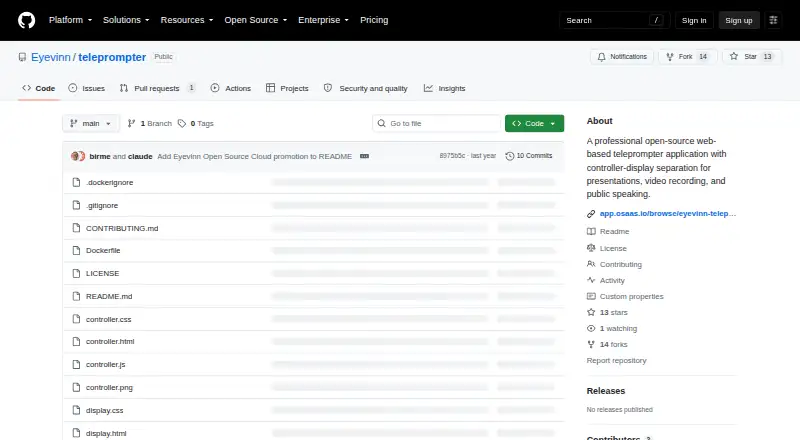
Open Teleprompter is a web-based teleprompter for presentations, video recording, and public speaking. It separates script control from the display, so a controller interface manages text while one or more synchronized screens show it. Users can type or paste a script, or upload .txt and .docx files. Reading speed can be set from 60 to 300 words per minute, with controls to start, pause, or reset playback. For timed segments, the app allows scheduled start times and segment lengths, with countdowns and real-time duration calculations. Display options include fullscreen, mirror mode for teleprompter hardware, and multiple-screen synchronization. The controller and displays communicate through a WebSocket server. The project can be run with Node.js or deployed as a Docker container, using port 8080 by default. Chrome or Chromium is recommended; Firefox, Safari, and Edge are also listed as compatible. It is a free Apache License 2.0 web app, and the project page links to an Eyevinn Open Source Cloud listing as an installation-free way to try it. The project also points users to community Slack and offers consulting for development, customization, integration, support agreements, and training. Its license states that the software is provided without warranties.
Who it suits
Open Teleprompter suits speakers, presenters, and video recorders who want script controls separate from the reading display. Its timing, mirror, and synchronized-screen options are useful for timed presentations or teleprompter hardware.
What it does well
- Accepts .txt and .docx files or entered text.
- Reading speed ranges from 60 to 300 words per minute.
- Timing tools include segment lengths and scheduled starts.
- Supports mirror mode and synchronized multiple screens.
- Free Apache-2.0 web app.
What to know first
- Requires deployment with Node.js or Docker for self-hosting.
- Chrome or Chromium is recommended.
- Project license provides the software without warranties.
Plans
| Plan | Billed and limits | Price |
|---|---|---|
| Open Teleprompter (Apache-2.0 open-source software) | Open-source web app · deploy with Node.js or Docker | Free |
As github.com lists them, read 10 Oct 2026. The maker's own page has the final word.
Getting started
- Open the project website or its Eyevinn Open Source Cloud listing
- Choose the cloud trial or deploy with Node.js or Docker
- Use port 8080 by default when deploying
- Open the app in Chrome or Chromium, or another listed compatible browser
- Enter text or upload a .txt or .docx manuscript in the controller
- Connect the controller to display screens and choose fullscreen or mirror mode
Verdict
Open Teleprompter offers script entry, adjustable pacing, timing tools, and display options in a free web app. Consider its deployment setup and no-warranty license when deciding whether it fits your presentation workflow.
Questions
Is Open Teleprompter free?
Yes. The listed plan is free, and the project is Apache License 2.0 open-source software.
Which platforms does it support?
It is listed for web and self-hosted use.
What browsers are supported?
Chrome or Chromium is recommended. Firefox, Safari, and Edge are also listed as compatible.
Can I upload scripts?
Yes. The controller accepts .txt and .docx files, and also allows typing or pasting text.
Does it work with teleprompter hardware?
Yes. The display includes mirror mode for teleprompter hardware.
How can I get help or customization?
The README points to a community Slack, and Eyevinn offers consulting for development, customization, integration, support agreements, and training.
Facts from Open Teleprompter's own pages
- Browser support
- The README lists Chrome or Chromium as recommended and also lists Firefox, Safari, and Edge as compatible browsers. · github.com, 10 Oct 2026
- Cloud option
- The project page links to an Eyevinn Open Source Cloud listing that offers a way to try the app without installation. · github.com, 10 Oct 2026
- Deployment
- The project can be started with Node.js or deployed as a Docker container, using port 8080 by default. · github.com, 10 Oct 2026
- Display features
- The display supports synchronized multiple screens, mirror mode for teleprompter hardware, and fullscreen use. · github.com, 10 Oct 2026
- Founded
- 2013 · github.com, 28 Sept 2026
- Headquarters
- Stockholm, Sweden · github.com, 28 Sept 2026
- Intended users
- The maker describes the app for presentations, video recording, and public speaking. · github.com, 10 Oct 2026
- License
- The project is licensed under Apache License 2.0 and states that the software is provided “AS IS” without warranties. · github.com, 10 Oct 2026
- Manuscripts
- The app supports uploading .txt and .docx files, as well as typing or pasting text into the controller. · github.com, 10 Oct 2026
- Reading controls
- Reading speed is adjustable from 60 to 300 words per minute, and playback supports start, pause, and reset. · github.com, 10 Oct 2026
- Support
- The README points users to a community Slack and says Eyevinn offers consulting for further development, customization, integration, support agreements, and training. · github.com, 10 Oct 2026
- Synchronization
- The controller and displays communicate through a WebSocket server for real-time synchronization. · github.com, 10 Oct 2026
- Timing
- Users can set segment lengths and scheduled start times, with countdowns and real-time duration calculations. · github.com, 10 Oct 2026
- What it does
- Open Teleprompter is a web-based teleprompter for presentations, video recording, and public speaking, with separate controller and display interfaces. · github.com, 10 Oct 2026
Where Open Teleprompter stands on Freedom251
- Teleprompter Software#9 of 32