Freedom251 › Construction Management Software
Space AI
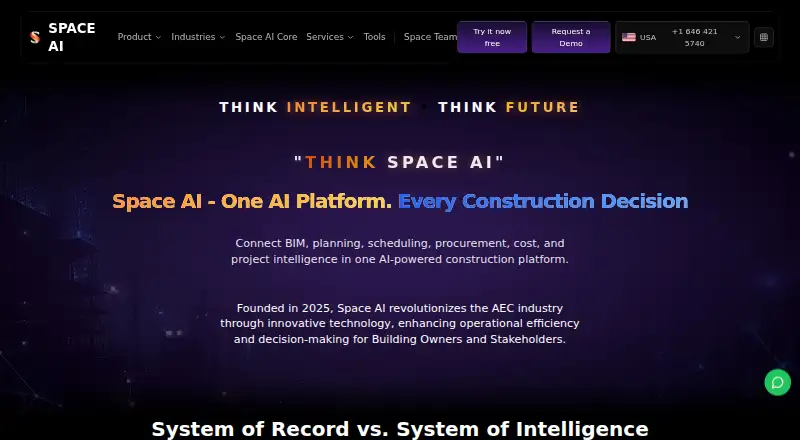
What Space AI is
Space AI is project management software for construction projects, with functions covering RFI management, submittals, project scheduling, field reporting, and project financials. Its listed platforms are web, Android, and iOS, giving teams browser access as well as mobile app options. The Free plan costs nothing and provides Test-mode access only. Its listed allowance is five files and five forms, and tokens may expire. Enterprise is priced on request and is described as a production workspace setup. That plan lists custom modules and workflows, implementation and onboarding support, integration planning, and a dedicated success manager. The two listed plans therefore serve different stages of adoption: the Free plan offers a restricted test environment, while Enterprise provides a production setup with customization and onboarding support. Teams can use the listed project functions to coordinate RFI and submittal work, scheduling, field reports, and financials. The Free plan’s file and form caps, Test-mode restriction, and token expiry condition shape its initial use; Enterprise adds a production workspace and support for configuring and introducing the system.
Who it suits
Space AI suits construction teams that need software spanning RFIs, submittals, schedules, field reports, and project financials. The Free plan may suit a team evaluating the product in Test mode, while Enterprise is aimed at organizations seeking a production workspace with custom workflows and onboarding support.
What it does well
- Covers RFI and submittal management.
- Includes project scheduling, field reporting, and project financials.
- Available on web, Android, and iOS.
- Enterprise lists custom modules and workflows.
- Enterprise includes implementation and onboarding support.
What to know first
- The Free plan is limited to Test-mode access.
- The Free plan allows five files and five forms.
- Free-plan tokens may expire.
- Enterprise pricing is available on request.
Limits
The Free plan is Test-mode access only and includes five files and five forms; tokens may expire. Enterprise is listed as a production workspace, but its price is available on request.
Plans
| Plan | Billed and limits | Price |
|---|---|---|
| Free | Test-mode access only; tokens may expire · 5 files · 5 forms | Free |
| Enterprise | Production workspace setup · Custom modules and workflows · Implementation and onboarding support · Integration planning · Dedicated success manager | On request |
As pmspace.ai lists them, read 23 Sept 2026. The maker's own page has the final word.
Getting started
- Open the Space AI website.
- Choose the Free plan for Test-mode access, or request Enterprise pricing for a production workspace.
- For Enterprise, plan the production setup, custom modules, workflows, and integrations with the listed support.
- Use the available web, Android, or iOS platform.
Space AI is construction management software for teams coordinating project documents, schedules, field activity, and financials. It suits companies looking to bring those workflows into one product, but live use depends on an Enterprise workspace rather than the free tier.
Overview
Space AI spans several central construction workflows: RFI and submittal management, project scheduling, field reporting, and project financials. That combination makes it worth considering when a team wants project coordination and oversight together, rather than a tool centered on only one of those jobs.
The main limitation is the divide between evaluation and production. Free access is test-mode only, with a cap of five files and five forms; tokens may expire. That makes it a constrained way to explore the product, not a dependable workspace for ongoing project operations. Production workspace setup is part of Enterprise, which has custom pricing.
Key features
- RFI and submittal management: These document workflows suit teams that need to coordinate project questions and submittals alongside other controls.
- Scheduling and field reporting: Pairing planned work with field reporting gives teams a way to address office and site activity in the same product.
- Project financials: Financials broaden Space AI beyond document and schedule coordination, making its range more relevant to teams seeking several project functions together.
The breadth is a strength, but the plan structure limits how much a team can judge through free access: its file and form caps are low, and it is not a production tier. Teams should consider the Enterprise route before relying on Space AI for live work.
Pricing
| Plan | Price | What it includes | Best fit |
|---|---|---|---|
| Free | free | Test-mode access only; tokens may expire; 5 files and 5 forms. | Teams evaluating the product within tight test limits. |
| Enterprise | Custom pricing | Production workspace setup, custom modules and workflows, implementation and onboarding support, integration planning, and a dedicated success manager. | Organizations ready to set up a production workspace and seeking implementation support. |
Free offers no production workspace, and the five-file and five-form limits constrain evaluation. Enterprise adds the operational setup and support, but its custom pricing means a team must request pricing to assess cost. No seat quota or renewal term is specified for either plan.
Platforms
Space AI is available on web, Android, and iOS. That gives teams browser and mobile access, though platform availability alone does not change the free plan's test-mode restriction.
Who it's for
Space AI is a stronger fit for construction organizations that want RFI and submittal workflows, scheduling, field reporting, and project financials under one roof and can consider an Enterprise production setup. It is a weaker fit for teams seeking a ready-to-use production tier at a published price, or for those whose evaluation needs exceed five files and five forms.
Pros and cons
- Pro — broad project coverage: RFI and submittal management sit alongside scheduling, field reporting, and financials, covering several recurring project needs.
- Pro — Enterprise implementation support: Onboarding, integration planning, and a dedicated success manager can suit organizations planning a formal rollout.
- Con — Free is test mode only: It cannot serve as the production workspace for an operating project.
- Con — restrictive test caps: Five files and five forms, with tokens that may expire, limit the usefulness of Free for broader evaluation.
- Con — Enterprise has custom pricing: Teams cannot compare its cost from a published rate.
Alternatives
Construction Management Software is a useful starting point for comparing products across the category.
- Buildxact is worth considering when AI estimating, professional proposals, and Home Depot material ordering are the priority; its Go plan includes five complimentary credits and it offers a free trial.
- Dalux may suit teams looking for a free punch-list tool with unlimited tasks and up to three active projects or buildings under its free-use terms.
- Trimble ProjectSight is an alternative for teams seeking a free plan with three projects, 2 GB storage, and unlimited users.
- Fieldwire may fit smaller teams that can work within a free allowance of five users, three projects, and 100 sheets.
- Trimble Viewpoint Vista is another option to consider.
- HCSS is another option to consider.
- Plexxis is another option to consider.
- Aproplan is another option to consider.
Verdict
Choose Space AI if your construction team needs document workflows, scheduling, field reporting, and financials together and is prepared to pursue Enterprise for production use. Its range is the central appeal; the key reason to look elsewhere is that Free is test-only and Enterprise pricing is custom.
Verdict
Choose Space AI if your construction project needs the listed combination of RFI, submittal, scheduling, field reporting, and financial tools. The Free plan offers a test-mode way to start, while Enterprise adds a production workspace and implementation support. Look elsewhere if you need production access without requesting Enterprise pricing.
Questions
Does Space AI have a free plan?
Yes. The Free plan costs nothing and provides Test-mode access only, with five files and five forms. Tokens may expire.
What does Enterprise include?
Enterprise lists a production workspace setup, custom modules and workflows, implementation and onboarding support, integration planning, and a dedicated success manager.
How much does Enterprise cost?
Enterprise pricing is available on request.
Which platforms does Space AI support?
The listed platforms are web, Android, and iOS.
What project management functions are included?
Space AI lists RFI management, submittal management, project scheduling, field reporting, and project financials.
Where Space AI stands on Freedom251
- Construction Management Software#18 of 45