Freedom251 › Disk Health Monitoring Software
Scrutiny
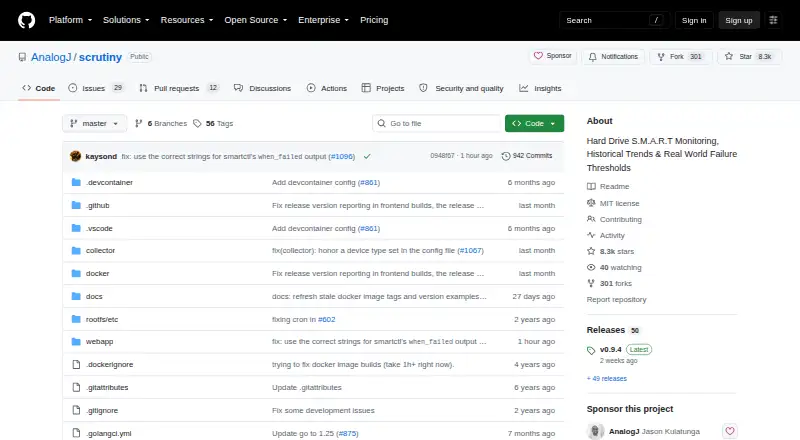
What Scrutiny is
Scrutiny is a free, self-hosted dashboard for monitoring hard drive health through S.M.A.R.T. metrics. It tracks metric history and temperature, with thresholds that can be customized based on real-world failure rates. Its collector uses smartctl to discover connected drives, and Scrutiny integrates with smartd. Failure alerts can be sent through email, webhooks, Discord, Gotify, Mattermost, ntfy, Slack, Teams, Telegram and other listed services. Users can deploy an all-in-one Docker image, separate hub-and-spoke Docker components or install it manually. The hub-and-spoke setup stores S.M.A.R.T. data in InfluxDB 2.8. The repository lists Linux, macOS and Windows binaries, but Windows Docker support remains in progress. Docker configuration requires passing drive devices through and granting SYS_RAWIO; NVMe drives may also need SYS_ADMIN. Some RAID controllers do not expose underlying SMART data to smartctl. The project describes itself as a work in progress with rough edges and lists the MIT license.
Who it suits
Scrutiny suits people who want to self-host drive-health monitoring and configure alerts. It may fit users comfortable with its deployment and hardware-permission requirements.
What it does well
- Free and MIT licensed
- Tracks S.M.A.R.T. history and temperature
- Supports customizable failure thresholds
- Offers multiple alert destinations
What to know first
- Docker requires drive passthrough and SYS_RAWIO
- NVMe drives may also require SYS_ADMIN
- Some RAID controllers do not expose SMART data
- Project notes it has rough edges
Plans
| Plan | Billed and limits | Price |
|---|---|---|
| Scrutiny | MIT licensed · self-hosted | Free |
As github.com lists them, read 30 Sept 2026. The maker's own page has the final word.
Getting started
- Open the Scrutiny project website on GitHub.
- Choose the all-in-one Docker image, hub-and-spoke Docker components, or manual installation.
- For Docker, pass the drive devices through and grant SYS_RAWIO; NVMe drives may also require SYS_ADMIN.
- For manual installation, follow the instructions for running the collector as an unprivileged user with restricted systemd permissions and network access.
- Configure monitoring and failure notifications for the supported services you use.
Scrutiny is a self-hosted dashboard for monitoring drive health through S.M.A.R.T. metrics. It is best for people who can configure a server or Docker deployment and want drive history and failure alerts without a software charge. Its flexibility is appealing, but hardware access requirements and work-in-progress status make it a less reassuring choice for plug-and-play monitoring.
Overview
Scrutiny collects drive data with smartctl and integrates with smartd, tracking S.M.A.R.T. metrics over time alongside temperature. Customized thresholds based on real-world failure rates help turn changing readings into warnings. The MIT-licensed software costs nothing to self-host, but operators must still set up the environment and ensure the collector can reach the drives.
That access is a meaningful compatibility constraint: some RAID controllers do not pass underlying SMART data through to smartctl. If a drive is hidden behind such a controller, Scrutiny may not be able to monitor it through that route.
Key features
History and failure alerts
Metric history and temperature tracking provide more context than a single health reading. Failure notifications can be sent by email or webhooks, as well as to Discord, Gotify, Mattermost, ntfy, Slack, Teams, Telegram, and other services. This suits home labs and server operators who already route operational notices through those channels.
Deployment and storage
Scrutiny offers an all-in-one Docker image, separate hub-and-spoke Docker components, and manual installation. The hub-and-spoke setup uses InfluxDB 2.8 to persist S.M.A.R.T. data, which gives operators a defined storage component but adds another service to manage. Manual installation instructions describe running the collector as an unprivileged user with restricted systemd permissions and network access, a useful option for operators who want tighter controls than a broadly privileged container.
Docker setup requires passing drive devices through and granting SYS_RAWIO; NVMe drives may also require SYS_ADMIN. Those permissions are a practical hurdle and should be understood before choosing a container deployment. The project describes itself as a work in progress with some rough edges, so users seeking a polished, low-maintenance appliance should look elsewhere.
Pricing
Scrutiny is free: its Scrutiny plan is free and is MIT licensed for self-hosting. SMART monitoring, failure warnings, and remote monitoring are included. There are no paid tiers to weigh against a limited free plan; the trade-off is that users take on deployment, permissions, and data-storage administration themselves.
Platforms
Scrutiny is listed for API, Linux, macOS, self-hosted, web, and Windows use. The repository lists binaries for Linux, macOS, and Windows, but Windows Docker support is marked work in progress. Hardware visibility and required permissions may matter more than the platform label, particularly for Docker users and systems with RAID controllers.
Who it's for
Scrutiny is a strong fit for self-hosters who want a continuing view of drive metrics, temperature, and failure warnings, and who can configure device access and maintain the deployment. It is less suitable for users who want monitoring without server administration, or whose RAID controller does not expose drive SMART data to smartctl.
Pros and cons
- Pros: Free, MIT-licensed self-hosting avoids a software fee while providing SMART monitoring and failure warnings.
- Pros: Metric history, temperature tracking, and customized thresholds make it possible to follow changing drive health.
- Pros: Multiple deployment methods and a broad set of notification destinations suit varied server setups.
- Cons: Docker requires device passthrough and SYS_RAWIO, with possible SYS_ADMIN access for NVMe drives.
- Cons: Some RAID controllers block the SMART data Scrutiny needs, and Windows Docker support remains in progress.
- Cons: The project's stated work-in-progress status means rough edges are part of the current trade-off.
Alternatives
Disk Health Monitoring Software is the broader category to browse if Scrutiny's deployment or compatibility constraints do not fit.
- DA Drive Analyzer is worth considering for a QNAP NAS setup: its free QNAP one-drive plan covers one drive per NAS, and its DA NAS Trial is free for one week for all drives on ASUSTOR.
- smartmontools is a direct alternative for users who want the free smartctl and smartd utilities on Linux, macOS, or Windows rather than Scrutiny's dashboard.
- Apacer SSDWidget 2.0 is a free option to consider for Windows users with Apacer PCIe or SATA3 products, and is also listed for Android and iOS.
- DiskMaster is another free option for Linux, macOS, and Windows.
- Hard Disk Sentinel offers Linux and Windows versions, including a free Linux version and a limited trial version; consider it if you prefer that alternative's trial and version choices.
- SMART Sniffer is a free, MIT-licensed Home Assistant integration and Go agent for Linux, macOS, Windows, API, and self-hosted use.
- Active@ Hard Disk Monitor has Windows freeware for personal use and a Professional plan for business purposes that can monitor up to three PCs remotely.
- HDD Health Monitor is a free, open-source Windows utility if you want a Windows-only option.
Verdict
Choose Scrutiny if you want free, self-hosted S.M.A.R.T. history and failure alerts and are comfortable granting the required hardware access and maintaining the deployment. Its range of deployment and notification choices is the main draw; look elsewhere if your controller hides SMART data or you need a more finished, plug-and-play experience.
Verdict
Scrutiny provides self-hosted S.M.A.R.T. monitoring with several deployment and alerting options. Check hardware compatibility and permission requirements before choosing a deployment method.
Questions
How much does Scrutiny cost?
Scrutiny is free. The listed plan is free.
Which operating systems are listed?
The repository lists Linux, macOS, and Windows binaries. Windows Docker support is marked work in progress.
What does Scrutiny monitor?
It monitors S.M.A.R.T. metrics, including metric history and temperature, and supports customized thresholds and failure warnings.
Can Scrutiny send alerts?
Yes. Failure notifications can go through email, webhooks, Discord, Gotify, Mattermost, ntfy, Slack, Teams, Telegram, and other listed services.
Is Scrutiny open source?
The repository lists the MIT license.
What can prevent SMART data from being available?
Some RAID controllers do not pass underlying SMART data through to smartctl.
Facts from Scrutiny's own pages
- Alerts
- Failure notifications can be sent through email, webhooks, Discord, Gotify, Mattermost, ntfy, Slack, Teams, Telegram, and other listed services. · github.com, 30 Sept 2026
- Compatibility limit
- The project notes that some RAID controllers do not pass underlying SMART data through to smartctl. · github.com, 30 Sept 2026
- Data storage
- The hub-and-spoke deployment uses InfluxDB 2.8 to persist S.M.A.R.T. data. · github.com, 30 Sept 2026
- Deployment
- Scrutiny offers an all-in-one Docker image, separate hub-and-spoke Docker components, and manual installation. · github.com, 30 Sept 2026
- Drive discovery
- The collector uses smartctl to detect connected drives and Scrutiny integrates with smartd. · github.com, 30 Sept 2026
- Hardware permissions
- Docker setup requires passing drive devices through and granting SYS_RAWIO; NVMe drives may also require SYS_ADMIN. · github.com, 30 Sept 2026
- License
- The repository lists the MIT license. · github.com, 30 Sept 2026
- Monitoring
- It tracks S.M.A.R.T. metric history, temperature, and customized thresholds based on real-world failure rates. · github.com, 30 Sept 2026
- Project status
- The README describes Scrutiny as a work in progress with some rough edges. · github.com, 30 Sept 2026
- Purpose
- Scrutiny is a hard drive health dashboard and monitoring solution for S.M.A.R.T. metrics. · github.com, 30 Sept 2026
- Security configuration
- Manual installation instructions describe running the collector as an unprivileged user with restricted systemd permissions and network access. · github.com, 30 Sept 2026
- Supported platforms
- The repository lists Linux, macOS, and Windows binaries; Windows Docker support is marked work in progress. · github.com, 30 Sept 2026
Where Scrutiny stands on Freedom251
- Disk Health Monitoring Software#12 of 30