Freedom251 › Disk Health Monitoring Software
NEAITECH DiskHealth
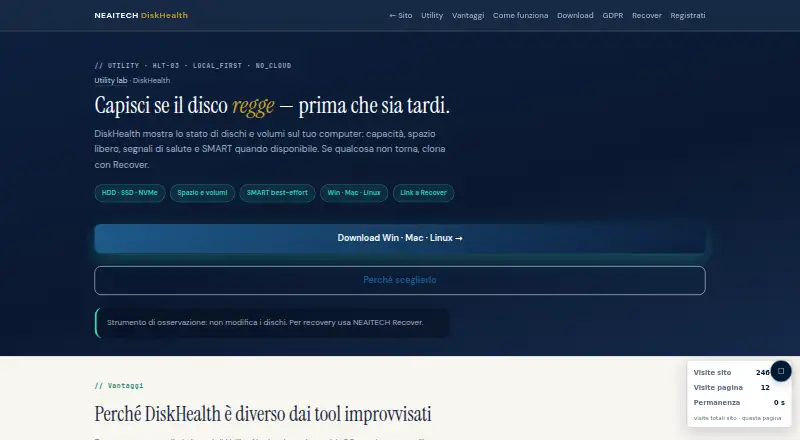
What NEAITECH DiskHealth is
NEAITECH DiskHealth shows disk and volume capacity, free space, health signals and SMART information when available. It lists support for HDD, SSD and NVMe drives, and is described as a read-only observation tool that does not modify disks. Users can review health, available space and SMART notes; the product page recommends backup or cloning if a disk is marked FAILED or space is low. SMART availability and results depend on the operating system and smartctl. The free edition is local and offline, and the maker labels the utility LOCAL_FIRST and NO_CLOUD. It says there is no content telemetry, and that logs and reports are saved only to locations chosen by the user. Downloads include Windows and macOS installers with Python, plus full or lightweight Linux setup options. DiskHealth has a free plan. Pro for one operating system costs €49.00 once, with one year of updates. The page also lists a €129.00 Suite Utility and a €249.00 Enterprise plan.
Who it suits
DiskHealth suits people who want to check local disk health, capacity and available SMART information on Windows, macOS or Linux. Its read-only operation and offline free edition may suit users who want to observe disks without modifying them.
What it does well
- Read-only operation does not modify disks.
- Lists HDD, SSD and NVMe support.
- Free edition is local and offline.
- Logs and reports go where users choose.
- Supports Linux, macOS and Windows.
What to know first
- SMART availability depends on the OS and smartctl.
- Remote monitoring is not available.
- Pro for one OS costs €49.00 once.
Limits
The free edition is for basic local, offline evaluation. Pro costs €49 once for one operating system and includes one year of updates; Suite Utility costs €129 once for one OS and includes 12 months of updates.
Plans
| Plan | Billed and limits | Price |
|---|---|---|
| Free | Funzionalità base · valutazione locale · offline | Free |
| Suite Utility | Update 12 mesi · HashGuard + DiskHealth + SecureWipe · 1 OS · tre tool | €129, paid once |
| Enterprise | Suite · tutti gli OS · Win + Mac + Linux · uso aziendale | €249, paid once |
| Pro · un OS | perpetua · update 1 anno · Prodotto singolo · Win o Mac o Linux | €49, paid once |
As neaitech.com lists them, read 8 Oct 2026. The maker's own page has the final word.
Getting started
- Visit the NEAITECH DiskHealth website.
- Choose the free edition or a paid license.
- Download the Windows EXE, macOS installer, or Linux setup option for your system.
- Review disks, volumes, available space, health, and SMART notes.
Verdict
DiskHealth focuses on local disk and volume checks, with SMART information where available. Its free offline edition and cross-platform downloads may suit people who want a read-only view of storage health.
Questions
Is NEAITECH DiskHealth free?
Yes. The free edition provides basic local, offline evaluation.
What does DiskHealth cost?
Pro for one operating system costs €49 once. Suite Utility costs €129 once, and Enterprise costs €249 once.
Which operating systems does DiskHealth support?
DiskHealth supports Windows, macOS, and Linux. Downloads include Windows and macOS installers and full or lightweight Linux setup options.
Does DiskHealth monitor drives remotely?
No. Remote monitoring is unavailable, and the free edition is described as local and offline.
Is DiskHealth open source?
The listed product facts do not establish whether DiskHealth is open source.
Who makes DiskHealth?
NEAITECH makes DiskHealth. The company was founded in 2005 and is headquartered in Genova, Italy.
Facts from NEAITECH DiskHealth's own pages
- Connectivity
- The free edition is described as local and offline, and the page labels the utility LOCAL_FIRST and NO_CLOUD. · neaitech.com, 8 Oct 2026
- Drives
- The product page lists HDD, SSD, and NVMe support. · neaitech.com, 8 Oct 2026
- Features
- Users can review disks and volumes, health, available space, and SMART notes, and the page recommends backup or cloning if status is FAILED or space is low. · neaitech.com, 8 Oct 2026
- Founded
- 2005 · neaitech.com, 28 Sept 2026
- Headquarters
- Genova, Italy · neaitech.com, 28 Sept 2026
- Installation
- Downloads include a Windows EXE with Python, macOS installers with Python, and full or lightweight Linux setup options. · neaitech.com, 8 Oct 2026
- Platforms
- The same Python application and interface are offered for Windows, macOS, and Linux, including Intel and Apple Silicon Macs. · neaitech.com, 8 Oct 2026
- Privacy
- The maker says there is no content telemetry and that logs and reports are saved only where the user chooses. · neaitech.com, 8 Oct 2026
- Purpose
- DiskHealth shows disk and volume capacity, free space, health signals, and SMART information when available. · neaitech.com, 8 Oct 2026
- Read-only operation
- The page describes DiskHealth as an observation tool that does not modify disks. · neaitech.com, 8 Oct 2026
- Related product
- The page recommends NEAITECH Recover for cloning or recovery when disk health is at risk. · neaitech.com, 8 Oct 2026
- SMART limits
- The maker says SMART availability and results depend on the operating system and smartctl. · neaitech.com, 8 Oct 2026
- Support
- The page provides [email protected] for inquiries about Pro or Enterprise licenses, Recover bundles, and use cases. · neaitech.com, 8 Oct 2026
Where NEAITECH DiskHealth stands on Freedom251
- Disk Health Monitoring Software#11 of 30