Freedom251 › Restaurant Expense Management Software
Sage Expense Management (formerly Fyle)
Visit Sage Expense Management (formerly Fyle) Alternatives Pricing
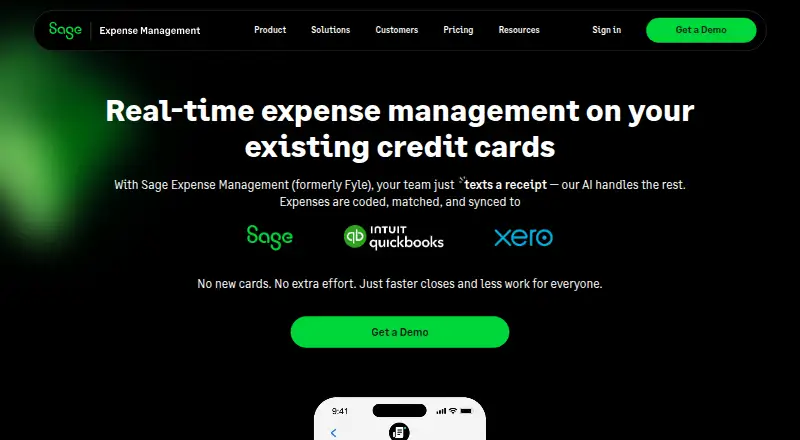
What Sage Expense Management (formerly Fyle) is
Sage Expense Management, formerly Fyle, automates business expense reporting for organizations using their existing corporate cards. Employees can respond to real-time transaction texts with receipt photos; OCR reads details such as merchant, date, amount, and category. The platform matches submitted receipts with card transactions and supports invoice capture, mileage tracking, expense reports, approvals, and budget tracking. Approval workflows can be organized by project or department and can include multiple levels, while the system monitors policy violations. The mobile app supports offline expense capture and syncing when connectivity returns, but users need an active account provided by their organization. Accounting integrations listed include QuickBooks Online and Desktop, Sage Intacct, Sage 300 CRE, Sage 50, and Xero. ACH reimbursement is available in the United States on Business. Growth costs $11.99/user/mo (annual), with a five-user minimum; Business is $14.99/user/mo (annual), with a ten-user minimum. Both charge per active user. Enterprise pricing is custom for organizations with 250+ employees.
Who it suits
It suits organizations that want to automate expenses tied to existing corporate cards, with structured approvals and accounting integrations. Mobile users need an active organization-provided account.
What it does well
- Matches receipt submissions to card transactions automatically
- Captures receipts by text and extracts key details
- Supports offline mobile expense capture
- Offers multiple approval workflow structures
- Lists integrations with QuickBooks, Sage products, and Xero
What to know first
- No free plan
- Growth requires a five-user minimum
- Business requires a ten-user minimum
- Mobile app requires an organization-provided active account
Limits
Growth bills a minimum of five active users, while Business bills a minimum of ten active users. Enterprise is custom-priced for enterprises with 250+ employees.
Plans
| Plan | Billed and limits | Price |
|---|---|---|
| Growth | annually · Minimum billing: 5 users · charged per active user | $11.99 a month |
| Business | annually · Minimum billing: 10 users · charged per active user | $14.99 a month |
| Enterprise | Custom pricing · for enterprises with 250+ employees | On request |
As fylehq.com lists them, read 2 Oct 2026. The maker's own page has the final word.
Getting started
- Open the Sage Expense Management website
- Choose Growth, Business, or Enterprise
- Meet the plan’s minimum-user requirement
- Have your organization provide an active account
- Use the web, Android, or iOS app, or connect through the API
Verdict
Sage Expense Management combines receipt capture, card reconciliation, policy monitoring, and configurable approvals. Check the plan minimums and account requirement before choosing it.
Questions
Is there a free plan?
No. Sage Expense Management is paid; Growth starts at $11.99 a month per active user when billed annually.
Which platforms are supported?
It supports Android, iOS, web, and API access.
Which accounting systems integrate?
Listed integrations include QuickBooks Online and Desktop, Sage Intacct, Sage 300 CRE, Sage 50, and Xero.
Does it offer reimbursements?
ACH reimbursements are available in the United States on the Business plan.
What support comes with each plan?
Business includes 24/7 live chat and email support with a stated first response under 30 minutes. Growth includes basic email and knowledge-base support; business-hours live chat is an optional paid upgrade.
Facts from Sage Expense Management (formerly Fyle)'s own pages
- Accounting integrations
- The site lists integrations including QuickBooks Online and Desktop, Sage Intacct, Sage 300 CRE, Sage 50, and Xero. · fylehq.com, 2 Oct 2026
- Account requirement
- Users need an active Sage Expense Management account provided by their organization to use the mobile app. · fylehq.com, 2 Oct 2026
- Approvals and policy
- Approval workflows can be multi-level, project-based, or department-led, and the platform monitors policy violations. · fylehq.com, 2 Oct 2026
- Company history
- The company timeline says the product began in 2016 and joined the Sage family in 2025. · fylehq.com, 2 Oct 2026
- Data retention
- The security page says customer data is deleted 30 days after contract termination and customers can export their data. · fylehq.com, 2 Oct 2026
- Founded
- 2016 · fylehq.com, 28 Sept 2026
- Growth support
- Growth includes basic email and knowledge base support, with business-hours live chat available as an optional paid upgrade. · fylehq.com, 2 Oct 2026
- Mobile app
- The mobile app supports receipt scanning, mileage tracking, expense reports, and approvals, and can capture expenses offline for syncing when connectivity returns. · fylehq.com, 2 Oct 2026
- Product
- Sage Expense Management automates business expense reporting and works with companies’ existing corporate cards. · fylehq.com, 2 Oct 2026
- Receipt capture
- Employees can reply to real-time card transaction texts with a receipt photo, and OCR extracts details such as merchant, date, amount, and category. · fylehq.com, 2 Oct 2026
- Reconciliation
- The platform automatically matches submitted receipts to corresponding corporate card transactions. · fylehq.com, 2 Oct 2026
- Reimbursements
- ACH reimbursements are available for the United States on the Business plan. · fylehq.com, 2 Oct 2026
- Security
- The security page states that Sage Expense Management is SOC 2 Type 1 and Type 2 certified and GDPR compliant. · fylehq.com, 2 Oct 2026
- Support
- Business plan users receive 24/7 live chat and email support with a stated first response time under 30 minutes. · fylehq.com, 2 Oct 2026