Freedom251 › Error Monitoring Software

Rollbar
What Rollbar is
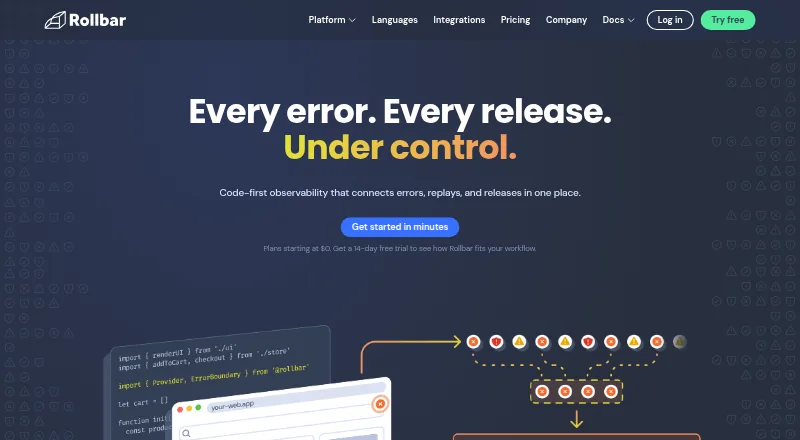
Rollbar is a code-first observability platform for connecting errors, session replays, and releases. It shows when errors happen, groups similar issues, and adds context and source-control integration to help teams investigate causes. Session Replay lets users view browser activity alongside related errors when tracing frontend problems. Rollbar Resolve reviews code and can open a pull request with a proposed fix for approval. Listed SDK and framework support includes JavaScript, iOS, Android, Go, Java, .NET, Node.js, PHP, Python, React, and Ruby. Integrations include GitHub, GitLab, Jira, PagerDuty, OpsGenie, Microsoft Teams, Slack-related alert workflows, and an MCP server. Rollbar states that it is SOC 2 and ISO 27001 certified. The Free plan covers 5,000 occurrences and 1,000 sessions per month, with a 30-day maximum retention period in the plan comparison. The pricing note lists a 14-day trial and paid plans from $9/mo. Rollbar is available on Android, iOS, web, and API.
Who it suits
Rollbar suits software teams that need to investigate application errors alongside browser sessions and releases. Its language support and integrations may also fit teams working across the listed development tools and services.
What it does well
- Groups similar errors automatically.
- Session Replay pairs browser activity with related errors.
- Resolve can propose fixes through pull requests.
- Free plan includes 5,000 occurrences monthly.
- Supports multiple listed languages and integrations.
What to know first
- Free plan limits monthly sessions to 1,000.
- Free plan retention is capped at 30 days.
- Trial lasts 14 days.
- Paid plans start at $9/mo.
Limits
The Free plan includes 5,000 occurrences and 1,000 sessions per month, with 30 days maximum data retention in the plan listing. Essentials lists up to 90 days of retention; Advanced lists up to 180 days. Enterprise offers custom volume and retention for teams requiring more than 80 million events.
Plans
| Plan | Billed and limits | Price |
|---|---|---|
| Essentials | monthly; page shows “–” for price · 10K–50M occurrences/month · 1K–10M replays/month · 4K–10M credits/month · up to 90 days data retention | On request |
| Enterprise | Custom monthly · For enterprise teams requiring more than 80M events · custom volume and data retention · priority support and SLAs | On request |
| Free | monthly · 5K occurrences + 1K sessions · 30 days maximum data retention · real-time feed and alerts · intelligent error grouping | On request |
| Advanced | monthly; page shows “–” for price · 10K–50M occurrences/month · 1K–10M replays/month · 8K–10M credits/month · up to 180 days data retention | On request |
As rollbar.com lists them, read 29 Sept 2026. The maker's own page has the final word.
Getting started
- Visit the Rollbar website and choose a plan or start the 14-day trial.
- Create a project using a listed SDK or framework, such as JavaScript, Python, or .NET.
- Connect source control or other listed integrations as needed.
- Use error monitoring to review grouped issues and context.
- Use Session Replay to inspect browser activity alongside related errors.
Rollbar is a cloud observability service that ties application errors to releases and browser-session replays. It suits development and operations teams that need source-aware troubleshooting across web and mobile stacks. Its strongest case is combining diagnosis with an automated fix proposal, while teams wanting self-hosting or a narrowly focused notification service may prefer another tool.
Overview
Rollbar’s code-first approach brings error monitoring, frontend monitoring, release tracking, and source-map support into one cloud deployment. It records when failures occur, groups related errors, and adds context plus source-control connections so an investigation can start with a likely cause instead of a raw event stream. The company is based in San Francisco and began in 2012 around reactive error monitoring.
For broader category comparisons, see our Error Monitoring Software list.
Key features
Error investigation
Automatic grouping prevents repeated instances of the same problem from becoming separate work items. Release context and source maps are useful when a team needs to connect a production failure to deployed code, while frontend monitoring keeps browser-side issues in scope.
Session Replay
Session Replay pairs browser activity with related errors, allowing a team to follow what happened in a user session before the failure. That context is particularly relevant to frontend bugs that are difficult to reproduce from an error message alone.
Resolve and integrations
Rollbar Resolve examines breaking code and opens a pull request containing a proposed fix for approval. It does not silently change production code; a maintainer remains responsible for accepting the proposal. Integrations include GitHub, GitLab, Jira, Slack alert workflows, PagerDuty, OpsGenie, Microsoft Teams, and an MCP server, supporting both issue tracking and escalation routines.
Coverage and security
SDKs and framework support span JavaScript, iOS, Android, Go, Java, .NET, Node.js, PHP, Python, React, and Ruby. Rollbar states that it is SOC 2 and ISO 27001 certified. Plan controls include two-factor authentication, encryption at rest, GDPR compliance, and SSO options; SCIM provisioning is listed for Advanced.
Pricing
Rollbar uses a freemium model, offers a 14-day trial, and advertises paid service from $9/mo. The Free plan is billed monthly at no listed price and includes 5,000 occurrences plus 1,000 sessions each month, real-time feed and alerts, intelligent error grouping, and a maximum of 30 days of data retention. That allowance is suitable for a small project or evaluation, but a busy production service can exhaust it quickly.
Essentials is billed monthly with custom pricing. Its published ranges are 10K–50M occurrences, 1K–10M replays, and 4K–10M credits per month, with up to 90 days of retention. It is the more practical step for growing teams that need replay and higher volume, although the unlisted price makes budgeting harder.
Advanced is also billed monthly with custom pricing. It raises the credit range to 8K–10M, keeps 10K–50M occurrences and 1K–10M replays, and allows up to 180 days of retention. SCIM provisioning and stronger support options make it a better fit for organizations with formal identity and support requirements.
Enterprise is custom monthly pricing for teams above 80 million events. It provides custom volume and retention, high-volume operation, priority support, service-level agreements, and enterprise security controls. Support options across the comparison include email and chat, priority support, direct Slack channels, and custom SLAs; the exact entitlement depends on plan.
Platforms
Rollbar is delivered as a cloud service and supports Android, iOS, web applications, and an API. Its language and framework SDK coverage makes it viable for mixed mobile and server teams rather than a single-platform shop.
Who it's for
Choose Rollbar when your team wants errors, releases, browser evidence, and source-control context in one workflow, especially if an approved pull request is a useful next step after diagnosis. The Free plan can serve a low-volume project, while Essentials and Advanced target teams whose event, replay, credit, or retention needs exceed that allowance. Enterprise is aimed at very high-volume organizations with customized governance and service terms.
It is less compelling for buyers who require a self-hosted deployment, since Rollbar is cloud-based, or for teams seeking a simple push-notification service without error investigation and replay.
Pros and cons
Pros
- Connected diagnosis: error grouping, release context, source maps, and source-control integration help narrow the path from alert to cause.
- Replay beside errors: browser sessions provide behavioral context for frontend failures.
- Actionable automation: Resolve proposes a code fix through a pull request rather than applying an unreviewed change.
- Broad integration surface: Git providers, ticketing, chat, paging, and the MCP server can fit established workflows.
- Documented security posture: SOC 2 and ISO 27001 certification plus tiered identity controls support compliance-conscious teams.
Cons
- Free limits are tight for busy services: 5,000 occurrences and 1,000 sessions per month leave little headroom at scale.
- Most plan prices are not fixed: Essentials and Advanced require custom pricing, complicating straightforward comparisons.
- Cloud-only delivery: organizations needing self-hosting should look elsewhere.
- Tier-dependent support and controls: features such as SCIM, direct Slack support, and custom SLAs require higher plans.
Alternatives
Backtrace is a better fit when self-hosting or desktop, console, and Windows coverage matters; its Developer plan is free for one developer, up to 25,000 monthly errors, one month of retention, and 10 GB of storage.
BugSnag suits teams wanting a free tier with one user, 7.5K events and 1M spans per month, plus support for more than 50 platforms and 30-plus integrations.
Sankofa Catch is worth considering for a $9/month Starter plan offering 25K errors, 50K performance events, 2K profiles, and 750 replay views monthly.
Airbrake is an alternative error-monitoring service with a free developer tier and a $17/month Dev + errors plan billed annually.
Embrace User Session Insights is focused on session insights, with a free allowance of up to 1 million sessions per year and five users.
Firebase Cloud Messaging is the simpler choice when the requirement is no-cost push messaging rather than observability.
Measure is preferable to teams seeking fully open-source software.
AppSignal offers a free plan with 30K requests, 1GB of logging, five-day retention, and unlimited users, teams, applications, and dashboards.
Verdict
Rollbar is a strong choice for teams that want one code-aware workflow from grouped production error to replay evidence and a reviewable fix proposal. Its broad SDK coverage, integrations, and enterprise controls reinforce that fit. Look elsewhere if self-hosting is mandatory, if your workload exceeds the free quotas without room for custom pricing, or if you only need basic messaging rather than full observability.
Verdict
Rollbar combines error monitoring, session replay, and release context, with tools for tracing problems and proposing code fixes. Its free allowance is defined, while paid plans start at $9/mo and the listed plan details vary by tier.
Questions
Does Rollbar have a free plan?
Yes. The Free plan includes 5,000 occurrences and 1,000 sessions per month, plus a real-time feed and alerts and intelligent error grouping.
How much does Rollbar cost?
The pricing note lists paid plans from $9/mo. The individual Essentials and Advanced plan prices are shown as “–”; Enterprise is custom-priced.
Is there a free trial?
Yes. The pricing note lists a 14-day trial.
Which platforms and languages are supported?
Listed platforms include Android, API, iOS, and web. Listed language and framework support includes JavaScript, iOS, Android, Go, Java, .NET, Node.js, PHP, Python, React, and Ruby.
What integrations are listed?
Integrations include GitHub, GitLab, Jira, Slack-related alert workflows, PagerDuty, OpsGenie, Microsoft Teams, and an MCP server.
What does the Enterprise plan include?
It is described for enterprise teams requiring more than 80 million events, with custom volume and data retention, priority support, and SLAs.
Facts from Rollbar's own pages
- AI agent
- Rollbar Resolve reviews code, identifies what is breaking, and opens a pull request with a proposed fix for approval. · rollbar.com, 29 Sept 2026
- Company
- Rollbar says it began with a focus on improving reactive error monitoring and describes its product as code-first observability. · rollbar.com, 29 Sept 2026
- Enterprise
- The Enterprise plan is described for teams requiring more than 80 million events and includes high volume, fully custom data retention, and enterprise-level security controls. · rollbar.com, 29 Sept 2026
- Error monitoring
- Rollbar shows when errors occur, groups similar issues automatically, and provides context and source control integration to help identify causes. · rollbar.com, 29 Sept 2026
- Founded
- 2012 · rollbar.com, 23 Sept 2026
- Headquarters
- San Francisco, California, United States · rollbar.com, 23 Sept 2026
- Integrations
- The integrations page lists GitHub, GitLab, Jira, Slack-related alert workflows, PagerDuty, OpsGenie, Microsoft Teams, and an MCP server. · rollbar.com, 29 Sept 2026
- Plan security controls
- The pricing comparison lists two-factor authentication, disk-based encryption at rest, GDPR compliance, and SSO options; it lists SCIM provisioning for Advanced. · rollbar.com, 29 Sept 2026
- Product
- Rollbar describes itself as a code-first observability platform connecting errors, replays, and releases. · rollbar.com, 29 Sept 2026
- Security
- Rollbar's homepage states that it is SOC 2 and ISO 27001 certified. · rollbar.com, 29 Sept 2026
- Session replay
- Session Replay lets users watch browser activity alongside related errors to investigate how frontend issues unfolded. · rollbar.com, 29 Sept 2026
- Support
- The pricing comparison lists email and chat support, priority support, direct Slack channels, and custom SLAs among plan support options. · rollbar.com, 29 Sept 2026
- Supported languages
- The maker lists SDKs and framework support including JavaScript, iOS, Android, Go, Java, .NET, Node.js, PHP, Python, React, and Ruby. · rollbar.com, 29 Sept 2026
- Usage limits
- The Free plan includes 5,000 occurrences and 1,000 sessions per month, while the plan comparison lists 30 days maximum data retention. · rollbar.com, 29 Sept 2026
Where Rollbar stands on Freedom251
- Error Monitoring Software#13 of 30
- Runtime Monitoring Software#27 of 56
- Debugging Software#15 of 30
- Error Tracking#13 of 25