Freedom251 › Emulation Frontends
RetroHub
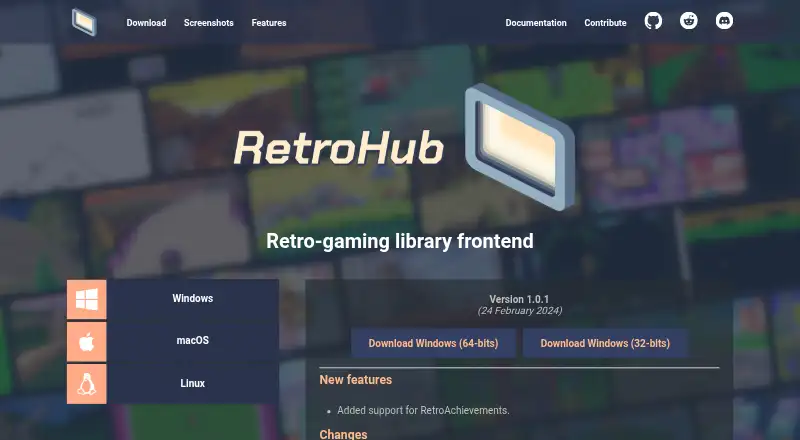
What RetroHub is
RetroHub is a free frontend for organizing, displaying, and launching a retro-game library on Linux, macOS, and Windows. A first-time setup wizard helps users get started, and supported frontends can provide imported games and settings. RetroHub has built-in support for more than 80 systems and more than 50 emulators, but the emulators themselves are not included; users can add settings for others in the app. Its ScreenScraper integration can identify games by file hash or filename and retrieve metadata and associated media. Users can edit game details and media, change themes, and remap keyboard and controller actions. Inputs include keyboard, mouse, controller, and touch, while the interface adapts to screen size and aspect ratio and includes a screen-reader option. RetroAchievements is an optional integration. ScreenScraper applies hourly and daily quotas, and media for a large library may use more than 1 GB of disk space. The source code uses the MIT License; official builds use GPLv3 because of bundled third-party libraries.
Who it suits
RetroHub suits players who want one interface to organize and launch games across supported systems. It also addresses theme developers, with documentation for customizing the interface.
What it does well
- Free to use on Linux, macOS, and Windows.
- Supports more than 80 systems and 50 emulators.
- Imports games and settings from supported frontends.
- Supports keyboard, mouse, controller, and touch input.
What to know first
- Emulators are not included.
- ScreenScraper enforces hourly and daily API quotas.
- Scraped media for a large library may exceed 1 GB.
Limits
RetroHub is free to use. ScreenScraper has hourly and daily API quotas, and scraped media for a large library may exceed 1 GB of disk space; emulators are not included.
Plans
| Plan | Billed and limits | Price |
|---|---|---|
| RetroHub | Free to use · MIT license for source code · official builds under GPL3 due to bundled dependencies | Free |
As retrohub-org.github.io lists them, read 30 Sept 2026. The maker's own page has the final word.
Getting started
- Download the build for Windows, macOS or Linux from the RetroHub site.
- Start the app and follow its first-time setup wizard.
- Import games and settings from a supported frontend, or configure your library in the app.
- Add settings for any systems or emulators you use that are not already supported.
- Optionally connect ScreenScraper for game metadata and media, and choose a theme or input settings.
RetroHub is a desktop frontend for arranging and launching retro-game collections. It best suits players who already manage their own emulators and want a configurable interface across Windows, macOS, or Linux. Its wide system coverage, importing, and metadata tools make it a capable library hub, while the need to provide emulators and manage scraping resources narrows its audience.
Overview
A first-run setup wizard gets a new installation configured, and importing games and settings from supported frontends can spare owners of established collections a full rebuild. RetroHub supports more than 80 systems and more than 50 emulators, with additional systems configurable in the app. That breadth is valuable for mixed libraries, but the emulators themselves are not included, so this is a frontend rather than a complete emulation solution.
The central library organizes, displays, and launches games while allowing metadata and media to be edited. A ScreenScraper-based tool can identify titles from file hashes or filenames and retrieve artwork and other information. ScreenScraper's hourly and daily API quotas can make a very large collection take longer to process, and downloaded media for such a collection may exceed 1 GB, so available storage matters.
Key features
Library, scraping, and controls
RetroHub combines collection management with launching, rather than forcing users to maintain separate menus for each system. Keyboard, mouse, controller, and touch input are supported; keyboard and controller actions can be remapped, and a virtual keyboard is included. RetroAchievements is an optional integration, with support added in version 1.0.1.
Themes and accessibility
Theme switching changes the presentation of a collection, while the Godot Engine 4 theme system lets developers reshape the interface and add features. The interface adapts to screen size and aspect ratio, and configuration includes a screen-reader option. These choices make RetroHub more suitable for varied displays and input setups than a fixed launcher, particularly for users willing to tune their environment.
Licensing
The source code uses the MIT License. Official binaries use GPLv3 because they bundle third-party libraries, so developers and redistributors should distinguish the source license from the terms of the released builds.
Pricing
| Plan | Price | Includes |
|---|---|---|
| RetroHub | free | Free to use; MIT-licensed source code; official builds under GPL3 because of bundled dependencies |
There is no paid tier or trial period. The free plan is therefore the only choice for every user, with no subscription renewal to budget for. Its practical costs are outside the plan: users must obtain and configure their own emulators, and extensive scraping can consume ScreenScraper quota and more than 1 GB of local media storage.
Platforms
RetroHub runs on Windows, macOS, and Linux. Official downloads include Windows 32-bit and 64-bit builds, Linux 32-bit and 64-bit builds, and a universal macOS build for both Intel and Apple silicon. Version 1.0.1 is dated 24 February 2024.
Who it's for
Choose RetroHub if you have emulators already, want one library across many systems, or care about theme-level control over presentation. Importing is especially useful when moving from a supported frontend, and remappable controls plus screen-reader configuration help accommodate different setups. Look elsewhere if you want emulators bundled with the frontend or need scraping that is unconstrained by external API quotas.
Pros and cons
- Pros: Supports more than 80 systems and 50 emulators, with room to configure others.
- Pros: Imports games and settings from supported frontends, reducing migration work.
- Pros: Offers ScreenScraper metadata and media retrieval, editable library presentation, themes, remapping, touch input, and a screen-reader option.
- Pros: Free on all supported desktop platforms, with MIT-licensed source code.
- Cons: Emulators are not included, so setup and maintenance remain the user's responsibility.
- Cons: ScreenScraper hourly and daily quotas can delay large-library scraping.
- Cons: Scraped media for a large collection may exceed 1 GB of disk space.
Alternatives
RetroArch is a better fit when you want a free, open-source project spanning Android, iOS, Linux, macOS, web, and Windows rather than a desktop-focused library frontend.
ES-DE Frontend suits users seeking a free, fully open-source frontend on Windows, macOS, or Linux, with a separate paid Android app.
GameEx is worth considering for a freemium frontend available on Android, Linux, macOS, and Windows; commercial use requires registration or purchase for each copy.
Lakka is the alternative for a Linux-, macOS-, Windows-, or self-hosted setup centered on its operating system distribution; hardware is not included.
Pegasus Frontend offers a free, open-source, ad-free option across Android, Linux, macOS, and Windows.
Attract-Mode is another free, open-source frontend for Linux, macOS, and Windows, licensed under GPLv3.
EmulatorJS is the more appropriate choice for Android, iOS, web, or self-hosted deployments and is described as open source.
LaunchBox fits users who want a Windows or Android freemium product, with a free Windows starter tier and a paid Windows edition.
Browse more options in Emulation Frontends.
Verdict
RetroHub is a strong free choice for desktop retro-gaming collectors who already have emulators and want broad system support, import tools, and a deeply themeable library. Choose it for control over organization and presentation; choose another frontend if supplying emulators, working within ScreenScraper quotas, or reserving substantial media storage is not acceptable.
Verdict
RetroHub provides library organization and launching, while leaving emulator installation to users. Consider ScreenScraper quotas and media storage before scraping a large collection.
Questions
Is RetroHub free?
Yes. The listed RetroHub plan costs nothing, and there is no free trial because the app is free to use.
Which platforms are supported?
Official builds are offered for Windows, macOS and Linux. The universal macOS build supports Intel and Apple silicon.
Does RetroHub include emulators?
No. It has built-in support for more than 50 emulators and lets users add settings for others, but does not include emulators.
Is RetroHub open source?
Its source code is available under the MIT License. Official builds are under GPLv3 because of bundled third-party libraries.
Can it fetch game information and artwork?
Yes. Its built-in ScreenScraper integration can identify games by file hash or filename and retrieve metadata and media. ScreenScraper has hourly and daily API quotas.
Can I import an existing game library?
RetroHub can import games and settings from supported frontends.
Facts from RetroHub's own pages
- Controls
- The app supports keyboard, mouse, controller, and touch input; keyboard and controller actions can be remapped. · retrohub.readthedocs.io, 30 Sept 2026
- Documentation audience
- RetroHub documentation includes guides for regular users and theme developers. · retrohub.readthedocs.io, 30 Sept 2026
- Game library
- Users can organize, display, and launch their game library, and customize game metadata and media. · retrohub-org.github.io, 30 Sept 2026
- Game scraping
- The built-in scraper uses ScreenScraper to find games by file hash or filename and fetch metadata and media. · retrohub.readthedocs.io, 30 Sept 2026
- Input methods
- The app supports keyboard, mouse, and controller input, including remapping, and includes a virtual keyboard. · retrohub.readthedocs.io, 30 Sept 2026
- Integration
- RetroHub integrates with RetroAchievements to provide personal achievement information and progression to supported themes; setup requires an account, username, and web API key. · retrohub.readthedocs.io, 30 Sept 2026
- Interface and accessibility
- The interface adapts to screen size and aspect ratio, and configuration includes a screen-reader option. · retrohub-org.github.io, 30 Sept 2026
- License
- The source code is available under the MIT license, while official builds are under GPL3 because of bundled dependencies. · retrohub-org.github.io, 30 Sept 2026
- Licensing
- The source code is available under the MIT License, while the released binary is under GPLv3 due to bundled third-party libraries. · retrohub.readthedocs.io, 30 Sept 2026
- Official builds
- The site offers Windows 32-bit and 64-bit, universal macOS, and Linux 32-bit and 64-bit downloads; the universal macOS build supports Intel and Apple silicon. · retrohub-org.github.io, 30 Sept 2026
- Product
- RetroHub is a retro-gaming library frontend. · retrohub-org.github.io, 30 Sept 2026
- Purpose
- RetroHub is a retro-gaming library frontend for organizing and launching games. · retrohub-org.github.io, 30 Sept 2026
- Release
- The site lists version 1.0.1, dated 24 February 2024. · retrohub-org.github.io, 30 Sept 2026
- Scraping
- The built-in scraper supports ScreenScraper and can fetch game metadata and associated media. · retrohub.readthedocs.io, 30 Sept 2026
- Scraping limits
- ScreenScraper enforces hourly and daily API quotas; large libraries may use more than 1 GB of disk space for scraped media. · retrohub.readthedocs.io, 30 Sept 2026
- Setup
- It has a first-time setup wizard and can import settings and games from supported frontends. · retrohub-org.github.io, 30 Sept 2026
- Setup and importing
- RetroHub has a first-time setup wizard and can import settings and games from other supported frontends. · retrohub-org.github.io, 30 Sept 2026
- Storage consideration
- The documentation warns that scraped media for a large library can exceed 1 GB and may fill available disk space. · retrohub.readthedocs.io, 30 Sept 2026
- Systems and emulators
- It includes built-in support for more than 80 systems and more than 50 emulators, and lets users add settings for others in the app. · retrohub-org.github.io, 30 Sept 2026
- Theme development
- RetroHub uses Godot Engine 4, and its themes can control the interface and add features. · retrohub-org.github.io, 30 Sept 2026
- Themes
- Users can switch themes, and the documentation describes theme development for organizing, displaying, and launching games. · retrohub-org.github.io, 30 Sept 2026
- Version and release
- The download page lists version 1.0.1, dated 24 February 2024. · retrohub-org.github.io, 30 Sept 2026
Where RetroHub stands on Freedom251
- Emulation Frontends#18 of 25