Freedom251 › Game Library Managers
EmulationStation
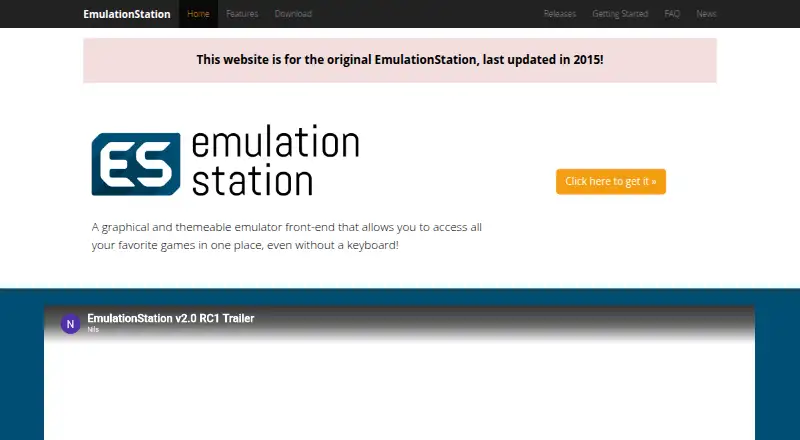
What EmulationStation is
EmulationStation is a free, open-source graphical front end for bringing games from different emulators together. Its interface supports navigation with a four-button controller, and users can configure the controller within the program. Themes let users customize screens for individual systems, while a built-in scraper can collect names, descriptions, box art, ratings, release dates, developers, publishers, genres, and player counts. EmulationStation can work with virtually any program, but it does not configure emulators for you. Instead, users set up systems in an XML file with game locations, file extensions, launch commands, and optional scraping and theme names. Downloads include Windows installers and ZIP files, Raspberry Pi images and manual builds, Debian packages, and a link to Arch’s AUR. The project says it runs well on low-powered devices such as Raspberry Pi and serves as RetroPie’s front end. RetroPie is a separate project whose EmulationStation version is a customized fork. The official site identifies its offering as the original EmulationStation and says it was last updated in 2015.
Who it suits
EmulationStation suits players who want one controller-navigable interface for games from multiple emulators. It is also an option for Raspberry Pi users comfortable configuring emulators and systems themselves.
What it does well
- Free and open source.
- Controller navigation works without a keyboard.
- Themes can differ by game system.
- Scraper collects extensive game metadata.
- Downloads include Windows, Raspberry Pi, and Debian options.
What to know first
- Emulators must be configured separately.
- System setup uses an XML file.
- The official site says it was last updated in 2015.
- RetroPie’s version is a separate fork.
Getting started
- Visit https://emulationstation.org/ and open the download page.
- Choose a suitable Windows or Linux download, or a Raspberry Pi image or build.
- Install or build the program using the available package for your system.
- Configure systems in the XML file with game locations, file extensions, and launch commands.
- Set up each emulator separately, then configure controller navigation within EmulationStation.
Verdict
EmulationStation organizes games from different emulators and offers controller navigation, themes, and metadata scraping. Users need to configure emulators separately, and the official site reports that its original version was last updated in 2015.
Questions
Is EmulationStation free?
Yes. Its pricing model is free, and a free plan is available.
Which platforms does it support?
The listed platforms are Linux and Windows. The download page also offers Raspberry Pi images and builds.
Does EmulationStation include emulators?
It is a front end that can work with virtually any program. Users must configure emulators separately.
Is EmulationStation open source?
Yes. The project describes it as open source and invites users to contribute improvements.
Is the RetroPie version the same project?
No. RetroPie is separate, and its EmulationStation version is a fork with RetroPie-specific customizations and features.
Facts from EmulationStation's own pages
- Configuration
- Users configure systems in an XML file that specifies game locations, file extensions, launch commands, and optional scraping and theme names. · emulationstation.org, 8 Oct 2026
- Controller navigation
- Its interface can be used with a four-button controller without a keyboard, and controller setup is done within the program. · emulationstation.org, 8 Oct 2026
- Controller setup
- The interface supports four-button controllers, which users can configure within the program. · emulationstation.org, 8 Oct 2026
- Downloads
- The download page offers Windows installers and ZIP files, Raspberry Pi images and manual builds, and Debian packages; it also links to Arch's AUR. · emulationstation.org, 8 Oct 2026
- Emulator compatibility
- It can work with virtually any program, but emulators must be configured separately. · emulationstation.org, 8 Oct 2026
- Game metadata
- The built-in scraper can download game names, descriptions, box art, ratings, release dates, developers, publishers, genres, and player counts. · emulationstation.org, 8 Oct 2026
- Maintenance
- The official site says it is for the original EmulationStation and was last updated in 2015. · emulationstation.org, 8 Oct 2026
- Notable limit
- Users must configure the emulators themselves; EmulationStation is the front end. · emulationstation.org, 8 Oct 2026
- Open source
- The maker describes EmulationStation as open source, and its GitHub repository displays an MIT license. · github.com, 8 Oct 2026
- Platforms
- The download page lists Windows, Debian, Arch, and Raspberry Pi options. · emulationstation.org, 8 Oct 2026
- Purpose
- EmulationStation is a graphical, themeable front end that brings games from different emulators together in one place. · emulationstation.org, 8 Oct 2026
- Raspberry Pi
- The site says EmulationStation performs well on low-powered devices such as Raspberry Pi and serves as RetroPie's front end. · emulationstation.org, 8 Oct 2026
- RetroPie
- RetroPie uses EmulationStation as a front end, but the maker says RetroPie is a separate project and its version is a fork with project-specific customizations and features. · emulationstation.org, 8 Oct 2026
- RetroPie distinction
- RetroPie is a separate project, and its EmulationStation version is a fork with RetroPie-specific customizations and features. · emulationstation.org, 8 Oct 2026
- Security and compliance
- The opened official pages do not state security certifications or compliance claims. · emulationstation.org, 8 Oct 2026
- Support
- The maker directs users to the GitHub issue tracker to report bugs or seek help. · github.com, 8 Oct 2026
- Themes
- The theming system lets users customize screens separately for each system. · emulationstation.org, 8 Oct 2026
Where EmulationStation stands on Freedom251
- Game Library Managers#20 of 40
- Emulation Frontends#14 of 25
- Game launchers#52 of 68