
Pegasus Frontend
What Pegasus Frontend is
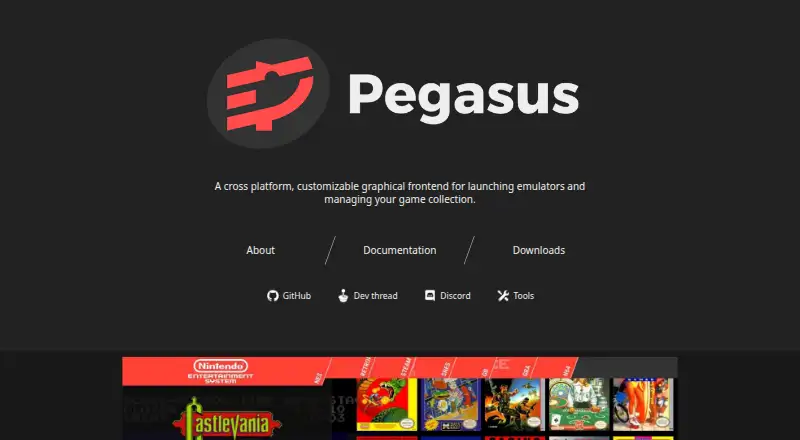
Pegasus Frontend is a free interface for gathering game collections, viewing game information and media, and launching games or emulators. It supports themes that can reshape how a collection is displayed and navigated, along with gamepad, keyboard, mouse, and touch input. The interface is designed for screen sizes ranging from TVs to handhelds. Pegasus works with emulators and lets users configure how to launch them. Listed automatic game sources include Steam, GOG, Android apps, Lutris, EmulationStation, and LaunchBox, although availability varies by platform; Lutris support is experimental. For metadata, it can use its own files or read EmulationStation gamelists and related assets. Pegasus does not provide games, emulators, stores, or game assets, so users need to bring those from their own sources. Official releases are listed for Windows 7 or later, Linux, Raspberry Pi, Odroid, Android 5 or later, and macOS 10.13 or later. Android installation requires manually enabling APK installation, and Pegasus is not available from the Play Store.
Who it suits
Pegasus suits people who want a customizable interface for organizing and launching games across supported systems. Users need to supply their own games, emulators, stores, and assets.
What it does well
- Free and open-source, with no ads or in-app purchases.
- Supports gamepad, keyboard, mouse, and touch navigation.
- Can read EmulationStation gamelists and related assets.
- Official releases span desktop, mobile, and device platforms.
What to know first
- Does not include games, emulators, stores, or assets.
- Android installation requires enabling APK installation manually.
- Not available from the Play Store.
- Lutris game-source support is experimental.
Plans
| Plan | Billed and limits | Price |
|---|---|---|
| Free | Free and open-source · no ads or in-app purchases | Free |
As pegasus-frontend.org lists them, read 3 Oct 2026. The maker's own page has the final word.
Getting started
- Visit the Pegasus Frontend project website.
- Choose an official release for Windows 7 or later, Linux, Raspberry Pi, Odroid, Android 5 or later, or macOS 10.13 or later.
- On Android, enable APK installation manually before installing.
- Supply games, emulators, stores, and game assets from your own sources.
- Configure game sources, metadata, themes, and emulator launch options as needed.
- Use the project documentation, Discord, or development thread for information and discussion.
Pegasus Frontend is a free, open-source interface for bringing games from different platforms into one collection and launching them. It suits players who want to build a library from their own stores, emulators, and media. Its flexible themes and broad device support are appealing, but setup depends on supplying and configuring those components yourself.
Overview
Pegasus organizes games, displays their information and artwork, and launches games or emulators. It is a frontend, not a source of games or emulation software: users provide games, stores, emulators, and assets themselves. That separation gives users control over their setup, but makes Pegasus a poor fit for anyone expecting an all-in-one library with content included.
Key features
Flexible presentation and navigation
Themes can reshape both the appearance and interaction of a collection. Support for gamepad, keyboard, mouse, and touch, along with screen sizes from TVs to handhelds, makes Pegasus adaptable to different ways of playing. The trade-off is that users assemble the collection and choose how it is presented rather than receiving a ready-made library.
Sources, emulators, and metadata
Automatic source support covers Steam, GOG, Android apps, Lutris, EmulationStation, and LaunchBox, though availability varies by platform. Lutris support is experimental, so it is a less settled option than the other integrations. Pegasus can read its own metadata files as well as EmulationStation gamelists and their associated assets, and users can configure emulator launch behavior. This is useful for combining collections, but does not remove the work of supplying and managing the underlying games and files.
Pricing
Pegasus is free and open-source, with no ads or in-app purchases. Its Free plan costs nothing. There is no paid tier or free-trial decision to weigh; the main cost is the effort of bringing your own games, emulators, and assets.
Platforms
Pegasus supports Android, Linux, macOS, and Windows. Official releases are listed for Windows 7 or later, Android 5 or later, macOS 10.13 or later, Linux, Raspberry Pi, and Odroid. Android installation requires manually enabling APK installation; Pegasus is not available from the Play Store. Check source support for your platform before choosing Pegasus, since integrations vary across platforms.
Who it's for
Pegasus is a good fit for players who already have games and emulators, want one customizable interface across a range of screens, and are comfortable assembling their own collection. It is less suitable for someone who wants a single download to provide games, emulators, storefronts, and artwork, or who prefers installing Android apps through the Play Store.
Pros and cons
Pros
- Broad input and screen support: gamepad, keyboard, mouse, and touch navigation works across TVs, handhelds, and other screen sizes.
- Adaptable collections: themes can change both how a library looks and how users interact with it.
- Free and open-source: there are no ads or in-app purchases, and no paid plan to unlock the frontend.
- Multiple collection formats: automatic sources and support for Pegasus and EmulationStation metadata can help bring different libraries together.
Cons
- Users supply the entire collection: Pegasus does not include or download games, emulators, stores, or game assets.
- Source coverage varies: integrations differ by platform, and Lutris support is experimental.
- Android requires manual installation: users must enable APK installation, as the app is not on the Play Store.
Alternatives
For a broader comparison, see Emulation Frontends and Game Library Managers.
- RetroArch is another free, open-source option, with support for Android, iOS, Linux, macOS, web, and Windows. Choose it if iOS or web support matters to you.
- ES-DE Frontend is free to download on Windows, macOS, and Linux, with an Android offering. Consider it if you want to compare another multi-platform frontend; its Android offering is paid.
- GameEx is free, though commercial use requires each copy to be registered or purchased. It may suit users choosing between a free frontend and one with that commercial-use condition.
- Lakka is a free option for Linux, macOS, self-hosted systems, and Windows, but requires users to obtain the hardware. Choose it if that hardware-based arrangement fits your setup better.
- RetroHub is free to use, with MIT-licensed source code and official builds under GPL3 because of bundled dependencies. It is another free choice for users weighing licensing terms.
- Attract-Mode is a free, open-source option licensed under the GNU General Public License v3. Consider it if that licensing and platform combination better fits your needs.
- EmulatorJS is a free, open-source option for Android, iOS, self-hosted systems, and web. Choose it if web or iOS support is a priority.
- LaunchBox offers a free Windows Starter plan, while its Windows Regular plan costs $30, paid once; it also supports Android. Consider it if you want to compare Pegasus with a product that offers a paid Windows tier.
Verdict
Pegasus is a strong choice for players who want a free, customizable frontend for collections they assemble themselves, especially when gamepad and touch navigation or varied screen sizes matter. Its broad input support and flexible themes are the main reasons to choose it. Look elsewhere if you want games and emulators bundled in, dependable Lutris integration, or an Android installation through the Play Store.
Verdict
Pegasus offers a flexible frontend for collections that users assemble themselves, with broad input and screen-size support. Check platform-specific source availability and Android installation requirements before choosing it.
Questions
Is Pegasus Frontend free?
Yes. Its Free plan is listed as free, with no ads or in-app purchases.
Which platforms have official releases?
Official releases are listed for Windows 7 or later, Linux, Raspberry Pi, Odroid, Android 5 or later, and macOS 10.13 or later.
Does Pegasus include games or emulators?
No. It does not include or download games, emulators, game stores, or game assets; users supply them.
Which game sources does it support?
Documented automatic sources include Steam, GOG, Android apps, Lutris, EmulationStation, and LaunchBox. Availability varies by platform, and Lutris support is experimental.
Can I install it from the Android Play Store?
Pegasus is not available from the Play Store. Android installation requires manually enabling APK installation.
Who makes Pegasus Frontend?
The project site credits Mátyás Mustoha.
Facts from Pegasus Frontend's own pages
- Customization
- Themes can fully customize how the game collection is presented and interacted with. · pegasus-frontend.org, 3 Oct 2026
- Emulators
- Pegasus works with emulators and lets users configure how to launch them. · pegasus-frontend.org, 3 Oct 2026
- Experimental support
- The documentation marks Lutris game-source support as experimental. · pegasus-frontend.org, 3 Oct 2026
- Input and displays
- The software supports gamepad, keyboard, mouse, and touch navigation, and different screen sizes from TVs to handhelds. · pegasus-frontend.org, 3 Oct 2026
- Integrations
- The docs list automatic game-source support for Steam, GOG, Android apps, Lutris, EmulationStation, and LaunchBox, with availability varying by platform. · pegasus-frontend.org, 3 Oct 2026
- Maker
- The project site credits Mátyás Mustoha. · pegasus-frontend.org, 3 Oct 2026
- Metadata
- Pegasus can use its own metadata files and read EmulationStation gamelist files and associated assets. · pegasus-frontend.org, 3 Oct 2026
- Modularity
- Pegasus does not include or download games, emulators, game stores, or game assets; users supply these from their own sources. · pegasus-frontend.org, 3 Oct 2026
- Platform caveat
- The documentation says Android installation requires enabling APK installation manually and that Pegasus is not yet available from the Play Store. · pegasus-frontend.org, 3 Oct 2026
- Purpose
- Pegasus provides a graphical interface for collecting games from various platforms, displaying game information and media, and launching games or emulators. · pegasus-frontend.org, 3 Oct 2026
- Support
- The project links users to its documentation, Discord, and development thread for information and community discussion. · pegasus-frontend.org, 3 Oct 2026
- Supported devices
- Official releases are listed for Windows 7 or later, Linux, Raspberry Pi, Odroid, Android 5 or later, and macOS 10.13 or later. · pegasus-frontend.org, 3 Oct 2026
Where Pegasus Frontend stands on Freedom251
- Game launchers#10 of 68
- Game Library Managers#16 of 40
- Emulation Frontends#10 of 25