Yamata Launcher
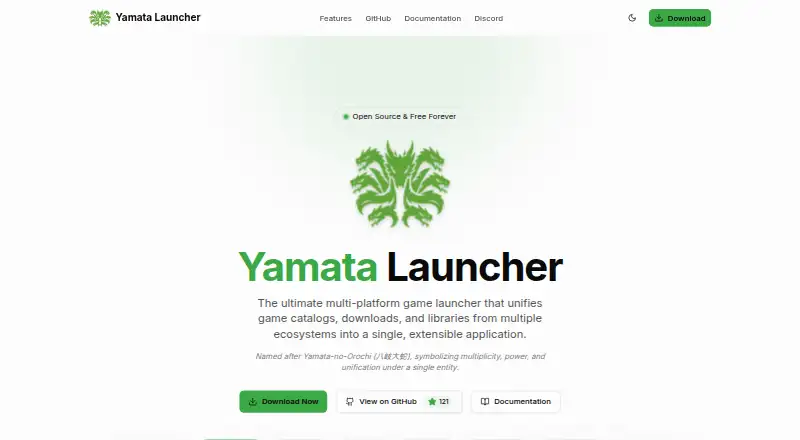
What Yamata Launcher is
Yamata Launcher brings game catalogs, downloads, and libraries from multiple ecosystems into one application. Users can browse catalogs from multiple platforms and third-party sources, then collect games and manually added entries in a central library. It supports Torrent and HTTP downloads, listed file hosts including GoFile, MediaFire, VikingFile, Rootz, DataNodes, BuzzHeavier, PixelDrain, and FuckingFast, plus providers made for Yamata and those from Hydra Launcher. The launcher can start PC games and ROMs and track playtime per game on desktop platforms. It extracts downloaded content with an integrated 7z decompressor and identifies game executables using a database of known names. GamesDB provides game metadata, while HowLongToBeat supplies estimated playtime data. The maker lists Windows, macOS, Linux, and Android, with integration for SteamOS and Batocera. Emulator and controller support and metadata editing are also listed. Yamata Launcher is free under the MIT License. Its maker says it does not distribute copyrighted content; users are responsible for acquiring and using such content.
Who it suits
Yamata Launcher suits players who want to bring catalogs and games from multiple sources into one library. It also fits users who launch PC games or ROMs and want playtime tracking on desktop platforms.
What it does well
- Free under the MIT License.
- Supports Torrent and HTTP downloads.
- Can launch PC games and ROMs.
- Tracks desktop playtime per game.
- Supports emulator and controller use.
What to know first
- Supported platforms do not include iOS.
- Users are responsible for acquiring and using content.
Plans
| Plan | Billed and limits | Price |
|---|---|---|
| Free | Open source · MIT License | Free |
As yamata-launcher.gregoryc.dev lists them, read 4 Oct 2026. The maker's own page has the final word.
Getting started
- Visit the Yamata Launcher website.
- Choose a build for Windows, macOS, Linux, or Android.
- Browse catalogs from supported platforms or third party sources.
- Add games to the library, including custom entries if needed.
- Configure a Yamata or Hydra compatible download provider if desired.
- Use the maker's Discord community for help or issue reports.
Yamata Launcher is a free, open-source game hub that brings catalogs, downloads and libraries from different ecosystems into one application. It suits players who combine PC games, emulators and manually added titles across several devices. The trade-off is a broad, provider-dependent workflow that requires users to manage their own files and sources.
Overview
Yamata presents catalogs from multiple platforms and third-party sources through a single browsing interface, then gathers chosen titles in one library. Custom entries can be added alongside catalog games, so a collection can include store releases, ROMs and games obtained through other legitimate channels without maintaining separate launchers. This multi-store-plus-emulators approach is more flexible than a client tied to one storefront, but it is less suitable for someone who wants a narrowly defined store catalogue with no source management.
Downloads support both Torrent and HTTP transfers. The launcher names GoFile, MediaFire, VikingFile, Rootz, DataNodes, BuzzHeavier, PixelDrain and FuckingFast as supported hosters, and accepts providers built for Yamata as well as providers from Hydra Launcher. That breadth can help when a particular game uses a specific provider, although it also puts responsibility for choosing and configuring sources on the user. Yamata does not distribute copyrighted content; users are responsible for acquiring and using their games lawfully.
Key features
Central library and launching
Catalog games and manually entered titles can be organized in a centralized library. Yamata launches PC games and ROMs, while desktop versions automatically record playtime for each game. Controller support and emulator support make it useful as a single front end for both computer games and console libraries, rather than merely a download catalogue.
Automated setup
After a download, an integrated 7z decompressor can extract the content automatically. Executable detection uses a database of known names to identify games, reducing the amount of manual path configuration when a downloaded folder follows a recognized layout. Detection is not a promise that every unusual package will be identified, so custom entries remain important for nonstandard collections.
Metadata and account handling
GamesDB supplies game metadata, and HowLongToBeat provides estimated playtime information. Metadata editing lets owners correct or tailor those records instead of accepting the initial match unchanged. Account cookies can be configured in the application, with a secure-storage package encrypting them. Support, issue reports and feature requests are handled through the project's Discord community, making that community channel the main route for assistance.
Pricing
| Plan | Price | Terms |
|---|---|---|
| Free | free | Open source · MIT License |
There is one plan and no paid tier, seat allowance or usage quota to weigh. The free plan includes the full launcher scope described above, so it fits users who want multi-store browsing, emulator and controller support without a subscription. Its main cost is operational rather than financial: you supply lawful game content, configure providers where needed and use Discord when support is required.
Platforms
Yamata is offered for Windows, macOS, Linux and Android. It also integrates with SteamOS and Batocera, extending the same library concept to handheld or living-room gaming distributions. Desktop builds add automatic playtime tracking; the maker does not claim that feature for Android. The cross-platform range is a strong reason to consider Yamata when a collection spans computers and Android, while users on a single platform may not need its wider scope.
Who it's for
Choose Yamata if you maintain games from several stores and third-party catalogues, keep ROMs alongside PC titles, or need custom entries for games that do not appear in a catalog. It is also a good fit for users who value provider choice, automatic extraction and executable discovery. It is a poor match for anyone seeking a self-contained content store, since the launcher does not supply copyrighted games and leaves acquisition to the user, or for players who want a minimal single-store interface.
Pros and cons
Pros
- Broad source coverage: Multiple catalogs, Torrent and HTTP transfers, named hosters, Yamata providers and Hydra-compatible providers can serve one library.
- Mixed-library support: PC games, ROMs and custom entries can be organized and launched together.
- Less setup work: Integrated 7z extraction and known-name executable detection can automate common post-download steps.
- Useful cross-platform reach: Windows, macOS, Linux and Android support, plus SteamOS and Batocera integration, keeps the same concept usable across devices.
- No purchase barrier: The MIT-licensed open-source plan costs nothing.
Cons
- Content is not included: Users must obtain games themselves and remain responsible for lawful use.
- Provider management is part of the job: The many source and hoster options favor technically confident users over people wanting a turnkey store.
- Support is community-based: Help and issue reporting are directed to Discord rather than a dedicated commercial support channel.
- Automatic tracking is desktop-focused: Playtime tracking is stated for desktop platforms, so mobile users should not expect the same behavior.
Alternatives
For a broader directory of comparable tools, see Game Library Managers.
- RetroArch is the better choice when you want a free, open-source emulator frontend spanning Android, iOS, Linux, macOS, web and Windows, rather than Yamata's multi-source downloading workflow.
- RomM fits users who prefer a free, AGPL-3.0 library that can run self-hosted and exposes web, API and mobile-platform options.
- GameEx suits users wanting a free frontend across Android, Linux, macOS and Windows; commercial use requires each copy to be registered or purchased.
- Pegasus Frontend is a free, open-source, ad-free option with no in-app purchases across Android, Linux, macOS and Windows.
- RetroFE is a straightforward free, open-source alternative for Linux, macOS and Windows.
- Attract-Mode is preferable when you want a free, GPLv3 open-source frontend for Linux, macOS and Windows.
- Bezel offers a free launcher for Linux, macOS and Windows, with optional Bezelie Premium AI features at custom pricing.
Verdict
Yamata Launcher is best for players assembling one library from multiple stores, emulators and custom titles, especially those who value broad download-provider compatibility and cross-platform reach. Its main reason to choose it is the combination of catalog browsing, automated extraction, launching and playtime tracking in a free MIT-licensed package. Look elsewhere if you want games supplied for you, a tightly controlled single-store experience or dedicated commercial support.
Verdict
Yamata Launcher combines catalog browsing, downloads, library organization, and game launching across several listed platforms. Its free offering includes emulator and controller support, while users remain responsible for the content they acquire and use.
Questions
How much does Yamata Launcher cost?
It is free under the MIT License.
Which operating systems does it support?
The maker lists Windows, macOS, Linux, and Android, with integration for SteamOS and Batocera.
Can it work with emulators and controllers?
Emulator support and controller support are listed.
What download methods and providers does it support?
It supports Torrent and HTTP downloads, listed file hosters, providers designed for Yamata, and providers from Hydra Launcher.
Is Yamata Launcher open source?
Yes. It is open source under the MIT License.
Where can users get help?
The maker directs users to its Discord community for support, issue reports, and feature suggestions.
Facts from Yamata Launcher's own pages
- Catalogs and sources
- Users can browse catalogs from multiple platforms and third-party sources through one interface. · yamata-launcher.gregoryc.dev, 4 Oct 2026
- Content responsibility
- The maker says Yamata Launcher does not distribute copyrighted content and that users are responsible for acquiring and using such content. · yamata-launcher.gregoryc.dev, 4 Oct 2026
- Cookie security
- The repository says account cookies can be configured in the app and that a secure storage package encrypts them. · github.com, 4 Oct 2026
- Download support
- The launcher supports Torrent and HTTP downloads and lists GoFile, MediaFire, VikingFile, Rootz, DataNodes, BuzzHeavier, PixelDrain, and FuckingFast as supported file hosters. · yamata-launcher.gregoryc.dev, 4 Oct 2026
- Extraction and detection
- It automatically extracts downloaded content with an integrated 7z decompressor and detects game executables using a database of known names. · yamata-launcher.gregoryc.dev, 4 Oct 2026
- Game library
- Users can organize games from catalogs and manually added custom entries in a centralized library. · yamata-launcher.gregoryc.dev, 4 Oct 2026
- Hydra compatibility
- It supports download providers designed for Yamata and is compatible with providers from Hydra Launcher. · github.com, 4 Oct 2026
- Launching and tracking
- The launcher can launch PC games and ROMs, and automatically tracks playtime per game on desktop platforms. · yamata-launcher.gregoryc.dev, 4 Oct 2026
- Metadata
- Game metadata is powered by GamesDB, with estimated playtime data from HowLongToBeat. · yamata-launcher.gregoryc.dev, 4 Oct 2026
- Platform support
- The maker lists Windows, macOS, Linux, and Android, with integration for SteamOS and Batocera. · yamata-launcher.gregoryc.dev, 4 Oct 2026
- Purpose
- Yamata Launcher unifies game catalogs, downloads, and libraries from multiple ecosystems in one extensible application. · yamata-launcher.gregoryc.dev, 4 Oct 2026
- Support
- The maker directs users to its Discord community for help and support, issue reports, and feature suggestions. · github.com, 4 Oct 2026
Where Yamata Launcher stands on Freedom251
- Game launchers#11 of 68
- Game Library Managers#23 of 40