Freedom251 › Emulation Frontends
EmulatorJS
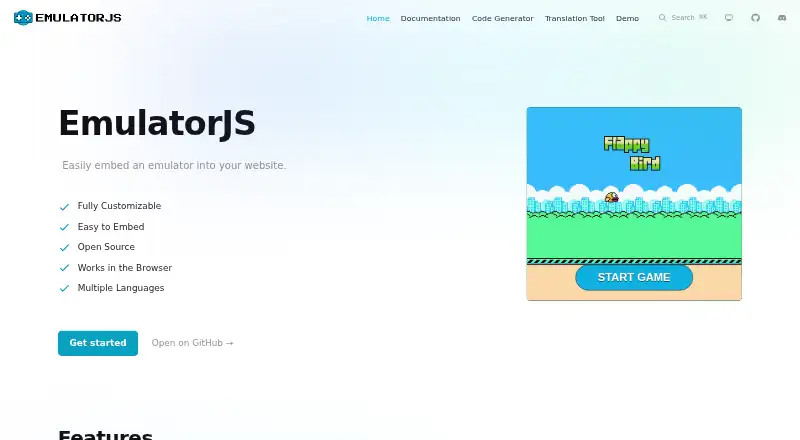
What EmulatorJS is
EmulatorJS is a free, open-source frontend for RetroArch that lets you add an emulator to a website. A code generator helps create the embed code, which the project says can be added with a few lines. It uses RetroArch’s libretro cores and lists systems such as NES, Nintendo 64, PlayStation, PSP, Sega systems, and Commodore systems; the project notes that its supported-systems list may be out of date. Built-in customization and multiple languages give site owners ways to adjust an embed. EmulatorJS is a library or plugin, not a standalone website, and it does not provide a Docker container. It supports web, Android, iOS, and self-hosted use. Pages must be served through a web server; opening an HTML file directly is unsupported. Threaded cores may improve performance but require SharedArrayBuffer enabled through COOP and COEP response headers. A public CDN offers stable, latest, and nightly version paths. The project credits @ethanaobrien and @allancoding.
Who it suits
EmulatorJS suits people who want to embed emulation in a website or self-hosted project. It may also suit mobile users seeking its listed Android or iOS support.
What it does well
- Free and open source.
- Code generator creates embeddable code.
- Supports multiple languages and customization.
- Public CDN has stable, latest, and nightly paths.
What to know first
- Requires serving pages through a web server.
- Does not provide a Docker container.
- Threaded cores require specific response headers.
- Supported-systems list may be out of date.
Limits
The free plan is listed as free. Threaded cores require SharedArrayBuffer enabled through COOP and COEP response headers; the project does not provide a Docker container or netplay.
Plans
| Plan | Billed and limits | Price |
|---|---|---|
| Free | Free and ad-free project | Free |
As emulatorjs.org lists them, read 8 Oct 2026. The maker's own page has the final word.
Getting started
- Visit the EmulatorJS website.
- Use the code generator to create embeddable code.
- Add the generated code to a page served through a web server.
- Choose a CDN version path: stable, latest, or nightly.
- For threaded cores, enable SharedArrayBuffer through COOP and COEP response headers.
EmulatorJS is an open-source web frontend built for putting RetroArch-powered emulation inside pages you control. It fits developers, publishers, and site owners who need an embeddable player with broad system coverage and presentation control. The trade-off is that deployment remains a web-development task rather than a ready-to-play emulator experience.
Overview
A short code snippet can add the emulator to a site, while the project's code generator creates the embed for you. That combination makes it approachable for a developer who wants to integrate emulation into an existing product, educational project, or game portal without sending visitors to a separate destination. EmulatorJS is explicitly a library or plugin, not a standalone website, so it is a poor fit for someone who only wants to launch an emulator and play.
Games run through RetroArch's libretro cores. Built-in customization and multiple-language support let a site owner adapt the embedded interface to the surrounding service. A public CDN offers stable, latest, and nightly version paths, which can simplify distribution, although production teams should choose versions carefully: the changelog labels 4.3.0-pre as a prerelease and advises against using it where stability is required. The project does not provide a Docker container, removing one convenient deployment route for container-first teams.
Key features
Wide core coverage
Documentation includes systems such as NES, Nintendo 64, PlayStation, PSP, Sega platforms, and Commodore computers. That breadth is useful when one embedded interface needs to cover several console families instead of maintaining separate players. The documentation also warns that its supported-systems list may be out of date, so a site should confirm the exact core and game compatibility it needs before committing to a catalog.
Embedding and customization
The generator and few-lines-of-code setup reduce initial integration work, but they do not turn EmulatorJS into a hosted service. You still own the page, hosting, content flow, and operational decisions. Customization and language options are meaningful advantages for branded or international sites, while casual players gain little from them.
Performance and distribution
Threaded cores can improve performance, particularly for demanding systems, but they require SharedArrayBuffer and therefore COOP and COEP response headers. That prerequisite can affect an existing site's headers and deployment architecture. The CDN's stable, latest, and nightly paths provide version choices; nightly or prerelease builds should not be treated as production defaults.
Pricing
EmulatorJS is free and open source. Its Free plan costs nothing and is described as a free, ad-free project. There are no paid tiers, seat charges, quotas, renewal terms, or trial decisions to weigh. The value is strongest for projects that can supply their own hosting and engineering time; the zero license price does not remove the work of serving the application correctly or configuring browser security headers.
Platforms
The project supports web deployment and self-hosted use, with Android and iOS also listed as supported platforms. Android support and arcade support are included, as are shader/upscaling capabilities. Netplay is not supported, so multiplayer-over-network projects should look elsewhere. Because the page must be served through a web server, opening an HTML file directly from disk is unsupported.
Who it's for
Choose EmulatorJS when you are building a website that needs an emulator inside its own navigation, branding, and content model. It is particularly suitable for multi-system collections, educational demonstrations, and publishers comfortable managing web hosting, version selection, and browser headers. It is not the right choice for users seeking a standalone emulator app, a turnkey hosted arcade, Docker-based deployment, or netplay.
Pros and cons
Pros
- Embeddable by design: a code generator and compact integration path let developers place emulation in an existing site.
- Broad system reach: RetroArch libretro cores cover major Nintendo, PlayStation, PSP, Sega, and Commodore families.
- Flexible presentation: customization and multiple languages support branded and international deployments.
- No license cost: the open-source, ad-free Free plan costs nothing.
- Performance options: threaded cores and shader/upscaling support can improve demanding or visually tailored deployments when headers are configured.
Cons
- Not a standalone product: the project supplies a library or plugin, leaving the surrounding website and hosting to you.
- Browser-serving requirement: local file opening is unsupported, and threaded performance needs COOP and COEP headers.
- No netplay: it cannot meet projects whose core requirement is network multiplayer.
- Uncertain documentation currency: the supported-systems list may be out of date, requiring compatibility checks.
- No Docker container: container-focused deployment teams must devise their own packaging approach.
Alternatives
RetroArch is the better pick when you want the broader open-source frontend itself across Android, iOS, Linux, macOS, web, and Windows rather than an embeddable website component.
BlastEm suits a free, open-source Sega-focused emulator for Linux, macOS, web, and Windows.
ClownMDEmu is an option for free AGPLv3-or-later software spanning Linux, macOS, self-hosted, web, and Windows.
Lakka is preferable when you want a free operating-system-style setup for Linux, macOS, self-hosted, and Windows, provided you supply the required hardware.
MAME fits arcade emulation on Android, Linux, macOS, and Windows; ROMs and copyrighted software are generally not included.
ares offers a free, open-source multi-system emulator for Linux, macOS, and Windows.
Genesis Plus GX is the narrower choice for Genesis-focused use on Linux and Windows, with a specific non-commercial source license and a standalone GameCube/Wii build.
higan is free software for Linux, macOS, and Windows, supplied without warranty.
For focused browsing rather than an embedded framework, see the Emulation Frontends list, or compare dedicated Sega Genesis Emulators, Sega CD Emulators, Game Boy Advance Emulators, and Multi-System Emulators.
Verdict
EmulatorJS is a strong choice for developers who need free, open-source, multi-system emulation embedded in a website they control. Its main reason to choose it is the combination of libretro breadth, customization, and a straightforward embed workflow. Look elsewhere if you need a standalone player, Docker packaging, current compatibility certainty without verification, or netplay.
Verdict
EmulatorJS is aimed at website embedding rather than use as a standalone emulator site. Check the supported-systems documentation and browser-serving requirements before setting it up.
Questions
Is EmulatorJS free?
Yes. The listed Free plan costs nothing, and the project is described as free and ad-free.
Which platforms does EmulatorJS support?
The listed platforms are Android, iOS, web, and self-hosted.
Is EmulatorJS open source?
Yes. The official site describes it as open source, and its license is listed as open-source.
What systems does it emulate?
The supported-systems documentation includes NES, Nintendo 64, PlayStation, PSP, Sega systems, and Commodore systems. The project notes that its list may be out of date.
Can I use EmulatorJS without a web server?
No. The FAQ says the page must be served through a web server; opening the HTML file directly is unsupported.
Does EmulatorJS support netplay?
No. Netplay is listed as unsupported.
Facts from EmulatorJS's own pages
- Browser requirement
- The FAQ says users must serve the page through a web server; opening the HTML file directly is unsupported. · emulatorjs.org, 8 Oct 2026
- CDN
- The project provides a public CDN with version paths including stable, latest, and nightly. · emulatorjs.org, 8 Oct 2026
- Code generator
- The site provides a code generator for creating embeddable EmulatorJS code. · emulatorjs.org, 8 Oct 2026
- Customization
- The project provides built-in customization options and supports multiple languages. · emulatorjs.org, 8 Oct 2026
- Embedding
- A few lines of code can embed the emulator into a website. · emulatorjs.org, 8 Oct 2026
- Emulation cores
- EmulatorJS uses RetroArch's libretro cores to emulate games. · emulatorjs.org, 8 Oct 2026
- Integrations
- The project describes itself as a library or plugin rather than a standalone website and says it does not provide a Docker container. · github.com, 8 Oct 2026
- Maker
- The site credits @ethanaobrien and @allancoding. · emulatorjs.org, 8 Oct 2026
- Open source
- The official site describes EmulatorJS as open source. · emulatorjs.org, 8 Oct 2026
- Performance option
- Threaded cores may improve performance, but require SharedArrayBuffer enabled through COOP and COEP response headers. · emulatorjs.org, 8 Oct 2026
- Purpose
- EmulatorJS is a web-based frontend for RetroArch that lets users embed an emulator in a website. · emulatorjs.org, 8 Oct 2026
- Release stability
- The changelog labels version 4.3.0-pre as a prerelease and advises against using it where production stability is needed. · emulatorjs.org, 8 Oct 2026
- Support
- The project directs users to report issues on GitHub and include browser console logs and the version they use. · github.com, 8 Oct 2026
- Supported systems
- The supported systems documentation lists platforms including NES, Nintendo 64, PlayStation, PSP, Sega systems, and Commodore systems, and notes that its list may be out of date. · emulatorjs.org, 8 Oct 2026
Where EmulatorJS stands on Freedom251
- Emulation Frontends#3 of 25
- Game Boy Advance Emulators#5 of 29
- Multi-System Emulators#13 of 54
- Sega Genesis Emulators#7 of 29
- Sega CD Emulators#8 of 19