Freedom251 › Audio Visualizer Software
Renderforest Music Visualizer
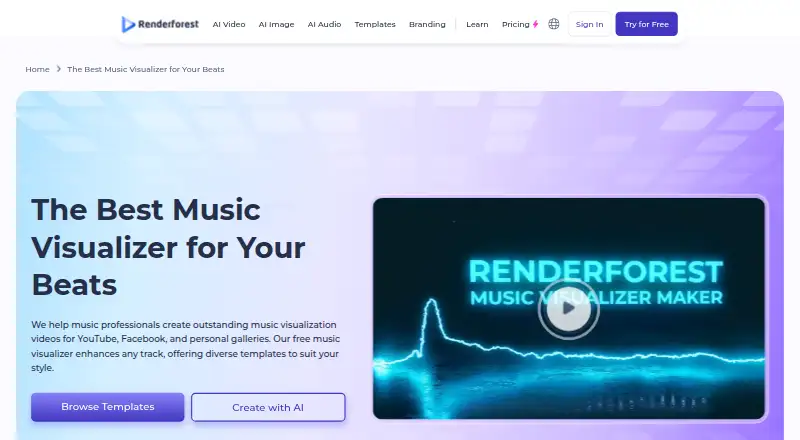
What Renderforest Music Visualizer is
Renderforest Music Visualizer is a browser-based tool for making music visualization videos for platforms such as YouTube and Facebook. It synchronizes visuals with the audio track and adjusts to audio of any length. Users can choose templates with abstract patterns and animations that respond to music, then customize them with text, logos, color palettes, and images. Creations can include a personal watermark. The free plan provides HD video exports with a watermark. Paid plans are Lite at $9 a month, Pro at $24 a month, and Business at $49 a month. Lite includes five HD720 template exports, 400 AI credits per month, and 10 GB of cloud storage; Pro includes unlimited Full HD1080 template exports, 1,600 AI credits per month, and 50 GB of storage. Business includes UHD 4K exports on supported templates, 3,000 AI credits per month, and stock footage, music, and photos. Music visualizer templates are excluded from the general unlimited video-duration allowance. Free and pay-per-product users can upload files up to 30 MB; subscribers can upload up to 500 MB. Apps are available for iOS and Android.
Who it suits
The tool suits musicians, creators, and other users who want to pair audio with animated visuals for video platforms. Its templates and customization options accommodate users who want to add text, logos, colors, or images.
What it does well
- Visuals synchronize with audio of any length.
- Templates include music-responsive patterns and animations.
- Customizations include text, logos, colors, and images.
- Free plan includes HD exports.
- iOS and Android apps are available.
What to know first
- Free exports include a watermark.
- Music visualizer templates are excluded from general unlimited duration.
- Free and pay-per-product uploads are limited to 30 MB.
- 4K exports are limited to supported templates.
Limits
The free plan provides HD exports with a watermark, and free users can upload files up to 30 MB. Music visualizer template duration is excluded from the general unlimited video-duration allowance. Subscribers can upload files up to 500 MB.
Plans
| Plan | Billed and limits | Price |
|---|---|---|
| Free | HD videos with watermark · basic features | Free |
| Pro | $24 month; $39 month · Unlimited Full HD1080 template exports · 1600 AI credits/month · 50 GB cloud storage | $24 a month |
| Business | $49 month; $79 month · UHD 4K exports on supported templates · 3000 AI credits/month · 5M+ stock footage, music, and photos | $49 a month |
| Lite | $9 month; $15 month · 5 HD720 template exports · 400 AI credits/month · 10 GB cloud storage | $9 a month |
As renderforest.com lists them, read 2 Oct 2026. The maker's own page has the final word.
Getting started
- Visit the Renderforest Music Visualizer website or use the Android or iOS app.
- Choose a music visualizer template.
- Add a track and customize the visualization with text, logos, colors, or images.
- Choose a free or paid plan based on the export and upload limits you need.
- Export the video, with a personal watermark if desired.
Overview
Renderforest Music Visualizer turns a music track into an audio-synced video using ready-made visual templates. It suits creators who want a branded visualizer through a browser or mobile app; the free plan lowers the barrier to trying it, but its watermark and upload cap make it less suitable for unrestricted publishing.
Key features
Templates pair abstract patterns and animations with the sounds in a track, and the visualizer adjusts to audio of any length. Waveform and spectrum visuals offer familiar ways to represent a song’s changing sound. However, the ability to sync to long audio should not be confused with unlimited export duration: music visualizer templates are excluded from Renderforest’s general unlimited-video-duration allowance.
Text, logos, color palettes, and images let creators tailor a visualizer to an artist or channel. Users can also add a personal watermark, useful for attribution or branding, though it does not remove the watermark on free-plan exports. Video export reaches 4K on supported templates, not universally across templates and plans.
Upload size also affects which projects fit: free users and pay-per-product buyers can upload files up to 30 MB, while subscribers can upload up to 500 MB. Generated videos are unlisted by default and can be made private or shared. Renderforest says it uses encryption in transit, access controls, secure infrastructure, and contractual data-protection obligations with third-party providers. Support is available through [email protected].
Pricing
The Free plan costs nothing and offers basic features and HD video exports with a watermark. It is a sensible way to try the workflow, but the watermark and 30 MB upload limit are meaningful constraints for public-facing work and larger tracks.
Lite costs $9 a month (billed $9 month; $15 month) and includes 5 HD720 template exports, 400 AI credits/month, and 10 GB of cloud storage. Its export quota and 720p ceiling suit occasional, lower-resolution work, but are restrictive for a creator publishing often. Pro costs $24 a month (billed $24 month; $39 month) and includes unlimited Full HD1080 template exports, 1600 AI credits/month, and 50 GB of storage. It is the more practical tier for frequent HD publishing, although the visualizer-duration exclusion still applies.
Business costs $49 a month (billed $49 month; $79 month) and includes UHD 4K exports on supported templates, 3000 AI credits/month, and access to 5M+ stock footage, music, and photos. It fits creators who need the higher resolution or broader stock library; the 4K option remains template-dependent. Annual subscriptions are paid upfront, while monthly plans are also available.
Platforms
The visualizer is browser-based, and Renderforest also offers apps for Android and iOS. That gives mobile users another route to the product, while the core web workflow suits creators who prefer making video in a browser.
Who it's for
Renderforest is a good fit for musicians, channel owners, and small brands who want a template-based audio visualizer with room for their own identity. The free tier works for a first, watermarked export; regular publishers will be better served by a paid plan, especially if they need larger uploads or a higher export quota. It is less compelling for anyone whose priority is unrestricted visualizer length or watermark-free free exports.
Pros and cons
- Pros: Audio-synced templates, waveform and spectrum visuals, and controls for text, logos, colors, and images make it possible to create a branded video without building visuals from scratch.
- Pros: Browser access plus Android and iOS apps gives creators multiple ways to work with the product.
- Cons: Free exports carry a watermark, and the free upload limit is 30 MB, which can rule out larger source files.
- Cons: Visualizer templates do not receive the general unlimited-duration allowance, and 4K export is limited to supported templates.
- Cons: Lite’s five HD720 exports are a tight monthly allowance for frequent publishing.
Alternatives
For a broader comparison, see Audio Visualizer Software. Choose Le Biniou if a free, open-source audio visualizer and VJ tool for Linux, macOS, web, or Windows better matches your setup. AUDIOVIZOR offers a free tier with 15+ presets, 15-minute sessions, file upload, and 720p watermarked exports, making it an option for shorter sessions. Choose Fosfora for a free, open-source desktop tool with 56 effects and an eight-layer stack. Music Waveform is a free Android, iOS, and web option whose maker says it has no account requirement, watermark, or paywall. Radiance is free, open-source video art software for Linux, macOS, and Windows. BeatDrop Music Visualizer is a free, open-source Windows desktop option distributed as a portable ZIP or installer. BeatVisualiser may suit creators seeking a Pro plan with unlimited video exports, every visualiser and style, full-length YouTube videos, and 1080p. projectM is a free option for Android, Linux, macOS, and Windows.
Verdict
Choose Renderforest Music Visualizer if you want audio-reactive templates and practical branding controls across browser and mobile access. Its free entry point and higher-tier export options are useful, but the free watermark, upload limits, and visualizer-specific duration exclusion make it a weaker choice for creators who need unwatermarked free output or guaranteed long-form exports.
Verdict
Renderforest Music Visualizer offers audio-synced templates with customization and watermark options, plus browser and mobile access. The free plan exports HD video with a watermark, and music visualizer templates do not qualify for the general unlimited-duration allowance.
Questions
Is Renderforest Music Visualizer free?
Yes. The Free plan provides HD video exports with a watermark.
What are the paid plan prices?
Lite is $9.00 per month, Pro is $24.00 per month, and Business is $49.00 per month.
What upload sizes are supported?
Free and pay-per-product users can upload files up to 30 MB. Subscribers can upload files up to 500 MB.
Which platforms can I use?
The visualizer is browser-based, and Renderforest offers Android and iOS apps.
Can I make a 4K video?
Business includes UHD 4K exports on supported templates.
How are generated videos shared?
Renderforest says generated videos are unlisted by default. Users can make them private or share them with others.
Facts from Renderforest Music Visualizer's own pages
- Audio sync
- The visualizer adjusts to audio of any length and synchronizes visuals with the sounds in the track. · renderforest.com, 2 Oct 2026
- Billing
- Annual subscription plans are paid upfront, and monthly plans are also available. · renderforest.com, 2 Oct 2026
- Company
- Renderforest describes itself as an all-in-one branding platform for freelancers, startups, and small businesses. · renderforest.com, 2 Oct 2026
- Customization
- Users can personalize visualizations with text, logos, color palettes, and images. · renderforest.com, 2 Oct 2026
- Export limit
- Music visualizer template duration is excluded from the pricing page’s general unlimited video-duration allowance. · renderforest.com, 2 Oct 2026
- Founded
- 2013 · renderforest.com, 28 Sept 2026
- Headquarters
- Yerevan, Armenia · renderforest.com, 28 Sept 2026
- Mobile apps
- Renderforest offers iOS and Android apps, and its company history says the iOS app launched in 2020 and Android app in 2021. · renderforest.com, 2 Oct 2026
- Privacy
- Renderforest says generated videos are unlisted by default and users can make them private or share them with others. · renderforest.com, 2 Oct 2026
- Product
- Renderforest Music Visualizer is a browser-based tool for creating music visualization videos for platforms such as YouTube and Facebook. · renderforest.com, 2 Oct 2026
- Security
- Renderforest says it uses encryption in transit, access controls, secure infrastructure, and contractual data protection obligations with third-party providers. · renderforest.com, 2 Oct 2026
- Support
- The company lists [email protected] and a support team for assistance. · renderforest.com, 2 Oct 2026
- Templates
- Users can choose from templates featuring abstract patterns and animations that respond to music. · renderforest.com, 2 Oct 2026
- Upload limit
- Music video maker pages state that free and pay-per-product users can upload files up to 30 MB, while subscribers can upload files up to 500 MB. · renderforest.com, 2 Oct 2026
- Watermark
- The tool supports adding a personal watermark to creations. · renderforest.com, 2 Oct 2026
Where Renderforest Music Visualizer stands on Freedom251
- Audio Visualizer Software#11 of 35