Freedom251 › Audio Visualizer Software
Fosfora
What Fosfora is
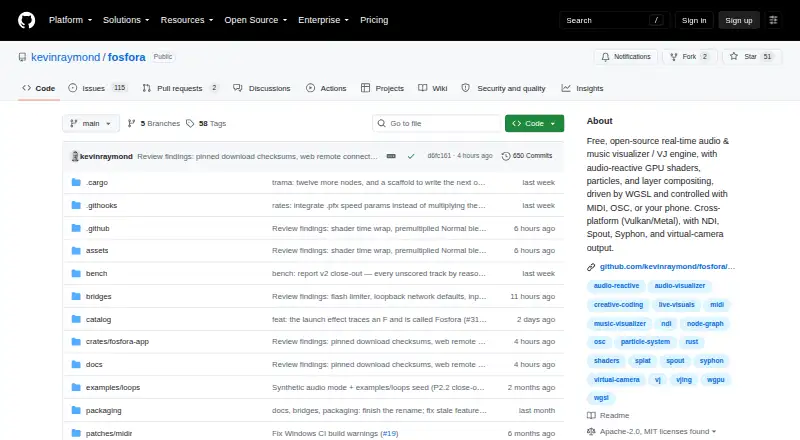
Fosfora turns computer audio into live, beat-synced visuals for music visualization and performance. It includes 56 audio-reactive effects, such as shaders, particle simulations, and lattice effects. Users can stack up to eight layers, reorder them, and select from 13 blend modes. Audio analysis tracks 83 features 86 times per second, including beat, tempo, key, percussive and harmonic content, and drops. Parameters can be controlled with MIDI, OSC, or a phone or tablet browser used as a touch surface. Layers can use images, GIFs, video files, webcams, photos, or depth maps. Output options include NDI, Spout on Windows, Syphon on macOS, a Linux virtual camera, and file recording; the project names Resolume, VDMX, OBS, and TouchDesigner as compatible software. Presets save layer stacks, and scenes arrange presets into cue lists that advance by timer, beat, or spacebar. Fosfora is free and requires no account. Linux and Windows require a Vulkan-capable GPU; macOS requires Metal. Video playback optionally requires ffmpeg on PATH.
Who it suits
Fosfora suits performers and music visualizers who want audio-reactive visuals with layered effects and external controls. It is for desktop users with the required graphics support for their operating system.
What it does well
- Includes 56 audio-reactive effects
- Supports up to eight layers and 13 blend modes
- Accepts MIDI, OSC, and browser-based touch controls
- No account is required
What to know first
- Linux and Windows require a Vulkan-capable GPU
- macOS requires Metal
- Video playback optionally requires ffmpeg on PATH
Plans
| Plan | Billed and limits | Price |
|---|---|---|
| Free, open-source Fosfora | 56 effects · eight-layer stack · no account required | Free |
As github.com lists them, read 30 Sept 2026. The maker's own page has the final word.
Getting started
- Download the latest release for macOS, Linux x86_64, or Windows x64.
- Confirm the system has Metal on macOS or a Vulkan-capable GPU on Linux or Windows.
- Put ffmpeg on PATH if video playback is needed.
- Launch Fosfora; no account is required.
Fosfora is a free, open-source desktop visualizer that converts computer audio into beat-synced graphics for music playback and live performance. It is best suited to VJs, performers and technically minded visual artists who want layered scenes and external control. The trade-off is a graphics-capable desktop setup rather than a lightweight browser workflow.
Overview
Fosfora is built around real-time composition: audio drives visual effects, while imported media and live inputs can be arranged into a scene. Its MIT or Apache 2.0 licensing makes it suitable for users who value an open-source tool they can modify. No account is required, and settings remain in the local Fosfora configuration directory.
It is a stronger fit for live sets and installations than for someone who simply wants a quick, pre-made music video. For more options, browse our Audio Visualizer Software directory.
Key features
Reactive effects and layered scenes
The effect library contains 56 audio-reactive options, including shaders, particle simulations and lattice effects. Up to eight layers can be stacked, reordered and assigned one of 13 blend modes, giving performers meaningful control over how generated and imported material combines. The eight-layer limit is ample for many sets but may feel restrictive for highly dense compositions.
Fosfora analyzes 83 audio features 86 times per second. Beat, tempo, key, percussive and harmonic content, and drops are among the signals available to drive changing visuals, allowing responses that go beyond a basic amplitude pulse. Layers can also use images, GIFs, video files, webcam feeds, photos and depth maps.
Live control and customization
MIDI and OSC support lets hardware and other software control parameters, while a phone or tablet browser can act as a touch surface. Effects are WGSL shaders, and the built-in editor can modify them while the application is running. That is particularly valuable to creators comfortable with shader code; it is less approachable than a fixed preset-only visualizer.
Presets, cues and output
Presets save a complete layer stack. Scenes can chain presets into cue lists that advance on a timer, on the beat or when the spacebar is pressed, which suits structured performances and hands-off playback. Output options include NDI, Spout on Windows, Syphon on macOS, a Linux virtual camera and recording to file. The README names Resolume, VDMX, OBS and TouchDesigner as compatible software.
Waveform and spectrum visuals are supported, along with video export, transparent export and resolutions up to 8K. These options make it viable both as a live source and as a renderer for finished content.
Pricing
Free, open-source Fosfora — free. The free plan includes 56 effects, an eight-layer stack and no account requirement. There are no paid tiers, seat charges or usage quotas described, so it is the natural choice for solo performers, hobbyists and teams able to work within the desktop setup. Its open license also favors users who want to inspect or adapt the software rather than pay for a hosted service.
Platforms
Fosfora runs on Linux, macOS and Windows. The latest release provides a universal macOS DMG, a Linux x86_64 tar.gz and a Windows x64 ZIP. Linux and Windows require a Vulkan-capable GPU; macOS requires Metal. Video playback optionally requires ffmpeg on the system PATH, an extra setup step when using video files as layers.
Who it's for
Choose Fosfora for live musicians, VJs, projection artists and developers who need beat-aware visuals, cue lists, shader editing and routable output. It also suits open-source users who want local settings and no account. It is less appropriate for mobile-first creators, browser-only workflows or anyone without the required modern graphics API.
Pros and cons
Pros
- Deep audio analysis: 83 tracked features at 86 updates per second support detailed musical responses.
- Compositional control: Eight layers, 13 blend modes, presets and beat-driven cue lists support repeatable sets.
- Flexible routing: NDI, Spout, Syphon, virtual-camera output and file recording connect it to common performance tools.
- Open and local: MIT or Apache 2.0 licensing and no account keep the workflow under the user's control.
Cons
- Hardware dependent: Vulkan or Metal is required, so older computers may be unsuitable.
- Desktop only: There is no mobile or web version for portable creation.
- Technical customization: Editing WGSL shaders rewards coding knowledge rather than casual preset browsing.
- Video setup: Optional ffmpeg installation is needed for video playback.
Alternatives
dmn Visualiser is the better pick for Android, iOS or web use, with a free preview and a paid model. Choose Le Biniou for another free, open-source audio visualizer and VJ tool spanning desktop and web platforms. Morphyre is a free option with Android, macOS, web and Windows coverage.
Renderforest Music Visualizer suits template-led mobile or web video creation, though its free exports carry a watermark. AUDIOVIZOR offers browser and Windows presets with free sessions and watermarked 720p export. Music Waveform is a free, no-account, no-watermark choice on Android, iOS and web. Radiance is another free, open-source desktop video-art option. Vyrkin Studio is worth considering for watermark-free 1080p MP4 output on macOS and Windows.
Verdict
Fosfora is a strong recommendation for desktop performers and visual artists who want sophisticated audio analysis, layered scenes, cue automation and multiple live-output routes without paying or creating an account. Look elsewhere if you need mobile or browser access, a simpler nontechnical editor, or hardware requirements below Vulkan or Metal.
Verdict
Fosfora offers live audio analysis, layered visuals, cue lists, and several video output options across desktop platforms. Check the graphics requirement for your operating system before using it.
Questions
How much does Fosfora cost?
Fosfora is free: free.
Is Fosfora open source?
Yes. The project is dual-licensed under MIT or Apache 2.0, at the user's option.
Which operating systems does it support?
It runs on Linux, macOS, and Windows. The latest releases are a universal macOS DMG, Linux x86_64 tar.gz, and Windows x64 ZIP.
What hardware or software requirements apply?
Linux and Windows require a Vulkan-capable GPU, while macOS requires Metal. Video playback optionally needs ffmpeg on PATH.
Does Fosfora require an account?
No account is required. Settings are stored in the user's local Fosfora configuration directory.
Which software does it work with?
The project names Resolume, VDMX, OBS, and TouchDesigner as compatible software.
Facts from Fosfora's own pages
- Audio analysis
- Fosfora tracks 83 audio features 86 times per second, including beat, tempo, key, percussive and harmonic content, and drops. · github.com, 30 Sept 2026
- Controls
- Parameters can be controlled with MIDI, OSC or a phone or tablet browser used as a touch surface. · github.com, 30 Sept 2026
- Customization
- Effects are WGSL shaders that can be edited in the built-in editor while running. · github.com, 30 Sept 2026
- Download platforms
- The latest release provides a universal macOS DMG, a Linux x86_64 tar.gz and a Windows x64 ZIP. · github.com, 30 Sept 2026
- Effects
- It includes 56 audio-reactive effects, including shaders, particle simulations and lattice effects. · github.com, 30 Sept 2026
- Layering
- Users can stack up to eight layers, reorder them and choose from 13 blend modes. · github.com, 30 Sept 2026
- License
- The project is dual-licensed under MIT or Apache 2.0, at the user's option. · github.com, 30 Sept 2026
- Outputs and integrations
- Video output includes NDI, Spout on Windows, Syphon on macOS, a Linux virtual camera and recording to file; the README names Resolume, VDMX, OBS and TouchDesigner as compatible software. · github.com, 30 Sept 2026
- Presets and scenes
- Presets save the layer stack, and scenes chain presets into cue lists that can advance on a timer, on the beat or by pressing spacebar. · github.com, 30 Sept 2026
- Purpose
- Fosfora turns computer audio into live, beat-synced visuals for music visualization and live performance. · github.com, 30 Sept 2026
- Requirements
- The app requires a Vulkan-capable GPU on Linux and Windows or Metal on macOS; video playback optionally needs ffmpeg on PATH. · github.com, 30 Sept 2026
- Security and account
- The maker says there is no account to make, and settings are stored locally in the user's Fosfora configuration directory. · github.com, 30 Sept 2026
- Video inputs
- Layers can use images, GIFs, video files, a webcam, photos or depth maps. · github.com, 30 Sept 2026
Where Fosfora stands on Freedom251
- Audio Visualizer Software#5 of 35