Freedom251 › Audio Visualizer Software

AUDIOVIZOR
What AUDIOVIZOR is
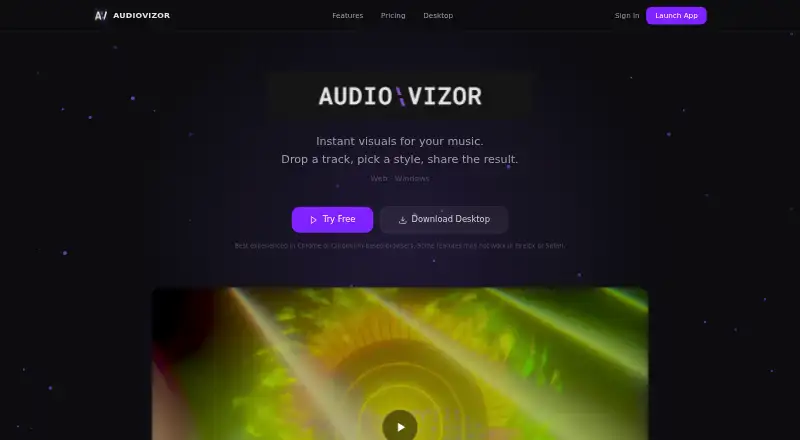
AUDIOVIZOR is a GPU-accelerated audio visualizer that turns music into animated 3D visuals and exported video. Its visuals react to audio, with beat detection and more than 15 styles ranging from ambient looks to bass-focused effects. It runs on the web and Windows and includes spectrum visuals. The Free plan costs nothing and supports uploaded audio, 15-minute sessions, all visual presets, community presets, and 720p exports with a watermark. Unlimited costs C$4.99 a month and adds unlimited sessions, microphone and system audio input, a full preset editor, cloud sync, batch export, overlays, and clean video export up to 4K. The Windows desktop app is included with Unlimited and supports system audio capture and hardware-accelerated export. The maker recommends Chrome or Chromium-based browsers and says some features may not work in Firefox or Safari. Payments are processed through Stripe; the maker says it does not store card information or use analytics, tracking, or advertising services. Users must be at least 16 years old.
Who it suits
It suits people who want to create music-reactive visuals and export video on the web or Windows. Unlimited may suit users who need microphone or system audio input and clean exports up to 4K.
What it does well
- More than 15 visual styles.
- Free plan includes all visual presets.
- Unlimited supports clean video export up to 4K.
- Windows desktop app supports system audio capture.
- Maker says it does not use tracking or advertising services.
What to know first
- Free exports are 720p and watermarked.
- Free sessions are limited to 15 minutes.
- Some features may not work in Firefox or Safari.
- Users must be at least 16.
Limits
The Free plan provides 15-minute sessions and 720p video exports with a watermark. Unlimited removes the session limit and supports clean exports up to 4K for C$4.99 a month.
Plans
| Plan | Billed and limits | Price |
|---|---|---|
| Free | 15-minute sessions · file upload · all 15+ presets · 720p watermarked MP4 · community presets | Free |
| Unlimited | monthly, auto-renewing · Unlimited sessions · file, microphone and system audio · up to 4K clean export · preset editor · Windows app · overlays · cloud sync · batch export | C$4.99 a month |
As audiovizor.com lists them, read 15 Oct 2026. The maker's own page has the final word.
Getting started
- Open the AUDIOVIZOR website in Chrome or a Chromium-based browser.
- Choose the Free plan or Unlimited.
- Upload an audio file on the Free plan, or use file, microphone or system audio with Unlimited.
- Choose a visual preset and adjust it with the preset editor on Unlimited.
- Export a video at the resolution available with your plan.
AUDIOVIZOR turns music into reactive visuals and exportable video in a browser or Windows app. It suits creators who want preset-driven visuals, especially those who need live audio capture or clean high-resolution exports. The free tier is useful for short experiments; longer sessions and finished, unwatermarked video require Unlimited.
Overview
Real-time 3D visuals respond automatically to music, with beat detection and more than 15 styles spanning ambient looks to bass-heavy treatments. Spectrum visuals are supported, but waveform visuals are not, so it is better suited to stylized motion than waveform-led displays.
Key features
The preset range offers a choice of visual direction without first building a look from scratch. Unlimited adds a full preset editor for users who want more control, alongside cloud sync and batch export. The free plan's 15-minute sessions are a real constraint for longer tracks or extended work.
Free users upload audio files and can export 720p video with a watermark. Unlimited supports file, microphone, and system audio, plus clean exports up to 4K. That upgrade matters for live capture and deliverables where resolution and branding matter; casual previews may not justify it.
The Windows app is included with Unlimited and supports system audio capture and hardware-accelerated export. Browser users should favor Chrome or a Chromium-based browser: some features may not work in Firefox or Safari.
Pricing
Free costs nothing and includes all 15+ visual presets, 15-minute sessions, file uploads, 720p watermarked export, and the ability to view community presets. It is a sensible way to explore the visuals, but the session cap and watermark limit its usefulness for longer or polished output.
Unlimited costs C$4.99 a month, billed C$4.99 a month. It includes unlimited sessions; file, microphone, and system audio; clean video export up to 4K; the full preset editor; the Windows desktop app and overlays; cloud sync; and batch export. Choose it for live inputs, longer sessions, or clean high-resolution work; otherwise, the free tier covers basic file-based use.
Platforms
AUDIOVIZOR runs on the web and Windows. Chrome or Chromium-based browsers are recommended, as some features may not work in Firefox or Safari. The desktop app is part of Unlimited.
Who it's for
It is a good fit for creators who want music-reactive visuals and video export without starting from a blank canvas, and for Windows users who need system audio capture. It is less suitable for waveform-focused work, users needing longer free sessions, or those whose browser does not support the relevant features.
Pros and cons
- Pros: More than 15 reactive visual styles and spectrum support give users range for music-led visuals.
- Pros: Unlimited combines microphone and system audio input with clean exports up to 4K and a Windows app.
- Cons: Free sessions stop at 15 minutes, and free exports are watermarked 720p.
- Cons: Waveform visuals are not supported, and browser features may be limited outside Chrome or Chromium-based browsers.
Alternatives
For a free, open-source visualizer and VJ tool across Linux, macOS, web, and Windows, consider Le Biniou. Morphyre is a free option for Android, macOS, web, and Windows. If you want a freemium music visualizer on Android, iOS, or web, Renderforest Music Visualizer offers a free tier with watermarked HD videos and basic features.
Fosfora is a free, open-source option for Linux, macOS, and Windows with 56 effects and an eight-layer stack. Music Waveform is free on Android, iOS, and web, with no account, watermark, or paywall. For free, open-source video art software on Linux, macOS, and Windows, consider Radiance. Vyrkin Studio offers free watermark-free 1080p MP4 on macOS and Windows; its Pro features are planned and paid unlocks are not active. BeatDrop Music Visualizer is a free, open-source Windows desktop app distributed as a portable ZIP or installer. Browse more options in Audio Visualizer Software.
Verdict
Choose AUDIOVIZOR if you want preset-based, beat-reactive visuals and need the option to capture microphone or system audio and export clean video up to 4K. Its free tier is a useful short-session preview, but the 15-minute cap and watermark make Unlimited the practical choice for finished work. Look elsewhere if waveform visuals or broader browser compatibility are essential.
Verdict
AUDIOVIZOR offers music-reactive visuals on the web and Windows, with a free option and a paid plan that adds audio inputs and higher-resolution clean exports. Browser support may vary outside Chrome or Chromium-based browsers.
Questions
Does AUDIOVIZOR have a free plan?
Yes. The Free plan includes 15-minute sessions, uploaded audio, all visual presets and 720p exports with a watermark.
How much does Unlimited cost?
Unlimited costs C$4.99 a month.
Which platforms does it support?
AUDIOVIZOR is available on the web and Windows. The Windows desktop app is included with Unlimited.
Can I use a microphone or system audio?
Unlimited supports file, microphone and system audio input. The Free plan supports uploaded audio files.
Which browsers does the maker recommend?
The maker recommends Chrome or Chromium-based browsers and says some features may not work in Firefox or Safari.
What does the maker say about privacy?
The maker says it does not sell personal information or use advertising, analytics or tracking services. Its privacy policy states PIPEDA compliance and describes additional GDPR rights for users in the EU and EEA.
Facts from AUDIOVIZOR's own pages
- Age requirement
- The terms prohibit use by anyone younger than 16. · audiovizor.com, 15 Oct 2026
- Audio formats
- Browser uploads support MP3, WAV, FLAC, OGG, AAC and other formats the browser can decode. · audiovizor.com, 15 Oct 2026
- Audio input
- The free plan supports uploaded audio files; Unlimited adds microphone and system audio input. · audiovizor.com, 4 Oct 2026
- Beat detection
- Frequency analysis separates low, mid and high bands so animation responds to beats and spectral content. · audiovizor.com, 15 Oct 2026
- Beat sync
- Its visuals automatically react to music. · audiovizor.com, 4 Oct 2026
- Browser compatibility
- Chrome, Edge and Chromium browsers are recommended; Firefox and Safari have limited support for some features. · audiovizor.com, 15 Oct 2026
- Browser support
- The maker recommends Chrome or Chromium-based browsers and says some features may not work in Firefox or Safari. · audiovizor.com, 4 Oct 2026
- Commercial rights
- Users retain ownership of their audio and exports, and paid-plan exports may be used commercially. · audiovizor.com, 15 Oct 2026
- Company contact email
- The Google Play developer listing uses [email protected] as the support email. · play.google.com, 15 Oct 2026
- Company contact phone
- The Google Play developer listing gives +1 604-265-8299. · play.google.com, 15 Oct 2026
- Company headquarters
- The Google Play developer listing gives 10603 67 Ave NW, Edmonton, Alberta T6H 1Z7, Canada. · play.google.com, 15 Oct 2026
- Company legal listing
- Google Play's developer information lists ShortGenie Ltd. as the developer. · play.google.com, 15 Oct 2026
- Data and authentication
- The maker lists Supabase for authentication and database hosting, optional Google OAuth, Vercel hosting, and GitHub Releases for desktop distribution. · audiovizor.com, 4 Oct 2026
- Desktop app
- The Windows desktop app supports system audio capture and hardware-accelerated export, and is included with Unlimited. · audiovizor.com, 4 Oct 2026
- Desktop download
- The Windows desktop download is version 1.0.7, approximately 145 MB, and included with Unlimited. · audiovizor.com, 15 Oct 2026
- Eligibility
- The terms require users to be at least 16 years old. · audiovizor.com, 4 Oct 2026
- Export
- The free plan exports 720p video with a watermark, while Unlimited supports clean video export up to 4K. · audiovizor.com, 4 Oct 2026
- Free access terms
- The free tier does not expire, requires no account or credit card, and has no trial period. · audiovizor.com, 15 Oct 2026
- Hardware requirements
- The maker targets roughly five-year-old integrated or dedicated GPUs for 60fps, with heavier presets capable of dropping frames on weaker hardware. · audiovizor.com, 15 Oct 2026
- Independent listing scope
- The Google Play page is for ShortGenie's separate Pixel Homestead game, not an AUDIOVIZOR mobile app. · play.google.com, 15 Oct 2026
- Legal operator
- The terms identify ShortGenie.ai as the operator of AUDIOVIZOR. · audiovizor.com, 15 Oct 2026
- Licence
- The desktop software is proprietary, licensed on a limited non-exclusive basis; reverse engineering, resale and redistribution are prohibited. · audiovizor.com, 15 Oct 2026
- Live audio inputs
- Unlimited adds microphone and system-audio capture, while Free is limited to uploaded files. · audiovizor.com, 15 Oct 2026
- Local processing
- Audio analysis, rendering and export occur on the user's machine and uploaded audio is not sent to a server. · audiovizor.com, 15 Oct 2026
Where AUDIOVIZOR stands on Freedom251
- Audio Visualizer Software#3 of 35