Freedom251 › Audio Visualizer Software
GLava
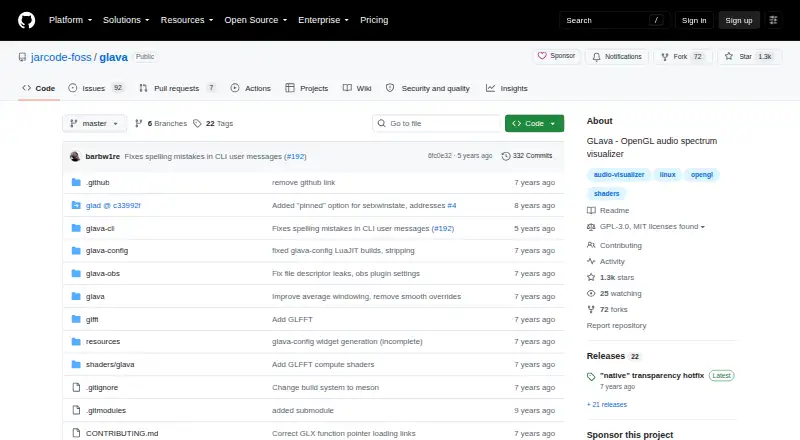
What GLava is
GLava is a free, open-source audio visualizer that renders sound-driven graphics with OpenGL on X11. Its included visualizer modules cover bars, radial bars, a graph, a waveform, and a circle-style display. Audio input requires PulseAudio, and GLava can also read MPD audio sent through FIFO output. Users can run it as a desktop window or widget with EWMH-compliant window managers; behavior depends on the manager in use. A plugin enabled at compile time can render GLava inside an OBS scene, subject to limitations with EGL-based OBS builds and GLFW builds of GLava. Configuration is extensive: GLSL directives and shader code can change nearly every behavior, while the --pipe feature passes simple runtime values to shader sources. FFT calculations run on the CPU, and GLava stops when obscured to avoid unnecessary resource use. The project provides source-build instructions and identifies packages for Arch Linux, NixOS, and openSUSE. GLava is licensed under GPLv3, with MIT-origin notices for specified source components. The project accepts issue reports through GitHub Issues. Its listed plan costs nothing and requires Linux or BSD and X11.
Who it suits
GLava suits Linux desktop users who want audio-reactive visuals and are comfortable configuring software through GLSL directives and shader code. It can also suit OBS users who can build with the plugin and whose OBS and GLava builds fit the stated constraints.
What it does well
- Includes five visualizer styles, from bars to a waveform.
- Nearly every behavior can be configured with GLSL and shader code.
- Accepts MPD audio through FIFO output as well as PulseAudio input.
- Can render into an OBS scene through a compile-time plugin.
- The --pipe feature passes runtime values into shader sources.
What to know first
- Requires PulseAudio for audio input.
- FFT computation runs on the CPU.
- OBS rendering has limitations with EGL-based OBS and GLFW GLava builds.
- Desktop window and widget behavior varies by window manager.
Limits
The listed free plan costs nothing and requires Linux or BSD and X11. Audio input requires PulseAudio, and the OBS plugin has limitations for EGL-based OBS builds and GLFW builds of GLava.
Plans
| Plan | Billed and limits | Price |
|---|---|---|
| GLava | GPLv3 · requires Linux or BSD and X11 | Free |
As github.com lists them, read 11 Oct 2026. The maker's own page has the final word.
Getting started
- Open the GLava project website on GitHub.
- Check the source-build instructions or the packages identified for Arch Linux, NixOS, and openSUSE.
- Use a Linux or BSD system with X11.
- Set up PulseAudio for audio input, or route MPD audio through FIFO output.
- Configure visual behavior with GLSL directives and shader code.
Verdict
Choose GLava if you want a free, GPLv3 audio visualizer with several included styles and extensive shader-based configuration. Look elsewhere if you need audio input without PulseAudio, or if your OBS build or window manager conflicts with its stated constraints.
Questions
How much does GLava cost?
The listed GLava plan costs nothing. The pricing model is free, and the project is open source.
Is GLava open source?
Yes. GLava is licensed under GPLv3, with MIT-origin notices for specified source components.
Which platforms does GLava support?
The platform listing says Linux, and the plan notes require Linux or BSD and X11.
What audio input does GLava use?
GLava requires PulseAudio and can also read MPD audio through FIFO output.
Can GLava appear in OBS?
A plugin enabled at compile time can render GLava into an OBS scene. The integration has limitations for EGL-based OBS builds and GLFW builds of GLava.
Where can I get installation help or report an issue?
The project provides source-build instructions and identifies packages for Arch Linux, NixOS, and openSUSE. It directs users to GitHub Issues for issue reports.
Facts from GLava's own pages
- Audio input
- GLava requires PulseAudio and can read MPD audio through FIFO output. · github.com, 11 Oct 2026
- Customization
- GLava configuration uses GLSL directives and shader code, and nearly every behavior can be configured. · github.com, 11 Oct 2026
- Desktop use
- GLava can run as a desktop window or widget with EWMH-compliant window managers, though behavior varies by manager. · github.com, 11 Oct 2026
- Headquarters
- British Columbia, Canada · github.com, 28 Sept 2026
- Installation
- The project provides source build instructions and identifies packages for Arch Linux, NixOS, and openSUSE. · github.com, 11 Oct 2026
- Licensing
- GLava is licensed under GPLv3, with specified source components carrying MIT-origin notices. · github.com, 11 Oct 2026
- OBS integration
- A compile-time OBS plugin can render GLava directly into an OBS scene, with limitations for EGL-based OBS builds and GLFW builds of GLava. · github.com, 11 Oct 2026
- Performance
- FFT computation currently runs on the CPU, and GLava halts when obscured to avoid consuming resources unnecessarily. · github.com, 11 Oct 2026
- Platforms
- The project lists Linux or BSD as requirements and requires X11. · github.com, 11 Oct 2026
- Purpose
- GLava is a general-purpose, highly configurable OpenGL audio spectrum visualizer for X11. · github.com, 11 Oct 2026
- Runtime data
- GLava can accept simple values at runtime through its --pipe feature and expose them to shader sources. · github.com, 11 Oct 2026
- Support
- The project encourages users to report issues and provides a GitHub Issues tracker. · github.com, 11 Oct 2026
- Visualizers
- Included modules provide bars, radial bars, a graph, a waveform, and a circle-style visualizer. · github.com, 11 Oct 2026
Where GLava stands on Freedom251
- Audio Visualizer Software#9 of 35