Freedom251 › Sales Quoting Software

Quotely
What Quotely is
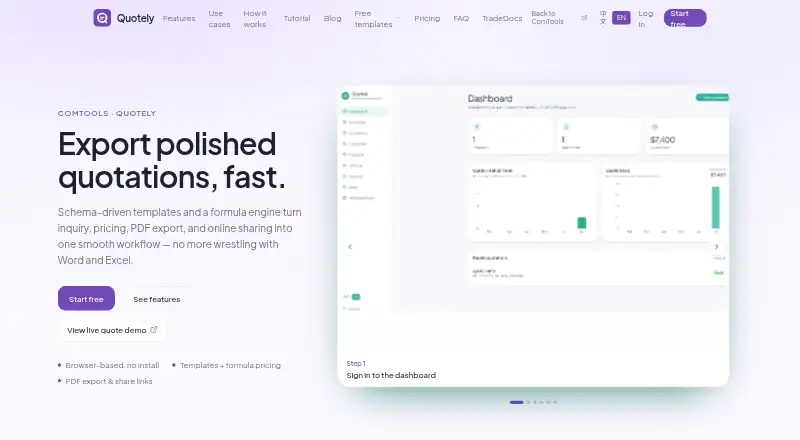
Quotely is a browser-based application for creating and sharing quotations, not an invoicing or ERP system. Its visual template builder lets users arrange text, number, image, option, and formula fields. Formulas can calculate quantities, unit prices, discounts, tax, and summary lines, while customer contacts and catalog items can be reused across quotations. Users can export print-ready PDFs or share browser links that clients can view without an account. Links can optionally require an access code, and users can track view counts. The maker identifies sales teams and estimators in trading, manufacturing, construction, agencies, and IT services as intended users. Its listed Free plan costs nothing, with unlimited templates and quotations, PDF export, online sharing, customer and product records, a formula engine, and an industry template library. The maker says paid plans will be introduced later. The default product is an online service; it says it will review requests for intranet, offline, or on-premise deployment.
Who it suits
Quotely suits sales teams and estimators who prepare quotations in trading, manufacturing, construction, agencies, or IT services. It is not intended as an invoicing or ERP system.
What it does well
- Free plan lists unlimited templates and quotations.
- Formula fields calculate quantities, prices, discounts, and tax.
- Clients can view shared quotations without an account.
- Access codes can optionally protect share links.
- Users can track quotation view counts.
What to know first
- The default service is online.
- Intranet, offline, and on-premise deployment requests are reviewed rather than listed as standard options.
- Paid plans are planned for later.
Plans
| Plan | Billed and limits | Price |
|---|---|---|
| Free | Forever free · Unlimited templates & quotations · PDF export & online sharing · Customers & products · Formula engine · Industry template library | Free |
As quote.comtools.cn lists them, read 4 Oct 2026. The maker's own page has the final word.
Getting started
- Open Quotely in a browser.
- Create quotation templates with the visual builder.
- Add reusable customer contacts and catalog items as needed.
- Prepare quotations using formula fields, then export a PDF or share a browser link.
Quotely is a browser-based quotation builder for teams that prepare repeatable customer offers. It is best suited to sales and estimating work in product- or project-based businesses. The bottom line is a capable free quoting workspace, provided your workflow does not require invoicing, ERP functions, or a non-online default.
Overview
Quotely concentrates on creating, calculating, and sending quotations rather than trying to manage the whole commercial process. That narrow scope is an advantage for teams that want a dedicated quote workflow, but it rules it out as a replacement for accounting or enterprise-resource-planning software. During early access, the maker says templates and quotations are not capped, so even frequent quoting does not force an upgrade.
The service is primarily online. Requests for intranet, offline, or on-premise deployment are reviewed by the maker, making Quotely a better fit for organizations comfortable with hosted software than for teams that require a guaranteed local installation.
Key features
The visual template builder uses drag-and-drop text, number, image, option, and formula fields. This lets a sales or estimating team create layouts for different products, services, or project types instead of rebuilding each document from scratch. An industry template library gives those teams a starting point, with the maker naming trading, manufacturing, construction, agencies, and IT services as target sectors.
Formula fields calculate quantities, unit prices, discounts, tax, and summary lines automatically. For recurring quotations, that can remove repeated arithmetic and reduce the risk of inconsistent totals. Reusable customer contacts and product records further support repeat work by keeping commonly used information available when a new quotation is prepared.
Finished quotations can be exported as print-ready PDFs or shared as browser links. Clients can open a shared quotation without creating an account, which removes a common obstacle in customer review. Senders can optionally protect a link with an access code and track view counts, providing basic control and a simple indication of engagement rather than a full sales pipeline.
Quotely also stores account details, quotation and template content, share-link tokens, and security and diagnostic logs. The maker says account data is isolated, customer data is not sold, and staff access quotations only when support is requested and only as needed. Organizations should still assess whether the hosted data model matches their own privacy and deployment requirements.
Pricing
Free: free, billed Forever free. It includes unlimited templates and quotations, PDF export and online sharing, customers and products, the formula engine, and the industry template library. There is no seat charge or quotation quota stated for this plan, and early access is described as having no template or quotation caps. That makes it particularly suitable for independent estimators and small teams that need the complete core quoting process without a time-limited trial.
Paid plans are planned for later, so teams choosing Quotely now should treat the current offer as a free early-access arrangement rather than rely on a published long-term paid tier. The free plan's main trade-offs are product scope and deployment: it remains a quotation tool, and the default service is online.
Platforms
Quotely is offered on the web and can be self-hosted. The standard experience is the online service; intranet, offline, and on-premise requests are considered by the maker rather than presented as a default deployment option. Product questions, privacy requests, and deployment inquiries can be sent to [email protected].
Who it's for
Sales teams and estimators in trading, manufacturing, construction, agencies, and IT services are the clearest audience. It fits organizations that need structured templates, repeatable calculations, reusable customer and product data, and a quick PDF or link-based handoff to clients. It is less suitable for a business seeking integrated invoicing, ERP management, or a fully specified offline installation.
Pros and cons
Pros
- Uncapped free core: unlimited templates and quotations support high-volume quoting without a stated usage ceiling.
- Flexible calculations: formula fields cover quantities, pricing, discounts, tax, and summaries, reducing manual total-building.
- Low-friction sharing: clients can view browser links without accounts, while access codes and view counts add useful basic controls.
- Reusable records: saved customers and catalog items make recurring quotations faster to assemble.
Cons
- Quotation-only focus: it does not serve as invoicing or ERP software, so broader financial and operational workflows need other tools.
- Online-first deployment: intranet, offline, and on-premise use depends on a reviewed request rather than a standard product option.
- Early-access uncertainty: paid plans are expected later, so future pricing and limits are not established.
Alternatives
Browse Sales Quoting Software for a wider category comparison.
- Catalystk is the better choice when you need Android and iOS apps as well as web access, unlimited records, and a freemium model priced in INR.
- QuoteCloud suits a web-only user who wants e-signatures and document tracking; its free tier is limited to five quotes per month and one user.
- QuotoMoto is worth considering for one owner plus a view-only account, e-signatures, and One-Click Pay Now, with the free plan capped at 15 quotes per month after its first month.
- Quotsoft fits users who need unlimited quotes and contacts but can accept monthly PDF and email limits on its free tier.
- SmartQuote by Dial4Trade is an alternative for teams wanting a defined quotation allowance, email credits, basic branding, and a team-member limit.
- TackQuote is the more relevant option when API access, integrations, or workflow features matter; its free plan includes 25 quotes per month and one team member.
- Madiwor Quotes is a paid option spanning Android, iOS, macOS, web, and Windows.
- Boni Quotations is a paid, configured onboarding service whose pricing depends on quote families, systems, templates, channels, and operating rules.
Verdict
Choose Quotely if your priority is a free, uncapped quotation workflow with flexible templates, automatic calculations, reusable records, and client-friendly sharing. Look elsewhere if you need invoicing or ERP capabilities, a standard offline or on-premise deployment, or certainty about future paid-plan terms.
Verdict
Quotely brings template building, quotation calculations, PDF export, and link sharing into a free browser-based tool. It is focused on quotations rather than invoicing or ERP, and the default deployment is online.
Questions
How much does Quotely cost?
The listed Free plan is forever free and includes unlimited templates and quotations. The maker says paid plans will be introduced later.
Can clients view a quotation without an account?
Yes. Quotely creates browser links that clients can open without an account. A link can optionally require an access code.
Can Quotely track whether a shared quotation is viewed?
Yes. Users can track view counts for share links.
Does Quotely support self-hosting?
Self-hosted and web are listed platforms. The product is an online service by default, and the maker says it will review requests for intranet, offline or on-premise deployment.
Is Quotely an invoicing or ERP system?
No. It is for creating quotations and is not an invoicing or ERP system.
What data does Quotely store?
Its privacy policy says it stores account details, quotation and template content, share-link tokens, and security and diagnostic logs.
Facts from Quotely's own pages
- Customer and product records
- Users can reuse contacts and catalog items when creating quotations. · quote.comtools.cn, 4 Oct 2026
- Data handling
- The privacy policy says Quotely stores account details, quotation and template content, share-link tokens, and security and diagnostic logs. · quote.comtools.cn, 4 Oct 2026
- Data privacy
- The maker says account data is isolated, it does not sell customer data, and staff access quotations only when support is requested and only as needed. · quote.comtools.cn, 4 Oct 2026
- Deployment
- The default product is an online service, and the maker says it will review requests for intranet, offline, or on-premise deployment. · quote.comtools.cn, 4 Oct 2026
- Early access limits
- During early access, the maker says there are no template or quotation caps and paid plans will be introduced later. · quote.comtools.cn, 4 Oct 2026
- Exports and sharing
- Quotely exports print-ready PDFs and lets users share quotations through browser links that clients can view without an account. · quote.comtools.cn, 4 Oct 2026
- Pricing formulas
- Formula fields calculate quantities, unit prices, discounts, tax, and summary lines automatically. · quote.comtools.cn, 4 Oct 2026
- Purpose
- Quotely is a browser-based web application for creating professional quotations; it is not an invoicing or ERP system. · quote.comtools.cn, 4 Oct 2026
- Sharing controls
- Share links can optionally require an access code, and users can track view counts. · quote.comtools.cn, 4 Oct 2026
- Support
- The maker lists [email protected] for product questions, privacy requests, and deployment inquiries. · quote.comtools.cn, 4 Oct 2026
- Templates
- Its visual template builder supports drag-and-drop text, number, image, option, and formula fields. · quote.comtools.cn, 4 Oct 2026
- Use cases
- The maker names sales teams and estimators in trading, manufacturing, construction, agencies, and IT services as intended users. · quote.comtools.cn, 4 Oct 2026
Where Quotely stands on Freedom251
- Sales Quoting Software#2 of 23