Freedom251 › File Renaming Software
Quick File Rename
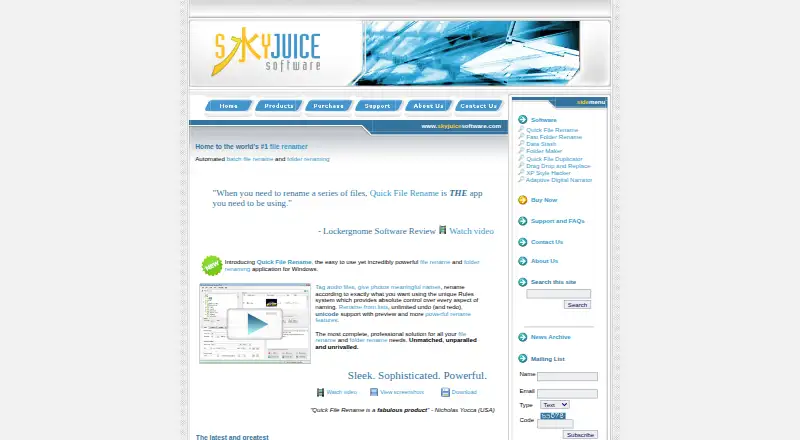
What Quick File Rename is
Quick File Rename is a Windows application for batch renaming files and folders. Its Rules system combines more than 15 built-in rename operations into one workflow. Before applying changes, it previews proposed names, checks for duplicates, and supports unlimited undo and redo. Rules can use Exif, IPTC, XMP, Windows file properties, audio tags, and file timestamps. Text insertion, removal, and replacement support DOS, Perl, and POSIX-style regular expressions with Unicode. The Audio Tagger handles MP3 ID3v1.1 through ID3v2.4, Ogg Vorbis, and MPC. A scheduler runs selected rules on a chosen path with recursion and frequency settings. Saved rules can launch from Windows Explorer’s Send To menu, and a command-line utility is available. Users can import custom rename lists, including Excel-created lists, and retrieve locations for images containing longitude and latitude data. A limited trial is available. Paid options include Quick File Rename Lite at 39.95 USD once and a non-commercial single-user license at 49.95 USD once.
Who it suits
It suits Windows users who need repeatable batch renaming based on text, metadata, timestamps, audio tags, or custom lists. The scheduler and command-line utility support recurring workflows.
What it does well
- Chains more than 15 rename operations
- Previews names and checks duplicates
- Supports Unicode regular expressions
- Uses broad file and media metadata
- Provides unlimited undo and redo
What to know first
- Windows only
- No free plan
- Personal license is non-commercial
- Personal license lacks network-drive support
Plans
| Plan | Billed and limits | Price |
|---|---|---|
| Personal Edition (trial) | limited time before expiry · limited number of renames · single-level batch renaming | Free |
| Quick File Rename Lite | renames files only | $39.95, paid once |
| Single User License (non-commercial) | non-commercial use only · no network drive support · scheduler and command-line utility optional | $49.95, paid once |
As skyjuicesoftware.com lists them, read 8 Oct 2026. The maker's own page has the final word.
Verdict
Quick File Rename offers detailed rule building, metadata-based naming, previews, automation, and recovery controls for Windows. Buyers should match the license restrictions and one-time pricing to their intended use.
Facts from Quick File Rename's own pages
- Audio formats
- The Audio Tagger supports MP3 ID3v1.1 through ID3v2.4, Ogg Vorbis, and MPC. · skyjuicesoftware.com, 8 Oct 2026
- Automation
- A built-in scheduler can run rename operations on a selected path using chosen rules, recursion, and frequency. · skyjuicesoftware.com, 8 Oct 2026
- Integrations
- Windows Explorer integration lets users run saved rules from the right-click Send To menu, and a command-line utility is also available. · skyjuicesoftware.com, 8 Oct 2026
- License limits
- Single-user licenses are for non-commercial home use and lack network-drive support; commercial licenses support network drives and permit installation on up to two computers at one location. · skyjuicesoftware.com, 8 Oct 2026
- List import
- Users can import a custom rename list, including one created in Excel. · skyjuicesoftware.com, 8 Oct 2026
- Maker and history
- The site credits Lim, Chooi Guan as the author and developer of its software and content, and says Quick File Rename has been in development since 1999. · skyjuicesoftware.com, 8 Oct 2026
- Metadata
- It can use Exif, IPTC, XMP, Windows file properties, audio tags, and file timestamps in file and folder names. · skyjuicesoftware.com, 8 Oct 2026
- Preview and undo
- The software previews proposed name changes, checks for duplicate names, and provides unlimited undo and redo. · skyjuicesoftware.com, 8 Oct 2026
- Purchase delivery
- The maker says purchases include email technical support and delivery of a software setup file and, where applicable, a unique software key. · skyjuicesoftware.com, 8 Oct 2026
- Purpose
- Quick File Rename is a Windows application for batch renaming files and folders. · skyjuicesoftware.com, 8 Oct 2026
- Regular expressions
- Text insertion, removal, and replacement support DOS, Perl, and POSIX-style regular expressions with Unicode. · skyjuicesoftware.com, 8 Oct 2026
- Reverse geocoding
- The product can retrieve locations for images that contain longitude and latitude information. · skyjuicesoftware.com, 8 Oct 2026
- Rules
- Its Rules system chains more than 15 built-in rename operations into a single workflow. · skyjuicesoftware.com, 8 Oct 2026
- Support
- The software includes a help manual, built-in help videos, and tooltips, and users can contact support from within the application. · skyjuicesoftware.com, 8 Oct 2026
Where Quick File Rename stands on Freedom251
- File Renaming Software#27 of 31