Freedom251 › File Renaming Software

Name Mangler
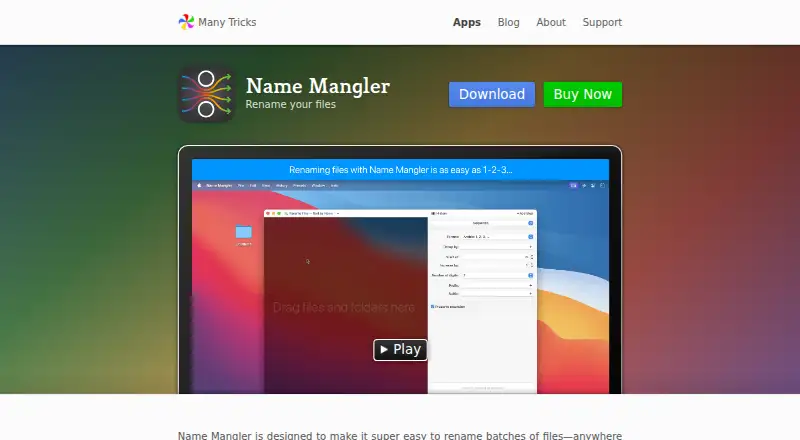
What Name Mangler is
Name Mangler is a macOS application for renaming batches of files in one operation, from a few items to tens of thousands. Its actions can change names to lowercase, uppercase, or title case, and combine multiple steps that you can add, remove, or reorder. More than 150 metadata fields are available, with formatting controls for some numeric and date values. You can preview changes, rename folders, use regular expressions, and flag possible duplicates before applying a job. Presets save repeatable actions and may be shared between Macs through services such as Dropbox or Box. Advanced mode lets you create small programs for complex workflows, with editor tools including auto-completion and find and replace. The app can undo the last rename and create drag-and-drop Droplets for preset actions. Name Mangler 3 supports VoiceOver. Version 3.9.3 requires macOS 10.13 High Sierra or newer. The license costs 19.00 USD once, lasts forever, and includes at least one year of updates.
Who it suits
Name Mangler suits Mac users who regularly rename files or folders in batches, including workflows based on metadata or regular expressions. Advanced mode is intended for more complex, repeatable renaming tasks.
What it does well
- Renames batches from a few files to tens of thousands
- Offers over 150 metadata fields
- Supports multi-step and regular-expression actions
- Presets can sync between Macs
- Undo and duplicate-warning features included
What to know first
- macOS only
- Requires macOS 10.13 High Sierra or newer
- No free plan; license costs 19.00 USD once
Plans
| Plan | Billed and limits | Price |
|---|---|---|
| Name Mangler | License valid forever · includes at least 1 year of updates | $19, paid once |
As manytricks.com lists them, read 7 Oct 2026. The maker's own page has the final word.
Verdict
Name Mangler provides extensive batch-renaming controls, from simple case changes to metadata-driven and programmable workflows. Its macOS requirement and one-time license make platform and purchasing fit the main considerations.
Facts from Name Mangler's own pages
- Accessibility
- The maker says Name Mangler 3 is VoiceOver compatible. · manytricks.com, 7 Oct 2026
- Additional features
- The app can revert the last renaming action, flag potential duplicates before renaming, and create drag-and-drop Droplets for preset actions. · manytricks.com, 7 Oct 2026
- Advanced mode
- Advanced mode lets users create mini programs for complex renaming tasks and includes editor features such as auto-completion and find and replace. · manytricks.com, 7 Oct 2026
- Maker location
- Many Tricks lists its address as Beaverton, Oregon, USA. · manytricks.com, 7 Oct 2026
- Metadata
- The app provides more than 150 metadata fields for renaming actions, with formatting options for certain numeric and date values. · manytricks.com, 7 Oct 2026
- Multi-step renaming
- A renaming action can contain multiple steps that can be rearranged, added, or deleted. · manytricks.com, 7 Oct 2026
- Platform requirement
- Name Mangler 3.9.3 requires macOS 10.13 High Sierra or newer. · manytricks.com, 7 Oct 2026
- Presets and syncing
- Presets save frequently used actions, and the maker says they can be shared between Macs through syncing services such as Dropbox or Box. · manytricks.com, 7 Oct 2026
- Purpose
- Name Mangler renames batches of files, from a few files to tens of thousands, in one operation. · manytricks.com, 7 Oct 2026
- Rename actions
- Pop-up actions include changing filenames to lowercase, uppercase, or title case. · manytricks.com, 7 Oct 2026
- Support
- Many Tricks offers in-app help, FAQs, and individual support tickets for questions and problems with its apps. · manytricks.com, 7 Oct 2026
Where Name Mangler stands on Freedom251
- File Renaming Software#25 of 30