Freedom251 › Game Narrative Design Software
Quest Viva
What Quest Viva is
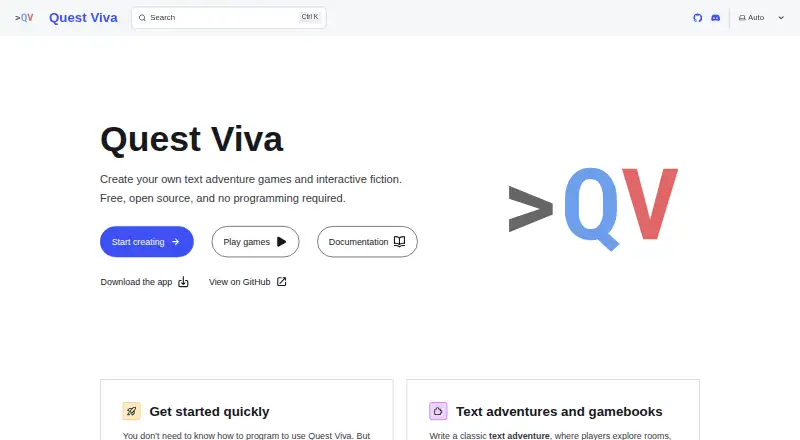
Quest Viva is a free, open-source system for making and playing text adventures and gamebooks. Its point-and-click editor lets creators describe game elements in plain English, so they can begin without programming. For more control, creators can use visual blocks or write scripts with variables, conditionals, loops, functions, object types, and libraries. Games can include images, sounds, music, and YouTube video, and their player interface can be customized with HTML, CSS, and JavaScript. The editor runs in a browser or as a desktop app for Windows, Mac, and Linux; the same editor and game files work in both. Creators can publish to textadventures.co.uk, share a private direct link, host games on their own site, or make a single HTML file. Players use a browser on phones, tablets, or computers without a download or account. After loading, a game continues working if the network connection drops. Players can save to browser storage with multiple slots or save to a file. Browser-stored games should be backed up to disk periodically.
Who it suits
Quest Viva suits writers and game creators who want to make interactive fiction, whether they prefer a visual editor or direct scripting. It also suits players who want browser-based games without an account or download.
What it does well
- Plain-English editing can be used without programming.
- Supports visual blocks and direct scripting.
- Editor runs in browser or on Windows, Mac, and Linux.
- Games can be shared, hosted, or saved as one HTML file.
- Loaded games continue offline.
What to know first
- Browser-stored games should be backed up to disk.
- No security certifications or compliance standards are stated.
Plans
| Plan | Billed and limits | Price |
|---|---|---|
| Free and open source | MIT-licensed; create and sell games; modify source code and use it in closed-source commercial applications | Free |
As questviva.com lists them, read 4 Oct 2026. The maker's own page has the final word.
Getting started
- Open the Quest Viva website or use its editor in a browser.
- Alternatively, use the desktop editor on Windows, Mac, or Linux.
- Build a game with the point-and-click editor, visual blocks, or scripts.
- Publish to textadventures.co.uk, share a private link, host the game on your site, or make a single HTML file.
- Back up browser-stored games to disk periodically.
Quest Viva is a free, open-source toolkit for building and playing text adventures, gamebooks, and other interactive fiction. It fits writers who want a visual on-ramp without giving up scripting, media, or control over distribution. The main trade-off is that browser-stored games need deliberate backups if progress must be preserved.
Overview
Quest Viva starts with a point-and-click editor that explains game elements in plain English, allowing newcomers to assemble a game without programming. That approachable layer does not limit more experienced authors: projects can use visual blocks or direct scripts with variables, conditionals, loops, functions, object types, and libraries. This makes it suitable for both guided story construction and systems-heavy interactive fiction.
Branching dialogue and a localization workflow support larger narrative structures. Games can combine writing with images, sounds, music, and YouTube video. The interface itself can be changed with HTML, CSS, and JavaScript, so creators who know web technologies can move beyond a stock presentation.
Key features
Authoring and scripting
The plain-English editor is the best entry point for first-time authors, while the block and script options provide a path to more elaborate rules. Direct scripting is the stronger choice when a project needs reusable functions, custom object types, or libraries; users who only want a lightweight writing tool may find that breadth unnecessary.
Media and presentation
Support for images, sound, music, and YouTube video lets a game carry atmosphere and exposition beyond text. HTML, CSS, and JavaScript customization offers control over the player interface, but it also makes distinctive visual design a web-development task rather than a purely editorial one.
Publishing and play
Authors can publish to textadventures.co.uk, send a private direct link, host a game on their own site, or export a single HTML file. Published games run in a browser on phones, tablets, and computers without a player download or account. Once loaded, a game continues to run through a network interruption, which is useful for playing on unreliable connections.
Saving and support
Players can use multiple browser-storage save slots or save a game to a file, with no account required. Browser-stored games should be backed up to disk periodically; losing that local browser data can otherwise remove progress. Tutorials, Discord, GitHub Discussions, and GitHub Issues cover learning, community help, and bug reports.
Pricing
| Plan | Price | What it includes |
|---|---|---|
| Free and open source | free | MIT-licensed software; create and sell games, modify the source, and use it in closed-source commercial applications. |
There is no free trial because the product is already free, and there are no paid tiers or seat quotas to weigh. The plan is a strong fit for hobbyists, educators, and commercial creators who want to keep ownership of their publishing route. Its practical cost is the time required to manage scripts, web customization, and backups when a project grows beyond the basics.
Platforms
The editor runs in a browser or as a desktop application on Windows, macOS, and Linux. The same editor and game files work across those forms, reducing friction when moving between machines. Players use a web browser on phones, tablets, and computers, while creators can also deliver a self-hosted site or standalone HTML file.
Who it's for
Quest Viva is a good choice for writers moving from visual authoring toward code, teams that need branching dialogue and localization, and creators who want multimedia stories with control over the interface. It also suits anyone who needs browser play without forcing readers to install software or create accounts. Look elsewhere if you want a narrowly focused writing environment with no scripting or web-design layer to learn.
Pros and cons
- Pro: Plain-English point-and-click authoring lowers the barrier for non-programmers.
- Pro: Blocks and full scripting support variables, logic, functions, object types, and libraries as projects become more ambitious.
- Pro: Browser, desktop, self-hosted, and single-file publishing give creators several ways to distribute the same game.
- Pro: MIT licensing permits commercial sales, source modification, and closed-source commercial use.
- Con: Browser save data needs periodic disk backups, adding maintenance for players who rely on local storage.
- Con: Advanced interface customization depends on HTML, CSS, and JavaScript knowledge.
Alternatives
For a broader directory of tools, see Game Narrative Design Software.
- ChatMapper is the better fit when a free plan's one-editor, three-project, and 300-node-per-project limits are sufficient and core exports with commercial use are the priority.
- Ren'Py suits creators who want a free tool for commercial or non-commercial visual novels across desktop, web, Android, and iOS.
- Godot Asset Library is for developers seeking a free catalogue of assets rather than a dedicated interactive-fiction authoring system.
- Inform 7 is an alternative free, open-source authoring system for authors who prefer its own approach to interactive fiction.
- ink and Inky fits writers who want MIT-licensed ink, Inky, and ink-Unity tools on Linux, macOS, or Windows.
- Narrat is worth choosing for free, unrestricted personal or commercial use, with optional custom enterprise support.
- TADS is a free authoring system with no restrictions on games created.
- Twine is a straightforward free, open-source option for commercial or non-commercial story creation.
Verdict
Choose Quest Viva if you want one free, MIT-licensed workspace that can take an interactive story from visual authoring to serious scripting and then publish it almost anywhere. Its strongest advantage is the combination of cross-platform editing, browser-friendly delivery, and commercial freedom. Look elsewhere if maintaining browser-save backups or learning web technologies for interface customization would outweigh that flexibility.
Verdict
Quest Viva offers several ways to create and publish interactive fiction, with browser play and file-based saving. Remember to back up games stored in the browser.
Questions
Is Quest Viva free?
Yes. Its plan is listed as free, and Quest Viva is open source under the MIT license.
Which platforms support the editor?
The editor is available in a browser or as a desktop app for Windows, Mac, and Linux. The same editor and game files work in either.
Do players need an account or a download?
No. Published games run in a browser on phones, tablets, and computers without a player download or account.
Can creators sell games made with Quest Viva?
Yes. The MIT-licensed plan allows creators to create and sell games, modify the source code, and use it in closed-source commercial applications.
How can creators publish or share a game?
They can publish to textadventures.co.uk, share a private direct link, host it on their own website, or use a single HTML file.
How do players save progress?
Players can save to browser storage using multiple save slots or save a game to a file. No account is required.
Facts from Quest Viva's own pages
- Browser and desktop
- The editor is available in a browser or as a desktop app for Windows, Mac, and Linux; the same editor and game files work in either. · questviva.com, 4 Oct 2026
- Editor
- Its point-and-click editor describes game elements in plain English, so users can build games without programming. · questviva.com, 4 Oct 2026
- Integrations
- The maker documents embedding video from YouTube and publishing or hosting games through textadventures.co.uk or a creator's own website. · questviva.com, 4 Oct 2026
- Media and customization
- Games can include images, sounds, music, and YouTube video, and the player interface can be customized with HTML, CSS, and JavaScript. · questviva.com, 4 Oct 2026
- Notable limit
- Games stored inside the browser itself should be backed up to disk periodically, and the editor reminds users to do so. · questviva.com, 4 Oct 2026
- Offline play
- After a game loads, it runs in the browser and continues working if the network connection drops. · questviva.com, 4 Oct 2026
- Player access
- Published games run in a web browser on phones, tablets, and computers, with no player download or account required. · questviva.com, 4 Oct 2026
- Publishing
- Creators can publish games to textadventures.co.uk, share a private direct link, or host games on their own website or as a single HTML file. · questviva.com, 4 Oct 2026
- Purpose
- Quest Viva is a free, open-source system for creating and playing text adventure games and gamebooks, also known as interactive fiction. · questviva.com, 4 Oct 2026
- Saving
- Players can save progress to browser storage using multiple save slots or save a game to a file; no account is required. · questviva.com, 4 Oct 2026
- Scripting
- Creators can use a visual block interface or write scripts directly, with variables, conditionals, loops, functions, object types, and libraries. · questviva.com, 4 Oct 2026
- Security and compliance
- The maker's opened pages describe local browser saves and MIT open-source licensing; they do not state security certifications or compliance standards. · questviva.com, 4 Oct 2026
- Support
- The maker points users to a tutorial, Discord, and GitHub Discussions for help, and GitHub Issues for bug reports and feature requests. · questviva.com, 4 Oct 2026
Where Quest Viva stands on Freedom251
- Game Narrative Design Software#10 of 25