Freedom251 › Game Narrative Design Software
Twine
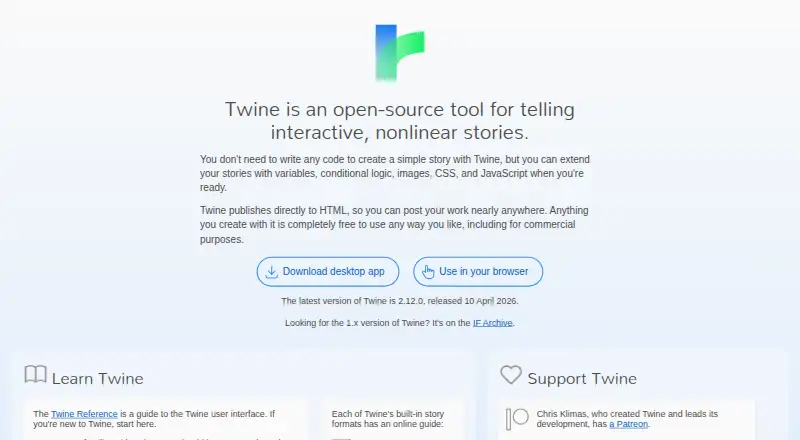
What Twine is
Twine is a free, open-source tool for creating interactive stories whose paths can change according to a reader's choices. A simple story can be made without code; projects can later incorporate variables, conditional logic, images, CSS and JavaScript. Twine focuses on text but can also use sound and video. Its built-in formats—Chapbook, Harlowe, Snowman and SugarCube—differ in the features they offer and how code is written. Twine runs in a browser and has desktop packages for Windows, macOS and Linux. It exports stories as HTML files, which can be uploaded to web hosting or shared privately, and readers can open a published story in a browser without installing additional software. The Cookbook provides guides for publishing to Borogove.io and Itch.io and adding stories to IFDB. Twine also offers an editor reference and a Cookbook with documentation, tips and examples. Authors can turn to the Interactive Fiction Community Forum and Twine Discord. Stories created with Twine may be used for any purpose, including commercial work.
Who it suits
Twine suits people who want to make interactive stories and do not have prior programming or game-making experience. It can also suit authors who want to add code or multimedia as a project develops.
What it does well
- Start a simple story without writing code.
- Exports stories as browser-playable HTML files.
- Desktop packages are available for Windows, macOS and Linux.
- Created stories may be used commercially.
- Includes four built-in story formats.
What to know first
- Heavy multimedia workflows can feel awkward.
- Multiplayer play requires substantial programming knowledge.
- Team collaboration is not included.
Plans
| Plan | Billed and limits | Price |
|---|---|---|
| Twine | Open-source story creation tool · free to use, including for commercial purposes | Free |
As twinery.org lists them, read 8 Oct 2026. The maker's own page has the final word.
Getting started
- Visit the Twine website and open the browser version or download a desktop package.
- Create a simple story without writing code.
- Choose a built-in story format: Chapbook, Harlowe, Snowman, or SugarCube.
- Add variables, conditional logic, images, CSS, or JavaScript as needed.
- Publish the story as an HTML file for hosting or private sharing.
Verdict
Twine offers a no-code starting point for branching stories, with HTML publishing and room to add code or media. Its text-focused approach may be less comfortable for heavy multimedia or multiplayer projects.
Questions
Does Twine cost anything?
Twine is free. Its listed plan is free.
Can I use Twine stories commercially?
Yes. Stories created with Twine may be used for any purpose, including commercial purposes.
Which platforms can run Twine?
Twine is available in a browser and as desktop packages for Windows, macOS, and Linux.
Do readers need to install Twine to play a story?
No. Published Twine stories can be played in a browser without extra software.
What formats does Twine include?
Its built-in formats are Chapbook, Harlowe, Snowman, and SugarCube. The selected format affects available features and how code is written.
Is Twine open source?
Yes. Twine is an open-source story creation tool.
Facts from Twine's own pages
- Commercial use
- The site says anything created with Twine is free to use for any purpose, including commercial purposes. · twinery.org, 8 Oct 2026
- Desktop platforms
- Binary packages are available for Windows, macOS, and Linux, alongside a browser version. · github.com, 8 Oct 2026
- Integrations and publishing destinations
- The Cookbook includes guides for publishing stories on Borogove.io and Itch.io and adding them to IFDB. · twinery.org, 8 Oct 2026
- Intended users
- The reference says users do not need prior programming or game-making experience to succeed with Twine. · twinery.org, 8 Oct 2026
- Learning resources
- Twine provides a reference guide to its editor and a Cookbook with documentation, tips, and examples. · twinery.org, 8 Oct 2026
- No-code start
- Users can create a simple story without writing code, then add variables, conditional logic, images, CSS, and JavaScript. · twinery.org, 8 Oct 2026
- Notable limits
- The reference says heavy multimedia workflows can feel awkward and that multiplayer play requires substantial programming knowledge. · twinery.org, 8 Oct 2026
- Play requirements
- People can play published Twine stories in a browser without installing extra software. · twinery.org, 8 Oct 2026
- Publishing
- Twine publishes stories directly to HTML files that can be uploaded to web hosting or shared privately. · twinery.org, 8 Oct 2026
- Purpose
- Twine is an open-source tool for creating interactive, nonlinear stories. · twinery.org, 8 Oct 2026
- Security and compliance
- The site links to separate Privacy Policy and Accessibility and Compliance pages, but those pages could not be opened during this research. · twinery.org, 8 Oct 2026
- Story content
- Twine is text-focused and can also use images, sound, and video. · twinery.org, 8 Oct 2026
- Story formats
- Built-in story formats include Chapbook, Harlowe, Snowman, and SugarCube, and the selected format determines available features and how code is written. · twinery.org, 8 Oct 2026
- Support
- The site points users to the Interactive Fiction Community Forum and Twine Discord for the author community. · twinery.org, 8 Oct 2026
Where Twine stands on Freedom251
- Game Narrative Design Software#14 of 25
- Game Development Software#25 of 43