Freedom251 › Terminal Emulators
QTerminal
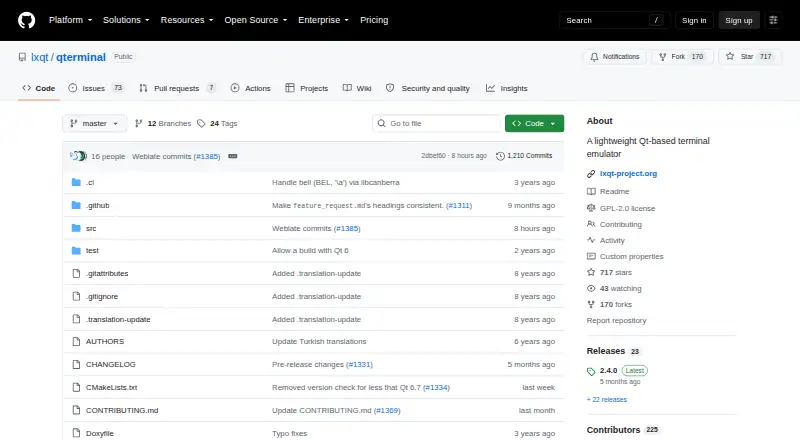
What QTerminal is
QTerminal is a lightweight terminal emulator built with Qt and based on QTermWidget. Maintained by the LXQt project, it can also be used without the LXQt desktop environment. Its interface supports multiple tabs, vertical and horizontal splits, dropdown mode, and text search. Users can configure the interface, edit shortcuts, use the system clipboard, and bookmark commands.
The project lists Linux and macOS as supported platforms and says major Linux and BSD distributions provide official binary packages. QTerminal is free, with a listed price of $0, and its README states that it is licensed under GPLv2 or a later version. Building from source requires Qt 6.6.0 or later, QTermWidget, CMake 3.18.0 or later, and lxqt-build-tools. libcanberra is an optional dependency for terminal bells. The LXQt site lists discussions, a bug tracker, a wiki, and community chat channels. The listed features provide several ways to organize and navigate terminal sessions, whether QTerminal is used within LXQt or independently.
Who it suits
QTerminal suits Linux or macOS users who want a configurable terminal with tabs, splits, and command bookmarks. It can be considered by users of LXQt as well as those seeking a terminal emulator independent of that desktop environment.
What it does well
- Supports multiple tabs and vertical or horizontal splits.
- Includes dropdown mode and text search.
- Offers a configurable interface and shortcut editor.
- Official packages are provided by major Linux and BSD distributions.
What to know first
- Building from source requires Qt 6.6.0 or later.
- Source builds also require QTermWidget, CMake, and lxqt-build-tools.
- libcanberra is needed for terminal bells.
Plans
| Plan | Billed and limits | Price |
|---|---|---|
| QTerminal | GPL-2.0-or-later; install via source or Linux/BSD distribution packages | Free |
As github.com lists them, read 9 Oct 2026. The maker's own page has the final word.
Getting started
- Visit the QTerminal project website on GitHub.
- Use an official binary package from a Linux or BSD distribution, or build from source.
- For a source build, provide Qt 6.6.0 or later, QTermWidget, CMake 3.18.0 or later, and lxqt-build-tools.
- Add the optional libcanberra dependency if you want terminal bells.
Overview
QTerminal is a lightweight Qt terminal emulator maintained by the LXQt project, yet it runs independently of the LXQt desktop. It is aimed at Linux and macOS users who want several command-line sessions organized in one configurable window. The strongest case for it is a broad set of session-management and convenience controls at no cost; source builders, however, must meet a substantial Qt and build-tool requirement.
Key features
Multiple tabs and vertical or horizontal splits keep related shells together, reducing the need to manage separate terminal windows. Dropdown mode provides a quick alternate way to summon a session, while text search helps find output after a command has produced a long scrollback. These features suit developers, administrators, and other users who routinely move between concurrent shell tasks.
The interface is configurable, and a shortcut editor allows keyboard behavior to be tailored rather than accepted as fixed. Clipboard integration connects terminal text with the system clipboard, and command bookmarks provide a way to retain commands worth revisiting. A scripting API, color management, and a metadata viewer extend QTerminal beyond a bare terminal display, although it remains focused on terminal work rather than acting as a complete development suite.
Because QTerminal is maintained by LXQt but does not depend on that desktop environment, users of other desktop setups can adopt it without changing desktop environments. The project is licensed under GPLv2 or any later version, which fits users who prefer software they can use and redistribute under a copyleft license.
Pricing
QTerminal costs nothing under its single QTerminal plan. The plan is GPL-2.0-or-later software, with no paid tier and no free trial because the application is already free. Linux and BSD users can install official binary packages supplied by major distributions, avoiding a local build in those environments.
Building from source requires Qt 6.6.0 or later, QTermWidget, CMake 3.18.0 or later, and lxqt-build-tools. That is a manageable route for users who already maintain Qt software, but it adds setup work for anyone whose distribution does not provide a suitable package. libcanberra is optional and is used for terminal bells, so it is not required for the core application.
Platforms
QTerminal is listed for Linux and macOS. The project specifically describes official binary packages for major Linux and BSD distributions; macOS users should therefore confirm that the available installation route fits their system before committing to it. BSD package availability is documented even though BSD is not included in the platform listing.
Who it's for
Choose QTerminal if you want a free, Qt-based terminal with tabs, split panes, dropdown access, search, configurable controls, clipboard integration, and command bookmarks. It is particularly well matched to Linux users who value distribution packages or to users of any desktop environment who want an LXQt-maintained terminal without adopting LXQt itself.
It is less suitable when you need a terminal product with a commercial support contract, a paid support tier, or a clearly packaged macOS installation path. Users uncomfortable with source builds may prefer a distribution package rather than treating the build requirements as part of installation.
Pros and cons
Pros
- Tabbed and split sessions: vertical and horizontal layouts keep concurrent shell work in one window.
- Configurable workflow: interface settings and a shortcut editor support personal keyboard and layout preferences.
- Useful terminal extras: dropdown mode, text search, clipboard support, and command bookmarks address common daily tasks.
- Free and open source: the 0.00 USD plan and GPL-2.0-or-later license remove purchase barriers.
- Desktop independence: LXQt maintenance does not require using the LXQt desktop.
Cons
- Source-build overhead: Qt 6.6.0+, QTermWidget, CMake 3.18.0+, and lxqt-build-tools are required for a local build.
- Platform qualification: Linux and macOS are listed, while the strongest packaging statement concerns Linux and BSD distributions.
- Focused scope: its features improve terminal sessions but do not turn it into a broader development environment.
Alternatives
For a directory of comparable terminal applications, browse Terminal Emulators. If your need is image browsing rather than command-line work, Photo Viewer Software is the relevant category.
ImageGlass is an image viewer with a free GPLv3 Classic plan and a free trial, so choose it instead for image viewing across Linux, macOS, and Windows. XnConvert fits private, educational, or nonprofit image use at no cost and also offers company licensing. Geeqie, nomacs, and qView are free image viewers for readers whose priority is browsing pictures rather than running shells. Pineapple Pictures is another free image-viewing option, with paid itch.io access to experimental additional format support. ApolloOne is a macOS-only image viewer with a free version and paid subscription option, while FastStone Image Viewer targets Windows users and offers free personal or educational use plus a commercial license.
Verdict
QTerminal is a strong choice for Linux-focused users who want tabs, splits, configurable shortcuts, and practical terminal conveniences without paying. Its independence from LXQt broadens its usefulness, while the main reasons to look elsewhere are the source-build prerequisites and the need for a better-defined installation path on macOS.
Verdict
QTerminal combines tabbed and split sessions with interface customization and clipboard support. Its documented source-build requirements matter if distribution packages are not the preferred route.
Questions
How much does QTerminal cost?
QTerminal is free. Its listed plan is free.
Which platforms are listed?
Linux and macOS are listed as supported platforms. The project also says official binary packages are provided by major Linux and BSD distributions.
Does QTerminal require the LXQt desktop?
No. The LXQt project maintains it, but QTerminal can be used independently of the LXQt desktop environment.
What license does it use?
The project README says QTerminal is licensed under GPLv2 or any later version.
What does a source build require?
The listed requirements are Qt 6.6.0 or later, QTermWidget, CMake 3.18.0 or later, and lxqt-build-tools.
Is libcanberra required?
No. It is optional and is used for playing terminal bells.
Facts from QTerminal's own pages
- Availability
- The project says official binary packages are provided by major Linux and BSD distributions. · github.com, 9 Oct 2026
- Bookmarks
- QTerminal supports bookmarks for commands. · github.com, 9 Oct 2026
- Build requirements
- Building from source requires Qt 6.6.0 or later, QTermWidget, CMake 3.18.0 or later, and lxqt-build-tools; libcanberra is optional for playing bells. · github.com, 9 Oct 2026
- Clipboard
- QTerminal integrates with the system clipboard. · github.com, 9 Oct 2026
- Clipboard and bookmarks
- QTerminal integrates the system clipboard and supports bookmarks for commands. · github.com, 9 Oct 2026
- Community support
- The LXQt site lists discussions, a bug tracker, a wiki, and community chat channels. · lxqt-project.org, 9 Oct 2026
- Customization
- QTerminal has a configurable user interface and a shortcut editor. · github.com, 9 Oct 2026
- Dropdown mode
- QTerminal includes a dropdown mode. · github.com, 9 Oct 2026
- Free plan
- Yes · github.com, 20 Sept 2026
- Independence
- The LXQt project maintains QTerminal, and it can be used independently of the LXQt desktop environment. · github.com, 9 Oct 2026
- Interface and shortcuts
- The interface is configurable and includes a shortcut editor. · github.com, 9 Oct 2026
- License
- The project is licensed under GPLv2 or any later version. · github.com, 9 Oct 2026
- Linux and BSD availability
- The project says official binary packages are provided by all major Linux and BSD distributions. · github.com, 9 Oct 2026
- Optional dependency
- libcanberra is an optional dependency for playing terminal bells. · github.com, 9 Oct 2026
- Product
- QTerminal is a lightweight Qt terminal emulator based on QTermWidget. · github.com, 9 Oct 2026
- Purpose
- QTerminal is a lightweight Qt-based terminal emulator based on QTermWidget. · github.com, 9 Oct 2026
- Scripting API
- Yes · github.com, 20 Sept 2026
- Search
- QTerminal includes text search. · github.com, 9 Oct 2026
- Split panes
- Yes · github.com, 20 Sept 2026
- Standalone use
- The LXQt project maintains QTerminal, and it can be used independently of the LXQt desktop environment. · github.com, 9 Oct 2026
- Support and community
- The LXQt site lists project discussions, a bug tracker, a wiki, and Matrix, Telegram, and IRC contact channels. · lxqt-project.org, 9 Oct 2026
- Supported platforms
- linux,macos · github.com, 20 Sept 2026
- Tabs and splits
- Features include multiple tabs and vertical or horizontal terminal splits. · github.com, 9 Oct 2026
Where QTerminal stands on Freedom251
- Terminal Emulators#23 of 40
- Terminal apps#25 of 41