pyOCD
What pyOCD is
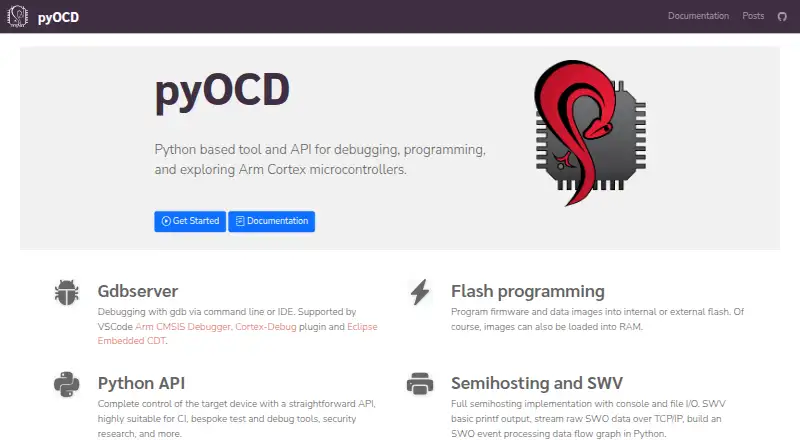
pyOCD is a free Python tool and API for debugging, programming, and exploring Arm Cortex microcontrollers. Its GDB server supports command-line debugging and IDE workflows, including Arm CMSIS Debugger, Cortex-Debug, and Eclipse Embedded CDT. It can write firmware and data images to internal or external flash, or load images into RAM. The Python API controls target devices and can be used in CI or custom test and debug tools. More than 70 common Arm Cortex-M devices have built-in support, with CMSIS Device Family Packs available to extend device support. Other features include semihosting, SWV, CMSIS-Pack management, and probe plug-ins for CMSIS-DAP, Raspberry Pi Picoprobe, SEGGER J-Link, STLink, and remote probes. Probes can be shared over TCP/IP, but remote connections are disabled by default. pyOCD requires Python 3.9 or later and runs on macOS, Linux, FreeBSD, and Windows. It is open source under the Apache 2.0 license.
Who it suits
It suits developers working with Arm Cortex-M microcontrollers who need command-line or IDE debugging, flash programming, or a Python API for CI and custom tools. Its range of operating systems and built-in device support may also suit teams using different supported probes.
What it does well
- GDB server supports command-line and IDE debugging.
- Programs internal or external flash and loads RAM images.
- Built-in support for more than 70 Cortex-M devices.
- Python API can support CI and custom debug tools.
What to know first
- Requires Python 3.9 or later.
- Remote probe connections are disabled by default.
- Unlocking a locked device can erase all chip data.
- CMSIS-Pack support uses one system memory map for all CPUs.
Limits
The CMSIS-Pack implementation supports one system memory map for all CPUs, which can cause conflicts with overlapping or inconsistent regions. Unlocking a locked supported device can require a mass erase, erasing all data on the chip. Remote probe connections are off by default, and enabling them can expose the server to internet nodes without protective measures.
Plans
| Plan | Billed and limits | Price |
|---|---|---|
| pyOCD | Open source project · Apache 2.0 license | Free |
As pyocd.io lists them, read 9 Oct 2026. The maker's own page has the final word.
Getting started
- Install Python 3.9 or later
- Install the latest stable pyOCD package with pip, or use pipx for an isolated installation
- Connect a supported Arm Cortex-M target and debug probe
- Use the GDB server from the command line or a supported IDE
- Use the Python API for device control, CI, or custom debug tools
Overview
pyOCD is a Python-based debugger, firmware programmer, and device-control API for Arm Cortex microcontrollers. It is best suited to embedded developers who want to pair GDB-based debugging with Python automation. Its range of target and workflow options is a strong fit for Cortex-M projects, provided your device’s memory map and security behavior suit the work.
Key features
The GDB server supports command-line debugging and IDE workflows, including Arm CMSIS Debugger, Cortex-Debug, and Eclipse Embedded CDT. That lets teams use familiar debugging front ends while working with a shared tool. pyOCD can program firmware and data images into internal or external flash, or load images into RAM.
The Python API gives developers a way to control targets from CI jobs and build custom test and debug tools. More than 70 common Arm Cortex-M devices have built-in support, with CMSIS Device Family Packs providing another route to target support. Pack management can install packs by device part number. The constraint is that pyOCD supports only one system memory map for all CPUs, which can cause problems when memory regions conflict or overlap.
Debugging extras include semihosting with console and file I/O, basic printf output over SWV, raw SWO streaming over TCP/IP, and Python processing of SWO events. Built-in probe plug-ins support CMSIS-DAP, Raspberry Pi Picoprobe, SEGGER J-Link, STLink, and pyOCD remote. PE Micro Cyclone and Multilink require a separate plug-in, so those probe users have an additional setup requirement.
A server and client can share debug probes over TCP/IP, including in CI configurations. Remote connections are disabled by default; enabling them without protective measures can expose the server to any internet node. Treat remote probe access as a security-sensitive setup, not an automatically safe convenience.
Target security features currently cover NXP Kinetis and Nordic nRF52 families, including built-in and CMSIS-Pack targets. Unlocking a supported locked device can require a mass erase, which erases all data on the chip. That makes pyOCD a poor choice for unlocking when preserving target contents is essential.
Pricing
pyOCD is free: its plan costs nothing and is an open-source project under the Apache 2.0 license. There is no trial to manage, and no paid tier or seat-based price is given. This makes it a straightforward option for individual developers and teams that can work within its supported target and memory-map constraints.
Platforms
pyOCD runs on Linux, macOS, FreeBSD, and Windows and requires Python 3.9 or later. The installation guide recommends installing the stable package with pip and suggests pipx for an isolated installation. Its target platform is Arm Cortex-M microcontrollers; it is not a general-purpose debugger for unrelated processor families.
Who it's for
Choose pyOCD if you work with Arm Cortex-M devices and want GDB access, flash programming, and Python-driven control in one tool, particularly when CI or custom test automation matters. It is also a sensible fit when your device has built-in support or a suitable CMSIS-Pack. Look elsewhere if your device depends on a conflicting per-CPU memory map, your locked target must retain its data during unlocking, or you cannot safely protect remote probe access.
Support channels include GitHub issues and discussions, a public Slack workspace, and a Google Groups mailing list for announcements and news.
Pros and cons
- Pro: GDB support connects command-line and named IDE workflows, letting users keep their preferred front end.
- Pro: The Python API suits CI jobs and custom test or debug tools, extending the tool beyond interactive debugging.
- Pro: Built-in support for more than 70 common Cortex-M devices plus CMSIS-Pack support gives developers multiple paths to target coverage.
- Con: One system memory map for all CPUs can cause problems with overlapping or conflicting regions.
- Con: Unlocking a supported locked target can erase all chip data, making the security feature unsuitable when data must be preserved.
- Con: Remote probe connections can expose the server broadly if enabled without protective measures.
Alternatives
For other debugger options, browse Debuggers. OpenOCD is another free, open-source option distributed through operating-system packages or source code. Choose Black Magic Debug if its JTAG/SWD debugger for embedded microcontrollers fits your setup and you have compatible probe hardware and a suitable toolchain.
GDB is a free, source-available GNU debugger for readers seeking that standalone option. LLDB is another free debugger, with support across Android, iOS, Linux, macOS, and Windows. Choose IDA Pro if you want its free x86-32 and x86-64 disassembly tier with two cloud-based decompilers, or its paid Pro Essential plan at 1099.00 USD. Perl Debugger is included with Perl and requires the program to compile correctly before debugging. PonyDebugger is a free Apache License 2.0 option with an iOS client and gateway server. FlowStorm is a free-and-open-source alternative with no money involved.
Verdict
Choose pyOCD for Arm Cortex-M work when you want GDB debugging, firmware programming, and Python-based automation without a software fee. Its strongest reason to choose it is the combination of familiar GDB integrations and scriptable target control; its strongest reasons to look elsewhere are memory-map conflicts, data-erasing unlocks, or remote-access security needs your setup cannot address.
Verdict
pyOCD combines GDB debugging, flash programming, and Python-based device control for Arm Cortex targets. Check the memory-map and device-security limitations for your setup before relying on those features.
Questions
How much does pyOCD cost?
pyOCD is free. The project is open source under the Apache 2.0 license.
Which operating systems does it run on?
It runs on macOS, Linux, FreeBSD, and Windows, and requires Python 3.9 or later.
Which microcontrollers does it support?
Its target platform is Arm Cortex-M. More than 70 common devices have built-in support, and it can use CMSIS Device Family Packs.
Can it work with IDEs?
Yes. Its GDB server supports IDE debugging, and the site names Arm CMSIS Debugger, Cortex-Debug, and Eclipse Embedded CDT.
Can probes be shared remotely?
Yes. A server and client can share debug probes over TCP/IP. Remote connections are disabled by default.
Where can users get community support?
The project points users to GitHub issues and discussions, a public Slack workspace, and a Google Groups mailing list.
Facts from pyOCD's own pages
- CMSIS-Pack limitations
- The guide says pyOCD currently supports only one system memory map for all CPUs, which can cause issues with conflicting or overlapping regions. · pyocd.io, 8 Oct 2026
- Community support
- The project directs users to GitHub issues and discussions, a public Slack workspace, and a mailing list for announcements and news. · pyocd.io, 8 Oct 2026
- Device support
- More than 70 common Arm Cortex-M devices have built-in support, and additional devices can be accessed through CMSIS Device Family Packs. · pyocd.io, 9 Oct 2026
- Flash programming
- It can program firmware and data images into internal or external flash, and load images into RAM. · pyocd.io, 9 Oct 2026
- GDB debugging
- Its GDB server supports debugging from the command line or IDEs, including VSCode with Arm CMSIS Debugger or Cortex-Debug and Eclipse Embedded CDT. · pyocd.io, 9 Oct 2026
- GDB server
- Its GDB server supports debugging from the command line or an IDE. · pyocd.io, 8 Oct 2026
- IDE integrations
- The site names Arm CMSIS Debugger, Cortex-Debug, and Eclipse Embedded CDT as supported GDB integrations. · pyocd.io, 8 Oct 2026
- Installation
- The stable package is available from PyPI and can be installed or upgraded with pip; the documentation also recommends pipx for an isolated virtual Python environment. · pyocd.io, 9 Oct 2026
- License
- The project code is licensed under Apache 2.0. · pyocd.io, 9 Oct 2026
- Operating systems
- The installation guide says pyOCD runs on macOS, Linux, FreeBSD, and Windows and requires Python 3.9 or later. · pyocd.io, 8 Oct 2026
- Other debug features
- The homepage lists semihosting, SWV, and CMSIS-Pack support among its features. · pyocd.io, 8 Oct 2026
- Pack management
- pyOCD can manage CMSIS-Packs and install them by device part number. · pyocd.io, 9 Oct 2026
- Probe integrations
- Built-in probe plug-ins include CMSIS-DAP, Raspberry Pi Picoprobe, SEGGER J-Link, STLink, and pyOCD remote; PE Micro Cyclone and Multilink support is a separate plug-in. · pyocd.io, 9 Oct 2026
- Purpose
- pyOCD is a Python based tool and API for debugging, programming, and exploring Arm Cortex microcontrollers. · pyocd.io, 9 Oct 2026
- Python API
- The Python API provides control of target devices and is described as suitable for CI, bespoke test and debug tools, and security research. · pyocd.io, 9 Oct 2026
- Remote access security
- The probe server disallows remote connections by default; enabling them may expose the server to any internet node unless protective measures are used. · pyocd.io, 8 Oct 2026
- Remote probe access
- A server and client allow debug probes to be shared and accessed over TCP/IP, including for CI configurations. · pyocd.io, 8 Oct 2026
- Security limitation
- Unlocking a locked device can require a mass erase and erases all data on the chip. · pyocd.io, 8 Oct 2026
- Security support
- The security guide lists NXP Kinetis and Nordic nRF52 families as currently supported for target security features. · pyocd.io, 8 Oct 2026
- Semihosting and SWV
- Features include semihosting with console and file I/O, SWV basic printf output, raw SWO streaming over TCP/IP, and Python SWO event processing. · pyocd.io, 9 Oct 2026
- Support
- The project directs users to GitHub issues and discussions, a public Slack workspace, and a Google Groups mailing list. · pyocd.io, 9 Oct 2026
- Supported systems
- pyOCD requires Python 3.9 or later and runs on macOS, Linux, FreeBSD, and Windows. · pyocd.io, 9 Oct 2026
- Target security
- The documented security features currently support NXP Kinetis and Nordic Semiconductor nRF52 target families, including built-in and CMSIS-Pack targets. · pyocd.io, 9 Oct 2026
- Unlocking limitation
- Unlocking a locked supported device typically requires a mass erase, which erases all data on the chip. · pyocd.io, 9 Oct 2026
Where pyOCD stands on Freedom251
- Debuggers#10 of 27