
CUDA-GDB
What CUDA-GDB is
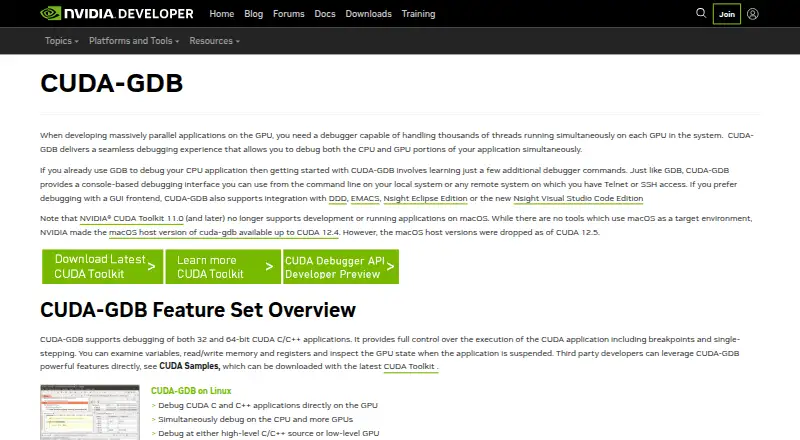
CUDA-GDB is NVIDIA’s debugger for CUDA applications running on Linux and QNX. It lets developers debug CPU and GPU code together within one application, including programs using the CUDA driver API, runtime API, or both. It supports CUDA C/C++ and Fortran; Fortran debugging is limited to 64-bit Linux. Developers can set breakpoints, step through applications, and inspect or change thread memory and variables. The debugger handles kernels built for specific CUDA architectures as well as kernels compiled at runtime with JIT compilation. Its features include source-level and GPU-assembly debugging, conditional breakpoints, memory-access violation detection, autostep, multiple sessions, and automatic breaks on kernel launches. Remote debugging is available for x86 and ARM. The command-line debugger can run locally or remotely over Telnet or SSH, and NVIDIA lists DDD, EMACS, Nsight Eclipse Edition, and Nsight Visual Studio Code Edition as GUI integrations. NVIDIA supplies CUDA-GDB through CUDA Toolkit, which it presents as free developer tools. CUDA Toolkit 11.0 and later no longer supports development or running applications on macOS, and NVIDIA dropped the macOS host version of cuda-gdb as of CUDA 12.5.
Who it suits
CUDA-GDB suits developers debugging CUDA applications on Linux or QNX who need to inspect CPU and GPU code in the same application. It can also suit teams that use its command line locally or remotely, or one of NVIDIA’s listed GUI integrations.
What it does well
- Debugs CPU and GPU code together in one application.
- Supports CUDA C/C++ and Fortran applications.
- Provides source-level and GPU-assembly debugging.
- Supports conditional breakpoints and memory-access violation detection.
- Can debug kernels compiled for an architecture or at runtime with JIT.
- Offers remote debugging for x86 and ARM.
What to know first
- Fortran debugging is limited to 64-bit Linux.
- CUDA Toolkit 11.0 and later no longer supports development or running applications on macOS.
- The macOS host version of cuda-gdb was dropped as of CUDA 12.5.
Limits
Fortran debugging is limited to 64-bit Linux. CUDA Toolkit 11.0 and later no longer supports development or running applications on macOS, and the macOS host version of cuda-gdb was dropped as of CUDA 12.5.
Getting started
- Get CUDA Toolkit, through which NVIDIA provides CUDA-GDB as part of its free developer tools.
- Use the command-line debugger locally or connect remotely over Telnet or SSH.
- Set breakpoints, step through the application, and inspect or modify thread memory and variables.
- If you prefer a GUI, use one of the listed integrations: DDD, EMACS, Nsight Eclipse Edition, or Nsight Visual Studio Code Edition.
Verdict
Choose CUDA-GDB if you are working on CUDA applications in Linux or QNX and need to debug CPU and GPU code together. Consider another tool if your development or application environment depends on macOS, which is no longer supported by current CUDA Toolkit releases.
Questions
What does CUDA-GDB cost?
NVIDIA presents CUDA Toolkit as free developer tools and provides CUDA-GDB through the toolkit.
Which platforms does CUDA-GDB support?
It is a debugger for CUDA applications running on Linux and QNX. macOS development and application support ended with CUDA Toolkit 11.0 and later, and the macOS host version of cuda-gdb was dropped as of CUDA 12.5.
Which programming languages does it support?
It supports CUDA C/C++ and Fortran applications. Fortran debugging is limited to 64-bit Linux.
Can it debug CPU and GPU code together?
Yes. It supports simultaneous debugging of CPU and GPU code within the same application.
Can I use a graphical interface?
NVIDIA lists DDD, EMACS, Nsight Eclipse Edition, and Nsight Visual Studio Code Edition as GUI integrations.
Does it support remote debugging?
Yes. The command-line debugger can run remotely over Telnet or SSH, and NVIDIA lists remote debugging for x86 and ARM.
Facts from CUDA-GDB's own pages
- CPU and GPU debugging
- It supports simultaneous debugging of CPU and GPU code within the same application. · docs.nvidia.com, 8 Oct 2026
- CUDA APIs
- It supports applications using the CUDA driver API, runtime API, or both. · docs.nvidia.com, 8 Oct 2026
- Current release features
- The CUDA-GDB 13.4 release notes list CUDA RPC.LO and RPC.HI register access, bindless constant address lookup, and improved barrier information and breakpoint-condition errors. · docs.nvidia.com, 8 Oct 2026
- Debugging controls
- It supports breakpoints, single-stepping, and inspecting or modifying thread memory and variables. · docs.nvidia.com, 8 Oct 2026
- Debugging features
- The product page lists source and GPU assembly debugging, conditional breakpoints, memory access violation detection, autostep, and automatic breaks on kernel launches. · developer.nvidia.com, 8 Oct 2026
- Download and pricing
- NVIDIA presents CUDA Toolkit as free developer tools and provides CUDA-GDB through the toolkit; the opened pages do not state a standalone CUDA-GDB price. · developer.nvidia.com, 8 Oct 2026
- Execution controls
- Users can set breakpoints, single-step applications, and inspect or modify thread memory and variables. · docs.nvidia.com, 8 Oct 2026
- Feature set
- NVIDIA lists source-level and GPU-assembly debugging, conditional breakpoints, memory-access violation detection, autostep, multiple sessions, and remote debugging for x86 and ARM. · developer.nvidia.com, 8 Oct 2026
- Founded
- 1993 · developer.nvidia.com, 28 Sept 2026
- GUI integrations
- The product page lists DDD, EMACS, Nsight Eclipse Edition, and Nsight Visual Studio Code Edition as GUI frontend integrations. · developer.nvidia.com, 8 Oct 2026
- Headquarters
- Santa Clara, California, United States · developer.nvidia.com, 28 Sept 2026
- Interfaces
- The command-line debugger can run locally or remotely over Telnet or SSH, and NVIDIA lists DDD, EMACS, Nsight Eclipse Edition, and Nsight Visual Studio Code Edition as GUI integrations. · developer.nvidia.com, 8 Oct 2026
- Kernel builds
- It supports kernels compiled for specific CUDA architectures and kernels compiled at runtime with JIT compilation. · docs.nvidia.com, 8 Oct 2026
- Kernel compilation
- It can debug kernels compiled for specific CUDA architectures as well as kernels compiled at runtime with JIT compilation. · docs.nvidia.com, 8 Oct 2026
- Languages
- It supports CUDA C/C++ and Fortran applications, with Fortran debugging limited to 64-bit Linux. · docs.nvidia.com, 8 Oct 2026
- macOS limit
- CUDA Toolkit 11.0 and later no longer supports development or running applications on macOS; the macOS host version of cuda-gdb was dropped as of CUDA 12.5. · developer.nvidia.com, 8 Oct 2026
- macOS support
- NVIDIA states that CUDA Toolkit 11.0 and later no longer supports development or running applications on macOS, and CUDA-GDB macOS host versions were dropped as of CUDA 12.5. · developer.nvidia.com, 8 Oct 2026
- Purpose
- CUDA-GDB is NVIDIA’s debugger for CUDA applications running on Linux and QNX. · docs.nvidia.com, 8 Oct 2026
- Remote debugging
- The feature list includes remote debugging for x86 and ARM. · developer.nvidia.com, 8 Oct 2026
- Security-related capability
- CUDA-GDB release notes state that debugging with Confidential Compute mode is supported with devtools mode. · docs.nvidia.com, 8 Oct 2026
- Support
- NVIDIA directs users with CUDA Tools questions to [email protected]. · developer.nvidia.com, 8 Oct 2026
- Support contact
- NVIDIA directs users with CUDA Tools questions or difficulties to [email protected]. · developer.nvidia.com, 8 Oct 2026
Where CUDA-GDB stands on Freedom251
- Debuggers#12 of 27