Freedom251 › Boot Manager Software
Plop Boot Manager
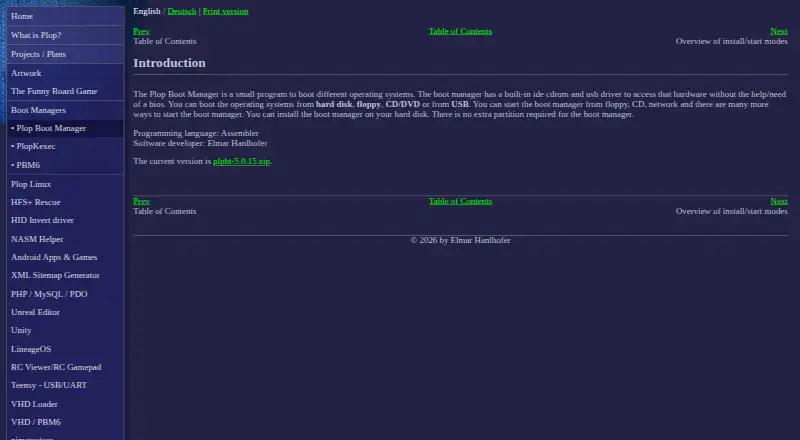
What Plop Boot Manager is
Plop Boot Manager is a free program for selecting and booting different operating systems. It can start systems from a hard disk, floppy, CD/DVD, USB device, or network. Its built-in USB driver can boot USB devices without BIOS USB boot support, while its IDE CD/DVD driver can start optical media without BIOS support. Installation in the hard disk’s first sectors before the first partition does not require another partition. It can also start from LILO, Syslinux, GRUB, GRUB4DOS, GRUB2, Windows boot.ini, or Windows BCD, through PXELINUX over a network, or as a BIOS option ROM. Configuration includes operating system profiles, up to 16 partitions, partition hiding, a boot countdown, and text or graphical interfaces. Password protection is available for the computer and its setup. The maker says it can access USB hard disks up to 2 TB even when the BIOS limit is 128 GiB. It is free for personal and commercial use, but may not be sold. The listed release is version 5.0.15, dated 2013-04-15. Settings cannot be saved when it is started from plpbt.bin instead of installed to the MBR. It is provided as-is without warranty.
Who it suits
Plop Boot Manager may suit people who need to boot operating systems from different media or work around missing BIOS boot support. Its profiles and partition controls may also suit users managing multiple boot options.
What it does well
- Boots from hard disk, floppy, optical media, USB, or network.
- USB and optical drivers can work without BIOS support.
- Can install before the first partition without adding one.
- Offers text and graphical interfaces.
What to know first
- The listed release is dated 2013-04-15.
- Settings cannot be saved when started from plpbt.bin.
- Provided as-is without warranty.
Limits
When started from plpbt.bin instead of installed to the MBR, boot manager settings cannot be saved. The software is provided as-is without express or implied warranty.
Plans
| Plan | Billed and limits | Price |
|---|---|---|
| Plop Boot Manager 5 | Free for personal and commercial use · May not be sold · Provided as-is without warranty | Free |
As plop.at lists them, read 7 Oct 2026. The maker's own page has the final word.
Getting started
- Visit https://www.plop.at/en/bootmanager/intro.html.
- Choose an available launch route, such as installing it in the disk’s first sectors before the first partition.
- Alternatively, launch it through a supported boot manager, PXELINUX, or as a BIOS option ROM.
- Configure operating system profiles, partitions, boot countdown, and interface options as needed.
- Install it to the MBR if you need settings to be saved.
Overview
Plop Boot Manager is a small boot utility for starting operating systems from local drives, optical discs, USB devices or a network. It suits people who need boot options their BIOS does not provide, especially USB or CD/DVD boot on older systems. Its broad boot-source and integration support is useful, but the listed release is dated 2013 and the way it is launched affects whether settings can be saved.
Key features
Plop’s built-in USB driver can start USB devices without BIOS USB boot support, using UHCI, OHCI and EHCI. Its IDE CD/DVD driver likewise supports optical boot without BIOS support. That makes it a practical option when firmware lacks these boot paths, rather than a general-purpose modern boot-management suite.
It can boot from hard disks, floppy disks, CDs/DVDs, USB and network. Installation in the disk’s first sectors before the first partition avoids creating an extra partition. It can also be launched from LILO, Syslinux, GRUB, GRUB4DOS, GRUB2, Windows boot.ini or Windows BCD; PXELINUX network startup and storage as a BIOS option ROM add further deployment choices.
Configuration includes operating-system profiles, up to 16 partitions, partition hiding, a boot countdown, and text or graphical interfaces. Password protection covers the computer and its setup. The maker also says Plop can access USB hard disks up to 2 TB despite a BIOS limit of 128 GiB. These options give experienced users ways to shape a boot menu and work around firmware constraints, but starting from plpbt.bin rather than installing to the MBR prevents saving boot-manager settings.
Pricing
Plop Boot Manager 5 is free: free. The license permits personal and commercial use, and free inclusion in non-profit products, but the software may not be sold. There is no paid tier or trial to compare. It is provided as-is without express or implied warranty, and the authors disclaim liability for damages arising from its use.
The download page lists version 5.0.15, dated 2013-04-15. That release date is an important consideration for anyone choosing a boot utility for current hardware or relying on ongoing maintenance.
Platforms
Plop is listed for Linux and Windows, with BIOS support, multiboot support, boot-entry editing and boot-menu customization. Its documented integrations span Linux boot managers and Windows boot configuration, while the USB and optical drivers specifically address missing BIOS boot support.
Who it's for
Choose Plop if you need to boot USB or optical media on a BIOS-limited machine, or want a boot manager that can be added alongside common Linux and Windows boot loaders without another partition. Its profile, partition-hiding and password features also suit users who want more control over startup choices.
Look elsewhere if you need a recent listed release, or if your setup requires saving configuration while launching from plpbt.bin. The warranty disclaimer also makes it a poor fit for users who require an explicit warranty.
Pros and cons
- Pro: Built-in USB and IDE CD/DVD drivers can enable booting without corresponding BIOS support.
- Pro: Multiple installation and launch routes, including installation before the first partition and integration with several Linux and Windows boot managers, offer flexibility without an extra partition.
- Pro: Free for personal and commercial use, with no charge for the listed plan.
- Con: Settings cannot be saved when launched from plpbt.bin instead of installed to the MBR.
- Con: The listed 5.0.15 release dates to 2013-04-15, which may give pause to users seeking a more recently listed version.
- Con: The software comes without express or implied warranty, and its authors disclaim liability for resulting damages.
Alternatives
Boot-US is worth comparing if you want a freemium option with a free plan for private PCs and public schools, or a paid one-PC license at 24.50 USD billed once. Clover Bootloader is a free alternative with Linux, macOS and Windows platform listings and a BSD 2-Clause license that permits source and binary redistribution. Launchpad is listed as a free choice for open-source software projects, with Canonical Ltd. identified in its site copyright notice. OpenCore is a free option with a public open-source repository under the BSD-3-Clause license.
rEFInd is another free alternative if an EFI-based computer is the right fit; its binaries are for x86, x86-64 and ARM64, and it uses GPL version 3. SARDU MultiBoot Creator has free registered and standard plans for personal, non-commercial use, with remote automatic updates included in the registered plan. Super Grub2 Disk is a free alternative. SYSLINUX is free under GNU GPL version 2 or later. Browse Boot Manager Software for more options.
Verdict
Plop Boot Manager is a strong fit for technically capable users trying to boot USB or optical media on BIOS-limited systems, with a useful range of boot-loader integrations and no license cost. Its dated listed release, inability to save settings when run from plpbt.bin, and no-warranty terms are clear reasons to choose another option if those constraints matter more than its firmware workarounds.
Verdict
Plop Boot Manager offers several boot methods and configuration options at no charge. Note the listed release date, the plpbt.bin settings limitation, and the absence of a warranty.
Questions
How much does Plop Boot Manager cost?
It is free for personal and commercial use. It may not be sold.
What can it boot from?
It can boot operating systems from hard disk, floppy, CD/DVD, USB, or network.
Which operating systems or platforms does it support?
It is listed as multiplatform, with Linux and Windows among its platforms.
Can it boot USB without BIOS USB support?
Yes. Its built-in USB driver supports UHCI, OHCI, and EHCI for booting USB devices without BIOS USB boot support.
Can settings be saved when it starts from plpbt.bin?
No. Settings cannot be saved when it is started from plpbt.bin instead of installed to the MBR.
What is the listed release?
The download page lists Plop Boot Manager 5.0.15, dated 2013-04-15.
Facts from Plop Boot Manager's own pages
- Boot manager integrations
- It can start from LILO, Syslinux, GRUB, GRUB4DOS, GRUB2, Windows boot.ini, and Windows BCD. · plop.at, 7 Oct 2026
- Boot media
- It can boot operating systems from hard disk, floppy, CD/DVD, USB, or network. · plop.at, 7 Oct 2026
- Configuration
- Features include operating system profiles, support for up to 16 partitions, partition hiding, boot countdown, and text and graphical interfaces. · plop.at, 7 Oct 2026
- Current listed release
- The download page lists Plop Boot Manager 5.0.15 dated 2013-04-15. · plop.at, 7 Oct 2026
- Installation
- It can be installed in the hard disk's first sectors before the first partition, without requiring an extra partition. · plop.at, 7 Oct 2026
- License
- The software is free for personal and commercial use, may not be sold, and may be included free in non-profit products. · plop.at, 7 Oct 2026
- Network and BIOS integration
- It can start over a network with PXELINUX or be stored as a BIOS option ROM. · plop.at, 7 Oct 2026
- Optical media support
- Its built-in IDE CD/DVD driver can boot optical media without BIOS support. · plop.at, 7 Oct 2026
- Password protection
- The boot manager provides password protection for the computer and its setup. · plop.at, 7 Oct 2026
- Purpose
- Plop Boot Manager is a small program for booting different operating systems. · plop.at, 7 Oct 2026
- Support contact
- The contact page provides a form for sending Elmar Hanlhofer a message. · plop.at, 7 Oct 2026
- Usage limitation
- When started from plpbt.bin instead of installed to the MBR, boot manager settings cannot be saved. · plop.at, 7 Oct 2026
- USB disk limit
- The maker says it can access USB hard disks up to 2 TB even when BIOS has a 128 GiB limit. · plop.at, 7 Oct 2026
- USB support
- Its built-in USB driver can boot USB devices without BIOS USB boot support, using UHCI, OHCI, and EHCI. · plop.at, 7 Oct 2026
- Warranty
- The software is provided as-is without express or implied warranty, and the authors disclaim liability for damages arising from its use. · plop.at, 7 Oct 2026
Where Plop Boot Manager stands on Freedom251
- Boot Manager Software#14 of 29