Freedom251 › Boot Manager Software
QEFI Entry Manager
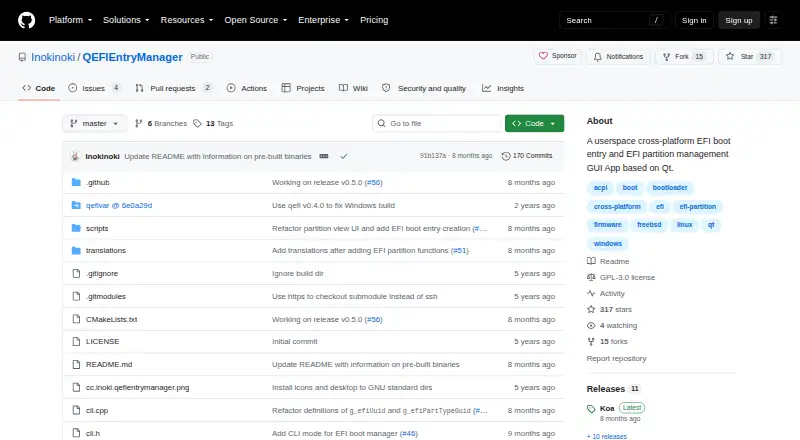
What QEFI Entry Manager is
QEFI Entry Manager is a free Qt graphical application for managing EFI boot entries and EFI system partitions. It lets users change the boot order, add or import entries, and select which entry runs on the next reboot, either immediately or later. Individual entries can be enabled, disabled, deleted, or opened to inspect their properties.
The partition tools let users mount or unmount EFI partitions, open them, and move, rename, or copy files. The app can also create a boot entry from an EFI application file on a partition; the project describes this as a beta feature that may not work on every system. A command-line tool for manipulating EFI entries was added in version 0.5.0.
The project provides downloads for Windows and Linux, including Arch Linux packages through AUR and archlinuxcn and prebuilt downloads for other Linux distributions. It also says the app works natively with FreeBSD. Managing EFI entries requires root or sudo on Linux and administrator privileges on Windows. The repository identifies the project as GPL-3.0 licensed and names the maker as Inokinoki, also shown as Inoki.
Who it suits
QEFI Entry Manager suits Linux and Windows users who need to inspect or change EFI boot entries and manage EFI partition files. It may also suit users of FreeBSD, which the project says it supports natively.
What it does well
- Change boot order and choose the next boot entry.
- Add, import, enable, disable, or inspect entries.
- Mount EFI partitions and manage their files.
- Includes a command-line tool for manipulating EFI entries.
- Free and licensed under GPL-3.0.
What to know first
- Requires root or sudo on Linux and administrator access on Windows.
- Creating entries from EFI application files is a beta feature.
- Prebuilt binaries are not provided for some older Ubuntu versions or ARM and aarch64.
Limits
Creating a boot entry from an EFI application file is marked beta and may not work on all systems. Prebuilt binaries are not provided for older Ubuntu releases such as 16, 18, and 20, or for architectures such as ARM and aarch64.
Plans
| Plan | Billed and limits | Price |
|---|---|---|
| QEFI Entry Manager | GPL-3.0 licensed; requires administrator privileges to manage EFI entries | Free |
As github.com lists them, read 4 Oct 2026. The maker's own page has the final word.
Getting started
- Download the application from its GitHub project.
- On Arch Linux, use the listed AUR or archlinuxcn package route, or use the prebuilt downloads for other Linux distributions.
- On Windows, use the prebuilt download.
- Run with root or sudo on Linux, or as administrator on Windows.
- Use the graphical app to manage entries and partitions, or use the command-line tool added in version 0.5.0.
Verdict
Choose QEFI Entry Manager if you need a free utility for editing EFI entries and working with EFI partition files on Linux or Windows. Its native FreeBSD support may also suit FreeBSD users. Look elsewhere if you need entry creation from an EFI file to be a dependable feature across systems, since the project labels it beta.
Questions
Is QEFI Entry Manager free?
Yes. It is free and the repository identifies its license as GPL-3.0.
Which operating systems does it support?
The project lists Linux and Windows and says the app works natively with FreeBSD.
What can it do with boot entries?
It can change boot order, add or import entries, select the next boot entry, and enable, disable, delete, or inspect entries.
Does it manage EFI partition files?
Yes. It can mount or unmount and open EFI partitions, and move, rename, or copy their files.
Does it require administrator privileges?
Yes. It requires root or sudo on Linux and administrator privileges on Windows.
Who makes QEFI Entry Manager?
The GitHub profile identifies the maker as Inokinoki, also shown as Inoki.
Facts from QEFI Entry Manager's own pages
- Boot entries
- Users can change boot order, add or import entries, and set the next boot entry for a later or immediate reboot. · github.com, 4 Oct 2026
- Build limits
- Prebuilt binaries are not provided for older versions such as Ubuntu 16, 18, and 20 or for other architectures such as ARM and aarch64. · github.com, 4 Oct 2026
- CLI
- The v0.5.0 release adds a command-line tool for manipulating EFI entries. · github.com, 4 Oct 2026
- Entry controls
- Boot entries can be enabled, disabled, deleted, or opened to view detailed properties. · github.com, 4 Oct 2026
- Entry creation
- The app can create an EFI boot entry from an EFI application file on a partition; the README labels this a beta feature that may not work on all systems. · github.com, 4 Oct 2026
- FreeBSD
- A release note says the app works natively with FreeBSD and later notes a fix for FreeBSD volume mounting. · github.com, 4 Oct 2026
- License
- The repository identifies its license as GPL-3.0. · github.com, 4 Oct 2026
- Linux distribution support
- The README lists Arch Linux packages through AUR and archlinuxcn and prebuilt downloads for other Linux distributions. · github.com, 4 Oct 2026
- Maker identity
- The GitHub profile identifies the maker as Inokinoki, also shown as Inoki. · github.com, 4 Oct 2026
- Partition tools
- Users can mount or unmount EFI partitions, open them, and move, rename, or copy their files. · github.com, 4 Oct 2026
- Permissions
- The app must run with root or sudo on Linux and as administrator on Windows. · github.com, 4 Oct 2026
- Purpose
- A Qt GUI for managing EFI boot entries and EFI system partitions. · github.com, 4 Oct 2026
- Windows support
- The README provides prebuilt downloads for Windows and says to run the app as administrator, normally through UAC. · github.com, 4 Oct 2026
Where QEFI Entry Manager stands on Freedom251
- Boot Manager Software#15 of 29