Freedom251 › Boot Manager Software
Super Grub2 Disk
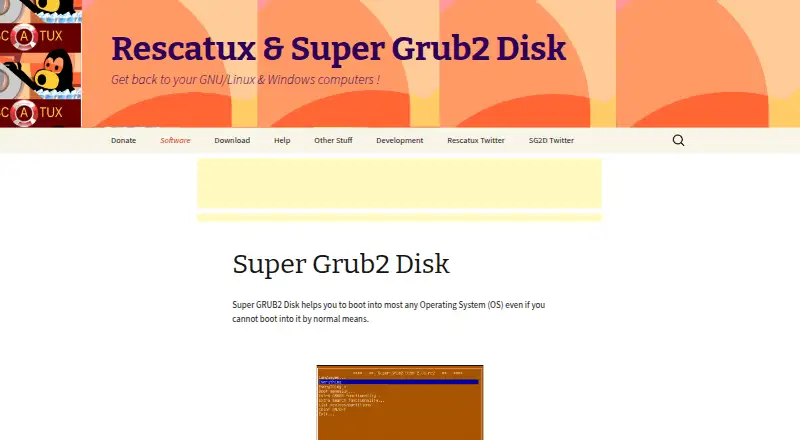
What Super Grub2 Disk is
Super Grub2 Disk is a free boot utility for cases where an operating system will not start normally. Its Everything option detects most operating systems; Everything plus broadens the search to special devices or filesystems. Manual boot choices include operating systems, GRUB2 and GRUB legacy configuration files, core.img, and bootable ISOs. The listed targets include Windows, GNU/Linux, FreeBSD, EFI files, and Mac OS X/Darwin. Extra GRUB2 functions include LVM, RAID, PATA, encrypted LUKS and geli volumes, and serial terminal support. It can boot from USB devices and CD-ROMs. Downloads include USB and CD-ROM images, standalone EFI images, and source code. The stable download page describes its recommended multi-architecture USB image as Secure Boot enabled and its classic USB image as Secure Boot non enabled. Checksums are published for release files. The stable page lists version 2.06s4, dated July 30, 2024. The interface offers Spanish, German, French, Italian, and Malay translations, and documentation and a forum are linked for usage help.
Who it suits
It may suit users trying to start an operating system that will not boot normally, including those who need manual boot options or support for multiple operating systems. Documentation and a forum are linked for help.
What it does well
- Automatic detection searches for most operating systems.
- Manual boot options include configurations, core.img, and ISOs.
- Supports USB and CD-ROM boot media.
- Includes LVM, RAID, and encrypted-volume functionality.
- Release files have published checksums.
What to know first
- Floppy support is listed only for version 1.98s1.
- Secure Boot status differs between the two USB images.
- Stable release listed is dated July 30, 2024.
Plans
| Plan | Billed and limits | Price |
|---|---|---|
| Super Grub2 Disk | Free software download · USB, CD-ROM, or standalone EFI images | Free |
As supergrubdisk.org lists them, read 4 Oct 2026. The maker's own page has the final word.
Getting started
- Visit the Super Grub2 Disk website.
- Choose a USB, CD-ROM, or standalone EFI image from the stable downloads.
- Check the published MD5, SHA1, or SHA256 checksum for the release file.
- Use the selected image as boot media for the machine.
- Consult the linked documentation or forum if you need usage help.
Verdict
Super Grub2 Disk offers automatic detection and manual boot choices across several operating systems and media types. Choose the download image based on its listed Secure Boot status and your boot needs.
Questions
How much does Super Grub2 Disk cost?
It is free software, and the listed plan costs nothing.
Which operating systems can it help boot?
The site lists Windows, GNU/Linux, FreeBSD, EFI files, and Mac OS X/Darwin.
What boot media are available?
Supported media include USB devices and CD-ROMs. Downloads also include standalone EFI images; floppy support is listed for version 1.98s1 only.
Does it support Secure Boot?
The stable download page describes the recommended multi-architecture USB image as Secure Boot enabled and the classic USB image as Secure Boot non enabled.
Is the source code available?
Yes. The stable download page offers source code alongside USB, CD-ROM, and standalone EFI images.
Who operates the site?
The site's Impressum names Adrian Gibanel Lopez as operator and says the website is a non-commercial project with no commercial interests.
Facts from Super Grub2 Disk's own pages
- Automatic detection
- Its Everything option detects most operating systems, and Everything plus also searches special devices or filesystems. · supergrubdisk.org, 4 Oct 2026
- Boot media
- Supported media include CD-ROM and USB devices; floppy support is listed for version 1.98s1 only. · supergrubdisk.org, 4 Oct 2026
- Downloads
- The stable download page offers USB bootable images, CD-ROM bootable images, standalone EFI images, and source code. · supergrubdisk.org, 4 Oct 2026
- Hardware architectures
- The site lists hybrid ISO support for i386, x86_64, and x86_64-efi, plus standalone EFI and additional architecture builds. · supergrubdisk.org, 4 Oct 2026
- Languages
- The interface can change language and the site lists Spanish, German, French, Italian, and Malay translations. · supergrubdisk.org, 4 Oct 2026
- Maker
- The site's Impressum names Adrian Gibanel Lopez as site operator and says the website is a non-commercial project with no commercial interests. · supergrubdisk.org, 4 Oct 2026
- Manual boot
- Manual boot options include operating systems, GRUB2 and GRUB legacy configuration files, core.img, and bootable ISOs. · supergrubdisk.org, 4 Oct 2026
- Operating systems
- The site lists support for Windows, GNU/Linux, FreeBSD, EFI files, and Mac OS X/Darwin. · supergrubdisk.org, 4 Oct 2026
- Purpose
- Super GRUB2 Disk helps boot operating systems that cannot boot by normal means. · supergrubdisk.org, 4 Oct 2026
- Release date
- The stable download page lists Super Grub2 Disk 2.06s4 dated July 30, 2024. · supergrubdisk.org, 4 Oct 2026
- Secure Boot
- The stable download page describes the recommended multi-architecture USB image as Secure Boot enabled and the classic USB image as Secure Boot non enabled. · supergrubdisk.org, 4 Oct 2026
- Storage features
- Extra GRUB2 functionality includes LVM, RAID, PATA, encrypted LUKS and geli volumes, and serial terminal support. · supergrubdisk.org, 4 Oct 2026
- Support
- The product page links to documentation and a forum for discussing how to use the tool. · supergrubdisk.org, 4 Oct 2026
- Verification
- The stable download page publishes MD5, SHA1, and SHA256 checksums for release files. · supergrubdisk.org, 4 Oct 2026
Where Super Grub2 Disk stands on Freedom251
- Boot Manager Software#16 of 29