Freedom251 › Boot Manager Software
EasyBCD
What EasyBCD is
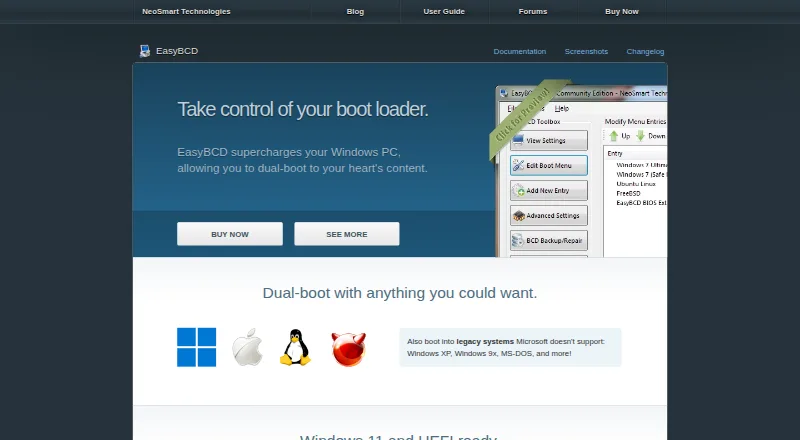
EasyBCD is a Windows bootloader editor for setting up dual-boot configurations and managing startup entries. It can configure systems involving Windows, Linux, macOS and BSD, and can boot from or into USB drives, ISO images and virtual disks. Users can add, rename, remove, configure and reorder boot-menu entries, including entries for recovery utilities or safe mode. The software also offers options to back up and repair the bootloader, and NeoGrub scripting can support more complex setups such as hiding partitions or changing active flags. It supports BIOS and UEFI systems. Personal, non-commercial use is free; commercial use costs $39.99 one time. NeoSmart advises care when changing boot settings and states that EasyBCD cannot fix a PC that will not boot, directing users to EasyRE for that situation. The latest release listed in the changelog is EasyBCD 2.4.0.237, dated November 28, 2018.
Who it suits
EasyBCD suits Windows users configuring multiboot setups or changing boot-menu entries. Its free plan is for personal, non-commercial use; commercial users have a separate one-time license.
What it does well
- Configures boot setups involving Windows, Linux, macOS and BSD.
- Boots from USB drives, ISO images and virtual disks.
- Edits and reorders boot entries.
- Supports BIOS and UEFI systems.
- Free for personal, non-commercial use.
What to know first
- Cannot fix a PC that will not boot.
- Commercial use costs $39.99 one time.
- Latest listed release dates to November 28, 2018.
- Bootloader changes require care.
Limits
The free plan is limited to personal, non-commercial use and has limited community support, with no early access to new features. EasyBCD cannot fix a PC that will not boot.
Plans
| Plan | Billed and limits | Price |
|---|---|---|
| Non-commercial | Personal, non-commercial use · Limited, community support · No early access to new features | Free |
| Commercial | Priority technical support · Enterprise and professional Windows editions · PDF instruction manual · Automatic upgrades to new releases | $39.99, paid once |
As neosmart.net lists them, read 28 Sept 2026. The maker's own page has the final word.
Getting started
- Visit the EasyBCD website.
- Download EasyBCD for Windows.
- Choose the free plan for personal, non-commercial use, or the $39.99 USD one-time Commercial plan.
- Use the boot-menu tools to add or configure entries for the operating systems or boot sources you need.
Verdict
EasyBCD provides detailed boot-entry editing, multiboot configuration and bootloader repair options for Windows systems. It is not the tool for a PC that cannot boot, and NeoSmart advises caution when modifying boot settings.
Questions
Is EasyBCD free?
Yes. The Non-commercial plan is free for personal, non-commercial use.
How much does the Commercial plan cost?
It costs $39.99 USD once.
Which operating systems can it configure in a multiboot setup?
EasyBCD can configure dual boots involving Windows, Linux, macOS, and BSD.
Does EasyBCD support BIOS and UEFI?
Yes. It supports both BIOS and UEFI systems.
Can it repair a PC that will not boot?
No. NeoSmart says EasyBCD cannot fix a PC that will not boot and directs users to EasyRE.
Who makes EasyBCD?
It is made by NeoSmart Technologies, a private software research and development firm.
Facts from EasyBCD's own pages
- Boot menu editing
- Users can add, rename, remove, configure, and reorder boot entries. · neosmart.net, 28 Sept 2026
- Boot sources
- EasyBCD can boot from and into USB drives, ISO images, and virtual disks. · neosmart.net, 28 Sept 2026
- Download history
- The EasyBCD product page states that the software has had over 25,000,000 downloads. · neosmart.net, 28 Sept 2026
- Founded
- 2004 · neosmart.net, 28 Sept 2026
- Headquarters
- Chicago, Illinois, United States · neosmart.net, 28 Sept 2026
- Maker
- NeoSmart Technologies says it is a private software research and development firm serving consumers, small and medium businesses, and OEMs or computer manufacturers. · neosmart.net, 28 Sept 2026
- NeoGrub
- NeoGrub scripting can hide partitions, change active flags, and create complex boot scenarios. · neosmart.net, 28 Sept 2026
- Notable limit
- NeoSmart says EasyBCD cannot fix a PC that will not boot and directs users to EasyRE for that purpose. · neosmart.net, 28 Sept 2026
- Operating systems
- The product page says EasyBCD can configure dual boots involving Windows, Linux, macOS, and BSD. · neosmart.net, 28 Sept 2026
- Privacy
- NeoSmart says it does not store personally identifying information about pages visited or referral sites, and says it does not store credit card data. · neosmart.net, 28 Sept 2026
- Purpose
- EasyBCD is a Windows bootloader editor and dual-boot configurator. · neosmart.net, 28 Sept 2026
- Recovery options
- EasyBCD can create boot entries for recovery utilities or safe mode. · neosmart.net, 28 Sept 2026
- Support
- NeoSmart directs technical support inquiries to its support forums and says premium technical support may be purchased through sales. · neosmart.net, 28 Sept 2026
- Troubleshooting
- The product page says EasyBCD can troubleshoot Windows and back up and repair the bootloader. · neosmart.net, 28 Sept 2026
- Update status
- The latest release listed in NeoSmart’s changelog is EasyBCD 2.4.0.237, dated November 28, 2018. · neosmart.net, 28 Sept 2026
- Use caution
- NeoSmart describes EasyBCD as a powerful bootloader modification tool and advises users to use it with care. · neosmart.net, 28 Sept 2026
Where EasyBCD stands on Freedom251
- Boot Manager Software#10 of 29