Freedom251 › Windows Compatibility Layers
PlayOnLinux
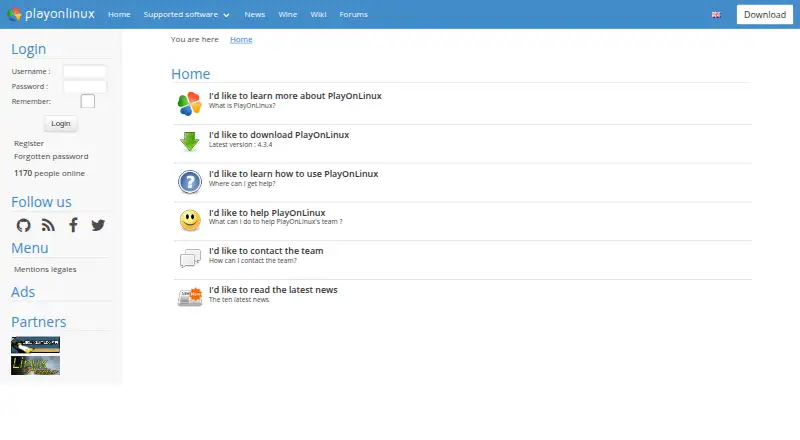
What PlayOnLinux is
PlayOnLinux lets users install and run many games and applications designed for Microsoft Windows on GNU/Linux and macOS. It is based on Wine and aims to make Wine easier to use; a Windows license is not required. The project describes the software as free, and its listed plan costs nothing. PlayOnLinux uses Bash and Python, and listed capabilities include prefix management, a compatibility database and DXVK graphics acceleration. Not every Windows game or application is supported, though a manual installation module is available. The project also reports occasional performance decreases, which can mean less-fluid images or less-detailed graphics. The website lists version 4.3.4 as its latest release. Installation options include a generic tar.gz package and instructions for Arch Linux, Debian, Fedora, Frugalware and Ubuntu. Users can seek help through documentation and forums or contact the team by email. The project wiki includes tutorials, installation-script guides, command and API documentation, and advanced topics.
Who it suits
PlayOnLinux suits Linux and macOS users who want to try Windows games or applications without owning a Windows license. It may also suit users willing to consult compatibility information or use manual installation when needed.
What it does well
- Runs many Windows games and applications on Linux and macOS.
- Does not require a Windows license.
- Free software with a listed price of $0.
- Includes prefix management and a compatibility database.
- Documentation, forums and email support are available.
What to know first
- Not all games and applications are supported.
- The project reports occasional performance decreases.
- Website lists version 4.3.4 as the latest release.
Limits
The free plan notes that not all games are supported and that performance may occasionally decrease, including less-fluid images or less-detailed graphics.
Plans
| Plan | Billed and limits | Price |
|---|---|---|
| PlayOnLinux | Not all games are supported · occasional performance decrease | Free |
| Free | Windows games and applications via Wine · manual installation module · Linux and macOS packages | Free |
As playonlinux.com lists them, read 2 Oct 2026. The maker's own page has the final word.
Getting started
- Choose the generic tar.gz package or follow the instructions for your distribution.
- Supported installation instructions are listed for Arch Linux, Debian, Fedora, Frugalware, and Ubuntu.
- Consult the compatibility database for a game or application.
- Use the manual installation module if an item is not covered.
- Refer to the documentation, forums, or project wiki for guidance.
PlayOnLinux is a free application manager for running Windows games and programs on Linux and macOS. It suits users willing to check compatibility and accept some configuration uncertainty. Its main advantage is a simpler route into Wine; its limits are uneven support and occasional performance loss.
Overview
PlayOnLinux uses Wine to install Windows software without requiring a Windows license, while taking on some of Wine’s complexity. A compatibility database and prefix management can help users assess programs and organize their configurations, but neither guarantees that a particular game or application will work.
For unsupported titles, a manual installation module provides another route, though success is not assured. The project’s current release is version 4.3.4. It is built with Bash and Python and relies mainly on WineHQ, with acknowledgements to ScummVM and DOSBox.
Key features
Compatibility and configuration
The compatibility database gives users a starting point for checking software before spending time on setup. Prefix management helps keep configurations distinct, which is useful when working with multiple programs. PlayOnLinux also supports DXVK graphics acceleration, but that does not remove the project’s stated performance caveat: some programs may show less-fluid images or less-detailed graphics.
Installation and support resources
Packages include a generic tar.gz archive, with distribution-specific instructions for Arch Linux, Debian, Fedora, Frugalware, and Ubuntu. Documentation and forums offer routes to user support, and the team can be contacted by email. The project wiki covers tutorials, installation-script guides, command and API documentation, and advanced topics; this breadth is useful for users who need to troubleshoot or customize beyond a basic installation.
Pricing
PlayOnLinux is free software. Its PlayOnLinux plan costs nothing and has no trial period to weigh against a paid tier. The free plan includes the application’s Wine-based installation and management features, but it cannot promise support for every game or consistent performance. Users do not need to buy a Windows license to use it.
Platforms
PlayOnLinux supports GNU/Linux and macOS. Distribution-specific installation instructions are provided for several Linux distributions, while macOS is also supported through the PlayOnMac 4 repository. Users on Windows will need a different option.
Who it's for
PlayOnLinux is a sensible choice for Linux or Mac users who want a free way to try Windows applications and games, especially if they value a compatibility database and configuration management. It is less suitable for anyone who needs a guaranteed experience for a particular title, or who cannot tolerate graphics or performance compromises. Checking a program’s compatibility before relying on it is the prudent approach.
Pros and cons
- Pros: Free software and no Windows license requirement keep the cost of trying Windows programs low.
- Pros: Compatibility information and prefix management provide useful ways to assess and organize installations.
- Pros: Manual installation offers an additional route when a program is not supported through the usual options.
- Cons: Not all games are supported, so a desired title may not be usable.
- Cons: Occasional performance decreases can mean less-fluid images or less-detailed graphics.
- Cons: The manual route is not a guarantee, and users may need to turn to documentation, forums, or advanced project resources.
Alternatives
Windows Compatibility Layers and Game Compatibility Layers are useful starting points for comparing options by category. For another free option that spans Linux, macOS, web, and Windows, consider Boxedwine, which is released under GPL v2. Q4Wine is another free, open software option for Linux and macOS. Mac users seeking a free GPL-3.0 alternative can consider Crosswire; for a Mac-focused option, PlayOnMac is free software that requires a supported Windows program. Porting Kit is also free on macOS and installs Windows games and apps using Wineskin. Bottles is a free option for Linux and macOS, while Hangover is free and Linux-only. Users who would rather choose Wine directly can also consider Wine, which is free and supports Linux and macOS.
Verdict
Choose PlayOnLinux if you want a free, Wine-based way to try Windows software on Linux or macOS, with compatibility and prefix tools to guide setup. Look elsewhere if dependable support or consistent graphics performance for a specific program matters more than avoiding a Windows license and managing some setup uncertainty.
Verdict
PlayOnLinux offers a free way to run many Windows applications on Linux and macOS through Wine. Compatibility and performance can vary, so check the project's listed support resources for guidance.
Questions
How much does PlayOnLinux cost?
The project describes it as free software; the listed plan costs nothing.
Does it require a Windows license?
No. Users do not need to own a Windows license to use PlayOnLinux.
Which operating systems are supported?
GNU/Linux and macOS are listed as supported operating systems.
Are all Windows games supported?
No. The project says not all games are supported; a manual installation module is available.
How can I install it?
The download page provides a generic tar.gz package and instructions for Arch Linux, Debian, Fedora, Frugalware, and Ubuntu.
Where can I get help?
Help is available through documentation and forums, and the team can be contacted by email.
Facts from PlayOnLinux's own pages
- 32-bit requirement
- The installation guide says 32-bit Windows programs require 32-bit Wine, and Ubuntu users may need the wine32 and wine32-preloader packages. · wiki.playonlinux.com, 14 Oct 2026
- Changelog
- Version 4.3.4 fixed Wine-version processing, began refactoring, made many windows resizable, removed XQuartz installation on macOS and bundled a newer Wine version. · sources.debian.org, 14 Oct 2026
- Compatibility limit
- Not all games are supported, although the manual installation module can be used. · playonlinux.com, 2 Oct 2026
- Components
- The configuration window can install Wine components and libraries, including Winetricks items. · wiki.playonlinux.com, 14 Oct 2026
- Cost
- The project describes PlayOnLinux as a cost-free solution. · playonlinux.com, 2 Oct 2026
- Current official version
- The official homepage identifies version 4.3.4 as the latest release. · playonlinux.com, 14 Oct 2026
- Current release
- The website lists version 4.3.4 as the latest version. · playonlinux.com, 2 Oct 2026
- Developer resources
- The project wiki includes tutorials, installation-script guides, command and API documentation, and advanced topics. · wiki.playonlinux.com, 2 Oct 2026
- Development install
- The development version is obtained by cloning the POL-POM-4 Git repository, and it runs from the repository rather than installing system-wide. · wiki.playonlinux.com, 14 Oct 2026
- Documentation depth
- The project wiki covers installation, troubleshooting, scripting, Wine management, filesystems, advanced topics and PlayOnLinux 5 development. · wiki.playonlinux.com, 14 Oct 2026
- Download formats
- The download page provides a generic tar.gz package, Debian packages, Arch instructions, Fedora instructions and Ubuntu repository instructions. · playonlinux.com, 14 Oct 2026
- Extensibility
- The repository contains Bash, Python, plugin, script and function directories, while the wiki documents scripting components and functions. · github.com, 14 Oct 2026
- Free software
- The project describes PlayOnLinux as free software. · playonlinux.com, 14 Oct 2026
- Implementation languages
- The official site says PlayOnLinux uses Bash and Python. · playonlinux.com, 14 Oct 2026
- Independent comparison rating
- SourceForge’s comparison page shows PlayOnLinux at 0.0 out of 5 with no submitted reviews. · sourceforge.net, 14 Oct 2026
- Independent listing
- AlternativeTo categorizes PlayOnLinux/PlayOnMac as a free, open-source compatibility-layer tool for Linux and Mac. · alternativeto.net, 14 Oct 2026
- Installation packages
- The download page provides a generic tar.gz package and distribution instructions for Arch Linux, Debian, Fedora, Frugalware, and Ubuntu. · playonlinux.com, 2 Oct 2026
- Installation scripts
- Community-written scripts can configure applications with program-specific settings, and users can submit their own scripts. · playonlinux.com, 14 Oct 2026
- Integrations
- The download page says PlayOnLinux mainly relies on WineHQ and thanks the ScummVM and DOSBox projects. · playonlinux.com, 2 Oct 2026
- Licence
- Launchpad lists the project under the GNU GPL version 3 licence. · launchpad.net, 14 Oct 2026
- License
- PlayOnLinux is free software. · playonlinux.com, 2 Oct 2026
- Limit: Linux Mint reviewers
- Linux Mint reviewers report that PlayOnLinux is outdated, may require python3-pyasyncore, may open with no window and can produce buggy Office or Photoshop installations. · community.linuxmint.com, 14 Oct 2026
- Limit: Pardus reviewers
- Pardus complaints include failure to launch, unavailable components, inability to install external programs and slow operation. · store.pardus.org.tr, 14 Oct 2026
- Maker ownership
- The legal notice identifies Quentin Paris as site owner, publisher, webmaster and data-protection officer. · playonlinux.com, 14 Oct 2026
Where PlayOnLinux stands on Freedom251
- Windows Compatibility Layers#1 of 26
- Game Compatibility Layers#3 of 27