Freedom251 › Windows Compatibility Layers
Cygwin
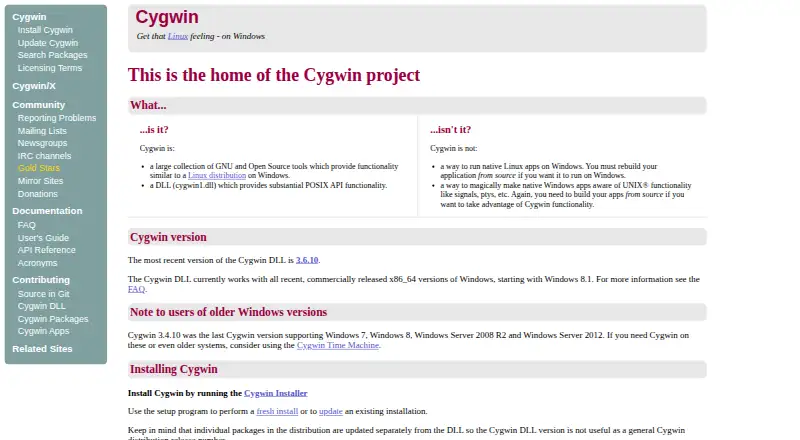
What Cygwin is
Cygwin provides GNU and other open-source tools on Windows through a library that supplies POSIX system calls and an environment. Its distribution offers thousands of installable packages, including GNU and BSD tools, an X server, and X applications. Developers can use its tools, headers, and libraries to write Windows console or GUI applications using parts of the POSIX API, or to port Unix programs. Cygwin programs can be run from shells such as bash, tcsh, and zsh. The recommended installation route is the Cygwin Setup GUI, where users select packages and update them individually. Only a minimal base set is installed by default, taking about 100 MB; additional packages are chosen in Setup. Setup also accepts command-line arguments for automated installation, and users can install from a local package repository without internet access. The current Cygwin DLL supports recent 64-bit Windows versions starting with Windows 8.1; its FAQ also describes x64 emulation on ARM PCs running Windows 11. Cygwin does not run native Linux applications directly: those applications must be rebuilt from source. Cygwin is free to use, with source and binaries free to download. Its tools have varied licenses, while the Cygwin API library is under LGPL version 3 or later.
Who it suits
Cygwin suits Windows users who want GNU and other open-source tools, or developers porting Unix programs and building Windows applications with parts of the POSIX API. It also fits users who want to choose packages individually or automate installation.
What it does well
- Includes thousands of GNU, BSD, and other packages.
- Provides tools, headers, and libraries for Windows application development.
- Supports bash, tcsh, and zsh shells.
- Setup supports automated installs and local repositories without internet access.
- Setup verifies signed metadata and checks package hashes.
What to know first
- Available for Windows only; macOS and Linux are unsupported.
- Native Linux applications must be rebuilt from source to run with Cygwin.
- Only minimal base packages are installed by default.
Limits
The default installation includes only minimal base packages and takes about 100 MB. Cygwin does not run native Linux applications directly; they must be rebuilt from source.
Plans
| Plan | Billed and limits | Price |
|---|---|---|
| Cygwin | Free to use; source and binaries are free to download. · Windows only · installable packages selected individually · does not run native Linux apps without rebuilding from source | Free |
As cygwin.com lists them, read 9 Oct 2026. The maker's own page has the final word.
Getting started
- Visit the Cygwin website.
- Download and run the Cygwin Setup GUI.
- Choose the packages to install; only minimal base packages are selected by default.
- Use Setup later to update individual packages or add more.
- For automated installation, use Setup's command-line arguments, or install from a local package repository.
Verdict
Choose Cygwin if you want a customizable collection of Unix-style tools on Windows or need to port Unix programs. Look elsewhere if you need to run native Linux applications without rebuilding them, or need macOS or Linux support.
Questions
How much does Cygwin cost?
Cygwin is free to use. Its source and binaries are free to download.
Which operating systems does Cygwin support?
Cygwin is for Windows. The current DLL supports recent 64-bit Windows versions starting with Windows 8.1; the FAQ also describes x64 emulation on ARM PCs running Windows 11.
Does Cygwin run Linux applications on Windows?
It does not run native Linux applications directly. Applications must be rebuilt from source to run with Cygwin.
How do I install packages?
The recommended route is the Cygwin Setup GUI, where you select packages and can update them individually. Setup also supports automated installs and installation from a local package repository.
Is Cygwin open source?
The distribution includes open-source tools. Its tools use various licenses, including GPL, public domain, and X11-style licenses; the Cygwin API library is under LGPL version 3 or later.
What is included in the default installation?
Only minimal base packages are installed by default, taking about 100 MB. You can select additional packages in Setup.
Facts from Cygwin's own pages
- Automation and offline use
- Setup accepts command-line arguments for automated installs, and the site documents installing from a local package repository without internet access. · cygwin.com, 9 Oct 2026
- For developers
- Cygwin includes tools, headers, and libraries for writing Windows console or GUI applications using parts of the POSIX API and for porting Unix programs. · cygwin.com, 9 Oct 2026
- Included software
- The distribution includes thousands of packages, including GNU and BSD tools, an X server, and X applications. · cygwin.com, 9 Oct 2026
- Installation
- The recommended installation method is the Cygwin Setup GUI, which lets users choose packages and update them individually. · cygwin.com, 9 Oct 2026
- Licensing
- Cygwin tools use various licenses, including GPL, public domain, and X11-style licenses; the Cygwin API library is under LGPL version 3 or later. · cygwin.com, 9 Oct 2026
- Not supported
- Cygwin does not run native Linux applications on Windows; applications must be rebuilt from source to run with Cygwin. · cygwin.com, 9 Oct 2026
- Package selection
- Only minimal base packages are installed by default, taking about 100 MB, and users can select additional packages in Setup. · cygwin.com, 9 Oct 2026
- Package updates
- Individual packages are released separately from the Cygwin DLL, so the DLL version is not a general distribution release number. · cygwin.com, 9 Oct 2026
- Security
- Setup verifies signed package metadata and checks downloaded packages against their listed cryptographic hashes; the FAQ says Cygwin uses SHA-512 for setup metadata. · cygwin.com, 9 Oct 2026
- Shells
- Cygwin programs can be used from shells including bash, tcsh, and zsh. · cygwin.com, 9 Oct 2026
- Support
- The project directs users to its FAQ, User's Guide, mailing list archives, and mailing lists for questions and bug reports. · cygwin.com, 9 Oct 2026
- Supported platform
- The current Cygwin DLL supports recent 64-bit Windows versions starting with Windows 8.1; the FAQ also describes x64 emulation on ARM PCs running Windows 11. · cygwin.com, 9 Oct 2026
- What it does
- Cygwin provides GNU and other open source tools on Windows, with a library that supplies POSIX system calls and environment. · cygwin.com, 9 Oct 2026
Where Cygwin stands on Freedom251
- Windows Compatibility Layers#7 of 26