Freedom251 › Windows Compatibility Layers

CrossOver
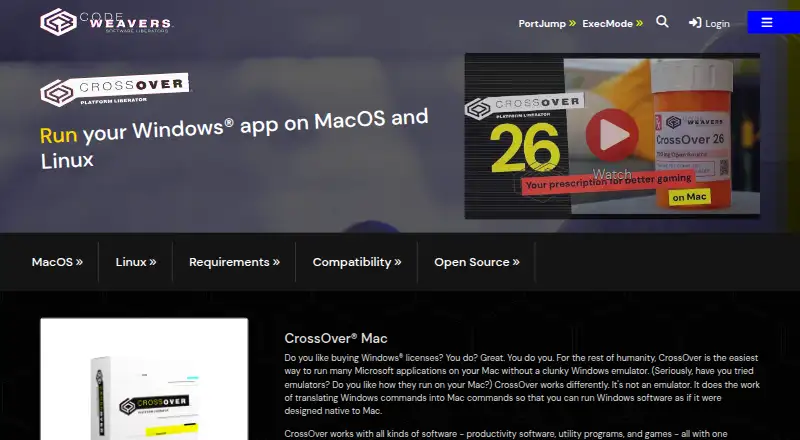
What CrossOver is
CrossOver translates commands from Windows applications so many can run on macOS or Linux without a Windows emulator or Windows OS license. CodeWeavers presents it for productivity software, utility programs, and games, and advertises one-click installation, desktop integration, and running applications without rebooting. A fully functional 14-day trial is free, requires no credit card, and begins at first launch. CrossOver + costs $74 a year and includes 12 months of email and phone support, upgrades, bug fixes, and Preview access. CrossOver Life costs $494, paid once, with no renewal fees, lifetime upgrades and bug fixes, and unlimited email and phone support. The Mac version supports Intel and Apple Silicon Macs and needs at least 1 GB of free disk space; it does not run on iPads or iPhones. Linux has specific hardware, distribution, and software requirements. Compatibility is incomplete, so some Windows applications may have reduced functionality or fail to run. CodeWeavers maintains a Compatibility Center with user reports.
Who it suits
CrossOver may suit Mac or Linux users who need to run Windows productivity software, utilities, or games. It is also relevant to users who want to check application reports before relying on compatibility.
What it does well
- Runs many Windows applications without Windows
- Supports macOS and Linux
- 14-day fully functional trial requires no credit card
- CrossOver Life includes lifetime upgrades and bug fixes
What to know first
- Some applications may have reduced functionality or fail
- Mac version does not run on iPads or iPhones
- Linux installation has specific system dependencies
Limits
The free option lasts 14 days and starts at first launch. Compatibility is incomplete, so some Windows applications may have reduced functionality or may not run.
Plans
| Plan | Billed and limits | Price |
|---|---|---|
| CrossOver Free (14 Day Trial) | Free fully functional 14-day trial | Free |
| CrossOver Free | 14-day trial · Fully functional trial · installed Windows applications are disabled after 14 days | Free |
| CrossOver Life (Lifetime Support) | No renewal fees · Full version · unlimited email and phone support · lifetime upgrades and bug fixes · CrossOver Preview access | $494, paid once |
| CrossOver Life | lifetime support · Full version · no renewal fees · unlimited email and phone support · lifetime upgrades and bug fixes · Preview access | $494, paid once |
| CrossOver + (12 Months Support) | 12 months · Full version · email and phone support for 12 months · upgrades and bug fixes for 12 months · CrossOver Preview access | $74 a year |
| CrossOver + | 12 months support · Full version · email and phone support for 12 months · upgrades and bug fixes for 12 months · Preview access | $74 a year |
As codeweavers.com lists them, read 30 Sept 2026. The maker's own page has the final word.
Getting started
- Open the CrossOver website
- Choose the 14-day trial or a paid plan
- Install CrossOver on a supported Mac or Linux PC
- Launch CrossOver to begin the trial period
- Use one-click installation for a Windows application
- Run the application from the desktop integration
Verdict
CrossOver offers a way to run many Windows applications on Mac and Linux, with a free 14-day trial and paid support options. Compatibility is not complete, and Linux users must meet its stated requirements.
Questions
How much does CrossOver cost?
CrossOver + costs $74 a year, billed for 12 months. CrossOver Life costs $494, paid once with no renewal fees.
Is there a free plan?
There is no ongoing free plan, but a fully functional 14-day trial costs 0.00 USD and requires no credit card.
Which platforms are supported?
CrossOver supports macOS and Linux, including Intel and Apple Silicon Macs. It does not run on iPads or iPhones.
Does CrossOver include support?
The 12-month plan includes email and phone support for 12 months. The lifetime plan includes unlimited email and phone support for life.
Is CrossOver open source?
CodeWeavers says 95% of the Wine code it develops for CrossOver is released back to the Wine project.
Facts from CrossOver's own pages
- Android availability
- CodeWeavers announced that it stopped supporting the old Google Play CrossOver Android beta and directed Chromebook users to the Linux-based product instead. · codeweavers.com, 15 Oct 2026
- Application installer
- For listed applications, CrossOver can download installers and required dependencies automatically when those files are freely available online. · support.codeweavers.com, 15 Oct 2026
- App types
- The product is presented for productivity software, utility programs, and games. · codeweavers.com, 30 Sept 2026
- Bottle environments
- CrossOver places applications in separate bottles containing a Windows-style C: drive, fonts, registry, and program files. · support.codeweavers.com, 15 Oct 2026
- Command-line access
- The Mac guide documents opening a bottle shell with Wine environment variables and running Windows executables through the wine command. · support.codeweavers.com, 15 Oct 2026
- Company headquarters and size
- LinkedIn lists CodeWeavers headquarters in St. Paul, Minnesota, with 51–200 employees and a 1996 founding year. · linkedin.com, 15 Oct 2026
- Company legal name
- Crunchbase identifies the legal entity as CodeWeavers, Inc., a private for-profit company founded by Jeremy White. · crunchbase.com, 15 Oct 2026
- Compatibility database
- CodeWeavers maintains a compatibility center with application-specific ratings, installation recipes, and user-submitted testing information. · codeweavers.com, 15 Oct 2026
- Compatibility limits
- The maker says CrossOver is not complete, so some Windows applications may have reduced functionality or may not run at all. · codeweavers.com, 30 Sept 2026
- Documentation depth
- The support site provides Mac and Linux user guides, troubleshooting, changelogs, compatibility resources, forums, and extensive CrossTie profile documentation. · support.codeweavers.com, 15 Oct 2026
- Extensibility
- CrossTie documentation covers installer profiles, file and application profiles, pre-installation, installation, post-installation, CD, advanced options, examples, and data types. · support.codeweavers.com, 15 Oct 2026
- Founded
- 1996 · codeweavers.com, 23 Sept 2026
- Funding and ownership
- Crunchbase lists CodeWeavers as private and shows no disclosed funding total or completed funding rounds on the accessible profile. · crunchbase.com, 15 Oct 2026
- Gaming support
- CrossOver 26 includes Wine 11, D3DMetal 3.0, DXMT updates, and fixes for numerous current Windows games. · codeweavers.com, 15 Oct 2026
- Graphics backends
- The Mac guide documents selectable Wine, DXVK, D3DMetal, DXMT, and high-resolution graphics modes, plus DLSS through MetalFX. · support.codeweavers.com, 15 Oct 2026
- Headquarters
- St. Paul, Minnesota, USA · codeweavers.com, 23 Sept 2026
- Install and run
- The maker advertises one-click installation, running Windows applications without rebooting, and desktop integration. · codeweavers.com, 30 Sept 2026
- Licence model
- CrossOver is proprietary commercial software; its EULA permits one person per license at a time and restricts reverse engineering, renting, lending, and derivative works. · codeweavers.com, 15 Oct 2026
- Limit: compatibility
- G2 reviewers report that many applications fail, work only partially, or behave oddly, especially when the underlying Wine support is incomplete. · g2.com, 15 Oct 2026
- Limit: documentation and troubleshooting
- One G2 reviewer reports difficult shared-folder setup on newer Linux distributions and says troubleshooting information is hard to locate. · g2.com, 15 Oct 2026
- Limit: upgrade cost
- Multiple G2 reviews criticize paying again for newer versions or features and describe upgrade pricing as expensive relative to Windows or Office licenses. · g2.com, 15 Oct 2026
- Linux performance
- CodeWeavers says CrossOver Linux avoids the overhead of a Windows operating system or virtual machine and runs apps at native speed while maintaining Linux OS integration. · codeweavers.com, 30 Sept 2026
- Linux requirements
- The Linux requirements include an x86-compatible 64-bit PC, glibc at least 2.31, Python at least 3.5, GTK at least 3.18, PyGObject at least 3.20, X.Org with XRender and GLX, and 1 GB of disk space. · codeweavers.com, 15 Oct 2026
- macOS requirements
- The current Mac guide requires an Intel or Apple Silicon Mac running macOS 10.15 or later and at least 1 GB of disk space. · support.codeweavers.com, 15 Oct 2026
Where CrossOver stands on Freedom251
- Windows Compatibility Layers#3 of 26
- Game Compatibility Layers#6 of 27