Freedom251 › Windows Compatibility Layers
Bourbon
What Bourbon is
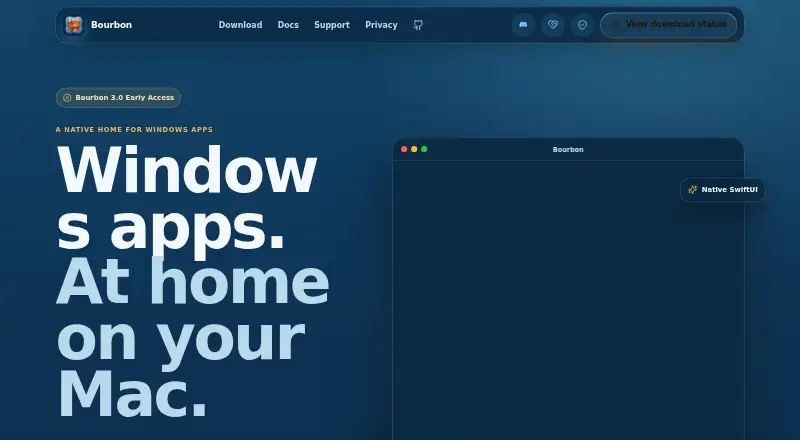
Bourbon is a native macOS app for setting up isolated environments, installing Windows software, and launching it through a managed runtime. Each environment, called a Bottle, keeps its own Windows files, settings, installed apps, and configuration. The app guides users through making a Bottle and selecting an installer without a separate Wine installation. Its installer picker accepts .exe, .msi, .bat, .zip, .rar, .7z, and .iso files, though archive usefulness depends on the software inside. Bourbon manages BourbonWine and downloads the supported runtime when needed. Windows software compatibility varies: some apps or games need extra setup or a different Bottle configuration, and some may not run. The FAQ supports Apple Silicon Macs with an M-series chip running macOS 14 Sonoma or later. Bourbon 3.0 is a limited early-access release, and the download page says a spot is reserved after setup is completed in the app. Users can consult documentation, submit an in-app report, or seek community help in Discord. Its report flow allows review before submission, and the maker says submitted diagnostics redact sensitive details before storage.
Who it suits
Bourbon suits Apple Silicon Mac users on macOS 14 Sonoma or later who want separate environments for Windows apps or games. It may be useful to people comfortable with compatibility varying by software and setup.
What it does well
- Bottles keep app files and settings separate.
- No separate Wine installation is required.
- The runtime downloads automatically when needed.
- Bug reports can be reviewed before submission.
- The app is free.
What to know first
- Windows app and game compatibility varies.
- Some software may not run.
- Version 3.0 is limited early access.
- A download spot requires completing setup in the app.
Limits
Bourbon 3.0 is a limited early-access release. Windows software compatibility varies, and some programs may need extra setup or may not run.
Plans
| Plan | Billed and limits | Price |
|---|---|---|
| Free | Available at no cost · Bourbon 3.0 early access is limited | Free |
As getbourbon.app lists them, read 7 Oct 2026. The maker's own page has the final word.
Getting started
- Visit https://getbourbon.app/.
- Complete setup in the app to reserve a download spot.
- Create a Bottle for the Windows app or game.
- Choose an installer file in a supported format.
- Use the app's managed runtime to launch the software.
Verdict
Bourbon offers a free way to create separate Windows-software environments on supported Apple Silicon Macs. Its limited early-access status and variable compatibility are important considerations.
Questions
How much does Bourbon cost?
Bourbon is free. It has no free trial.
Which Macs does it support?
The FAQ supports Apple Silicon Macs with an M-series chip running macOS 14 Sonoma or later.
What installer formats can I use?
The picker accepts .exe, .msi, .bat, .zip, .rar, .7z, and .iso files. Whether archive contents work depends on the software inside.
Does Bourbon install Wine separately?
No separate Wine installation is required. Bourbon manages BourbonWine and downloads the supported runtime when needed.
How can I get support?
Users can consult the documentation, submit an in-app report, or seek help in the Bourbon Discord.
Facts from Bourbon's own pages
- Availability
- Bourbon 3.0 is described as a limited early-access release, and the download page says a spot is reserved after setup is completed in the app. · getbourbon.app, 7 Oct 2026
- Bottles
- Each Bottle gives an app or game its own Windows files, settings, installed apps, and configuration. · getbourbon.app, 7 Oct 2026
- Compatibility
- Windows app and game compatibility varies; some need extra setup or a different Bottle configuration, and some may not run. · getbourbon.app, 7 Oct 2026
- Installer formats
- The installer picker accepts .exe, .msi, .bat, .zip, .rar, .7z, and .iso files, though whether archive contents work depends on the software inside. · getbourbon.app, 7 Oct 2026
- Privacy
- The maker says submitted diagnostics redact email addresses, tokens, API keys, secrets, passwords, and Bourbon license tokens before storage. · getbourbon.app, 7 Oct 2026
- Purpose
- Bourbon is a native macOS app for creating isolated environments, installing Windows software, and launching it through its managed runtime. · getbourbon.app, 7 Oct 2026
- Report review
- The built-in bug report flow lets users review a report before submission and does not send reports silently. · getbourbon.app, 7 Oct 2026
- Runtime
- Bourbon manages BourbonWine and downloads the supported runtime automatically when needed. · getbourbon.app, 7 Oct 2026
- Setup
- Bourbon guides users through creating a Bottle and choosing a Windows installer without requiring a separate Wine installation. · getbourbon.app, 7 Oct 2026
- Support
- Users can consult documentation, submit an in-app report, or seek community help in the Bourbon Discord. · getbourbon.app, 7 Oct 2026
- System requirements
- The FAQ supports Apple Silicon Macs with an M-series chip running macOS 14 Sonoma or later. · getbourbon.app, 7 Oct 2026
- Updates
- Bourbon uses Sparkle for app updates and also supports updating Homebrew installations with brew upgrade bourbon. · getbourbon.app, 7 Oct 2026
Where Bourbon stands on Freedom251
- Windows Compatibility Layers#4 of 26