Freedom251 › Windows Compatibility Layers
Hangover
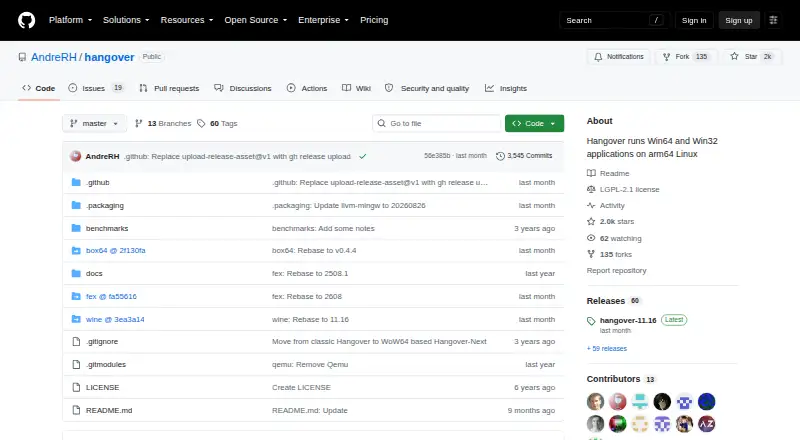
What Hangover is
Hangover is a free Linux project for running Windows applications built for x86_64 or x86_32 on aarch64 Wine. Instead of emulating a complete Wine installation, it uses emulator DLLs for the application. Windows and Wine system calls, along with Unix-related work, run outside the emulator; the project describes this design as enabled by Wine WoW64 support. Applications can also run natively without emulation or 32-bit Unix libraries. For 64-bit applications, Hangover uses the ARM64EC ABI with the FEX emulator.
Its main focus is x86_64 and i386 Windows applications on ARM64 Linux; ARM32 Windows applications on x86_64 Linux are also possible. The README lists FEX and Box64 integrations. GitHub Releases include packages for Debian 11, 12, and 13, and Ubuntu 20.04, 22.04, 24.04, and 25.10; a Termux package repository is also listed. Wayland needs configuration because it is not enabled by default. DXVK requires a Vulkan 1.3 driver with features that may be unavailable on many ARM64 devices. PPC64le is no longer supported.
Who it suits
Hangover suits Linux users who want to run x86_64 or i386 Windows applications on ARM64, or ARM32 Windows applications on x86_64 Linux. It may also suit users who want to build the project themselves, for which build instructions are provided.
What it does well
- Free plan is available.
- Uses emulator DLLs rather than a full Wine installation.
- Windows and Unix-related work runs outside the emulator.
- Packages listed for Debian, Ubuntu, and Termux.
- Build instructions are provided.
What to know first
- Wayland is not enabled by default.
- DXVK may need unavailable ARM64 Vulkan features.
- PPC64le is no longer supported.
- Advanced support is limited to contributors and previous financial supporters.
Limits
PPC64le is no longer supported. Wayland is not enabled by default, and DXVK requires Vulkan 1.3 driver features that may be unavailable on many ARM64 devices.
Getting started
- Open the Hangover GitHub project.
- Choose a package for a listed Debian or Ubuntu version from GitHub Releases, or use the Termux package repository.
- Follow the project's instructions to configure and run Hangover.
- Configure Wayland in place of X11 if you need Wayland.
Verdict
Hangover targets a specific compatibility task: running Windows applications across x86 and ARM Linux systems. Check the listed architecture, graphics, and package requirements before relying on it for a particular setup.
Questions
How much does Hangover cost?
Hangover is free.
Which operating systems does it support?
The listed platform is Linux. Packages are available for Debian 11, 12, and 13 and Ubuntu 20.04, 22.04, 24.04, and 25.10; the README also points to Termux packages.
Which Windows applications can it run?
Its main focus is x86_64 and i386 Windows applications on ARM64 Linux. ARM32 Windows applications can also run on x86_64 Linux.
Which emulator integrations does it list?
The README lists FEX and Box64 integrations. For 64-bit applications, Hangover uses the ARM64EC ABI with FEX.
What license does Hangover use?
The repository is licensed under LGPL-2.1.
Does Hangover support Wayland and DXVK?
Wayland is not enabled by default, and the README documents how to configure it in place of X11. DXVK requires a Vulkan 1.3 driver with certain features that may be unavailable on many ARM64 devices.
Facts from Hangover's own pages
- 64-bit emulation
- For 64-bit applications, Hangover uses the ARM64EC ABI with the FEX emulator. · github.com, 5 Oct 2026
- Additional packages
- The README points to a Termux repository for Termux packages. · github.com, 4 Oct 2026
- Build availability
- The project provides build instructions for users who want to build it themselves. · github.com, 5 Oct 2026
- DXVK requirement
- DXVK requires a Vulkan 1.3 driver with certain features, which may be unavailable on many ARM64 devices. · github.com, 5 Oct 2026
- Emulation
- Hangover uses emulator DLLs to emulate the application rather than an entire Wine installation. · github.com, 4 Oct 2026
- Emulator integrations
- The repository lists FEX and Box64 integrations; QEMU was removed and Blink is not yet part of the repository. · github.com, 5 Oct 2026
- Founded
- 2016 · github.com, 28 Sept 2026
- Graphics
- Wayland is not enabled by default, and the README documents how to enable it instead of X11. · github.com, 5 Oct 2026
- Graphics compatibility
- Wayland is not enabled by default, and the README documents how to configure it in place of X11. · github.com, 4 Oct 2026
- How it works
- It uses emulator DLLs to emulate the application rather than an entire Wine installation. · github.com, 5 Oct 2026
- License
- The repository identifies its license as LGPL-2.1. · github.com, 5 Oct 2026
- Linux packages
- GitHub releases provide Debian packages and the README lists Debian 12 and 13 and Ubuntu 20.04, 22.04, 24.04 and 25.10; Termux packages are available in its repository. · github.com, 5 Oct 2026
- Native execution
- Hangover can run applications natively without emulation, such as ARM64 7-Zip on ARM64. · github.com, 5 Oct 2026
- Performance approach
- Windows/Wine system calls and Unix-related work run outside the emulator, with the project describing this as a performance approach enabled by Wine WoW64 support. · github.com, 4 Oct 2026
- Performance design
- Windows/Wine system calls and Unix-related operations run outside the emulator. · github.com, 5 Oct 2026
- Project status
- The maintainer says they plan to continue releases and updates while investing less time in the project, except for the RISC-V port. · github.com, 4 Oct 2026
- Purpose
- Hangover runs x86_64 and x86_32 Windows applications on aarch64 Wine. · github.com, 5 Oct 2026
- Support
- A Discord server offers advanced user support and development discussions to contributors and previous financial supporters. · github.com, 5 Oct 2026
- Supported use
- Its main focus is x86_64 and i386 Windows applications on ARM64 Linux; ARM32 Windows applications can also run on x86_64 Linux. · github.com, 5 Oct 2026
- Supported workloads
- The main focus is x86_64 and i386 Windows applications on ARM64 Linux, with ARM32 Windows applications on x86_64 Linux also possible. · github.com, 4 Oct 2026
- Unsupported architecture
- PPC64le is no longer supported and the project says it will not be added back in the near future. · github.com, 5 Oct 2026
Where Hangover stands on Freedom251
- Windows Compatibility Layers#14 of 26
- Game Compatibility Layers#19 of 27