Freedom251 › Windows Compatibility Layers
Proton Trainer Launcher
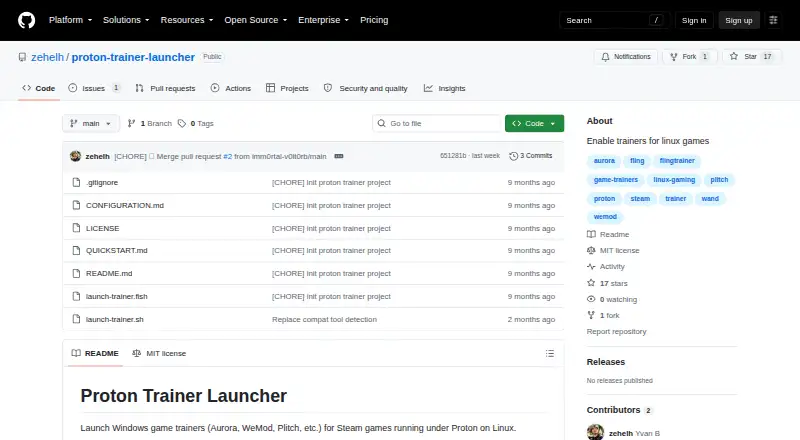
What Proton Trainer Launcher is
Proton Trainer Launcher is a free Linux utility for running Windows game trainers with Steam games that use Proton. It can detect a running Steam game or accept its App ID, then match the Proton version used by that game. Listed Proton options include GE-Proton, Proton Experimental, and CachyOS Proton. Users can choose interactive or manual launch modes and add an optional delay. Aurora is listed as tested; WeMod, Plitch, FLiNG Trainers, and other Windows trainers that attach to game processes are untested or expected to work. Setup requires Linux with Steam, Proton or GE-Proton, and a Windows trainer executable. The project instructs users to download or clone the repository, set the trainer path, make a Bash or Fish script executable, and run it after starting a Steam game. The executable path must be absolute and use Linux path format, including for a trainer in a Proton prefix. The repository identifies the project as MIT licensed. It works only with games running under Proton; native Linux games are unsupported, and some anti-cheat protected games may not work.
Who it suits
It suits Linux Steam players who run games through Proton and want to launch Windows trainers alongside them. Users need a trainer executable and must configure its Linux-format path.
What it does well
- Can detect running Steam games or use an App ID.
- Matches the Proton version used by the game.
- Offers interactive and manual launch modes.
- Free and identified as MIT licensed.
What to know first
- Native Linux games are unsupported.
- Some anti-cheat protected games may not work.
- Most named trainers are untested or expected to work.
- Requires manual path and script setup.
Limits
The launcher works only with games running under Proton, so native Linux games are unsupported. Some games protected by anti-cheat may not work.
Getting started
- Download or clone the repository
- Install Linux with Steam and Proton or GE-Proton
- Provide the Windows trainer executable path in absolute Linux format
- Make the Bash or Fish script executable
- Start a Steam game running through Proton
- Run the launcher script
Verdict
Proton Trainer Launcher offers a free way to pair Windows trainers with Proton games on Linux. Its limits include unsupported native games and uncertain compatibility for several listed trainers.
Questions
What does Proton Trainer Launcher cost?
It is free, with a free plan.
Which platform does it support?
It supports Linux.
What does it launch?
It launches Windows game trainers for Steam games running through Proton.
Can it detect a game automatically?
Yes. It can detect a running Steam game or accept the game’s App ID.
Which trainers are supported?
Aurora is listed as tested. WeMod, Plitch, FLiNG Trainers, and other Windows trainers that attach to game processes are listed as untested or expected to work.
Is the project open source?
The repository identifies the project as MIT licensed.
Facts from Proton Trainer Launcher's own pages
- Configuration
- The trainer path should be absolute and use Linux path format, including the Linux mount point for trainers inside a Proton prefix. · github.com, 9 Oct 2026
- Game detection
- It can automatically detect running Steam games. · github.com, 9 Oct 2026
- Installation
- The project says to clone or download the repository, set the trainer executable path, and make the Bash or Fish script executable. · github.com, 9 Oct 2026
- Known limitations
- It works only with games running under Proton; native Linux games are unsupported and some anti-cheat protected games may not work. · github.com, 9 Oct 2026
- Launch modes
- It offers interactive and manual modes, and can launch a trainer with a delay or a specified Steam App ID. · github.com, 9 Oct 2026
- License
- The repository lists the project under the MIT license. · github.com, 9 Oct 2026
- Limitations
- It only works with games running under Proton; native Linux games are unsupported, and some anti-cheat protected games may not work. · github.com, 8 Oct 2026
- Proton versions
- It matches the Proton version used by a game and supports GE-Proton, Proton Experimental, and CachyOS Proton. · github.com, 9 Oct 2026
- Purpose
- Launches Windows game trainers for Steam games running under Proton on Linux. · github.com, 9 Oct 2026
- Requirements
- It requires Linux with Steam, Proton or GE-Proton, and a Windows trainer executable. · github.com, 9 Oct 2026
- Security and compliance
- The project pages opened provide no security or compliance claims. · github.com, 9 Oct 2026
- Setup
- Users download or clone the repository, set the trainer executable path, make a Bash or Fish script executable, and run it after starting a Steam game. · github.com, 8 Oct 2026
- Support
- The project pages opened provide no support contact or support terms. · github.com, 9 Oct 2026
- Trainer compatibility
- Aurora is listed as tested; WeMod, Plitch, FLiNG Trainers, and Windows trainers that attach to game processes are listed as untested but expected to work. · github.com, 9 Oct 2026
Where Proton Trainer Launcher stands on Freedom251
- Windows Compatibility Layers#16 of 26
- Game Trainers#27 of 30
- Game Compatibility Layers#25 of 27