Freedom251 › Windows Compatibility Layers
MacWrap
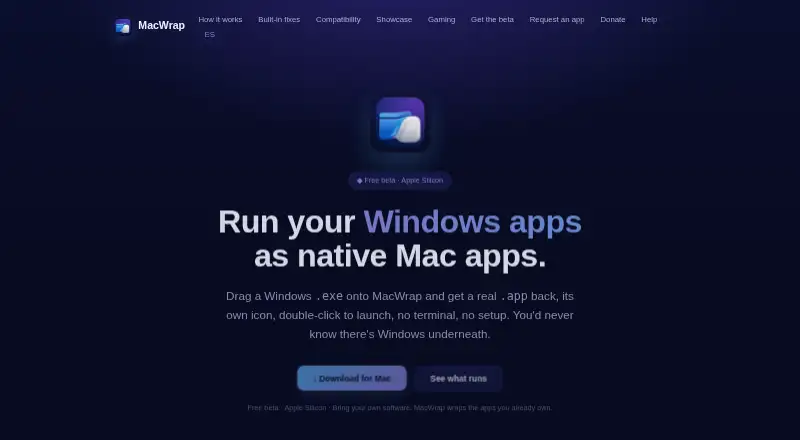
What MacWrap is
MacWrap turns Windows programs into macOS app bundles with individual icons that users can open by double-clicking. It runs an app, checks failures against a fix library, and applies compatible recipes automatically. Its compatibility engine uses a modified build of Wine and Apple's Game Porting Toolkit. The recipe catalog covers issues such as missing runtimes, graphics initialization, fullscreen crashes, Steam overlay problems, and intro-video freezes. MacWrap can connect to Steam and Epic Games to wrap games from a user's library. The maker says single-player DirectX 11 and 12 games without anti-cheat can run, but online anti-cheat titles are marked not playable. Modern WinRT apps, kernel drivers, online anti-cheat, and modern OpenGL 4.x apps are listed as unsupported. An Apple Silicon Mac is required. Wrapping happens locally; the maker says it does not upload or store the software or data inside wrapped apps. The free plan includes generic compatibility and analysis. Premium adds curated recipes, updates, and support for €7.99 a month, renewing automatically until canceled. The app is not yet notarized by Apple, so macOS may show a verification warning on first launch.
Who it suits
MacWrap suits Apple Silicon Mac users who want to run Windows-only games, utilities, or professional software they already own and are licensed to use. Its limits make it unsuitable for users relying on unsupported app types or online anti-cheat games.
What it does well
- Packages Windows programs as clickable macOS app bundles
- Automatically applies compatible fixes
- Connects with Steam and Epic Games
- Free tier includes compatibility analysis
- Wrapping stays local, according to the maker
What to know first
- Requires an Apple Silicon Mac
- Online anti-cheat games are not playable
- Modern WinRT apps and kernel drivers are unsupported
- Not yet notarized; macOS may warn on first launch
Limits
The free tier includes generic compatibility and compatibility analysis. Curated compatibility recipes, recipe updates, and support are included in Premium for €7.99 per month, which renews automatically until canceled.
Plans
| Plan | Billed and limits | Price |
|---|---|---|
| Free | Free tier at no cost · Wrap your own software · generic compatibility · compatibility analysis | Free |
| Premium | €7.99 / month · renews automatically until cancelled · Curated compatibility recipes · recipe updates · support | €7.99 a month |
As macwrap.app lists them, read 7 Oct 2026. The maker's own page has the final word.
Getting started
- Visit the MacWrap website.
- Use an Apple Silicon Mac.
- Choose the free tier for generic compatibility and analysis, or Premium for curated recipes, updates, and support.
- Connect Steam or Epic Games if you want to wrap a game from your library.
- Run the Windows program through MacWrap so it can analyze compatibility and apply matching recipes.
MacWrap turns compatible Windows programs into macOS app bundles, making it a focused option for Apple Silicon users who want to run software they already own. Its automatic compatibility fixes are useful, but they cannot overcome the apps it does not support.
Overview
MacWrap uses a modified build of Wine and Apple’s Game Porting Toolkit. It test-runs software, matches failures to its fix library, and applies compatible recipes. That approach can address problems such as missing runtimes, graphics initialization, fullscreen crashes, Steam overlay issues, and intro-video freezes. It is a practical shortcut when a known fix exists, not a promise that any Windows app will work.
Connections to Steam and Epic Games let users wrap games in their libraries. The maker says single-player DirectX 11 and 12 games without anti-cheat can run, while online anti-cheat titles are not playable. Wrapping happens locally; MacWrap says it does not upload or store the software, games, documents, or data inside wrapped apps. Optional anonymous diagnostics are off by default and, if enabled, include app and macOS versions and anonymous error reports.
There is a notable first-launch caveat: MacWrap is not yet notarized by Apple, so macOS may display a malware verification warning. Users should be comfortable with that warning before choosing the app.
Key features
- Automatic compatibility analysis: MacWrap runs a test and looks for known failures, reducing manual troubleshooting when a compatible recipe is available.
- Curated recipes and updates: Fixes target specific launch and gameplay problems, but their usefulness depends on the software and issue being covered.
- Steam and Epic connections: Wrapping games from either library is convenient for existing owners; it does not extend support to online anti-cheat games.
- Local wrapping: The maker says the process stays on the Mac and wrapped app data is not uploaded or stored by MacWrap.
Pricing
Free — free. The no-cost tier lets users wrap their own software and includes generic compatibility and compatibility analysis. It suits people who want to assess whether a particular app works without paying, but it does not include curated recipes, recipe updates, or support.
Premium — €7.99 a month. This plan adds curated compatibility recipes, recipe updates, and support. It renews automatically until cancelled, so subscribers should account for ongoing monthly billing. Premium is the fit for users who want those curated fixes and support; it does not remove the stated compatibility limits.
Email support replies within 2–3 business days. MacWrap is built by a single developer, which gives the product a clear focus but makes that support window relevant for users who need help quickly.
Platforms
MacWrap supports macOS on Apple Silicon Macs and requires Apple silicon. It does not support Linux. Compatibility limits are substantial: modern WinRT apps, kernel drivers, online anti-cheat, and modern OpenGL 4.x apps are unsupported for now. It is therefore a poor fit for software that depends on those technologies.
Who it's for
MacWrap is best for Apple Silicon owners who want to try Windows-only games, utilities, or professional software they already own and are licensed to use. It is especially relevant to single-player DirectX 11 or 12 games without anti-cheat. It is not a general replacement for Windows, nor a sensible choice for users whose essential apps depend on unsupported APIs, drivers, or anti-cheat.
Pros and cons
Pros
- Automatic test runs and recipe matching can address recurring compatibility failures without requiring users to identify fixes themselves.
- The free tier includes wrapping and compatibility analysis, giving users a way to check their own software before paying for Premium.
- Steam and Epic connections support games users already have in those libraries.
- Wrapping is local, and optional diagnostics are disabled by default.
Cons
- Apple Silicon is required, and several important categories—including WinRT, kernel drivers, modern OpenGL 4.x, and online anti-cheat—are unsupported.
- The app is not notarized yet, so macOS may show a malware verification warning at first launch.
- Curated recipes, updates, and support require a monthly Premium subscription that renews automatically until cancelled.
Alternatives
Windows Compatibility Layers is a broader category to compare when MacWrap’s platform or compatibility limits rule it out.
- Boxedwine is a free, GPL-licensed option for Linux, macOS, web, and Windows users.
- PlayOnLinux is free and supports Linux and macOS, though not all games work and performance can sometimes decrease.
- Crosswire is a free, open-source macOS option under GPL-3.0.
- GE-Proton is a free custom Proton compatibility tool for Linux Steam gaming; it requires compatible Vulkan drivers and packages.
- PlayOnMac is free macOS software for users with a supported Windows program.
- Porting Kit is a free macOS option that installs Windows games and apps using Wineskin.
- Q4Wine is free open software for Linux and macOS, downloadable and installable free of charge in most cases.
- WINE@Etersoft offers a free personal, noncommercial Linux plan for one workstation without technical support.
Verdict
Choose MacWrap if you have an Apple Silicon Mac and want a locally processed way to wrap compatible Windows software you already own, particularly single-player DirectX 11 or 12 games without anti-cheat. Its automatic recipe matching and free analysis make it worth considering before subscribing. Look elsewhere if you need unsupported Windows technologies, online anti-cheat, or an app without the first-launch notarization warning.
Verdict
MacWrap offers a free route to wrapping compatible Windows software, with Premium recipes, updates, and support for €7.99 a month. Check the compatibility limits and first-launch warning before relying on it.
Questions
How much does MacWrap cost?
The Free plan costs nothing. Premium costs €7.99 per month and renews automatically until canceled.
Which Macs can run MacWrap?
An Apple Silicon Mac is required.
Can it wrap games from Steam or Epic Games?
Yes. MacWrap can connect to Steam and Epic Games to wrap games from a user's library.
Which Windows programs are unsupported?
Modern WinRT apps, kernel drivers, online anti-cheat, and modern OpenGL 4.x apps are listed as unsupported for now. Online anti-cheat titles are marked not playable.
Does MacWrap upload software or app data?
The maker says wrapping happens locally and that it does not upload or store the Windows software, games, documents, or data inside wrapped apps. Optional anonymous diagnostics are off by default.
What should I expect when first opening the app?
MacWrap says it is not yet notarized by Apple and that macOS may show a malware verification warning on first launch.
Facts from MacWrap's own pages
- Compatibility engine
- MacWrap uses a modified build of Wine and Apple's Game Porting Toolkit. · macwrap.app, 7 Oct 2026
- Compatibility limits
- Modern WinRT apps, kernel drivers, online anti-cheat, and modern OpenGL 4.x apps are listed as unsupported for now. · macwrap.app, 7 Oct 2026
- Developer
- The maker says MacWrap is built by a single developer. · macwrap.app, 7 Oct 2026
- Diagnostics
- Optional anonymous diagnostics are off by default and include app version, macOS version, and anonymous error reports if enabled. · macwrap.app, 7 Oct 2026
- Fix catalog
- Its curated fix catalog includes recipes for issues such as missing runtimes, graphics initialization, fullscreen crashes, Steam overlay problems, and intro-video freezes. · macwrap.app, 7 Oct 2026
- Gaming support
- The maker says single-player DirectX 11/12 games without anti-cheat can run, while online anti-cheat titles are marked not playable. · macwrap.app, 7 Oct 2026
- How it works
- It test-runs an app, matches failures against a fix library, and applies compatible recipes automatically. · macwrap.app, 7 Oct 2026
- Integrations
- MacWrap can connect to Steam and Epic Games to wrap games from a user's library. · macwrap.app, 7 Oct 2026
- Intended users
- The maker describes MacWrap as a tool for Mac users who want to run Windows-only games, utilities, or professional software they already own and are licensed to use. · macwrap.app, 7 Oct 2026
- Local processing
- The maker says wrapping happens locally and it does not upload or store the Windows software, games, documents, or data inside wrapped apps. · macwrap.app, 7 Oct 2026
- Purpose
- MacWrap packages Windows programs into macOS app bundles with their own icons that can be launched by double-clicking. · macwrap.app, 7 Oct 2026
- Signing status
- MacWrap says the app is not yet notarized by Apple and explains that macOS may show a malware verification warning on first launch. · macwrap.app, 7 Oct 2026
- Support
- The maker says email support replies within 2–3 business days. · macwrap.app, 7 Oct 2026
- System requirement
- An Apple Silicon Mac is required. · macwrap.app, 7 Oct 2026
Where MacWrap stands on Freedom251
- Windows Compatibility Layers#10 of 26