Freedom251 › Statistics Learning Software

Pearson Live Response
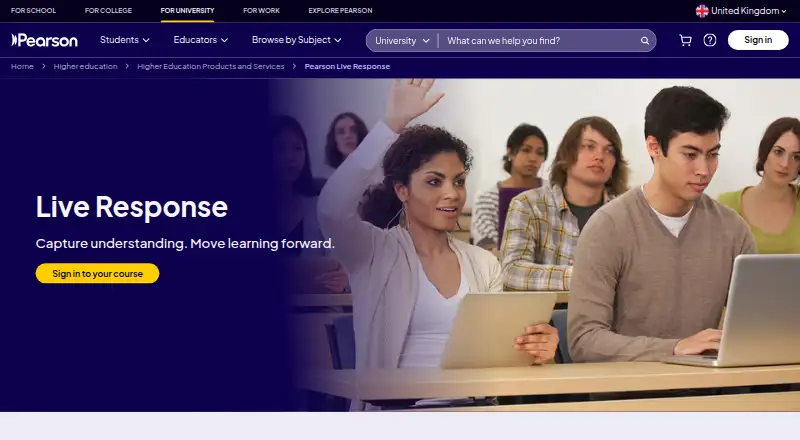
What Pearson Live Response is
Pearson Live Response is a classroom engagement tool that gives instructors real-time insight into student understanding and participation. Instructors can create, reuse, or adapt sessions, use Pearson content, or build questions with a drag-and-drop planner. Formats include multiple choice, written, matching, hotspot, and composite sketch. As students respond, live charts, word clouds, and visual overlays display results. Instructors can pause, discuss, and resend questions during a lesson to see how understanding changes; a scoring slider balances participation and correctness. Geofencing and unique session codes tie participation to the physical classroom. End-of-session reports show class trends, individual responses, and participation levels. Live Response is built into Pearson MyLab and Mastering, and students can join from any device without downloading an app or completing extra setup. Access through MyLab and Mastering is included at no cost. A standalone option is available with pricing on request. Current Learning Catalytics users can continue using their accounts and running sessions, and Pearson offers help planning a transition to Live Response.
Who it suits
It suits instructors who want to ask questions during lessons and review class participation and responses. It may also fit instructors using Pearson MyLab or Mastering, where student access is included.
What it does well
- Shows responses through live charts and word clouds.
- Offers five listed question formats.
- Reports class trends and individual responses.
- Students can join from any device without an app download.
- Included in Pearson MyLab and Mastering.
What to know first
- Standalone pricing is available on request.
- Classroom participation uses geofencing and unique session codes.
Limits
Students using the MyLab and Mastering included-access plan pay no additional charge, listed as free. Standalone pricing is discussed with Pearson; no other plan limits are provided in the facts.
Plans
| Plan | Billed and limits | Price |
|---|---|---|
| MyLab & Mastering included access | No additional charge to students · included in MyLab and Mastering | Free |
| Standalone | Contact Pearson to discuss fit and access · Available as a standalone tool | On request |
As pearson.com lists them, read 9 Oct 2026. The maker's own page has the final word.
Getting started
- Open Pearson Live Response on the web.
- Use included access through Pearson MyLab or Mastering, or contact Pearson about standalone access.
- Create, reuse, or adapt a session, or build questions with the session planner.
- Use Pearson content if desired.
- Have students join from their devices using the session access method.
- Review live responses and the end-of-session report.
Pearson Live Response is a classroom engagement system for instructors who need to see understanding and participation while a lesson is in progress. It fits best in courses already using Pearson MyLab or Mastering, while independent adopters must evaluate a custom-priced standalone arrangement. Its strongest advantage is the combination of varied response formats, immediate visual feedback, and post-class reporting.
Overview
Live Response supports a complete in-class feedback cycle: prepare or adapt a session, collect answers, discuss the results, and check again. Instructors can use Pearson content or build activities with a drag-and-drop session planner, then reuse sessions for later classes. Students join from any device without installing an app or completing additional setup.
The product is deliberately focused on classroom response rather than course administration. That focus is valuable when an instructor wants evidence of comprehension during a lesson, but it will not replace a broader learning environment. Pearson has offered education products since 1844 and is headquartered in London; Live Response is also positioned as the successor path for Learning Catalytics users, who can continue using existing accounts while planning a transition with Pearson.
Key features
- Broad question formats: Multiple-choice, written, matching, hotspot, and composite-sketch questions let instructors test recognition, explanation, relationships, locations, and drawn responses. This supports richer checks than a simple poll, although the tool remains centered on synchronous classroom activity.
- Flexible session building: Instructors can create, reuse, or adapt sessions, draw on Pearson material, and arrange questions by drag and drop. Reusable sessions reduce preparation for recurring classes, while custom construction accommodates lessons that do not follow a supplied sequence.
- Immediate visual feedback: Live charts, word clouds, and visual overlays show responses as they arrive. These views help an instructor identify a misconception while there is still time to address it, rather than discovering the problem after class.
- Teach, discuss, and retest: Questions can be paused, discussed, and sent again. That makes it possible to see whether explanation changes understanding instead of treating the first answer as the final verdict.
- Adjustable scoring: A scoring slider balances participation and correctness. Instructors can therefore choose whether engagement or accuracy should carry more weight for a particular activity.
- Classroom-bound participation: Geofencing and unique session codes connect participation to the physical classroom. This can make attendance and response records more meaningful for on-site teaching, but may be less suitable for classes without a defined location.
- Reports after class: End-of-session reports cover class trends, individual responses, and participation levels. The combination supports both a quick overview and follow-up with particular students.
- Pearson integration and privacy: Live Response is built into MyLab and Mastering. Pearson says it uses technical and organisational safeguards for personal data and regularly reviews its security controls.
Pricing
| Plan | Price | What it means |
|---|---|---|
| MyLab & Mastering included access | free | No additional charge to students; included in MyLab and Mastering. |
| Standalone | Custom pricing | Available as a standalone tool; contact Pearson to discuss fit and access. |
Included access is the clear value case for institutions already paying for MyLab or Mastering: students do not face another Live Response charge. The trade-off is ecosystem dependence. Standalone buyers can use the product outside those platforms, but must speak with Pearson before they can judge the cost or access terms, so it is harder to budget against a fixed-price response system.
Platforms
Live Response runs on the web. Students can participate from any device through a browser, with no app download or extra setup.
Who it's for
It is a strong match for higher-education instructors who already use Pearson MyLab or Mastering and want structured, real-time checks during class. It also suits teachers who need more than multiple-choice polling, or who want reports that distinguish class trends from individual participation. Instructors teaching remotely or seeking a complete learning-management platform should assess the geofenced, classroom-oriented design and look elsewhere if those constraints conflict with their teaching model.
Pros and cons
Pros
- Included student access through MyLab and Mastering removes an extra student fee.
- Five response formats, including written and composite sketch, support varied assessment prompts.
- Charts, word clouds, overlays, retesting, and adjustable scoring connect live teaching decisions with participation records.
- Browser access avoids student installation and setup friction.
Cons
- Standalone pricing is custom, so independent buyers cannot compare a published rate in advance.
- Geofencing and session codes favor physical classrooms over less location-bound teaching.
- Its scope is classroom response and reporting, not a full course platform.
Alternatives
For a broader directory of classroom response tools, see Student Response Systems. If the priority is virtual experimentation rather than live classroom polling, Beyond Labz offers a free instructor-access plan and paid chemistry access across Android, iOS, macOS, web, and Windows. ChemCollective Virtual Lab is a fully free option for educators and students who need installable virtual chemistry activities.
Molecular Workbench is preferable when free, open-source science modeling is the goal. PraxiLabs provides a one-month free plan with three simulations and paid monthly access for users wanting guided virtual labs. LabXchange, Amrita Virtual Lab, and Science Remote Laboratory are free alternatives for broader remote-learning or laboratory exploration. Inq-ITS is the better comparison for schools needing student-count-based district plans and a free trial.
Verdict
Choose Pearson Live Response if you teach with MyLab or Mastering and want varied, discussion-ready questions with live visual feedback and useful participation reports. Look elsewhere if you need transparent standalone pricing, a general learning platform, or a tool designed primarily for remote rather than physical-classroom participation.
Verdict
Live Response gives instructors several ways to gather and review student responses during class, with reports for after the session. Student access is included through MyLab and Mastering; standalone buyers need to discuss pricing with Pearson.
Questions
How much does Pearson Live Response cost?
Access through MyLab and Mastering is included at no additional charge, listed as free. Standalone pricing is discussed with Pearson.
Is there a free plan?
Yes. Students have included access through MyLab and Mastering at no additional charge.
Which platform does it support?
The listed platform is web.
Does Live Response integrate with Pearson products?
It is built into Pearson MyLab and Mastering.
What question formats can instructors use?
Formats include multiple choice, written, matching, hotspot, and composite sketch.
What happens to current Learning Catalytics users?
They can continue accessing their accounts and running sessions. Pearson offers help planning a transition to Live Response.
Facts from Pearson Live Response's own pages
- Anonymous responses
- Yes · pearson.com, 23 Sept 2026
- Classroom participation
- Geofencing and unique session codes tie participation to the physical classroom. · pearson.com, 9 Oct 2026
- Founded
- 1844 · pearson.com, 28 Sept 2026
- Headquarters
- London, United Kingdom · pearson.com, 28 Sept 2026
- In-class feedback
- Instructors can pause, discuss, and resend questions during a lesson to see how understanding changes. · pearson.com, 9 Oct 2026
- Integrations
- Live Response is built into Pearson MyLab and Mastering. · pearson.com, 9 Oct 2026
- Legacy product
- Current Learning Catalytics users can continue accessing their accounts and running sessions, and Pearson offers help planning a transition to Live Response. · pearson.com, 9 Oct 2026
- Live polling
- Yes · pearson.com, 23 Sept 2026
- Live results
- Live charts, word clouds, and visual overlays display student responses as they are submitted. · pearson.com, 9 Oct 2026
- Purpose
- Live Response is a classroom engagement tool that gives instructors real-time insight into student understanding and participation. · pearson.com, 9 Oct 2026
- Question types
- Question types include multiple choice, written, matching, hotspot, and composite sketch. · pearson.com, 9 Oct 2026
- Reports
- End-of-session reports show class trends, individual student responses, and participation levels. · pearson.com, 9 Oct 2026
- Scoring
- A scoring slider lets instructors balance participation and correctness. · pearson.com, 9 Oct 2026
- Security and privacy
- Pearson's privacy principles say it protects personal data with technical and organisational safeguards and regularly reviews its security policies, procedures, and controls. · pearson.com, 9 Oct 2026
- Session setup
- Instructors can create, reuse, or adapt sessions, use Pearson content, or build questions with a drag-and-drop session planner. · pearson.com, 9 Oct 2026
- Slide integrations
- Yes · pearson.com, 23 Sept 2026
- Student access
- Students can join from any device without downloading an app or completing extra setup. · pearson.com, 9 Oct 2026
- Support
- Pearson offers educator support and invites instructors to contact an expert about Live Response. · pearson.com, 9 Oct 2026
Where Pearson Live Response stands on Freedom251
- Statistics Learning Software#5 of 40
- Virtual Lab Software#9 of 27
- Anatomy Learning Software#19 of 43
- Digital Textbook Platforms#13 of 28
- Audience Response Systems#62 of 118
- Student Response Systems#24 of 45
- Biology Learning Software#13 of 24
- History Learning Apps#18 of 26