Freedom251 › Virtual Lab Software
Molecular Workbench
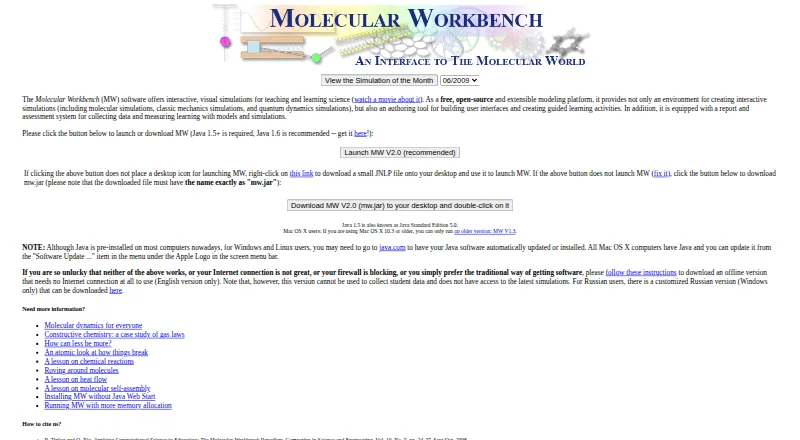
What Molecular Workbench is
Molecular Workbench is a free tool for designing and conducting computational experiments across science. Its interactive learning environment supports science inquiry, and its authoring system lets instructional designers create and publish curriculum materials built around models and simulations. Users can customize existing simulations or make their own, with topics such as gas laws, fluid mechanics, chemical reactions, genetics, and quantum phenomena. Activities can include assessments, collect student data, monitor learning, and provide teacher feedback. Simulations can also be embedded in blogs, wikis, or web pages. The browser edition uses HTML5, while an offline version is available but cannot access the latest simulations or collect student data. Downloads are listed for Windows, Mac OS X, and Linux and require Java Runtime Environment 1.5 or later. The maker notes that the software needs considerable computing power and may take time to launch while the Java virtual machine starts. Molecular Workbench is developed and maintained by the Concord Consortium.
Who it suits
Molecular Workbench suits science educators and instructional designers who want to create or adapt simulation-based learning activities. Its assessment and student-data features may suit teachers monitoring learning.
What it does well
- Free and open-source.
- Users can customize or create simulations.
- Activities can include embedded assessments.
- Simulations can be embedded in web pages.
- Browser edition uses HTML5.
What to know first
- Offline version cannot access the latest simulations.
- Offline version cannot collect student data.
- Downloads require Java Runtime Environment 1.5 or later.
- Maker says it needs considerable computing power.
Limits
The offline version cannot access the latest simulations or collect student data. Downloaded versions require Java Runtime Environment 1.5 or later; commercial reuse of Concord.org materials requires permission from the Concord Consortium.
Plans
| Plan | Billed and limits | Price |
|---|---|---|
| Molecular Workbench | Free and open-source | Free |
| Molecular Workbench Free | Free · Core software and learning materials · Java desktop and browser editions | Free |
As mw.concord.org lists them, read 29 Sept 2026. The maker's own page has the final word.
Getting started
- Visit the Molecular Workbench website.
- Choose the browser edition or download for Windows, Mac OS X, or Linux.
- For a download, ensure Java Runtime Environment 1.5 or later is available.
- Customize a simulation or create one for a curriculum activity.
- Embed a simulation in a blog, wiki, or web page if needed.
Overview
Molecular Workbench is a science modeling and curriculum-authoring tool for teachers, learners, and instructional designers. Its particular strength is pairing customizable experiments with inquiry activities and assessment tools across several science subjects. It is a strong fit for educators building simulation-led lessons; those who need an offline workflow with current content and student-data collection should look elsewhere.
Key features
Experiments and curriculum authoring
Users can adapt existing simulations or create their own, while instructional designers can build and publish curriculum materials around models and simulations. That makes Molecular Workbench more than a library of ready-made demonstrations: it can support educators who want to shape activities to their teaching goals. Simulations can also be embedded in blogs, wikis, and web pages, giving teachers a way to place experiments within existing online materials.
Inquiry and assessment
The interactive environment is designed to support science inquiry. Activities can include assessments, track student learning, collect student data, and give teachers feedback. Those tools make the software relevant to classroom instruction as well as individual exploration, although the offline version cannot collect student data.
Broad science coverage
Topics range from gas laws, fluid mechanics, and states of matter to chemical reactions, genetics, protein synthesis, and quantum phenomena. This breadth suits cross-subject science programs better than a tool focused on one narrow topic. The HTML5 browser version brings interactive computational experiments to web browsers; the offline version trades access to the latest simulations and student-data collection for use without a browser connection.
Pricing
Molecular Workbench is free and open-source: the Molecular Workbench plan costs nothing. There is no free trial because no paid entry plan is required. A free plan makes it practical for educators and learners to explore the tool without a subscription commitment, while the published plan includes experiment authoring, assessment tools, a teacher dashboard, and LMS integration.
The main cost is not monetary but technical. The maker says the software needs considerable computing power and may start slowly while the Java Virtual Machine launches. The downloadable version requires Java Runtime Environment 1.5 or later. Concord.org materials may be reused with attribution for noncommercial purposes; commercial use requires permission from the Concord Consortium.
Platforms
The platform is listed for Linux, macOS, web, and Windows. The download page names Windows, Mac OS X, and Linux and specifies the Java requirement. The separate HTML5 browser version provides a route to interactive experiments on the web. The maker also notes a security check: the application verifies that mw.jar has not been renamed, as a safeguard against malicious code being added to an MW page.
Who it's for
Molecular Workbench is best suited to science teachers and instructional designers who want to customize experiments, develop simulation-based curriculum, and include assessments or student feedback. Its range of subjects also suits learners moving among physical and life science topics. It is a weaker choice for users on underpowered computers, or for teachers whose offline lessons must use the newest simulations and collect student data.
Pros and cons
Pros
- Broad subject range: topics extend from fluid mechanics and chemical reactions to genetics and quantum phenomena, supporting cross-subject teaching.
- Authoring and customization: users can create or adapt simulations and publish curriculum materials, rather than relying only on fixed activities.
- Classroom-oriented tools: assessments, student-data collection, learning monitoring, teacher feedback, a teacher dashboard, and LMS integration support instructional use.
- No purchase price: the free and open-source plan lowers the barrier to adoption.
Cons
- Offline limitations: the offline version cannot access the latest simulations or collect student data, limiting its usefulness for current, data-informed classroom work.
- Computing and Java demands: the maker warns of considerable computing needs and potentially slow startup, and downloads require Java Runtime Environment 1.5 or later.
Alternatives
Virtual Lab Software and Chemistry Simulation Software are category directories for comparing other options.
- Beyond Labz is worth considering for a chemistry-focused option with an always-free instructor access plan and a one-time Chemistry plan.
- ChemCollective Virtual Lab is another free choice for educators and students, with access across mobile, desktop, and web platforms.
- PraxiLabs may suit users seeking a paid virtual-lab option with a one-month free plan covering three simulations and basic real-time guidance.
- LabXchange is a free educational-resource platform for learners and educators.
- Amrita Virtual Lab offers free access under its Nodal Centre Program.
- Inq-ITS is an alternative with tiered school and district plans based on student numbers, including district-wide and multi-year options.
- VRLab Academy is a paid alternative described with more than 240 experiments, instructor access, learner management, and LMS integration.
- WebLab-Deusto is an open-source alternative under the BSD 2-Clause license.
Verdict
Choose Molecular Workbench if you want a free, adaptable science-simulation environment for building inquiry activities and pairing them with classroom assessment tools. Its breadth and authoring capabilities are compelling for educators working across subjects. Look elsewhere if offline access must include the newest experiments and student-data collection, or if Java and computing demands are a concern.
Verdict
Molecular Workbench combines science simulations with tools for curriculum authoring and learning activities. Users should note the offline version’s limits and the stated computing and Java requirements for downloads.
Questions
How much does Molecular Workbench cost?
Molecular Workbench is free.
Which platforms does it support?
The listed platforms are Linux, macOS, web, and Windows. The download page lists Windows, Mac OS X, and Linux.
Can it be used offline?
Yes. The offline version cannot access the latest simulations or collect student data.
Can teachers assess student learning with it?
Activities can include embedded assessments, student-data collection, learning monitoring, and teacher feedback.
Who develops Molecular Workbench?
It is developed and maintained by the Concord Consortium, founded in 1994 and headquartered in Concord, Massachusetts.
Can Concord.org materials be used commercially?
Commercial use requires permission from the Concord Consortium. Noncommercial reuse is allowed with attribution.
Facts from Molecular Workbench's own pages
- Analysis tools
- Built-in analysis includes speed and velocity distributions, graphing, snapshots and report export. · mw.concord.org, 15 Oct 2026
- Assessment
- Activities can contain embedded assessments, collect student work and provide teacher feedback. · mw.concord.org, 15 Oct 2026
- Assessments and student data
- Activities can include embedded assessments, monitor student learning, collect student data, and provide teacher feedback. · mw.concord.org, 29 Sept 2026
- Authoring
- Teachers and instructional designers can create models, user interfaces, guided activities and curriculum modules. · mw.concord.org, 15 Oct 2026
- Browser edition
- The next-generation edition uses HTML5 and JavaScript to make interactives available in modern browsers and on multiple device types. · mw.concord.org, 15 Oct 2026
- Browser version
- The Next-Generation Molecular Workbench brings interactive computational experiments to web browsers using HTML5. · mw.concord.org, 29 Sept 2026
- Content licence
- Concord-hosted materials use Creative Commons Attribution-NonCommercial 3.0, requiring attribution and permission for commercial use. · mw.concord.org, 15 Oct 2026
- Content licensing
- The FAQ says Concord.org materials may be reused with attribution for noncommercial purposes, while commercial use requires permission from the Concord Consortium. · mw.concord.org, 29 Sept 2026
- Customization
- Users can customize or create simulations and curricula. · mw.concord.org, 29 Sept 2026
- Developer source
- The classic Java source is available through Concord Consortium SVN and can be browsed online. · mw.concord.org, 15 Oct 2026
- Documentation
- An online user manual is available from the application and is intended to teach simulation and activity creation. · mw.concord.org, 15 Oct 2026
- Embedding
- Simulations can run as applets embedded in blogs, wikis, or web pages. · mw.concord.org, 29 Sept 2026
- Extensibility
- The Lab framework defines shareable, embeddable and authorable interactives in JSON and can connect models with probes and sensors. · lab-framework.concord.org, 15 Oct 2026
- Founded
- 1994 · mw.concord.org, 23 Sept 2026
- Headquarters
- Concord, Massachusetts, USA · mw.concord.org, 23 Sept 2026
- Installation limitation
- The project documents Java Web Start failures caused by Java bugs, network settings and Apple updates, and offers mw.jar as a workaround. · mw.concord.org, 15 Oct 2026
- Integrations
- Next-generation interactives can be shared or embedded in course sites, blogs, emails and learning-management systems. · mw.concord.org, 15 Oct 2026
- Interactive widgets
- Authors can add sliders, buttons, graphs, text fields, multiple-choice items and script-driven controls. · mw.concord.org, 15 Oct 2026
- Learning
- It provides an interactive learning environment that supports science inquiry. · mw.concord.org, 29 Sept 2026
- Limit: internet dependence
- An Italian teacher resource explains that Java Web Start launches download data from the server and requires an internet connection for the online application. · insegnantiduepuntozero.wordpress.com, 15 Oct 2026
- Limit: learning level
- RSC Education noted that one protein-folding activity is two-dimensional and aimed at school-aged learners, while more advanced users may need to design their own simulations. · edu.rsc.org, 15 Oct 2026
- Limit: legacy technology
- The maker’s development blog says the classic edition runs in desktop Java and therefore does not run on iPads. · concord.org, 15 Oct 2026
- Maker
- Molecular Workbench is developed and maintained by the Concord Consortium. · mw.concord.org, 29 Sept 2026
- Maker facts
- LinkedIn lists The Concord Consortium as a nonprofit education research organization founded in 1994, headquartered in Concord, Massachusetts, with 11–50 employees. · linkedin.com, 15 Oct 2026
Where Molecular Workbench stands on Freedom251
- Virtual Lab Software#1 of 27
- Chemistry Simulation Software#2 of 33