Freedom251 › Virtual Lab Software
VRLab Academy
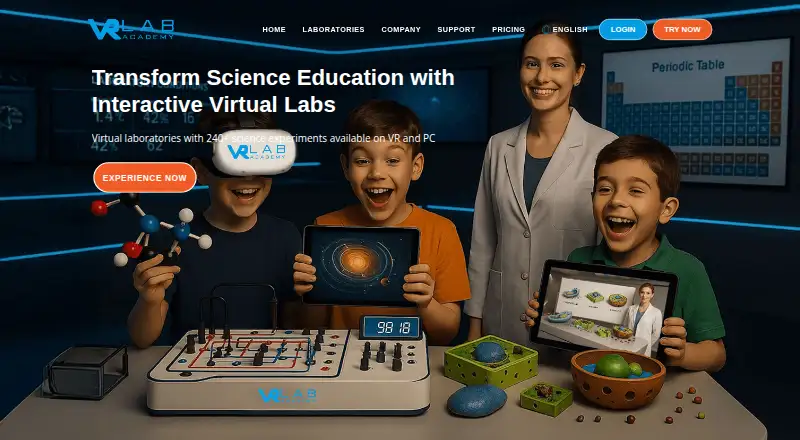
What VRLab Academy is
VRLab Academy provides virtual and PC-based science laboratories for schools and universities, with access to more than 240 experiments. Learners can manipulate equipment, record and analyze data, and compare their results with a responsive answer sheet. Teaching features include lesson structures, assessment, progress tracking, and a learner management dashboard. The company says experiments align with curricula including IB, Cambridge International, and Edexcel. LMS integration supports single sign-on, embedded experiment resources, and assignment and grade passback; the FAQ says the integration works with any LMS. Experiments are listed in English, Spanish, Turkish, German, Arabic, and Russian. The product is intended for learners from primary school through university, with VRLab Academy Junior for primary and middle school. Compatible headsets include Meta Quest, Pico, and HTC VIVE models. Listed platforms are Android, iOS, macOS, web, and Windows. The hardware requirements include Windows 10 64-bit or newer or Mac OS 64-bit with at least 8 GB RAM; mobile requirements include iPad 6th generation or newer and Android 9.0 or later with a compatible GPU. Pricing is on request, and the subscription option includes free instructor access.
Who it suits
VRLab Academy suits science educators and institutions serving learners from primary school through university. It is relevant to schools seeking virtual or PC-based experiments with LMS integration and student progress tools.
What it does well
- Access to more than 240 experiments.
- Experiments cover six listed languages.
- LMS integration supports assignment and grade passback.
- Free instructor access is listed.
- Includes assessment and student progress tracking.
What to know first
- Pricing is available only on request.
- Windows requires version 10 64-bit or newer.
- Listed mobile requirements specify newer iPad and Android devices.
Limits
The subscription option includes more than 240 experiments and free instructor access, but pricing is available by contacting the company. Listed computer requirements include Windows 10 64-bit or newer or Mac OS 64-bit, with at least 8 GB RAM; mobile requirements include iPad 6th generation or newer or Android 9.0 or later with a GPU supporting OpenGL ES 3.0 or later.
Plans
| Plan | Billed and limits | Price |
|---|---|---|
| Subscription options | More than 240 experiments · free access for instructor · learner management dashboard · LMS integration | On request |
As vrlabacademy.com lists them, read 4 Oct 2026. The maker's own page has the final word.
Getting started
- Visit the VRLab Academy website.
- Contact the company to learn about subscription options.
- Choose a supported platform and check its listed hardware requirements.
- Select compatible VR hardware if using a headset.
- Use LMS integration for single sign-on, embedded resources, and assignment and grade passback.
VRLab Academy is a virtual and computer-based science laboratory for schools and universities, spanning primary classes through higher education. It is best for institutions that want curriculum-linked practical work, measurable learner activity, and LMS connectivity across varied hardware. Its broad experiment catalogue and teaching workflow are compelling, but custom pricing and device checks are central to the buying decision.
Overview
VRLab Academy brings together more than 240 science experiments with lesson structures, assessments, and student-progress tracking. Learners operate virtual equipment, enter observations, analyse data, and compare conclusions with a responsive answer sheet. That end-to-end workflow is more useful for instruction than a collection of passive demonstrations because it captures both the process and the result of an investigation.
The audience runs from primary school to university, while VRLab Academy Junior is directed at primary and middle-school learners. The company aligns experiments with IB, Cambridge International, and Edexcel curricula, giving schools with those frameworks a clearer route to classroom use than institutions seeking an entirely open-ended simulation toolkit.
Key features
Interactive inquiry and assessment
Manipulating equipment, recording and analysing data, and checking work against an answer sheet supports genuine inquiry practice. Lesson structures and assessment features help teachers turn experiments into planned activities rather than one-off visualisations, while progress tracking provides a way to follow learner development.
LMS connection
Integration supports single sign-on, embedded experiment resources, and assignment and grade passback. The FAQ says it works with any LMS, which can reduce the disruption of adding a specialist laboratory to an existing digital-learning environment. Institutions that do not use an LMS will get less value from these workflow advantages.
Language and curriculum reach
Experiments are offered in English, Spanish, Turkish, German, Arabic, and Russian. That range can support multilingual cohorts and international programmes, while the stated IB, Cambridge International, and Edexcel alignment helps teachers map activities to established curricula.
Hardware coverage
Compatible VR devices include Meta Quest models, Pico 4 and Neo models, and HTC VIVE Focus 3 and XR Elite. The platform also runs on Windows, macOS, Android, iOS, and the web, so schools can mix headsets with computers and mobile devices. Computer use requires Windows 10 64-bit or newer or 64-bit Mac OS with at least 8 GB of RAM. Mobile deployment requires an iPad from the sixth generation onward or Android 9.0-plus hardware with a GPU supporting OpenGL ES 3.0 or later.
Pricing
VRLab Academy uses custom pricing: institutions must contact the company for subscription options. The subscription option includes more than 240 experiments, free instructor access, a learner-management dashboard, and LMS integration. Free instructor access makes teacher-led evaluation less costly, but the absence of a public subscription price makes budgeting and direct comparison difficult.
This arrangement suits schools, universities, or systems planning a managed rollout and willing to discuss scale with the vendor. It is a weaker fit for an individual teacher or small programme that needs an immediately purchasable, transparent monthly or annual plan. Confirm the subscription term, learner-seat limits, and renewal conditions before committing.
Platforms
The service supports Android, iOS, macOS, web, and Windows. VR deployments cover Meta Quest, Pico 4 and Neo, and HTC VIVE Focus 3 and XR Elite headsets. Mixed-device support is practical for institutions with uneven hardware budgets, provided existing computers, tablets, and headsets meet the stated requirements.
Who it's for
Primary and secondary schools can use the Junior offering and curriculum-linked experiments, while universities can use the same inquiry and assessment model for higher-level science teaching. It is particularly suitable for institutions that need evidence of student work, multilingual experiment content, and assignment or grade exchange through an LMS. Buyers wanting a small, standalone VR activity, a published low-cost plan, or a narrow single-subject tool should look elsewhere.
Pros and cons
Pros
- More than 240 experiments: gives institutions substantial breadth for multi-year and multi-course use.
- Inquiry workflow with assessment: records manipulation, data work, and answers instead of only showing a simulation.
- Any-LMS integration: single sign-on, embedded resources, and grade passback can fit existing teaching administration.
- International reach: six experiment languages and alignment with IB, Cambridge International, and Edexcel support diverse programmes.
- Wide device support: web, desktop, mobile, and several headset families allow mixed deployments.
Cons
- Custom pricing: institutions cannot set a budget from a public price and must contact the company.
- Hardware qualification is necessary: RAM, operating-system, GPU, and headset requirements may exclude older equipment.
- Best value depends on institutional scale: individual educators may not need its dashboard, LMS, and broad catalogue.
- Security is not absolute: the privacy policy describes commercially acceptable safeguards but does not guarantee complete protection of personal data.
Alternatives
For a broad directory of comparable services, see Virtual Reality Learning Platforms and Virtual Lab Software.
- VictoryXR is the better starting point when a freemium model, free plan, and AI-based creator tools matter.
- 3D Organon suits buyers seeking anatomy-focused content with a free guest tier and a paid student subscription.
- LabTrainingVR: Biosafety Cabinet Edition is preferable for a free, short VR-only biosafety-cabinet exercise on HTC Vive or Meta Quest 2.
- Openlab fits organisations wanting web-based services provided free of charge, with a limited-time headset trial.
- FundamentalVR is an alternative paid platform for institutions needing its particular training offering.
- Pixaera is worth considering for paid enterprise deployments with demo-based pricing.
- Luminous XR fits teams creating and hosting XR training content, with packages starting from £1,450.
- Oxford Medical Simulation is an alternative paid option for medical simulation.
Verdict
Choose VRLab Academy if your school or university needs a large, curriculum-linked science library tied to assessment, learner progress, and an LMS across multiple device types. Its main reason to choose is the combination of inquiry-based experiments and institutional teaching controls. Look elsewhere if transparent pricing, a small standalone use case, or specialised content matters more than breadth and integration.
Verdict
VRLab Academy combines interactive science experiments with teaching and LMS features for a broad range of education levels. Institutions need to contact the company for subscription pricing and check device requirements before choosing it.
Questions
How much does VRLab Academy cost?
Pricing is on request. The pricing page directs visitors to contact the company about subscription options.
Is instructor access free?
The listed subscription option includes free access for instructors.
Which platforms does it support?
The listed platforms are Android, iOS, macOS, web, and Windows.
Does it work with learning management systems?
Yes. The integration supports single sign-on, embedded experiment resources, and assignment and grade passback. The FAQ says it works with any LMS.
Which languages are available for experiments?
The FAQ lists English, Spanish, Turkish, German, Arabic, and Russian.
Who makes VRLab Academy?
VRLab Academy is headquartered in London, England, United Kingdom.
Facts from VRLab Academy's own pages
- Computer requirements
- The hardware page lists Windows 10 64-bit or newer and Mac OS 64-bit, with 8 GB or more RAM as a minimum. · vrlabacademy.com, 4 Oct 2026
- Curriculum alignment
- The company says its experiments align with major curricula including IB, Cambridge International, and Edexcel. · vrlabacademy.com, 4 Oct 2026
- Experiment library
- The pricing page offers access to more than 240 experiments. · vrlabacademy.com, 4 Oct 2026
- Headquarters
- London, England, United Kingdom · vrlabacademy.com, 28 Sept 2026
- Intended learners
- The company describes the product for learners from primary school through university, with VRLab Academy Junior for primary and middle school. · vrlabacademy.com, 4 Oct 2026
- Languages
- The FAQ lists English, Spanish, Turkish, German, Arabic, and Russian for experiments. · vrlabacademy.com, 4 Oct 2026
- LMS integration
- LMS integration supports single sign-on, embedded experiment resources, and assignment and grade passback. · vrlabacademy.com, 4 Oct 2026
- Mobile requirements
- The hardware page lists iPad 6th generation or newer and Android 9.0 or later devices with a GPU supporting OpenGL ES 3.0 or later. · vrlabacademy.com, 4 Oct 2026
- Pricing availability
- The pricing page directs visitors to contact the company to learn about subscription options and shows no public price. · vrlabacademy.com, 4 Oct 2026
- Privacy and security
- The privacy policy says the company uses security cookies and commercially acceptable measures to protect personal data but cannot guarantee absolute security. · vrlabacademy.com, 4 Oct 2026
- Product
- VRLab Academy provides virtual and PC-based science laboratories with interactive experiments for schools and universities. · vrlabacademy.com, 4 Oct 2026
- Scientific inquiry
- Experiments let learners manipulate equipment, record and analyze data, and compare results with a responsive answer sheet. · vrlabacademy.com, 4 Oct 2026
- Support
- The site lists [email protected] as its support email. · vrlabacademy.com, 4 Oct 2026
- Supported LMSs
- The FAQ says the integration works with any LMS. · vrlabacademy.com, 4 Oct 2026
- Teaching tools
- The home page says the product includes lesson structures, assessment features, and student progress tracking. · vrlabacademy.com, 4 Oct 2026
- VR hardware
- Listed compatible headsets include Meta Quest models, Pico 4 and Neo models, and HTC VIVE Focus 3 and XR Elite. · vrlabacademy.com, 4 Oct 2026
Where VRLab Academy stands on Freedom251
- Virtual Lab Software#21 of 27
- Virtual Reality Learning Platforms#21 of 24