Freedom251 › Math Learning Apps

Brilliant
by Brilliant
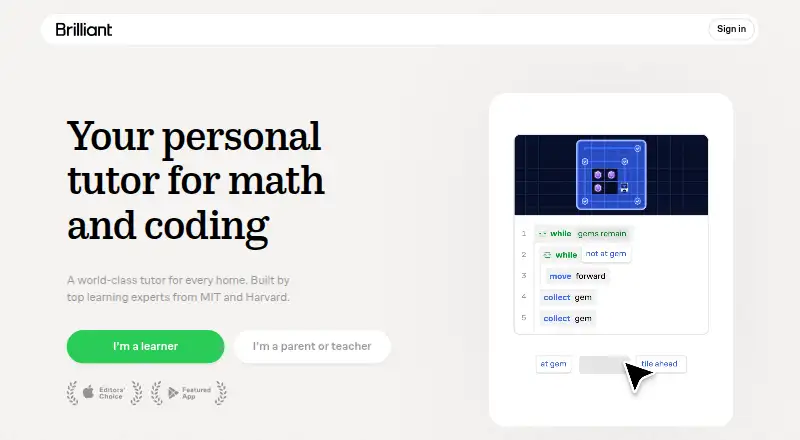
What Brilliant is
Brilliant is an interactive STEM learning service with courses in math, coding, data science, science, technology, and AI. Learners solve problems, explore visual models, and receive immediate feedback. Most courses include Koji, a digital tutor that guides learners through reasoning step by step; free accounts get a limited preview, while Premium includes full access. A free account can access all courses but is limited to two lessons per day in sequence, with occasional ads. Premium offers unlimited lessons and practice, the ability to choose any lesson, and an ad-free experience. Individual Premium costs $20 a year, billed as one payment and renewed annually; Family Premium costs $40 a year, also billed as one payment and renewed annually, with six seats included. Eligible K–12 teachers and their students may receive free Premium through an application-reviewed educator program. Brilliant is available on Android, iOS, and web, but requires an internet connection and does not allow lessons to be downloaded for offline use.
Who it suits
Brilliant suits learners seeking interactive courses across STEM subjects, including math, coding, and AI. Its educator program may suit eligible K–12 teachers and their students.
What it does well
- Courses cover math, coding, data science, science, technology, and AI
- Problems include visual models and immediate feedback
- Premium includes unlimited lessons and practice
- Family Premium includes six seats
- Available on Android, iOS, and web
What to know first
- Free accounts are limited to two lessons per day
- Free accounts see occasional ads
- Lessons cannot be downloaded for offline use
- No completion certificates
Limits
The Free plan is limited to two lessons or practice sets per day, completed in sequence, with occasional ads and only a limited Koji preview. Individual Premium is $20 a year, billed as one payment and renewed annually; Family Premium is $40 a year, billed as one payment and renewed annually, with six seats included.
Plans
| Plan | Billed and limits | Price |
|---|---|---|
| Free | 2 lessons or practice sets per day | Free |
| Group Annual | 3 seats included · 3 to 50 people · $10.10/month for each extra seat | On request |
| Individual Premium (annual) | $20/month; billed as one payment. Renews annually; cancel anytime. · Unlimited access to all courses · No ads · One subscription across devices | $20 a month |
| Individual Premium | monthly · Unlimited access to all courses · unlimited lessons and practice · Koji tutor · ad-free · jump ahead | $20 a month |
| Family Premium (annual) | $40/month; billed as one payment. Renews annually; cancel anytime. · 6 seats included · Unlimited access to all courses · No ads | $40 a month |
| Family Premium | monthly · 6 seats included · unlimited access to all courses · Koji tutor · ad-free | $40 a month |
As brilliant.org lists them, read 23 Sept 2026. The maker's own page has the final word.
Getting started
- Visit Brilliant on the web or install its Android or iOS app.
- Create a free account to access courses and up to two lessons per day.
- Choose Individual Premium or Family Premium for unlimited lessons and practice.
- Eligible K–12 teachers can apply to Brilliant for Educators for free Premium access.
- Educators can sync rosters with Google Classroom or share lesson links through a learning management system.
Brilliant is an interactive learning service for math, coding, data science, science, technology, and AI. It suits independent learners who prefer working through problems with visual models and feedback. Its strongest case is guided practice; it is a poor fit for offline study or anyone seeking formal credentials.
Overview
Courses ask learners to solve problems, explore visual models, and use immediate feedback to develop their reasoning. Koji, a digital tutor built into most courses, provides step-by-step guidance. That combination gives self-directed learners a way to work through ideas actively, though free users receive only a limited Koji preview.
Brilliant is a subscription learning service, not a credential program: it offers no completion certificates or degree programs. It requires an internet connection, and lessons cannot be downloaded, which rules it out for offline study and makes reliable connectivity essential.
Key features
Courses and tutoring
Free accounts can access all courses, but are limited to two lessons or practice sets per day and must complete them in sequence. That makes the free tier useful for trying subjects or keeping a modest daily routine, but restrictive for anyone who wants to study intensively or jump to a particular lesson. Premium removes the daily cap, allows learners to jump to any lesson, removes ads, and provides full Koji access. Those upgrades matter most to learners who want control over their pace or frequent tutoring.
Educator tools
Eligible K–12 teachers and their students may receive free Premium access through Brilliant for Educators, subject to application review. Teachers can sync rosters with Google Classroom and share lesson links through Google Classroom or another learning management system. Progress reports track lesson completion, time spent, course progress, and completion dates, but do not show answer-level correctness or formal grades. The program says it complies with COPPA, FERPA, and GDPR and does not sell student data or use it for marketing. Brilliant also describes organizational, technical, and administrative security safeguards, while acknowledging it cannot guarantee internet transmissions are completely secure.
Pricing
The Free plan costs nothing and limits learners to two lessons or practice sets a day. It preserves access to all courses, but the cap and sequential progression make it better for sampling or light practice than sustained study.
Individual Premium (annual) costs $20 a year, billed as a single $20 payment, and renews annually; it can be canceled anytime. It includes unlimited access to all courses, no ads, and one subscription across devices. This is the most direct fit for an individual who wants to progress without daily limits or use full Koji access.
Family Premium (annual) costs $40 a year, billed as a single $40 payment, and renews annually; it can be canceled anytime. Six seats and unlimited course access without ads make it the option for a household sharing the service, rather than a single learner.
Group Annual has custom pricing, includes three seats, and supports groups of 3 to 50 people. Each extra seat costs $10.10/month. Eligible educators may instead apply for free Premium access through Brilliant for Educators.
Platforms
Brilliant is available on Android, iOS, and the web. Mobile apps make it accessible across phones and tablets, but neither app use nor a paid plan removes the internet requirement or enables offline lessons.
Who it's for
Brilliant is best suited to independent learners who want active practice across STEM subjects and value immediate feedback and guided reasoning. The educator program may suit eligible K–12 teachers who want to share lessons and monitor broad progress, provided reports without grades or answer-level accuracy meet their needs. Learners who need certificates, degree programs, downloadable lessons, or uninterrupted free study should look elsewhere.
Pros and cons
- Pros: Free accounts can explore all courses, and Premium removes the daily limit while unlocking full Koji tutoring.
- Pros: Family Premium includes six seats, making one annual plan usable across a household.
- Pros: Educator access can be free for eligible K–12 teachers and students, with roster syncing and progress reports.
- Cons: Free learners are capped at two lessons or practice sets per day and must proceed in sequence.
- Cons: Lessons require an internet connection and cannot be downloaded for offline use.
- Cons: There are no completion certificates or degree programs, and educator reports do not provide formal grades or answer-level correctness.
Alternatives
For a broader selection, see Math Learning Apps, Learning Gamification Software, and MOOC Platforms.
MobyMax has a free educator version with limited access compared with licensed features, and a family plan at $7.99 a month; consider it if those offerings better match your needs. Monster Math offers a free trial and a Premium plan at $59.99 a year, equivalent to $4.99/month billed yearly, for unlimited app access, features, levels, and content without ads. BrainTrail is web-based and offers one learner one free trail of 10 questions per concept, a narrower free allowance for learners seeking short concept trails.
MathScore is web-based, with free topics at every grade level K–8 and a first paid student plan at $9.95 a month; it may suit a K–8 learner focused on grade-level topics. Boddle has Android, iOS, and web access, a free plan, and Premium options at $4.08 a month billed annually or $9.99 a month billed monthly. Grasple is web-based and offers an Open Teacher Account with student seats shown at €0/yr for up to 100 unique students. Asobo has a free teacher plan covering one teacher, one active classroom, 40 active students, and five skill checks per month. Kaer Math offers Android and web access, with a free tier that provides five lives per day across every grade and topic.
Verdict
Choose Brilliant if you want interactive STEM practice with visual models, immediate feedback, and optional step-by-step tutoring; Premium is the better fit for learners who need an open-ended pace, while the six-seat Family plan serves households. Look elsewhere if you need offline lessons, credentials, formal student grades, or a free plan without a daily cap.
Verdict
Brilliant offers interactive STEM courses, with a free tier and paid options that add unlimited access and full Koji tutoring. Learners who need offline lessons or completion certificates should note that neither is available.
Questions
How much does Brilliant Premium cost?
Individual Premium is $20 a year, billed as one payment and renewed annually. Family Premium is $40 a year, billed as one payment and renewed annually, with six seats included.
What can I do with a free Brilliant account?
Free accounts can access all courses and complete up to two lessons per day in sequence. They may see occasional ads and receive a limited Koji preview.
Which platforms does Brilliant support?
Brilliant is available on Android, iOS and web.
Can I use Brilliant offline?
No. Brilliant requires an internet connection, and lessons cannot be downloaded for offline use.
Does Brilliant offer educator access?
Eligible K–12 teachers and their students may receive free Premium through Brilliant for Educators, subject to application review. The program supports Google Classroom roster syncing and lesson sharing.
Does Brilliant offer certificates or degree programs?
No. Brilliant does not offer completion certificates or degree programs.
Facts from Brilliant's own pages
- Accreditation
- Brilliant says it is accredited by ACS WASC, but it does not grant degrees, diplomas, transcripts, certificates or transferable academic credit. · brilliant.org, 15 Oct 2026
- API and integrations
- Brilliant’s public help and product pages document browser, iOS and Android access but do not describe a public API, SDK or integration framework. · brilliant.org, 15 Oct 2026
- Automatic renewal
- Subscriptions continue automatically for an equivalent period until cancelled, and cancellation must be submitted at least one business day before the term ends. · brilliant.org, 15 Oct 2026
- Company headquarters
- Crunchbase and aVenture list headquarters in San Francisco, California, United States. · crunchbase.com, 15 Oct 2026
- Company legal name
- Crunchbase lists the legal name as Brilliant Worldwide, Inc., a private for-profit company. · crunchbase.com, 15 Oct 2026
- Company size
- Crunchbase lists 51–100 employees, while aVenture reports 122 current employees. · crunchbase.com, 15 Oct 2026
- Course breadth
- The Premium page advertises more than 40 interactive courses spanning math, computer science, science and data analysis. · brilliant.org, 15 Oct 2026
- Educators
- Eligible K–12 teachers and their students may receive free Premium access through Brilliant for Educators, subject to application review. · brilliant.org, 4 Oct 2026
- Founded
- aVenture lists Brilliant as founded in 2012. · aventure.vc, 15 Oct 2026
- Free access
- Free accounts can access all courses, complete up to two lessons per day in sequence, see occasional ads, and use a limited Koji preview. · brilliant.org, 4 Oct 2026
- Free plan
- Yes · brilliant.org, 23 Sept 2026
- Free-plan limits
- Free accounts can access course content but are limited to two concepts per day, sequential progression, occasional ads and a limited Koji preview. · brilliant.org, 15 Oct 2026
- Funding
- Crunchbase lists Brilliant as a Series C company with eight funding rounds and Reach Capital as a Series C lead investor, but obscures the dollar totals. · crunchbase.com, 15 Oct 2026
- Gamification
- The service includes daily streaks, competitive leagues and progress tracking to encourage continued study. · brilliant.org, 15 Oct 2026
- Headquarters
- San Francisco, California, United States · brilliant.org, 28 Sept 2026
- Integration
- The educator program supports Google Classroom roster syncing and sharing lesson links through Google Classroom or another learning management system. · brilliant.org, 4 Oct 2026
- Interactive teaching
- Lessons use hands-on problems, visual models and immediate feedback instead of relying mainly on videos or dense text. · brilliant.org, 15 Oct 2026
- Koji tutor
- Koji is an AI tutor embedded in topics that can see the learner’s interactive work and guide reasoning step by step without simply giving answers. · brilliant.org, 15 Oct 2026
- Learning format
- Learners solve hands-on problems, explore visual models, and receive immediate feedback. · brilliant.org, 4 Oct 2026
- Learning Paths
- Personalized Learning Paths organize related courses into suggested sequences that adapt to learner pace and skill. · brilliant.org, 15 Oct 2026
- Licence
- The terms grant only a personal, non-transferable, non-exclusive licence to use downloaded software and prohibit copying or distributing service content, indicating a proprietary service rather than open-source software. · brilliant.org, 15 Oct 2026
- Limit: explanation depth
- Trustpilot’s review summary says some users find exercise explanations too brief for complex concepts. · trustpilot.com, 15 Oct 2026
- Limit: free access
- Google Play reviewers praise the app but complain that the number of free daily lessons is small and that full access requires payment. · play.google.com, 15 Oct 2026
- Limit: no professional preparation alone
- Brilliant’s own evaluation guidance says its programming material should be paired with independent projects and other programs for professional software development preparation. · brilliant.org, 15 Oct 2026
Where Brilliant stands on Freedom251
- Math Learning Apps#2 of 122
- Learning Gamification Software#1 of 47
- Statistics Learning Software#1 of 40
- MOOC Platforms#3 of 67