Freedom251 › Mobile Credit Card Processing Software
PayAnywhere
by PayAnywhere
What PayAnywhere is
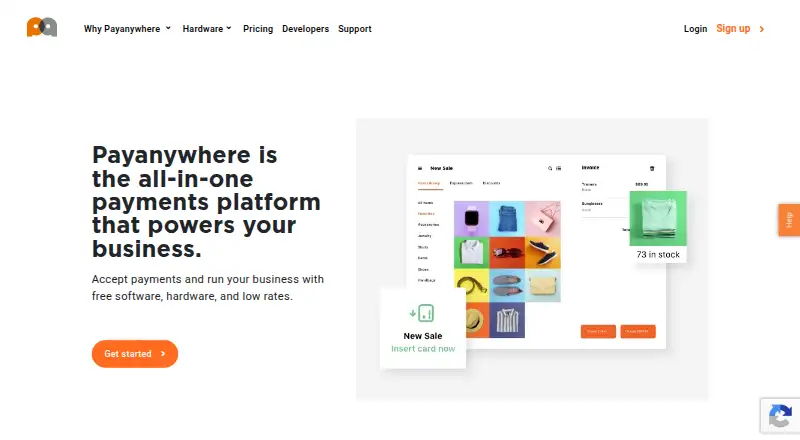
PayAnywhere combines point-of-sale software, payment processing, payment hardware, and Payments Hub back-office tools for businesses. It accepts EMV chip, contactless, magstripe, PIN debit, and EBT payments. Merchants can also take orders online or by phone through a browser-based Virtual Terminal without hardware, or create payment links with fixed, multiple, or open-ended amounts to share by email or text, embed as a button, or show as a QR code. Inventory features include product catalogs, price variants, modifiers, bulk uploads, discounts, stock alerts, and sales tracking. Reports cover sales, customers, employees, inventory, deposits, and chargebacks, with exports and scheduled email delivery. The company says next-day funding is standard and same-day funding is available at no charge, subject to cutoff times. Pay as you go rates are 2.69% for swipe, dip, or tap transactions and 3.49% + $0.19 for keyed transactions. A free plan is listed. PayAnywhere is available on Android, iOS, and web, but service is limited to the 50 U.S. states and the District of Columbia.
Who it suits
PayAnywhere suits U.S. businesses that need payment acceptance alongside inventory, reporting, and employee tools. Its browser-based terminal and shareable payment links may also suit merchants taking orders remotely.
What it does well
- Accepts chip, contactless, magstripe, PIN debit, and EBT.
- Payment links support flexible amounts and several sharing options.
- Reports include scheduled email delivery and exports.
- Same-day funding is available at no charge.
- Offers Android, iOS, and web access.
What to know first
- Services are limited to the 50 states and D.C.
- Keyed transactions cost 3.49% + $0.19.
- Custom pricing is based on business processing details.
Limits
The free plan is listed, but no feature or usage cap for it is given. The listed rates are 2.69% for swipe, dip or tap transactions and 3.49% + $0.19 for keyed transactions.
Plans
| Plan | Billed and limits | Price |
|---|---|---|
| Pay as you go | Swipe, Dip, or Tap: 2.69%; Keyed: 3.49% + $0.19; inactivity fee: $3.99/mo. after 12 months without a transaction · $3.99/mo. inactivity fee applies only after 12 months without processing · Virtual Terminal, invoices, and recurring payments: 3.49% + $0.19 | Free |
| Custom pricing | Custom rate based on processing volume, average transaction amount, and more · Plan is designed for the business based on processing volume and average transaction amount | On request |
As payanywhere.com lists them, read 30 Sept 2026. The maker's own page has the final word.
Getting started
- Visit the PayAnywhere website.
- Choose the free plan or review the listed transaction rates.
- Use the Android, iOS or web platform.
- Use Tap to Pay, or use the Virtual Terminal to accept payments in a browser without hardware.
Overview
PayAnywhere is a point-of-sale and payment service for U.S. businesses that need to take payments in person and remotely. It suits merchants looking to pair checkout with inventory and back-office reporting; the transaction fees and U.S.-only service area narrow its appeal.
Key features
Payments beyond the counter
PayAnywhere accepts EMV chip, contactless, magstripe, PIN debit, EBT, and digital wallet payments, including Apple Pay and Samsung Pay. Tap to Pay and offline payments are supported, and a reader is not required. That range gives merchants options for accepting payments in person, including away from a fixed checkout.
The browser-based Virtual Terminal can process orders taken online or by phone without hardware. Payment Links support fixed, multiple, or open-ended amounts and can be shared by email or text, embedded as a button, or offered as a QR code. Recurring payments are also supported, making the service useful for businesses that collect payments in more than one way.
Inventory and reporting
The cloud-based product catalog includes categories, price variants, modifiers, bulk uploads, discounts, stock alerts, and sales tracking. These controls help businesses manage changing products and monitor stock without relying on a separate catalog. Reports cover sales, customers, employees, inventory, deposits, and chargebacks, with exports and scheduled email delivery. Transactional data can be exported to QuickBooks, and a Chargezoom integration syncs PayAnywhere transactions with QuickBooks Online.
Staff, funding, and security
Employee roles include administrator, manager, cashier, and reporter. A Homebase partnership adds scheduling, time tracking, and payroll. Next-day funding is the default, while same-day funding is available at no charge, subject to the stated processing cutoff times. Virtual Terminal transactions use end-to-end encryption and tokenization; Payment Links use point-to-point encryption and tokenization.
PCI Plus pairs a dedicated support team with the SecureTrust platform. Eligible PCI Level-3 or Level-4 businesses may receive up to $100,000 in breach-related expenditure protection. Support is available by email at [email protected] and by phone at 866.485.8999.
Pricing
The free plan makes it possible to start without a subscription fee, but processing charges still apply. Pay as you go has custom pricing terms: 2.69% for swipe, dip, or tap transactions and 3.49% + $0.19 for keyed transactions. Those rates make transaction type relevant to the cost, particularly for merchants who key in payments. Custom pricing is based on processing volume, average transaction amount, and other business factors, so it is the plan to consider when processing scale or ticket size could affect the offer.
Platforms
PayAnywhere is available on Android, iOS, and the web. The Virtual Terminal provides browser-based payment processing, and no reader is required. Services may only be used in the 50 U.S. states and the District of Columbia, ruling it out for merchants operating elsewhere.
Who it's for
PayAnywhere is a reasonable fit for U.S. merchants who want in-person and remote payment options alongside inventory, staff roles, and operational reporting. Its catalog and stock tools suit businesses managing a varied product range, while payment links and recurring payments help businesses collect money outside a face-to-face sale. Merchants who need to operate outside the United States should look elsewhere.
Pros and cons
- Pros: Supports in-person, browser-based, link-based, recurring, and offline payments, giving merchants several ways to collect money.
- Pros: Inventory, staff roles, reporting, and QuickBooks data export bring useful back-office functions alongside payment processing.
- Pros: Same-day funding is available at no charge, in addition to default next-day funding.
- Cons: Service is restricted to the 50 states and the District of Columbia, so it does not suit businesses operating in other regions.
- Cons: Keyed transactions carry a higher listed rate than swipe, dip, or tap transactions, which can raise costs for businesses that commonly take orders by phone or online.
Alternatives
Helcim is worth considering for businesses seeking interchange-plus rates that vary by volume and no monthly account fees. PayPal Invoicing is a better match when creating and sending invoices without setup or subscription fees is the priority, with transaction fees applying when customers pay. Zeller offers a free POS with no monthly subscription or software licence fee, but requires a Zeller Terminal and charges transaction fees. Lopay offers a free Essential plan with unlimited team members and Thursday bank payouts. SumUp Invoices is an alternative for businesses looking for a free invoicing plan with unlimited invoices and quotes. SwipeSimple may suit eligible businesses whose customers can cover a 3.5% card fee under its Zero plan. QuickBooks GoPayment is an option for businesses that already qualify for a QuickBooks Payments account. myPOS Glass is another mobile payment alternative.
For more options, browse Mobile Payment Processing Software and Point-of-Sale Software.
Verdict
Choose PayAnywhere if your business operates in the United States and you want one service for varied payment channels, product inventory, and operational reporting. Its breadth and no-charge same-day funding are compelling advantages; the keyed transaction rate and strict geographic limit are the clearest reasons to choose another provider.
Verdict
PayAnywhere brings payment processing, inventory, and reporting into one business offering, with a free plan and several payment channels. Its geographic restriction and listed transaction rates are important considerations for businesses evaluating it.
Questions
Is there a free plan?
Yes. PayAnywhere lists a free plan.
What are the listed transaction rates?
Swipe, dip or tap transactions are 2.69%. Keyed transactions are 3.49% + $0.19.
Which platforms does PayAnywhere support?
Android, iOS and web.
Can merchants take payments without a reader?
Yes. The web-based Virtual Terminal accepts payments without hardware, including orders placed online or by phone.
Where can the service be used?
The legal terms limit use to the 50 U.S. states and the District of Columbia.
What payment types are listed?
They include EMV chip, contactless, magstripe, PIN debit and EBT, as well as Apple Pay, Samsung Pay and other digital wallets.
Facts from PayAnywhere's own pages
- Accounting integration
- The reporting page says merchants can export transactional data to QuickBooks, and a 2024 maker blog describes a Chargezoom integration that syncs Payanywhere transactions with QuickBooks Online. · payanywhere.com, 30 Sept 2026
- Card acceptance
- The pricing page lists EMV chip, contactless, magstripe, PIN debit, and EBT payment types. · payanywhere.com, 30 Sept 2026
- Employee tools
- Employee management supports administrator, manager, cashier, and reporter roles, and the company describes a partnership with Homebase for scheduling, time tracking, and payroll. · payanywhere.com, 30 Sept 2026
- Free plan
- Yes · chat.payanywhere.com, 20 Sept 2026
- Funding
- The company says next-day funding is the default and same-day funding is available at no charge, with processing cutoff times specified on its funding page. · payanywhere.com, 30 Sept 2026
- Geographic limitation
- The legal terms state that the services may only be used in the 50 U.S. states and the District of Columbia. · payanywhere.com, 30 Sept 2026
- Headquarters
- Troy, Michigan, United States · payanywhere.com, 23 Sept 2026
- Inventory
- Inventory tools support a cloud-based product catalog, categories, price variants, modifiers, bulk uploads, discounts, stock alerts, and sales tracking. · payanywhere.com, 30 Sept 2026
- Payment Links
- Merchants can create payment links with fixed, multiple, or open-ended amounts and share them by email or text, embed a button, or provide a QR code. · payanywhere.com, 30 Sept 2026
- PCI support
- PCI Plus describes a dedicated support team and SecureTrust platform, and says eligible PCI Level-3 or Level-4 businesses may receive up to $100,000 in breach-related expenditure protection. · payanywhere.com, 30 Sept 2026
- Purpose
- Payanywhere provides point-of-sale software, payment processing, Payments Hub back-office tools, and payment hardware for businesses. · payanywhere.com, 30 Sept 2026
- Reporting
- Reporting covers sales, customers, employees, inventory, deposits, and chargeback activity, with report exports and scheduled email reports. · payanywhere.com, 30 Sept 2026
- Security
- The Virtual Terminal page says transactions use end-to-end encryption, tokenization, and in-house payment processing; Payment Links are described as protected by certified point-to-point encryption and tokenization. · payanywhere.com, 30 Sept 2026
- Support
- The company page lists customer support at [email protected] and 866.485.8999. · payanywhere.com, 30 Sept 2026
- Virtual Terminal
- The Virtual Terminal lets merchants accept payments in a web browser without hardware and process orders taken online or by phone. · payanywhere.com, 30 Sept 2026
Where PayAnywhere stands on Freedom251
- Mobile Credit Card Processing Software#3 of 22
- Point-of-Sale Software#20 of 113
- Mobile Payment Processing Software#5 of 27