ownCloud
by ownCloud
What ownCloud is
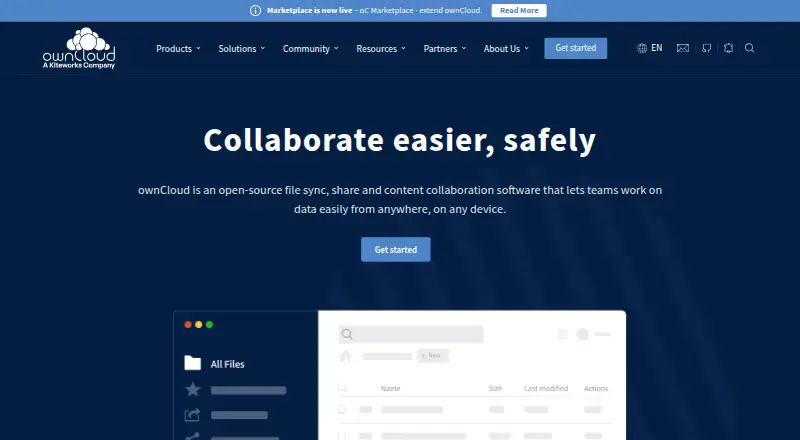
ownCloud is open-source software for syncing, sharing and collaborating on files across devices and locations. Teams can share content internally or externally, invite guest users, create file drop folders, comment and work together in real time. It offers file versioning, zero-knowledge encryption and business administration controls, with apps for Windows, macOS, Linux, iOS and Android, as well as web access. Organizations can deploy it on their own premises, in a cloud they choose, or use ownCloud.online, hosted on servers in Germany. Its Infinite Scale edition uses a cloud-native, Go-built microservices design for file sync, sharing and governance, and its core does not require a relational database. The web frontend connects to services through WebDAV, LibreGraph and OCM APIs. External storage can bring services such as S3, Dropbox and SharePoint together for access. Integrations include Office Online Server, Office 365 and Microsoft Teams; Collabora Online enables collaborative browser editing with live updates and revision history. Plans range from Community for unlimited users to business and hosted options with defined user and storage ranges. ownCloud was founded as an open-source project in 2010 and is headquartered in Regensburg, Germany.
Who it suits
ownCloud suits companies, schools, institutions and government groups that need to sync, share and collaborate on files across locations. Its deployment choices and user ranges support organizations choosing between self-managed infrastructure and a hosted option.
What it does well
- Supports on-premises, chosen-cloud and hosted deployments.
- Includes internal and external sharing, guest access and file drop folders.
- Provides file versioning and zero-knowledge encryption.
- Connects external storage such as S3, Dropbox and SharePoint.
- Supports Microsoft services and Collabora Online editing.
What to know first
- The desktop client 7.0 and later connects only to Infinite Scale.
- ownCloud Server users must use a 6.x desktop client.
- Standard and Enterprise plans start at 25 users.
Limits
Community supports unlimited users. Standard and Enterprise start at 25 users; ownCloud.online for single users covers 1 to 4 users with 500GB, while its teams plan starts at 5 users with 1,000GB and adds 200GB per additional user.
Plans
| Plan | Billed and limits | Price |
|---|---|---|
| Community | Unlimited users · self-managed, on-premises · file sync and share · community apps and forum · desktop and mobile apps | Free |
| Enterprise | Annual commitment, billed yearly · From 25 users · on-premises or custom subscription · 12×5 global email and phone support with 2h reaction time · customer portal · desktop and mobile apps with pro features | On request |
| ownCloud.online for single users | 1 to 4 users · 500GB storage · hosted in Germany · 180 days file recovery · customer support | On request |
| Standard | Annual commitment, billed yearly · From 25 users · on-premises · 9×5 email support with 2h reaction time · customer portal · desktop and mobile apps | On request |
| ownCloud.online for teams | From 5 users · 1,000GB storage plus 200GB per additional user · hosted in Germany · 180 days file recovery · customer support | On request |
As owncloud.com lists them, read 11 Oct 2026. The maker's own page has the final word.
Getting started
- Visit the ownCloud product website.
- Choose a deployment: on-premises, a cloud of choice, or ownCloud.online.
- Select a plan suited to your user range.
- Install the app for Windows, macOS, Linux, iOS or Android, or access it on the web.
- Connect your team and configure sharing, storage and integrations.
ownCloud is open-source software for synchronizing, sharing and collaborating on files across devices and locations. It is best suited to organizations that need control over deployment, storage connections and administrative policy. Its flexibility is a major advantage, while server edition and client compatibility require careful planning.
Overview
Teams can deploy ownCloud on their premises, in a cloud provider of their choice, or through ownCloud.online, hosted on servers in Germany. That range fits companies, schools, institutions and government groups with different infrastructure and data-residency requirements. The project began in 2010 and the company followed in 2011.
Infinite Scale is the cloud-native deployment: a Go-built microservices system for synchronization, sharing and governance whose core does not require a relational database. Its web frontend communicates through WebDAV, LibreGraph and OCM APIs, making it a credible option for organizations building integrations around established standards. Organizations running ownCloud Server must note that desktop client 7.0 and later connects only to Infinite Scale; Server users must remain on a 6.x client.
Key features
Sharing covers internal and external recipients, guest users and file-drop folders for collecting uploads. Comments and real-time collaboration keep discussion attached to content instead of separate email threads. File versioning provides a way to recover earlier work, which is particularly useful when several people revise the same files.
Collabora Online adds browser-based co-editing for documents, spreadsheets, presentations and diagrams, with live changes and revision history. Microsoft integrations include Office Online Server, Office 365 and Microsoft Teams, so organizations already using that ecosystem have a clearer path to connected workflows.
External-storage mounts can bring S3, Dropbox and SharePoint into one access point. That helps teams preserve existing repositories rather than moving everything into a new store, although the usefulness depends on which services your organization needs to connect.
Security capabilities include zero-knowledge encryption. ownCloud.online plans specify 256-bit AES and SSL/TLS encryption, multi-factor authentication, end-to-end encryption and a File Firewall. Those controls are relevant to regulated or security-conscious teams, but the exact protection set follows the deployment and plan selected.
Mobile apps support multiple accounts and offline access. Android adds document-provider integration, while iOS supports Share Sheet and Files integration. Windows, macOS and Linux desktop clients round out the device coverage, alongside web and API access.
Pricing
ownCloud uses a freemium model, with a free plan and a 30-day trial. Community pricing is custom, with unlimited users, making it the natural starting point for groups that can manage their own deployment and do not need a published per-seat commitment.
Standard pricing is custom and starts at 25 users. It includes 9×5 email support with a two-hour reaction time, a reasonable fit for organizations that need business assistance during working hours. Enterprise also starts at 25 users with custom pricing and upgrades support to 12×5 global email and phone coverage with the same two-hour reaction target, better suited to larger or more operationally dependent teams.
ownCloud.online for teams has custom pricing, starts at five users and includes 1,000GB, plus 200GB of extra storage for each additional user. It suits teams wanting hosted service without operating infrastructure. ownCloud.online for single users covers one to four users with 500GB, a simpler option for a small group; neither hosted plan has a published price, so budget comparison requires a quote.
The cheaper or smaller choices trade support scope, user scale or storage for a lower operational burden. Published user minimums also matter: Standard, Enterprise and the team hosted plan are not designed around a single-user purchase.
Platforms
ownCloud supports web access, APIs, self-hosted deployments, Windows, macOS, Linux, iOS and Android. This breadth works for mixed-device teams, but Server administrators must keep the older 6.x desktop client line in place.
Who it's for
Choose ownCloud when deployment control, file governance and collaboration matter as much as basic storage. It is especially relevant to companies, schools, institutions and government groups that need on-premises or chosen-cloud hosting, external-storage access or Microsoft and Collabora workflows. A small group can use the single-user hosted tier, while organizations with at least 25 users can consider Standard or Enterprise support. It is less suitable for teams that want a simple, universally current desktop client without deciding between Server and Infinite Scale.
Pros and cons
- Pro: On-premises, chosen-cloud and German-hosted options provide meaningful deployment choice.
- Pro: Sharing, guest access, file drops, comments and real-time editing cover collaboration beyond synchronization.
- Pro: S3, Dropbox and SharePoint mounts can unify existing storage in one interface.
- Pro: Encryption, multi-factor authentication and a File Firewall support security-focused deployments.
- Con: Server users are limited to the 6.x desktop client, while 7.0 and later targets Infinite Scale.
- Con: Every listed plan has custom pricing, making direct budgeting harder; several paid options also impose user minimums.
Alternatives
For a broad comparison of storage products, see Cloud Storage Services; for sharing-focused tools, see File Sharing Software.
Blomp is a simpler storage alternative with a 40GB free plan and published 500GB and 100,000GB options. Pick it when capacity and straightforward pricing matter more than ownCloud's deployment and collaboration controls.
CloudMe offers freemium storage across the same major desktop, mobile and web platforms, with vault tiers from 50GB to 200GB. It is an option for users seeking hosted storage rather than ownCloud's deployment range.
IDrive is another freemium, cross-platform choice with a 10GB basic tier and a 100GB single-user Mini plan at $0.25 a month billed monthly. Choose it for a low-cost individual backup and storage tier.
Koofr provides a 10GB free plan with seven-day deleted-file retention and public-link limits, making it better for lightweight personal sharing.
Microsoft PowerPoint fits users centered on Microsoft presentation and 365 services rather than self-hosted file governance.
Nutstore is a paid alternative whose listed plans require at least five members, so it suits small teams comfortable with that minimum.
PhoneCopy focuses on contacts, calendars, tasks, notes and media synchronization, not a full ownCloud-style file collaboration environment.
Yandex Disk is a freemium storage service with a 5GB free tier and larger personal plans, suited to users prioritizing hosted capacity.
Verdict
ownCloud is a strong choice for organizations that need file synchronization and collaboration while deciding where data is hosted and how it is governed. Its integrations, external-storage mounts and security controls broaden it beyond a basic drive. Look elsewhere if you want transparent plan pricing, no user minimums or a single desktop client path across every ownCloud deployment.
Verdict
Choose ownCloud if your team needs file synchronization, sharing and collaboration with a choice of deployment model. Its integrations, administration controls and storage connections broaden its role across team workflows. Check the desktop client requirement if you use ownCloud Server, and compare the plan user ranges with your organization’s size.
Questions
Is ownCloud free?
The pricing model is freemium, and a free plan is available. A 30-day trial is also listed.
Which platforms does ownCloud support?
It lists web, Windows, macOS, Linux, iOS and Android, along with API and self-hosted options.
Can ownCloud be self-hosted?
Yes. It can be deployed on-premises or in a cloud of your choice. ownCloud.online is hosted on servers in Germany.
What plans are available?
Plans include Community, Standard, Enterprise, ownCloud.online for teams and ownCloud.online for single users. Community supports unlimited users; Standard and Enterprise start at 25.
What integrations does ownCloud offer?
Listed integrations include Office Online Server, Office 365, Microsoft Teams and Collabora Online. External storage can include S3, Dropbox and SharePoint.
Who makes ownCloud?
ownCloud is made by ownCloud, headquartered in Regensburg, Germany. The company says the project began in 2010.
Facts from ownCloud's own pages
- APIs
- The Infinite Scale web frontend communicates with services through WebDAV, LibreGraph and OCM APIs. · owncloud.com, 11 Oct 2026
- Business admin controls
- Yes · owncloud.com, 20 Sept 2026
- Collaboration
- Features include internal and external sharing, guest users, file drop folders, comments and real-time collaboration. · owncloud.com, 11 Oct 2026
- Deployment
- The product can be deployed on-premises, in a cloud of choice, or through ownCloud.online hosted on servers in Germany. · owncloud.com, 11 Oct 2026
- Desktop limitation
- The current desktop client version 7.0 and later connects only to Infinite Scale; ownCloud Server users must stay on a 6.x client. · owncloud.com, 11 Oct 2026
- Device platforms
- Windows,macOS,Linux,iOS,Android · owncloud.com, 20 Sept 2026
- External storage
- The product page says external storage can mount services such as S3, Dropbox and SharePoint as a single point of access. · owncloud.com, 11 Oct 2026
- File versioning
- Yes · owncloud.com, 20 Sept 2026
- Founded
- 2010 · owncloud.com, 28 Sept 2026
- Free plan
- Yes · owncloud.com, 20 Sept 2026
- Headquarters
- Regensburg, Germany · owncloud.com, 28 Sept 2026
- History
- The company page says ownCloud was founded as an open-source project in 2010 and as a company in 2011. · owncloud.com, 11 Oct 2026
- Infinite Scale
- ownCloud Infinite Scale is described as a cloud-native, Go-built microservices system for file sync, sharing and governance that does not require a relational database for its core. · owncloud.com, 11 Oct 2026
- Integrations
- The Microsoft integrations page describes support for Office Online Server, Office 365 and Microsoft Teams. · owncloud.com, 11 Oct 2026
- Intended users
- The company says ownCloud is used by groups in companies, schools, institutions and government. · owncloud.com, 11 Oct 2026
- Mobile
- The mobile apps support multiple accounts, offline access, document-provider integration on Android and Share Sheet and Files integration on iOS. · owncloud.com, 11 Oct 2026
- Office editing
- The Collabora Online integration supports collaborative browser-based editing of documents, spreadsheets, presentations and diagrams, including live changes and revision history. · owncloud.com, 11 Oct 2026
- Product
- ownCloud describes itself as open-source file sync, sharing and content-collaboration software for teams working with data across devices and locations. · owncloud.com, 11 Oct 2026
- Security
- The ownCloud.online plans list 256-bit AES and SSL/TLS encryption, multi-factor authentication, end-to-end encryption and a File Firewall. · owncloud.com, 11 Oct 2026
- Support
- The Enterprise plan includes 12×5 global email and phone support with a 2-hour reaction time; Standard includes 9×5 email support with a 2-hour reaction time. · owncloud.com, 11 Oct 2026
- Zero-knowledge encryption
- Yes · owncloud.com, 20 Sept 2026
Where ownCloud stands on Freedom251
- Cloud storage#9 of 66
- File Sync Software#5 of 28
- File Sharing Software#18 of 47
- Cloud Content Collaboration Software#15 of 30
- Cloud Storage Services#34 of 64