Google Drive
by Google Drive
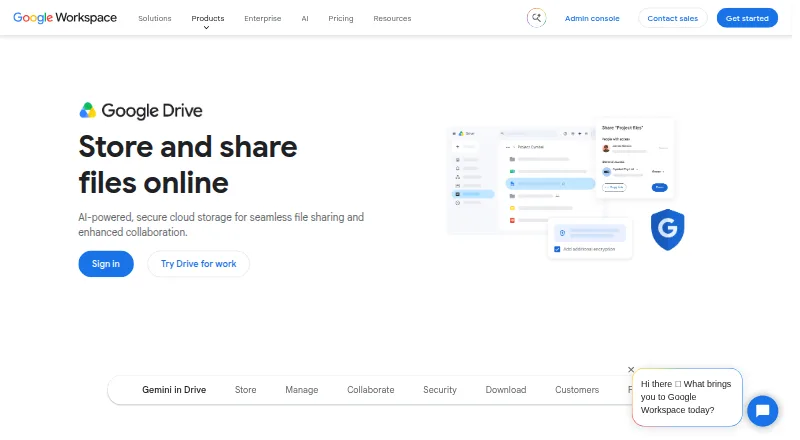
What Google Drive is
Google Drive stores and shares files across desktop and mobile devices, with up to 15 GB included with a Google Account. Users can share files with edit, comment, or view permissions and set expiration dates; shared drives let teams store, access, and manage files together. Drive supports file versioning and integrates with Google Workspace apps and services including Slack, Zoom, Salesforce, Atlassian, and SAP. Security and administration options include ransomware detection, client-side encryption, Vault, DLP policies, and Workspace management controls. The mobile app can scan receipts and billing statements into searchable PDFs. Drive for desktop is available for Windows and macOS, while mobile scanning works on Android and iOS. Gemini in Drive can find, summarize, and analyze files with AI. Storage can scale from 15 GB to 5 TB per user, and additional storage can be requested at varying costs. The free plan includes up to 15 GB. Google One Basic costs $1.99 a month for 100 GB, and Google Workspace offers a 14-day trial.
Who it suits
Google Drive suits individuals who need to store and share files, as well as teams managing shared files and access. Workspace plans include security and management controls for administrators.
What it does well
- Free Google Accounts include up to 15 GB.
- Files can be shared with three permission levels.
- Shared drives support team file management.
- Mobile app scans documents into searchable PDFs.
- Integrates with Google Workspace and listed third-party services.
What to know first
- Additional storage costs vary.
- Storage above included capacity may require a paid plan.
- Workspace trial lasts 14 days.
Limits
The free plan includes up to 15 GB of storage. Google One Basic provides 100 GB for $1.99 a month; storage options listed reach 5 TB per user, and additional storage can be requested at varying costs.
Plans
| Plan | Billed and limits | Price |
|---|---|---|
| Free | No-cost storage included with a Google Account · 15 GB storage | Free |
| Google One Basic | billed monthly · 100 GB storage | $1.99 a month |
| Google AI Plus | billed monthly · 2 TB storage | $9.99 a month |
| Google AI Pro | billed monthly · 5 TB storage | $19.99 a month |
| Business Starter | All plans billed monthly · 30 GB pooled storage per user · Maximum 300 users | $7 a month |
| Business Standard | All plans billed monthly · 2 TB pooled storage per user · Maximum 300 users | $14 a month |
| Business Plus | All plans billed monthly · 5 TB pooled storage per user · Maximum 300 users | $22 a month |
| Enterprise | 5 TB pooled storage per user | On request |
The first 8 of 11 plans, as workspace.google.com lists them, read 27 Sept 2026. The maker's own page has the final word. Every plan
Getting started
- Visit https://workspace.google.com/products/drive/.
- Create or use a Google Account to access the free plan and its included storage.
- Install Drive for desktop on Windows or macOS, or use the mobile app on Android or iOS.
- Choose a listed Google One plan for more storage, or a Workspace plan for business administration controls.
- Use the 14-day Google Workspace trial if you want to try a Workspace plan.
Overview
Google Drive is cloud file storage and sharing for individuals and organizations. It is strongest for people who want files, shared team spaces, and Google Workspace tools under one roof; those needing a narrowly focused archive or a storage plan priced around a specific workload may prefer another option.
Sharing permissions, versioning, and a broad storage range make Drive useful beyond a personal file cabinet. Its value depends on the plan: a Google Account starts with 15 GB, while business tiers add pooled storage and administration controls, and the largest consumer tiers bundle expanded AI features.
Key features
- Controlled sharing: Owners can grant view, comment, or edit access and set expiration dates. That is useful for collaboration without leaving access open indefinitely, though the appropriate plan still matters for organizational controls.
- Shared drives: Teams can store, access, and manage files together in a common space, which makes Drive a more natural fit for ongoing group work than storage organized only around one person.
- Versioning and recovery: File versioning is supported, and Drive for desktop offers ransomware detection and instant file recovery. These protections strengthen the case for working files, but do not remove the need to choose suitable security settings.
- Security and administration: Workspace plans include management and security controls through Admin Console support. Security features include client-side encryption, Vault, and DLP policies; Enterprise adds enhanced support for faster responses to critical issues.
- Mobile scanning and AI: The Android and iOS app can scan receipts and billing statements into searchable PDFs. Gemini in Drive can find, summarize, and analyze files, with expanded AI features included in Google AI Pro.
- Integrations: Drive works with Google apps and services including Slack, Zoom, Salesforce, Atlassian, and SAP, which helps it fit into established work systems.
Pricing
Drive uses a freemium model. A Google Account includes up to 15 GB at no cost, shared across the account; that is a useful starting allowance, but not a large working archive. Storage can scale from 15 GB to 5 TB per user, and additional storage can be requested at variable cost.
- Free: free; 15 GB included with a Google Account. Best for light personal storage or trying Drive, but the shared quota can fill quickly.
- Google One Basic: $1.99 a month, billed monthly, for 100 GB. A modest paid step up for users who have outgrown the free quota and do not need terabytes.
- Google AI Plus: $9.99 a month, billed monthly, for 2 TB. This suits users who need substantially more room and want a consumer AI plan.
- Google AI Pro: $19.99 a month, billed monthly, for 5 TB with expanded AI features. It is the largest priced consumer tier, but its higher monthly cost makes sense chiefly for users who will use both the capacity and AI additions.
- Business Starter: $7 a month, billed monthly, with 30 GB pooled storage per user and a maximum of 300 users. It is an entry business tier, but its per-user allowance is far below the higher plans.
- Business Standard: $14 a month, billed monthly, with 2 TB pooled storage per user and a maximum of 300 users. An introductory price is shown as ₹864. The larger allowance makes it a better fit for teams with substantial shared file needs.
- Business Plus: $22 a month, billed monthly, with 5 TB pooled storage per user and a maximum of 300 users. It is aimed at organizations needing considerably more pooled capacity.
- Enterprise: custom pricing, with 5 TB or more pooled storage per user and no minimum or maximum user limit. Enhanced support for critical issues makes this the business choice for organizations that need flexible scale and higher-touch support.
Google One plans can be canceled anytime. Google Workspace offers a 14-day trial. Business Starter, Standard, and Plus are limited to 300 users; Enterprise has no stated user floor or ceiling. Business Base, Basic, and Lite are also named tiers with price details in rupees, but their pricing and terms are not directly comparable with the dollar monthly plans above.
Platforms
Drive supports Windows, macOS, iOS, and Android. Drive for desktop is available on Windows and macOS, while mobile scanning is available on Android and iOS, so the core storage workflow spans desktop and phone.
Who it's for
Drive is a strong choice for individuals who need a free starting quota and room to upgrade, and for teams that benefit from shared drives, permission controls, integrations, and Workspace administration. Organizations with retention, legal-hold, eDiscovery, or compliance needs may value its Vault, DLP, and administrative controls. It is less compelling for users who need only a specialist archiving product or who want a clearly priced, fixed-cost storage commitment beyond the listed plans.
Pros and cons
- Pro: Up to 15 GB is included with a Google Account, giving individuals room to begin without a paid plan.
- Pro: Shared drives and granular sharing permissions support team workflows without relying solely on individual file ownership.
- Pro: Versioning, ransomware detection, and instant recovery provide meaningful safeguards for working files.
- Pro: Storage tiers reach 5 TB per user, with Enterprise offering 5 TB or more and no user-count limit.
- Con: The free quota is capped at 15 GB, and higher-capacity plans bring recurring monthly costs.
- Con: Business Starter includes only 30 GB pooled storage per user, making it a constrained choice for storage-heavy teams compared with Standard or Plus.
- Con: Enterprise uses custom pricing, so buyers cannot assess its cost from a fixed monthly rate.
Alternatives
For a broader category view, compare File Sharing Software, Email Archiving Software, Presentation Recording Software, AI Presentation Software, Online Form Builders, and Form Builder Software.
- MailArchiva is a freemium alternative with a free plan, trial, and self-hosted and Linux options; consider it when email archiving rather than general cloud file collaboration is the priority.
- VM Backup has a free edition covering two VMs per host and a 30-day fully featured trial; choose it when virtual-machine backup is the specific need.
- DArcMail is a free alternative available for Linux, macOS, and Windows.
- Open Archiver Enterprise offers a self-hosted open-source edition with community support and an Enterprise edition; it suits buyers seeking an archiving deployment rather than general-purpose storage.
- MessageSolution Enterprise Email Archive is a paid email-archive product with quote-based pricing and a $600 annual maintenance minimum; consider it for dedicated enterprise email archiving.
- Jatheon Cloud uses per-user monthly pricing billed annually and offers unlimited storage with no egress fees at exit; it may fit buyers prioritizing those archive-storage terms.
- Mimecast Data Leak Prevention is a paid data-protection option with custom pricing; consider it when data leak prevention is the central requirement.
- AnyMeeting is a paid video-conferencing alternative with monthly plans that specify participant limits and per-user storage; choose it when meetings, rather than file storage, are the core need.
Verdict
Choose Google Drive if you want storage that can grow from a free personal allowance into a team environment with shared drives, integrations, and administrative security controls. Its breadth is the main reason to pick it; look elsewhere when the job is specialized archiving or when a plan's quota and price do not fit your storage requirements.
Verdict
Google Drive pairs file storage and sharing with team drives, integrations, and security controls. A Google Account includes up to 15 GB, with larger storage options and a 14-day Workspace trial listed.
Questions
Is Google Drive free?
Yes. Google Accounts include up to 15 GB of storage at no cost.
What do the listed Google One plans cost?
Google One Basic is $1.99 a month for 100 GB. Google AI Plus is $9.99 a month for 2 TB, and Google AI Pro is $19.99 a month for 5 TB.
Which devices can run Google Drive?
Drive for desktop is available for Windows and macOS. The mobile app is available for Android and iOS.
Can teams use shared drives and admin controls?
Yes. Shared drives let teams store, access, and manage files together. Workspace plans include security and management controls with Admin Console support.
Does Google Drive integrate with other services?
Yes. Listed integrations include Slack, Zoom, Salesforce, Atlassian, and SAP, along with many others.
Facts from Google Drive's own pages
- Admin Controls
- Workspace plans include security and management controls, with Admin Console support. · workspace.google.com, 27 Sept 2026
- AI Drive Features
- Gemini in Drive can find, summarize, and analyze files with AI. · workspace.google.com, 27 Sept 2026
- Cancellation Terms
- Google One plans can be canceled anytime. · one.google.com, 27 Sept 2026
- Business admin controls
- Yes · one.google.com, 20 Sept 2026
- Google Company Fact
- Google Drive is part of Google Workspace and integrates with its apps. · workspace.google.com, 27 Sept 2026
- Compliance Support
- Google describes its cloud infrastructure as helping meet compliance requirements. · workspace.google.com, 27 Sept 2026
- Ransomware Recovery
- Drive for desktop offers ransomware detection, instant file recovery, and enhanced security. · workspace.google.com, 27 Sept 2026
- Device platforms
- Windows,macOS,iOS,Android · one.google.com, 20 Sept 2026
- Additional Storage
- Additional storage can be requested, and storage costs vary. · workspace.google.com, 27 Sept 2026
- File size limit
- 5 · one.google.com, 20 Sept 2026
- File versioning
- Yes · one.google.com, 20 Sept 2026
- Founded
- 1998 · workspace.google.com, 23 Sept 2026
- Free plan
- Yes · one.google.com, 20 Sept 2026
- Free Storage
- Google accounts include up to 15 GB of storage. · one.google.com, 27 Sept 2026
- Headquarters
- Mountain View, California, United States · workspace.google.com, 28 Sept 2026
- Third-Party Integrations
- Drive integrates with Slack, Zoom, Salesforce, Atlassian, SAP, and many more. · workspace.google.com, 27 Sept 2026
- Document Scanning
- The Drive mobile app can scan receipts and billing statements into searchable PDFs. · workspace.google.com, 27 Sept 2026
- Refund Terms
- The text mentions cooling-off rights but gives no specific refund terms. · one.google.com, 27 Sept 2026
- Security Features
- Security includes ransomware detection, client-side encryption, Vault, and DLP policies. · workspace.google.com, 27 Sept 2026
- Sharing Permissions
- Users can share files with edit, comment, or view permissions and set expiration dates. · workspace.google.com, 27 Sept 2026
- Storage limit
- 15 · one.google.com, 20 Sept 2026
- Storage Range
- Storage can scale from 15 GB to 5 TB per user. · workspace.google.com, 27 Sept 2026
- Supported Platforms
- Drive for desktop is available for Windows and macOS; mobile scanning works on Android and iOS. · workspace.google.com, 27 Sept 2026
- Enhanced Support
- Enterprise includes enhanced support for faster response to critical issues. · workspace.google.com, 27 Sept 2026
Where Google Drive stands on Freedom251
- Cloud storage#7 of 66
- File Sharing Software#7 of 47
- Cloud Storage Services#14 of 64
- Cloud Content Collaboration Software#9 of 30
- Free Tools#13 of 31
- Form builders#33 of 69